1. Produk Langkungview
The Oster Craftsman Adjustable Magnetic Motor Hair Clippers are designed for precise and efficient hair cutting. This manual provides essential information for safe operation, maintenance, and optimal performance of your new clippers.

Gambar 1.1: Hareupeun view of the Oster Craftsman Adjustable Magnetic Motor Hair Clippers. This image shows the main body of the clipper, the blade assembly, and the "Oster Craftsman" branding.
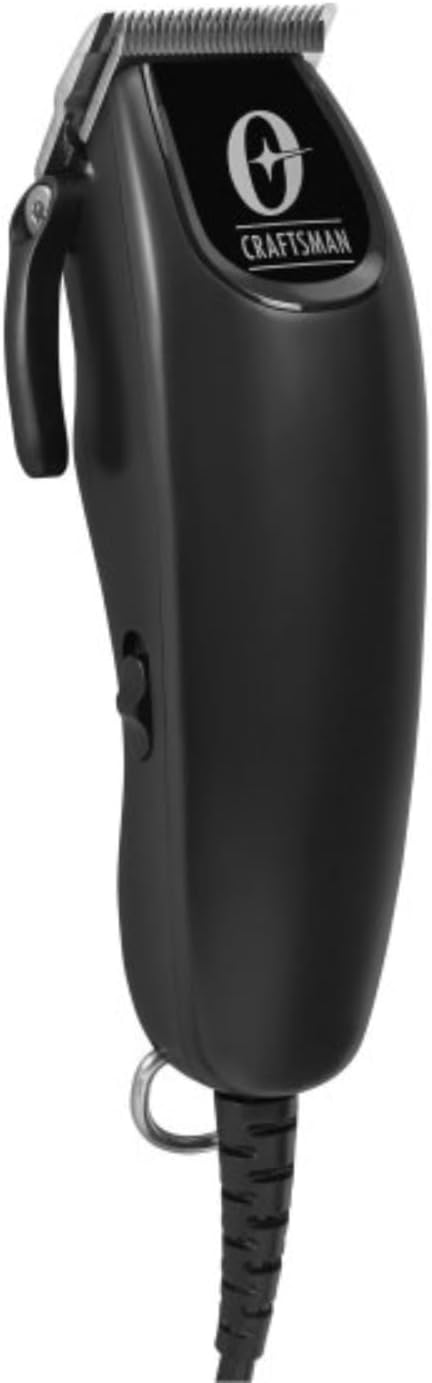
Gambar 1.2: Angled view of the Oster Craftsman Hair Clippers. This perspective highlights the ergonomic shape and the side power switch.

Gambar 1.3: Balik view of the Oster Craftsman Hair Clippers. This view shows the product's regulatory markings and the sturdy power cord connection.
2. Émbaran Kasalametan
Please read all safety instructions before using the clippers to prevent injury or damage.
- Always unplug the clipper before cleaning, performing maintenance, or storing.
- Avoid direct contact of the blades with skin and eyes.
- Keep the clipper away from water sources and do not use it in wet environments.
- Clean the clipper after each use with the included cleaning brush and blade oil.
- Entong dianggo pikeun orok atanapi murangkalih tanpa pangawasan sawawa.
- Salawasna turutan parentah produsén pikeun pamakéan sarta perawatan ditangtoskeun.
- Do not attempt to disassemble or repair the clipper yourself. Contact qualified service personnel.
- Pastikeun kabel listrik henteu ruksak atanapi kusut nalika dianggo.
3. Eusi Paket
Pastikeun yén sadaya item aya dina bungkusan:

Image 3.1: Included accessories for the Oster Craftsman Hair Clippers. This image displays various comb attachments (guards), a small cleaning brush, and a bottle of blade oil.
- Oster Craftsman Adjustable Magnetic Motor Hair Clipper
- Multiple Comb Attachments (various sizes)
- Sikat beberesih
- Minyak sabeulah
- Manual Pitunjuk (dokumén ieu)
4. Setélan
Before first use, ensure the clipper is clean and properly lubricated.
- Ngabongkar: Sacara saksama miceun sadaya komponén tina bungkusan.
- mariksa: Check the clipper and accessories for any signs of damage. Do not use if damaged.
- Blades bersih: Use the cleaning brush to remove any debris from the blades.
- Lubricate bilah: Apply a few drops of the included blade oil across the teeth of the blades. Turn the clipper on for a few seconds to distribute the oil, then wipe off any excess. This ensures smooth operation and prolongs blade life.
- Sambungan Daya: Colokkeun clipper kana stop kontak listrik anu cocog.
5. Parentah Operasi
Follow these steps for effective hair cutting:

Image 5.1: Proper grip for the Oster Craftsman Hair Clippers. This image shows a hand comfortably holding the clipper, illustrating its ergonomic design for ease of use.
- Nyiapkeun bulu: Ensure hair is clean, dry, and combed to remove tangles.
- Select Length:
- Adjustable Lever: The clipper features an adjustable lever on the side, allowing for fine-tuning of cutting length from #000 (closest cut) to #1 (longer cut). Move the lever up or down to select the desired blade length.
- Kantétan sisir: For longer hair lengths, select the appropriate comb attachment (also known as a guard) from the included set. These attachments snap onto the clipper blades. Refer to the markings on each comb for its corresponding length (e.g., #1, #2, #3, etc.).
- Daya Hurung: Flip the power switch to the "ON" position. The clipper will begin to vibrate and the blades will move.
- Mimitian motong:
- Start cutting from the bottom of the head, moving upwards against the direction of hair growth.
- Anggo guratan anu lemes sareng tumpang tindih.
- Pikeun potongan anu rata, jaga sudut sareng tekanan anu konsisten.
- Periodically brush away cut hair from the blades to ensure optimal performance.
- Pareum listrik: Once finished, flip the power switch to the "OFF" position and unplug the clipper from the electrical outlet.
6. Pangropéa jeung beberesih
Regular cleaning and maintenance will extend the life of your clippers and ensure consistent performance.
- Cabut colokan: Always ensure the clipper is unplugged before cleaning.
- Cabut bulu: Use the cleaning brush to remove all loose hair from the blades and the clipper housing. Pay special attention to the area between the blades.
- Bilah Minyak: Apply 2-3 drops of blade oil across the top of the blades and 1 drop on each side of the blade set. Turn the clipper on for a few seconds to allow the oil to penetrate. This lubricates the blades, reduces friction, and prevents rust.
- Ngusap handap: Use a soft, dry cloth to wipe the exterior of the clipper. Do not use harsh chemicals or abrasive cleaners.
- Panyimpenan: Store the clipper in a dry, cool place, away from direct sunlight and moisture. Keep the blade guard on when not in use to protect the blades.
7. Cara ngungkulan
If you encounter issues with your Oster Craftsman Hair Clippers, refer to the following common solutions:
| Masalah | Mungkin Cukang lantaranana | Solusi |
|---|---|---|
| Clipper teu hurung. | Teu plugged di; masalah stop kontak listrik; ari ruksak. | Ensure clipper is securely plugged into a working outlet. Check for visible damage to the power cord. |
| Blades pull or snag hair. | Blades are dull; blades are not oiled; hair buildup. | Clean and oil blades thoroughly. If problem persists, blades may need replacement or professional sharpening. |
| Clipper runs loudly or vibrates excessively. | Lack of lubrication; loose blade screws. | Apply blade oil. Check if blade screws are tightened appropriately (do not overtighten). |
| Potongan henteu rata. | Improper comb attachment; inconsistent cutting angle. | Ensure comb attachment is securely fastened. Maintain a consistent angle and overlap strokes during cutting. |
If these solutions do not resolve the issue, please contact Oster customer support.
8. Spésifikasi produk
| Fitur | Rincian |
|---|---|
| merek | Oster |
| Nomer modél | Tukang nyieun |
| Warna | Hideung |
| Bahan Sabeulah | Alloy Steel |
| Panjang motong maksimum | 1 Inch (with comb attachments) |
| Adjustable Panjang Agul | #000 to #1 (without comb attachments) |
| Batré Diperlukeun | No (corded operation) |
| Produsén | Oster |
| Ukuran Paket | 10 x 7.01 x 3.7 inci |
| Item Beurat | 2.07 pon |
9. Garansi jeung Rojongan
For warranty information, technical support, or service inquiries, please contact Oster customer service. Keep your purchase receipt as proof of purchase.
- Dukungan Online: Visit the official Oster websitus pikeun FAQs jeung sumber rojongan.
- Inpormasi kontak: Refer to the product packaging or the official Oster websitus kanggo detil kontak layanan palanggan ayeuna.


