1. Bubuka
This user manual provides detailed instructions for the Symcode USB 1D Barcode Scanner. Please read this manual carefully before using the product to ensure proper operation and to maximize its lifespan. This device is designed for efficient and accurate scanning of 1D barcodes in various environments such as warehouses, libraries, supermarkets, and POS systems.
2. Eusi Paket
- 1 x Symcode CCD Barcode Scanner
- 1 x Kabel USB
- 1 x Manual Pamaké (dokumén ieu)
3. Produk Langkungview
The Symcode 1D Barcode Scanner is a handheld, wired device featuring CCD image scanning technology. Its ergonomic and lightweight design ensures comfortable use for extended periods.
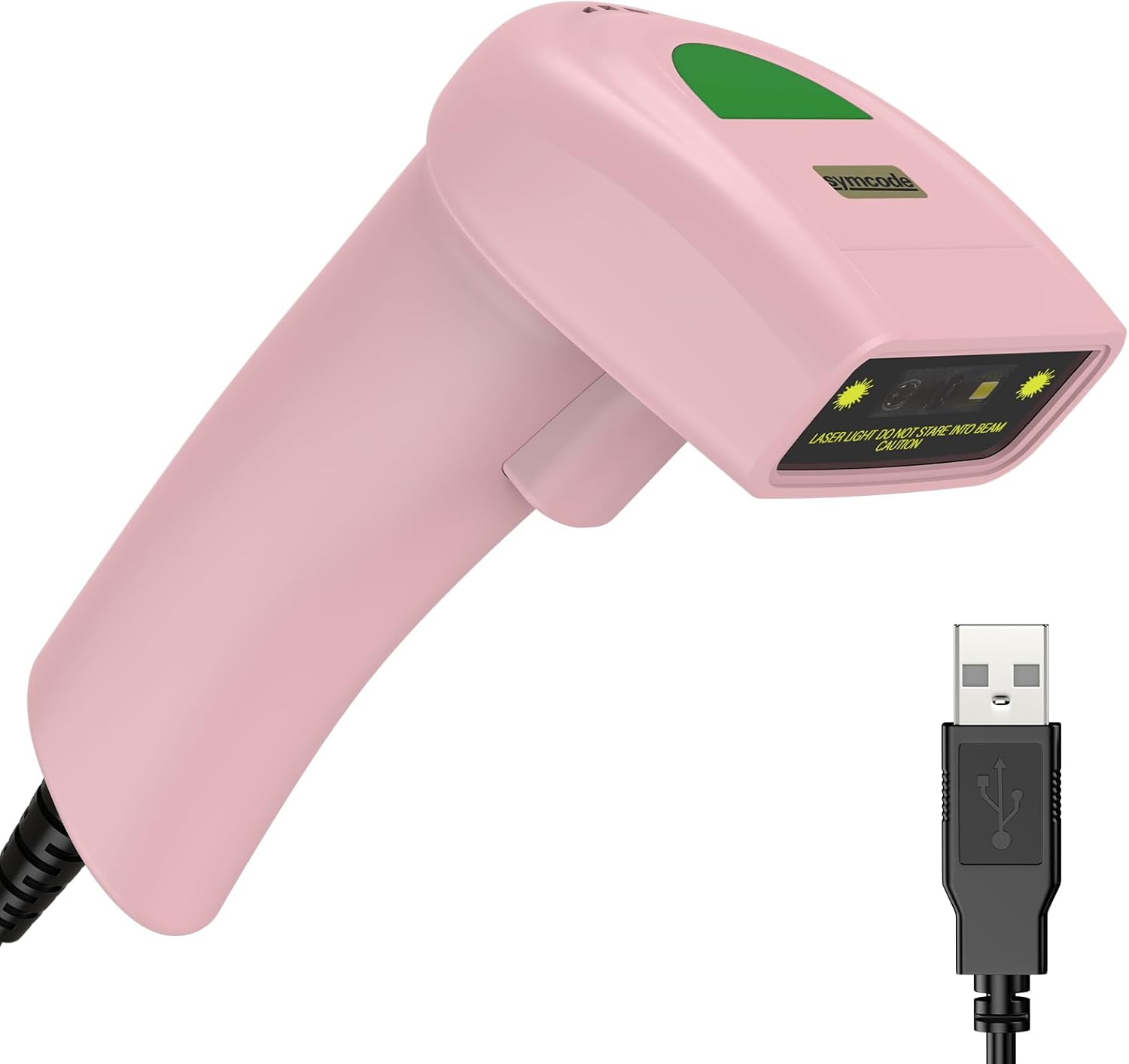
Figure 3.1: Symcode USB 1D Barcode Scanner (Pink) with its USB cable.

Figure 3.2: The scanner's compact dimensions (1.97in/5cm width, 2.76in/7cm depth, 5.5in/14cm height) are shown in comparison to a mobile phone, highlighting its portability. The scanner weighs only 181g (excluding the wire).

Figure 3.3: The scanner's light and streamlined design (left) offers comfort and ease of use, contrasting with a heavier, bulkier design (right) that can be more laborious.
4. Setélan
4.1 Nyambungkeun scanner
The Symcode 1D Barcode Scanner is a plug-and-play device, requiring no driver installation for most operating systems.
- Milarian port USB anu sayogi dina komputer anjeun (Desktop atanapi Laptop).
- Insert the USB connector of the scanner's cable into the USB port.
- The scanner will emit a beep, indicating successful connection and readiness for use.

Figure 4.1: The USB cable serves as both a power source and a data transmission cable, enabling simple plug-and-play functionality.
5. Parentah Operasi
5.1 Nyeken Dasar
To scan a barcode, aim the scanner's laser beam at the center of the barcode and press the trigger button. A successful scan will be indicated by a beep and a light confirmation.

Figure 5.1: The scanner is capable of reading 1D barcodes from both printed labels and digital screens.
5.2 Modeu nyeken
Pamindai ieu ngadukung tilu modeu pamindaian utama:
- Modeu pemicu konci: Press the trigger button to initiate each scan.
- Auto-Induction Mode: Pamindai sacara otomatis ngadeteksi barkod dina widangna view and scans it without requiring a trigger press.
- Mode Kontinyu: The scanner continuously emits its laser, scanning any barcode that passes through its beam.
5.3 Pilihan Kustomisasi
5.3.1 Adding Prefix and Suffix
The scanner allows for customization of scanned data by adding prefixes or suffixes. This feature is useful for data organization and integration with various software systems. Refer to the programming barcodes in the included user manual for specific instructions on how to configure these options.

Gambar 5.2: Kelamples demonstrating how prefixes (e.g., RL123456789), suffixes (e.g., 123456789RL), or middle insertions (e.g., 12345RL6789) can be added to scanned barcode data.
5.3.2 Kontrol Sora
The scanner's sound (beep) can be turned on or off according to user preference. This is typically done by scanning specific configuration barcodes found in the full user manual.

Figure 5.3: Visual representation of turning the scanner's sound on or off using dedicated configuration barcodes.
6. Supported Barcodes
The Symcode 1D Barcode Scanner is equipped with advanced CCD sensor technology, enabling it to accurately read a wide range of 1D barcodes, including those that are smudged, damaged, fuzzy, or reflective. It supports 180 configurable options for prefix, suffix, and termination strings.
Supported 1D Barcode Symbologies include:
- EAN-8/13
- UPC-A/E
- Code 39/93/128
- EAN-128
- Codabar
- Industri 2 tina 5
- Interlease 2 ti 5
- Matriks 2 ti 5
- MSI
- RSS variants
- Cina 2 ti 5

Figure 6.1: The scanner's super decoding ability is demonstrated with examples of various 1D barcodes, including standard ones like KODE 128 jeung UPC A, as well as challenging ones like Frauded Barcode, Profiled barkod, Folded Barcode, jeung Color Barcode.
7. Pangropéa
Pangropéa anu leres mastikeun umur panjang sareng kinerja anu optimal tina pamindai barkod anjeun.
- beberesih: Anggo lawon anu lemes sareng garing pikeun ngabersihkeun bagian luar scanner. Pikeun jandela scanning, anggo lawon anu henteu ngaganggu bulu sacara hampang.ampened with a non-abrasive cleaner. Avoid harsh chemicals or abrasive materials.
- Panyimpenan: Simpen alat panyeken di tempat anu tiis sareng garing jauh tina sinar panonpoé langsung sareng suhu anu ekstrim.
- Penanganan: While the scanner is designed to be durable (withstands drops from 2m), avoid unnecessary drops or impacts to prevent damage to internal components.
8. Cara ngungkulan
| Masalah | Mungkin Cukang lantaranana | Solusi |
|---|---|---|
| Scanner teu hurung. | kabel USB teu bener disambungkeun atawa faulty port USB. | Ensure the USB cable is securely plugged into both the scanner and the computer. Try a different USB port. |
| Scanner henteu maca barkod. | Barcode is damaged, poorly printed, or not a supported symbology. Scanner is not in the correct scanning mode. | Ensure the barcode is clear and undamaged. Verify the barcode symbology is supported. Check the scanning mode (Key Trigger, Auto-Induction, Continuous) and adjust if necessary. |
| Data discan teu bener atawa teu lengkep. | Incorrect prefix/suffix settings or data formatting issues. | Refer to the customization section (5.3) and the full user manual for programming barcodes to reset or adjust prefix/suffix settings. |
| No sound from scanner. | Sound is turned off. | Scan the "Turn on Sound" configuration barcode (refer to section 5.3.2 and the full user manual). |
9. Spésifikasi
| Fitur | Rincian |
|---|---|
| Diménsi | 165 x 63 x 87 mm (6.5 x 2.48 x 3.43 inci) |
| Beurat | 156g (5.9 ons) |
| Sumber Cahaya | 650nm~670nm Visible Laser |
| Laju Scan | 100 scan / detik |
| Read Preciseness | 0.1 mm (4 mil) |
| Nyitak Kontras | 30% mnt |
| Jero Widang | 0~600mm (0.33mm, PCS 90%) |
| Scan Scope | 10mm ~ 250mm |
| Jarak Bacaan | 2.5~600mm (100% UPC/EAN) |
| Laju Kasalahan Bit | 1/5 juta |
| ayeuna | 85mA (working), 36mA (storage) |
| Panganteur | USB |
| Suhu Operasi | 0℃~45℃ (32°F~113°F) |
| Suhu Panyimpenan | -20 ℃ ~ 60 ℃ (-4 ° F ~ 140 ° F) |
| Kalembaban | 5% ~ 95% non-condensing |
| Bahan | ABS + PC |
| Alat nu cocog | Desktop, Laptop |
| Sumber Daya | Kabel Listrik |
10. Garansi jeung Rojongan
Symcode products are manufactured to high quality standards. For warranty information and technical support, please refer to the contact details provided with your purchase or visit the official Symcode websitus. Simpen resi pameseran anjeun salaku bukti pameseran pikeun klaim garansi.
For further assistance, please contact Symcode customer service.


