Bubuka
Thank you for choosing the Baseus Bowie MA10S Wireless Earbuds. This manual provides detailed instructions on how to set up, operate, and maintain your earbuds to ensure optimal performance and longevity. Please read this manual thoroughly before using the product.

Image: The Baseus Bowie MA10S Wireless Earbuds, showing both earbuds and their open charging case with a digital battery display.
Eusi pakét
Pastikeun sadaya item aya dina bungkusan:
- Baseus Bowie MA10S Wireless Earbuds (Left and Right)
- Ngecas Case
- S/M/L Eartips (Left and Right pairs)
- S/M/L Earwings (Left and Right pairs)
- Kabel Ngecas USB-C
- Manual pangguna (dokumén ieu)

Image: All components included in the Baseus Bowie MA10S package: the earbuds in their charging case, a USB-C charging cable, and various sizes of ear tips and ear wings.
Disetél
1. Ngecas Awal
Before first use, fully charge the earbuds and the charging case. Connect the USB-C charging cable to the charging case and a power source. The digital display on the case will show the battery percentage. The earbuds will charge automatically when placed inside the case.

Image: The Baseus Bowie MA10S charging case demonstrating both USB-C wired charging and wireless charging capabilities, with a clear view of the digital power display showing "100%".
The charging case supports both wired USB-C charging and wireless charging. A full charge provides up to 38 hours of total playtime with the charging case, and 8 hours on a single charge for the earbuds.
2. Papasangan Bluetooth
- Buka wadah ngecas. Earbuds bakal otomatis asup kana mode papasangan.
- Dina alat anjeun (smartphone, tablet, laptop), aktipkeun Bluetooth.
- Milarian pikeun "Baseus Bowie MA10S" in the list of available Bluetooth devices.
- Select "Baseus Bowie MA10S" to connect. Once connected, a voice prompt will confirm the successful pairing.
The earbuds feature Bluetooth 5.3 for instant pairing, stable connection, and better interference resistance. They also support multipoint connection, allowing seamless pairing to two devices simultaneously.

Image: A visual representation of the Bluetooth 5.3 chip, highlighting its role in providing instant pairing and stable connections.

Image: A man seamlessly connected to both a smartphone and a laptop with the Baseus Bowie MA10S earbuds, illustrating the multipoint connection feature.
3. Baseus App Installation
For enhanced features and customization, download the official Baseus App from your device's app store. The app allows you to:
- Adjust Noise Cancelling levels (10 levels available)
- Select from 12 Preset Equalizers (EQs) or create custom ones
- Customize touch gestures for controls

Image: Screenshots of the Baseus App interface, demonstrating options for ambient sound control, equalizer presets, and custom gesture settings.
Parentah Operasi
Toél Kontrol
The Baseus Bowie MA10S earbuds feature intuitive touch controls. Refer to the following table for default functions. Custom gestures can be configured via the Baseus App.
| Aksi | Fungsi | Catetan |
|---|---|---|
| Put on / Take off | Play & Reureuh | Deteksi otomatis |
| Single Tap (L or R) | Toggle Track / Adjust Volume | Customizable in App |
| Long Press (1.5s, L or R) | Noise Cancellation Cycle | ANC > Normal > Transparency mode (default) |
| Long Press (1.5s, L or R) | Spatial Audio Cycle | Music > Theater > Normal (default) |
| Long Press (1.5s, L or R) | Nolak Telepon | |
| Single Tap (L or R) | Answer / Hangup Call |

Image: A visual guide to the easy tap controls on the Baseus Bowie MA10S earbuds, showing functions like play/pause, track/volume adjustment, call management, and mode cycling.
Active Noise Cancellation (ANC) & Transparency Modes
The earbuds feature Hybrid Active Noise Cancelling technology, reducing disturbing noise by up to 95% (-48dB). Long press either earbud to cycle through ANC, Normal, and Transparency modes.
- Mode ANC: Ideal for noisy environments like travel or office, blocking out ambient sound.
- Modeu Normal: Pangalaman audio standar tanpa peredam bising.
- Modeu Transparansi: Allows you to hear your surroundings while listening to audio, useful for safety or conversations.

Image: A man wearing the Baseus Bowie MA10S earbuds, with a visual overlay indicating the -48dB Hybrid Active Noise Cancellation feature, suggesting a quiet listening experience.

Image: A man walking outdoors while wearing the Baseus Bowie MA10S earbuds, illustrating the Transparent Mode feature which allows awareness of surroundings.
Audio Modes & Spatial Audio
The Bowie MA10S offers three tailored audio modes and immersive spatial audio:
- Modeu Bass: Enhanced bass for sports or music genres that benefit from powerful low frequencies.
- Modeu Musik: Balanced audio for daily immersive listening.
- Modeu Kaulinan: Low-latency audio (0.038s) for synchronized audio and video during gaming.
Activate the Dual Channel Low-Latency (DCLL) mode for gaming to ensure audio and video are in full sync.

Image: The Baseus Bowie MA10S earbuds positioned next to a smartphone displaying a racing game, emphasizing the 0.038s low-latency feature for smooth and seamless gaming.
Experience Baseus Immersive Spatial Audio (BISA) which creates a virtual soundscape, keeping you at the center of the sound. Long press either earbud to cycle through Spatial Audio modes (Music > Theater > Normal).
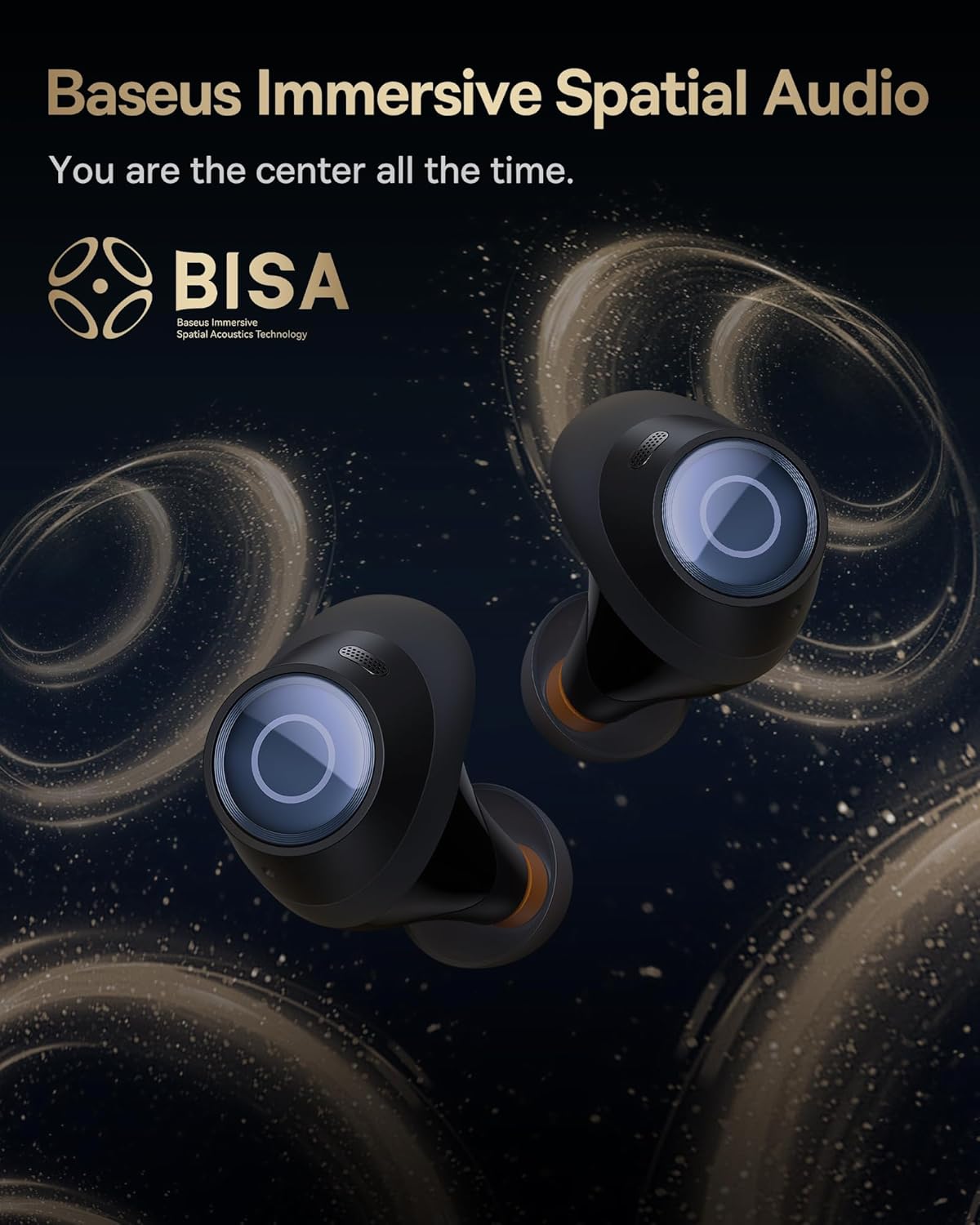
Image: The Baseus Bowie MA10S earbuds highlighted with the "BISA" (Baseus Immersive Spatial Audio) logo, indicating their advanced audio positioning capabilities.
Hapus Telepon
The earbuds are equipped with 4 Environmental Noise Cancelling (ENC) microphones. These mics capture ambient noise, and an AI algorithm cancels it, ensuring crystal-clear call quality even in noisy environments.

Gambar: Siga sinar-X view of the Baseus Bowie MA10S earbuds, illustrating the placement of the 4 Environmental Noise Cancelling (ENC) microphones designed for crystal-clear phone calls.
Ngecas
Earbud Ngecas
Place the earbuds into the charging case. They will automatically begin charging. The case's digital display will show the charging status and battery level.
Case Charging (Wired & Wireless)
- Ngecas kabel: Connect the provided USB-C cable to the charging port on the case and a USB power adapter.
- Ngecas nirkabel: Simply place the charging case on a compatible wireless charging pad.
The case features a smart power display, showing the exact battery percentage at a glance.

Gambar: A close-up view of the Baseus Bowie MA10S charging case's built-in digital display, clearly showing "100%", indicating a full charge.
A quick 10-minute wired charge can provide up to 2 hours of playtime.

Image: The Baseus Bowie MA10S charging case connected for fast wired charging, with a graphic indicating "10m = 2H", signifying 10 minutes of charge provides 2 hours of playtime.
Pangropéa
beberesih
- Bersihkeun earbud sacara rutin, khususna tungtung ceuli sareng kontak ngecas, nganggo lawon anu lemes, garing, sareng henteu buluan.
- Cabut tungtung ceuli teras bersihan kotoran ceuli atanapi kokotor tina muncung earbud nganggo sikat leutik atanapi kapas.
- Bersihkeun wadah pangisi daya nganggo lawon anu lemes sareng garing.
- Ulah make cleaners abrasive, alkohol, atawa pangleyur kimiawi.
Panyimpenan
Nalika henteu dianggo, simpen earbuds dina wadah ngecasna pikeun ngajagi sareng tetep dicas. Nyimpen wadahna di tempat anu tiis sareng garing jauh tina suhu anu ekstrim.
Tahan cai (IPX4)
The Baseus Bowie MA10S earbuds are IPX4 waterproof, meaning they are resistant to splashing water from any direction. This makes them suitable for workouts and light rain. However, they are not designed for swimming or submersion in water. Do not expose them to pressurized water or high-velocity water, such as showering or bathing.

Image: The Baseus Bowie MA10S earbuds shown with water splashing over them, indicating their IPX4 waterproof rating, suitable for sweat and light rain.
Pamérésan masalah
If you encounter issues with your Baseus Bowie MA10S earbuds, please refer to the following common solutions:
- Earbuds teu dipasangkeun:
- Pastikeun yén earbuds dieusi.
- Pareuman sareng aktipkeun Bluetooth dina alat anjeun.
- Lebetkeun deui earbud kana wadahna, tutup tutupna, antosan sababaraha detik, teras buka deui pikeun lebet deui kana modeu pairing.
- Forget "Baseus Bowie MA10S" from your device's Bluetooth list and try pairing again.
- Henteu aya sora atanapi volume rendah:
- Pariksa tingkat polumeu dina alat anjeun sareng earbuds.
- Ensure earbuds are properly seated in your ears and the ear tips provide a good seal.
- Ngabersihan sagala lebu tina nozzles earbud.
- Try resetting the earbuds (refer to Baseus App or online resources for specific reset instructions if needed).
- Masalah ngecas:
- Pastikeun yén kabel USB-C disambungkeun sacara aman ka casing sareng sumber listrik.
- Coba kabel USB-C atanapi adaptor kakuatan anu sanés.
- For wireless charging, ensure the case is correctly placed on the wireless charging pad.
- Bersihkeun kontak ngecas boh dina earbuds sareng di jero wadahna.
- ANC teu efektif:
- Ensure ANC mode is activated (long press earbud).
- Check that the ear tips provide a proper seal in your ear canal. Try different sizes of ear tips for a better fit.
For further assistance, please refer to the official Baseus support channels.
spésifikasi
| Fitur | Rincian |
|---|---|
| Ngaran modél | Baseus Bowie MA10S |
| Téhnologi konektipitas | Nirkabel (Bluetooth 5.3) |
| Rentang Bluetooth | 10 méter |
| Kontrol bising | Hybrid Active Noise Cancellation (up to -48dB) |
| Mikropon | 4 ENC Mics for Clear Calls |
| Tipe Supir Audio | Dynamic Driver (Titanium-plated PU composite diaphragm) |
| Rentang Frékuénsi | 20 Hz - 20,000 Hz |
| Kahirupan Batré (Earbuds) | 8 Jam (sakali muatan) |
| Daya Tahan Batré (Total sareng Casing) | 38 Jam |
| Ngecas | USB-C Wired, Wireless Charging |
| Latén Audio | 38 Milidetik (Modeu Kaulinan) |
| Tahan cai | IPX4 Waterproof |
| Métode kontrol | Toél, App |
| Alat nu cocog | Cellphones, Devices with Bluetooth Audio Capability (iOS, Android, Windows, Mac OS, Switch), Laptops, Tablets |
| Item Beurat | 4.6 ons |
| UPC | 850060076268 |
Garansi sareng Rojongan
For information regarding product warranty, returns, or technical support, please visit the official Baseus websitus atanapi ngahubungan layanan palanggan maranéhanana langsung. Simpen resi pameseran anjeun salaku bukti pameseran pikeun klaim garansi.
Official Baseus Store: Baseus Amazon Store


