1. Bubuka
This manual provides essential information for setting up, operating, and maintaining your Beelink SER5 MAX Mini PC. The Beelink SER5 MAX is a compact desktop computer powered by an AMD Ryzen 7 6800U processor, designed for various applications including office work, home entertainment, graphic design, and light gaming. It features high-speed memory, ample storage, and extensive connectivity options to enhance your productivity and multimedia experience.

Gambar: Leuwihview tina Beelink SER5 MAX Mini PC, showcasing desain anu ringkes sareng fitur-fitur konci na.
2. Naon dina Box
Mangga parios eusi pakét anjeun pikeun mastikeun yén sadaya barang aya:
- 1 x SER5 MAX 6800U Mini PC
- 1 x Kabel HDMI (100CM)
- 1 x adaptor kakuatan
- 1 x Manual Pamaké
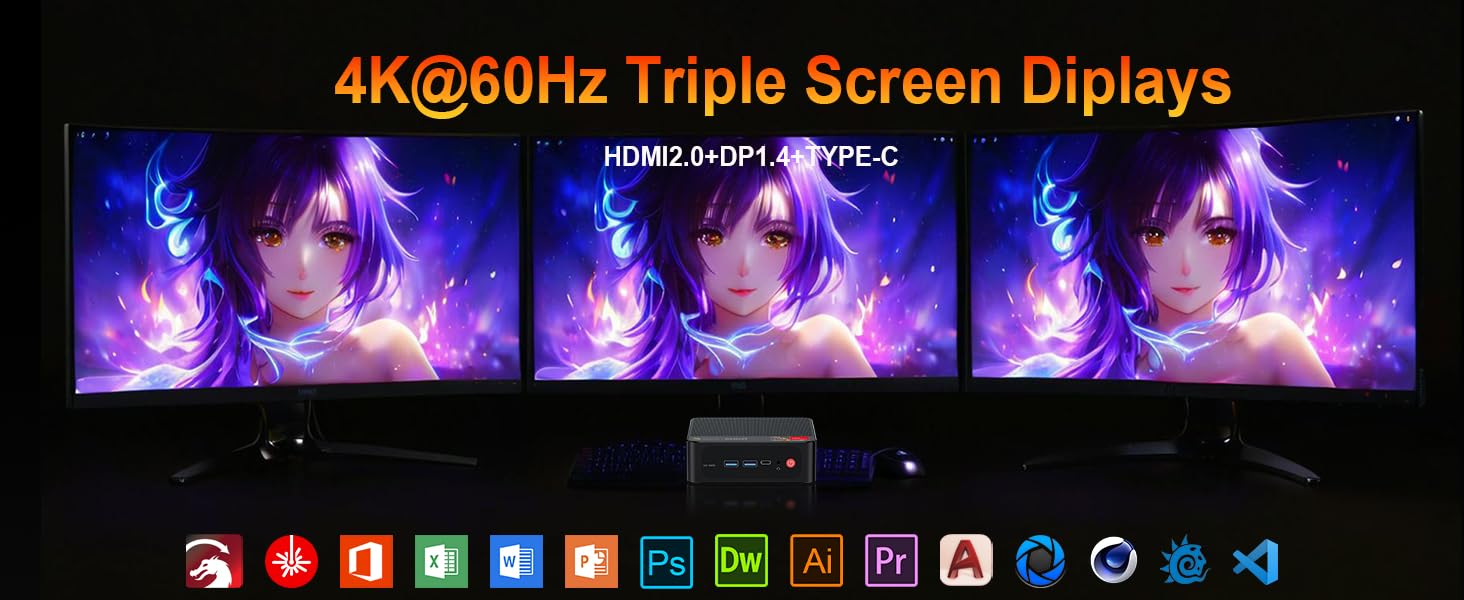
Image: Contents included in the Beelink SER5 MAX Mini PC package, showing the mini PC, power adapter, HDMI cable, and user manual.
3. Fitur Produk
The Beelink SER5 MAX Mini PC is equipped with advanced components for optimal performance:
- Prosesor: AMD Ryzen 7 6800U (8 Cores/16 Threads, up to 4.7GHz, 16MB L3 Cache, 28W TDP).
- Grafik: Integrated AMD Radeon RDNA 2 Graphics (12 Cores, 2200MHz).
- Mémori: 24GB LPDDR5 6300MHz RAM (2x12GB, non-replaceable).
- Panyimpenan: 500GB M.2 2280 PCIe 4x4 SSD. Supports dual SSDs up to 8TB total (Max 4TB each SSD).
- Kaluaran tampilan: Supports 4K@60Hz Triple Display via DP1.4, HDMI 2.0, and Type-C.
- Konéktipitas nirkabel: WiFi 6 (802.11ax) for speeds up to 1200Mbps, Bluetooth 5.2.
- Konektipitas kabel: Gigabit Ethernet (RJ45 1000Mbps LAN).
- Palabuhan:
- 3 x USB 3.2 Gen2 Tipe-A (10Gbps)
- 1 x USB 2.0 Tipe-A
- 1 x Type-C (Data & Video Output)
- 1 x HDMI 2.0
- 1 x DisplayPort (DP1.4)
- 1 x Jack DC (Input Daya)
- 1 x 3.5mm Audio Jack (HP&MIC)
- 1 x CLR CMOS Reset button
- Sistim cooling: MSC2.0 Cooling System with heat pipe, heat sink, and silent fan.
- ukuran: 4.9 x 4.4 x 1.6 inci (126 x 113 x 42 mm).

Gambar: Hareup jeung pungkur view of the Beelink SER5 MAX Mini PC, highlighting its various connectivity ports.

Image: A Beelink SER5 MAX Mini PC connected to three monitors, demonstrating its triple display capability for multitasking.
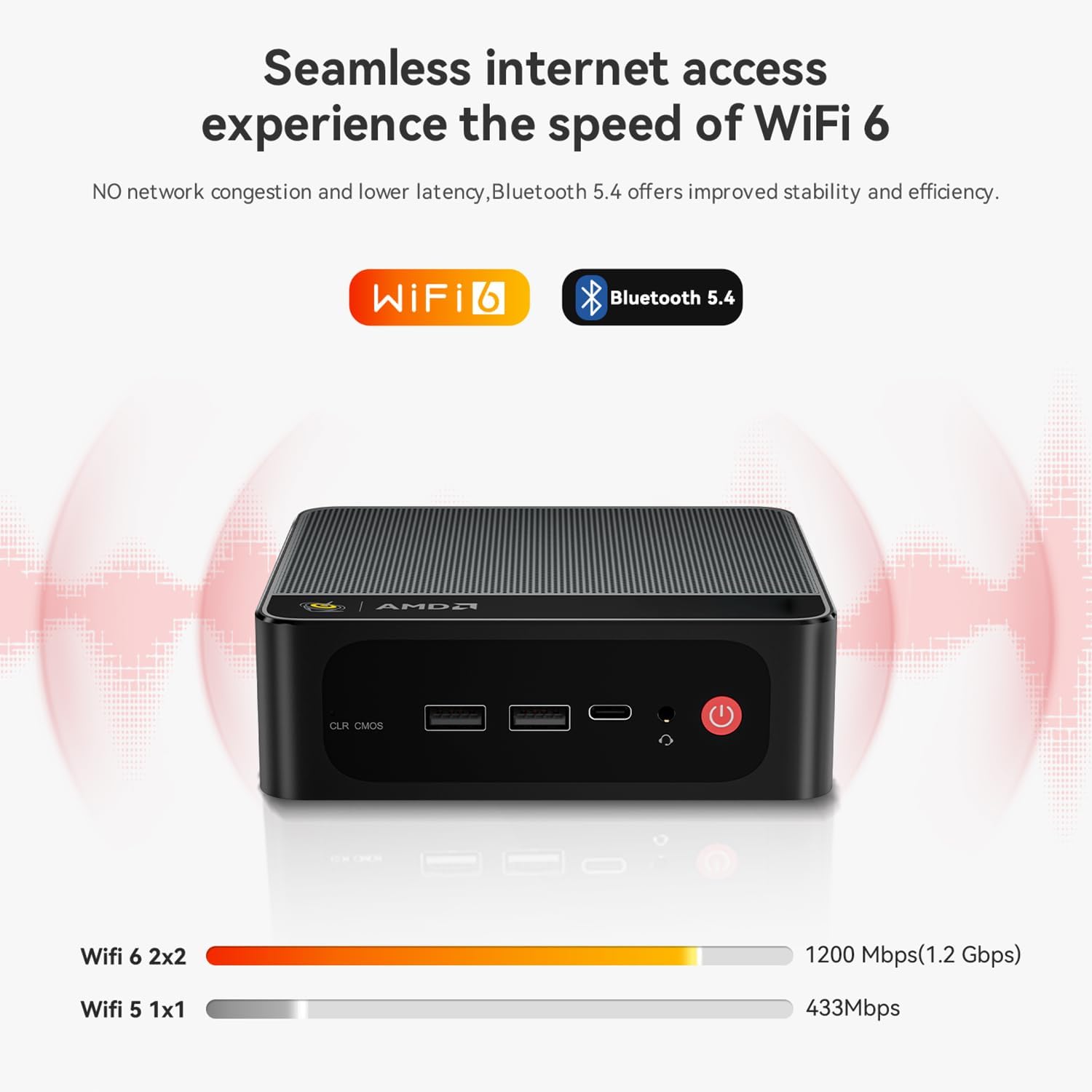
Image: Diagram illustrating the efficient MSC2.0 cooling system of the Beelink SER5 MAX, featuring a heat pipe, heat sink, and silent fan.
Video Produk Leuwihview
Pidéo: Pajabat parantos réngséview of the Beelink SER5 MAX 6800U Mini PC, highlighting its design, features, and performance capabilities.
4. Setup Guide
Turutan léngkah-léngkah ieu pikeun nyetél Beelink SER5 MAX Mini PC anjeun:
- Sambungkeun Periferal: Connect your monitor(s) using the HDMI, DisplayPort, or Type-C ports. Connect your keyboard and mouse to the available USB ports.
- Sambungkeun Kakuatan: Plug the power adapter into the DC Jack on the back of the Mini PC, then plug the adapter into a power outlet.
- Daya Hurung: Press the power button located on the front of the Mini PC. The system will boot up.
- Setup Awal: Turutan pitunjuk dina layar pikeun ngarengsekeun setelan awal Windows 11 Pro, kalebet basa, daérah, sambungan jaringan, sareng nyiptakeun akun pangguna.
- Sambungan jaringan: For wired internet, connect an Ethernet cable to the LAN port. For wireless internet, select your Wi-Fi network during setup or via Windows settings.
5. Parentah Operasi
Your Beelink SER5 MAX Mini PC comes pre-installed with Windows 11 Pro, offering a familiar and intuitive operating environment.
- Pamakéan dasar: Navigate the Windows interface using your mouse and keyboard. Launch applications from the Start Menu or desktop shortcuts.
- Triple Display Setup: To utilize multiple monitors, connect them to the available HDMI, DisplayPort, and Type-C video outputs. Windows will automatically detect the displays. You can configure display settings (e.g., extend, duplicate) via Setélan > Sistem > Tampilan.
- Nyambungkeun Alat Bluetooth: To pair Bluetooth devices (e.g., headphones, speakers), go to Setelan > Bluetooth & alat, turn on Bluetooth, and select 'Add device'.
- USB 3.2 Gen2: Utilize the high-speed USB 3.2 Gen2 ports for fast data transfer with compatible external storage devices. The Type-C port also supports data and video output.
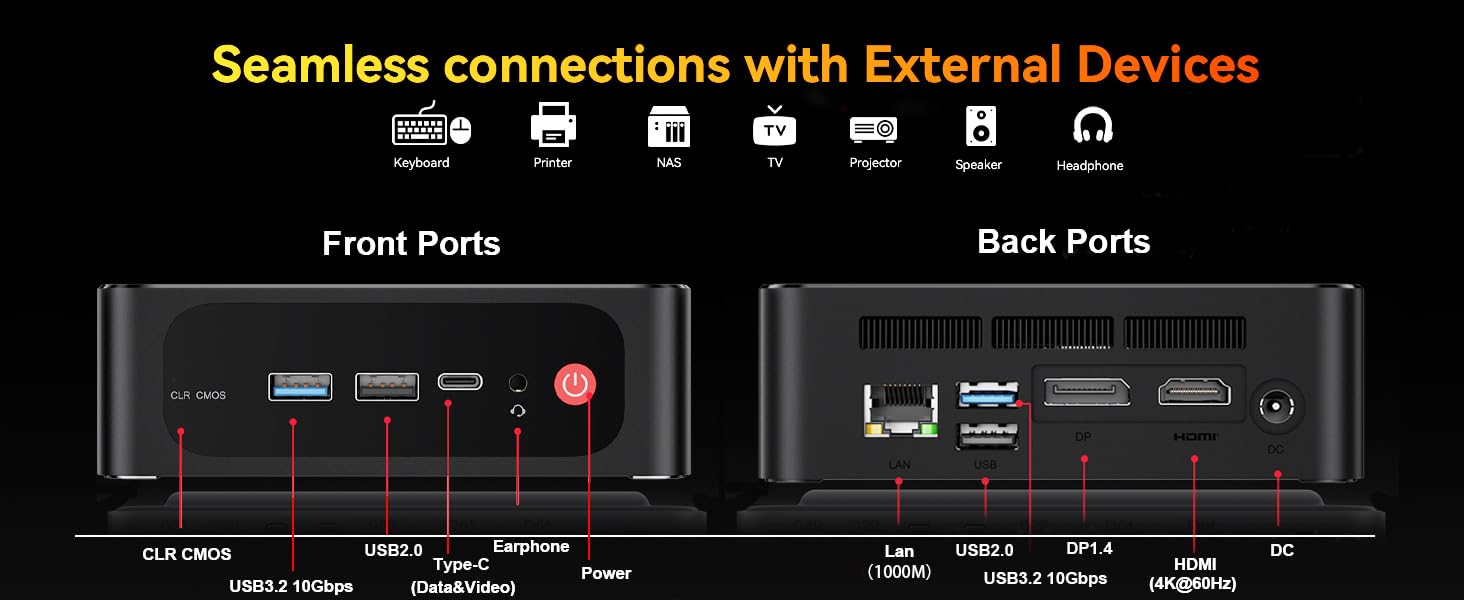
Image: The Beelink SER5 MAX Mini PC running multiple productivity applications simultaneously, demonstrating its multitasking capabilities.
6. Pangropéa
Proper maintenance ensures the longevity and optimal performance of your Mini PC:
- beberesih: Regularly clean the exterior of the Mini PC with a soft, dry cloth. Use compressed air to clear dust from the ventilation grilles to maintain efficient cooling.
- Ventilasi: Ensure the Mini PC is placed in a well-ventilated area, away from direct sunlight or heat sources. Do not block the air vents.
- Panyimpenan pamutahiran: The Mini PC supports dual M.2 2280 PCIe 4x4 SSDs. To upgrade or add storage, carefully open the chassis and install the new SSD. Refer to the detailed instructions provided with your device for specific steps.
- Apdet parangkat lunak: Jaga sistem operasi sareng driver Windows anjeun tetep diénggalan pikeun mastikeun kaamanan sareng kinerja.

Gambar: internal view of the Beelink SER5 MAX Mini PC, showing the dual M.2 2280 PCIe 4.0 SSD slots for storage expansion.
7. Cara ngungkulan
If you encounter issues with your Beelink SER5 MAX Mini PC, refer to the following common solutions:
- Henteu aya kakuatan:
- Pastikeun adaptor kakuatan disambungkeun sacara aman ka Mini PC sareng stopkontak listrik anu tiasa dianggo.
- Pastikeun stop kontak listrik berpungsi ku cara nyolokkeun alat sejen.
- Henteu aya tampilan:
- Check all video cable connections (HDMI, DP, Type-C) between the Mini PC and the monitor(s).
- Pastikeun monitor dihurungkeun tur disetel ka sumber input nu bener.
- Cobi sambungkeun ka monitor anu béda atanapi nganggo kabel vidéo anu béda.
- Henteu aya sambungan internét:
- For Wi-Fi, check if Wi-Fi is enabled in Windows settings and if you are connected to the correct network.
- For wired connection, ensure the Ethernet cable is properly connected and your router is working.
- Balikan deui router sareng modem anjeun.
- Sistem slowdown:
- Tutup aplikasi anu teu perlu jalan di latar tukang.
- Pariksa sareng pasang apdet Windows anu ditangguhkeun.
- Pastikeun ventilasi nyukupan pikeun nyegah overheating.
- CLR CMOS Reset: If the system experiences boot issues or incorrect settings, locate the CLR CMOS button (often a small pinhole) on the front panel and press it with a paperclip for a few seconds while the device is off. This will reset BIOS settings to default.
8. Spésifikasi
Spésifikasi teknis lengkep pikeun Beelink SER5 MAX Mini PC:
| komponén | Spésifikasi |
|---|---|
| Prosesor | AMD Ryzen 7 6800U (8C/16T, 2.7GHz base, up to 4.7GHz boost) |
| Grafika | AMD Radeon 680M (12 cores, 2200MHz) |
| Ram | 24GB LPDDR5 6300MHz (2x12GB SODIMM) |
| Panyimpenan | 500GB M.2 2280 PCIe 4x4 SSD (Expandable up to 8TB total) |
| Sistem operasi | Windows 11 Pro |
| Konéktipitas Wireless | WiFi 6 (802.11ax), Bluetooth 5.2 |
| Konektipitas kabel | Gigabit Ethernet (RJ45 1000Mbps LAN) |
| Kaluaran Video | 1x HDMI 2.0 (4K@60Hz), 1x DisplayPort 1.4 (4K@144Hz), 1x Type-C (4K@120Hz) |
| palabuhan USB | 3x USB 3.2 Gen2 Type-A, 1x USB 2.0 Type-A, 1x Type-C (Data&Video) |
| Audio | 1x 3.5mm Audio Jack (HP&MIC) |
| Input kakuatan | DC Jack (19V-3.42A, 65W) |
| Diménsi | 126 x 113 x 42 mm (4.9 x 4.4 x 1.6 inci) |
| Beurat | Kira-kira. 1.94 pon |
| Fitur séjén | Wake On LAN, Auto Power On, CLR CMOS |

Image: A detailed table summarizing the technical specifications of the Beelink SER5 MAX Mini PC.
9. Garansi jeung Rojongan
Beelink nyayogikeun dukungan komprehensif pikeun Mini PC anjeun:
- Rojongan Téknis Hirupna: Access to technical assistance for the lifespan of your product.
- Palayanan palanggan: 7/24 hours customer service available.
- Garansi: Please refer to your purchase documentation for specific warranty period details.
Kumaha Ngahubungan Rojongan:
- Asup ka akun Amazon Anjeun.
- Go to "Your Account".
- Navigate to "Your Orders".
- Select the Beelink SER5 MAX Mini PC and choose "Ask Product Question" to contact Beelink USA directly.
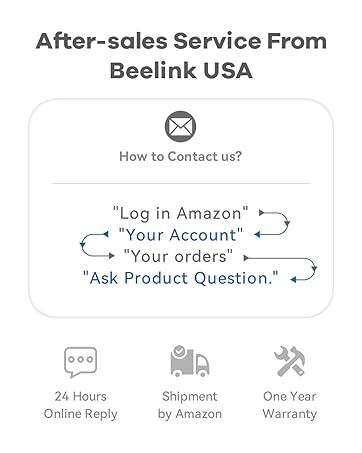
Image: Information on how to contact Beelink USA for after-sales service and support.


