1. Bubuka
This manual provides essential information for the safe and efficient use of your Xgody A54 smartphone. Please read it thoroughly before operating the device to ensure proper functionality and to understand its features.
2. Alat Leuwihview
The Xgody A54 is an Android 10 smartphone featuring a 6.52-inch HD display, dual SIM support, and a 4500mAh battery. It is designed for everyday communication and multimedia use.

Gambar: Leuwihview of the Xgody A54 smartphone's main features, including its Android 10 operating system, 4G connectivity, memory configuration, processor, navigation capabilities, face unlock, and card slot design.
3. Setélan
3.1. Pamasangan Kartu SIM sareng SD
The Xgody A54 supports two SIM cards (1 Nano SIM, 1 Micro SIM) and one SD card for expandable storage. Ensure the phone is powered off before inserting or removing cards.
- Tangtukeun lokasi baki kartu SIM di sisi alat.
- Paké alat ejector SIM disadiakeun pikeun muka baki.
- Carefully place your Nano SIM, Micro SIM, and SD card into their respective slots on the tray.
- Gently dorong baki deui kana alat nepi ka siram.

Image: Illustration of the dual SIM and SD card slot configuration, demonstrating how to insert the cards into the Xgody A54 smartphone. It also highlights the phone's 4G LTE network compatibility and supported frequency bands.
3.2. Ngecas Awal jeung Power On
- Connect the USB cable to the phone's Type-C port and the other end to a power adapter.
- Allow the phone to charge until the battery indicator shows a sufficient charge.
- Press and hold the Power button until the Xgody logo appears to turn on the device.
3.3. Setelan Buka Kunci Beungeut
To set up Face Unlock for convenient access:
- Arahkeun ka Setélan > Kaamanan & lokasi > Muka konci raray.
- Turutan parentah dina layar pikeun ngadaptarkeun raray anjeun. Pastikeun cahaya anu saé sareng tahan telepon dina tingkat panon.

Image: Visual guide to the Face Recognition feature on the Xgody A54, detailing the process of facial scanning for unlocking the device. It also highlights the specifications of the front (8MP) and rear (15MP with LED flash) cameras.
4. Parentah Operasi
4.1. Napigasi Dasar
- Layar cabak: Ketok pikeun milih, gesek pikeun ngagulung, ciwit pikeun ngazum.
- Layar Utama: Aksés aplikasi, widget, sareng bewara.
- Bar Status: Displays notifications, time, battery status, and signal strength.
4.2. Nelepon jeung Ngirim Talatah
- Telepon: Buka aplikasi Telepon, tuliskeun nomerna, teras ketok ikon telepon.
- Pesen: Buka aplikasi Talatah, ketok ikon talatah anyar, lebetkeun panarima sareng talatah, teras kirim.
4.3. Pamakéan kaméra
The Xgody A54 features a 15MP rear camera and an 8MP front camera.
- Buka aplikasi kaméra.
- Select between front and rear cameras using the switch icon.
- Ketok tombol jepret pikeun moto.
- Explore various modes like Beauty Mode for enhanced photos.
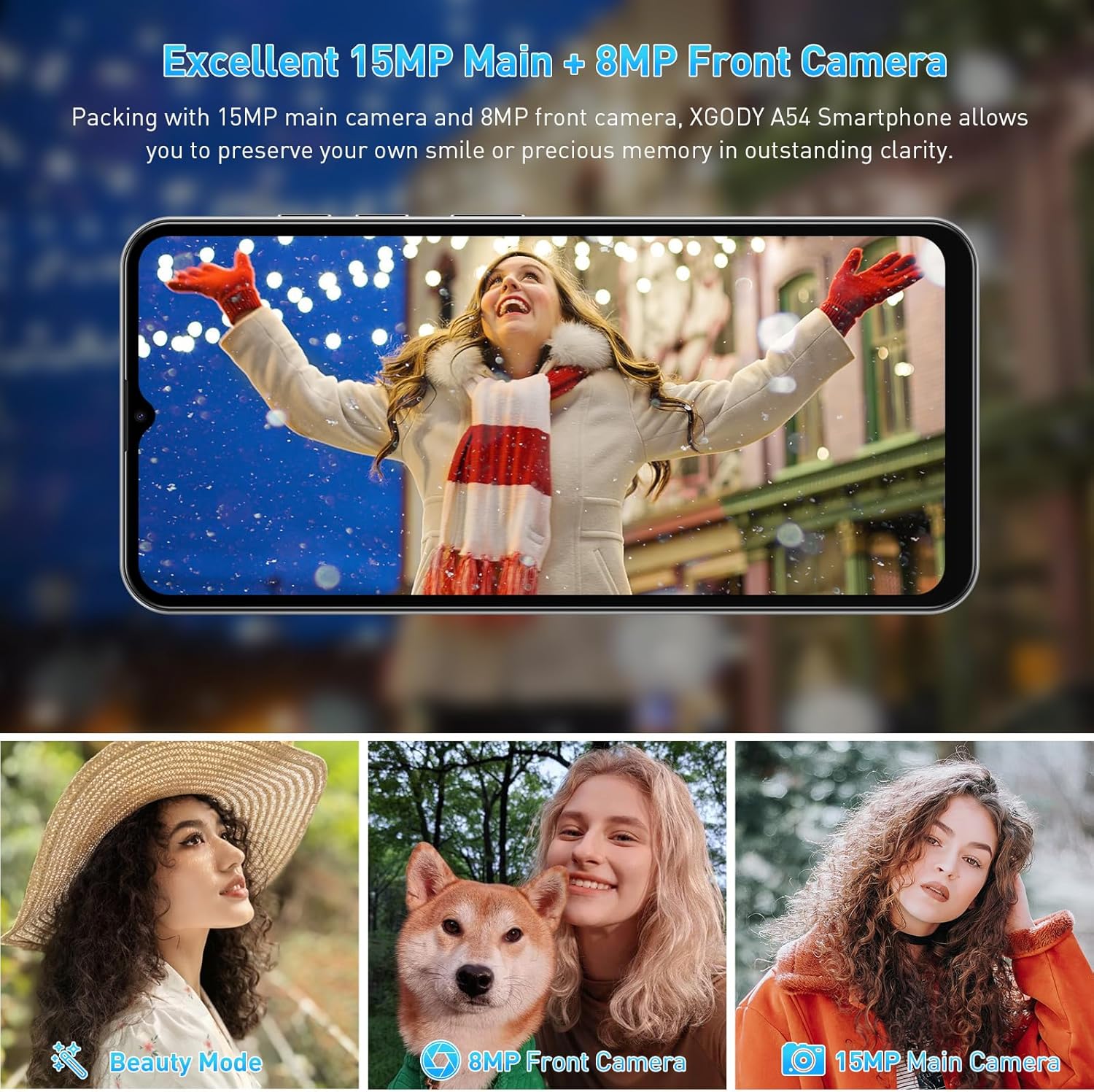
Gambar: Examples of photographs captured using the Xgody A54's 15MP main camera and 8MP front camera, demonstrating its photographic capabilities in various settings.
4.4. Manajemén gudang
The device comes with 2GB RAM and 32GB ROM, expandable up to 256GB via an SD card. Regularly manage your storage to maintain optimal performance.
- Pikeun mariksa gudang: Pindah ka Setélan > Panyimpenan.
- To free up space: Uninstall unused apps, delete old photos/videos, or move files kana kartu SD.

Image: A visual representation of the Xgody A54's storage capabilities, highlighting the 2GB RAM and 32GB ROM, and the potential for significant expansion with an SD card for various media types.
4.5. Fungsi OTG
The Xgody A54 supports On-The-Go (OTG) functionality, allowing you to connect USB devices like flash drives to your phone for data transfer.
5. Pangropéa
5.1. Kaperawatan batré
Batré 4500mAh nyadiakeun panggunaan anu langkung lami. Pikeun manjangkeun umur batré:
- Hindarkeun suhu anu ekstrim.
- Use the provided charger for fast charging.
- Tutup aplikasi anu henteu dianggo dina latar tukang.
- Atur kacaangan layar ka tingkat anu nyaman.

Image: A visual representation of the Xgody A54's 4500mAh battery performance, indicating approximate usage durations for various activities such as gaming, video playback, calls, and music listening.
5.2. Ngabersihan Alat
Wipe the screen and body with a soft, lint-free cloth. Avoid using harsh chemicals or abrasive materials.

Image: A close-up of the Xgody A54's rear panel, emphasizing its textured leather-like finish which is designed to be skin-friendly and resistant to fingerprints.
5.3. Apdet parangkat lunak
Periodically check for system updates to ensure your device has the latest features and security patches. Go to Setélan > Sistim > Pembaruan sistem.
6. Cara ngungkulan
If you encounter issues with your Xgody A54, refer to the following common solutions:
| Masalah | Solusi anu mungkin |
|---|---|
| Telepon laun atanapi lag | Close background applications. Clear cache. Ensure sufficient storage space. Restart the device. |
| Camera flash is dim or poor photo quality | Ensure adequate lighting. Clean the camera lens. Adjust camera settings. |
| "System UI" message or freezing | Restart the phone. If persistent, consider a factory reset (back up data first). |
| Paranti overheating | Close resource-intensive applications. Avoid direct sunlight. Disconnect from charger if charging. |
| Network data issues (4G/3G/2G) | Verify SIM card installation. Check APN settings (Access Point Names) with your carrier. Contact support for assistance with APN or IMEI number adjustments if necessary. |
| Face Unlock unreliable | Re-register your face in good lighting conditions. Ensure your face is fully visible to the front camera. |
7. Spésifikasi
| Fitur | Spésifikasi |
|---|---|
| Ngaran modél | A54 |
| Sistem operasi | Android 10.0 |
| Ukuran layar | 6.52 inci |
| Resolusi | 720 x 1600 |
| Mémori RAM | 2 GB |
| Kapasitas Panyimpenan | 32 GB (Tiasa dilegaan dugi ka 256GB nganggo kartu SD) |
| Kaméra tukang | 15 MP |
| Kaméra hareup | 8 MP |
| Kapasitas batré | 4500 mAh |
| Konektipitas | 4G Cellular, Bluetooth, GPS |
| Fitur husus | Dual SIM, Expandable Memory, Face Unlock, OTG |
| Diménsi | 7.64 x 6.18 x 1.81 inci |
| Item Beurat | 1.17 pon |
| Warna | porselen |
8. Garansi jeung Rojongan
8.1. Émbaran jaminan
The Xgody A54 smartphone comes with a 12-month warranty service from the date of purchase. This warranty covers manufacturing defects under normal use. Please retain your proof of purchase for warranty claims.
8.2. Rojongan Palanggan
For any questions, technical assistance, or warranty claims, please contact Xgody customer support. When contacting support, provide your order ID for efficient service.
Xgody is committed to continuously improving product quality and enhancing user experience. Your feedback is valuable.


