1. Bubuka
This manual provides detailed instructions for the setup, operation, and maintenance of your iDance Party Groove Karaoke System. Please read this manual thoroughly before using the product to ensure proper function and to maximize your enjoyment of its features. Keep this manual for future reference.
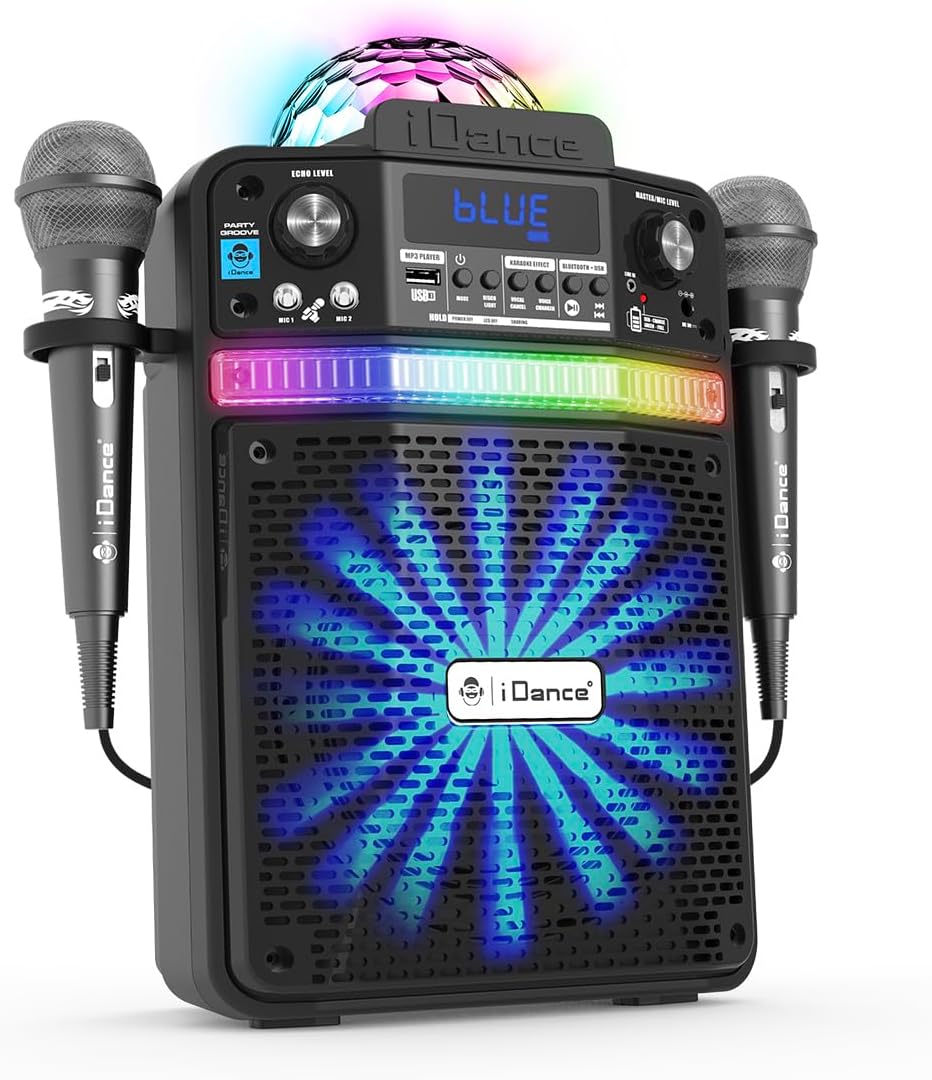
Figure 1.1: The iDance Party Groove Karaoke System, showcasing its integrated microphones and vibrant disco lighting effects.
2. Fitur Produk
The iDance Party Groove is a versatile 9-in-1 portable karaoke system designed for entertainment. Key features include:
- Wireless Bluetooth Speaker: Seamlessly stream audio from your Bluetooth-enabled devices.
- Pamuter MP3 USB: Play your favorite MP3 tracks directly from a USB device.
- Dynamic Disco Lighting: Features a disco ball projection and RGB LEDs in the subwoofer that synchronize with music.
- Kaluaran audio anu kuat: Delivers 200 watts of audio with enhanced bass for clear, robust sound.
- Parobah sora: Transform your voice with effects such as female, child, robot, and pitch adjustments.
- Vocal Reduction (Voice Appointment): Reduces the original singer's voice in tracks for karaoke.
- Microphone Echo Effect: Adjustable echo effect for microphones to enhance vocal performance.
- Dual Wired Microphones: Includes two wired microphones with integrated holders for multi-user karaoke.
- Bluetooth Audio Sharing: Connect multiple Party Groove systems to a single Bluetooth audio source.
- Tablet/Smartphone Stand: Integrated stand to securely hold your device.
- Input AUX: Connect external audio devices via a standard AUX cable.
- Batré anu tiasa dicas deui: Provides 4 to 8 hours of playback on a single charge.
- Desain kompak sareng portabel: Easy to transport for use at home or on the go.

Figure 2.1: Visual representation of the Party Groove's key features, highlighting its versatility.
3. Eusi Paket
Mangga parios pakét kanggo barang-barang ieu:
- iDance Party Groove Karaoke System Unit
- Mikropon kabel (x2)
- Adaptor kakuatan
- Extra Cable (likely AUX cable)
- Manual Pitunjuk (dokumén ieu)

Figure 3.1: The product packaging, illustrating the main unit and included accessories.
4. Kontrol jeung sambungan
Familiarize yourself with the various controls and connection ports on your Party Groove system.

Gambar 4.1: Hareupeun view of the Party Groove, detailing the control panel and input options.
Kontrol Panel hareup:
- Tombol Daya: Ngahurungkeun atanapi mareuman unit.
- Tombol Mode: Ngaganti antara modeu input Bluetooth, USB, sareng AUX.
- Master/Mic Level Knob: Adjusts the overall volume and microphone volume.
- Echo Level Knob: Controls the intensity of the microphone echo effect.
- Voice Changer Buttons: Activates and cycles through various voice effects (Female, Child, Robot, Pitch).
- Vocal Reduction Button: Reduces the lead vocals in a track.
- Port USB: Pikeun nyambungkeun USB drive pikeun playback MP3.
- Input Mikropon (MIC 1, MIC 2): Connect the wired microphones.
- Input AUX: Pikeun nyambungkeun sumber audio éksternal.
- Layar tampilan: Némbongkeun modeu ayeuna sareng inpormasi lagu.
Sambungan Panel Belakang:
- DC IN Port: For connecting the power adapter to charge the unit.
5. Setélan
5.1 Ngecas Awal
- Connect the provided power adapter to the DC IN port on the rear of the Party Groove unit.
- Colokkeun adaptor kakuatan kana stop kontak témbok nu cocog.
- Allow the unit to charge fully before first use. The charging indicator will typically change color or turn off when charging is complete.
5.2 Nyambungkeun Mikropon
- Insert the microphone cables into the MIC 1 and MIC 2 input jacks on the front panel.
- Place the microphones into the integrated holders on the sides of the unit when not in use.
5.3 Powering on / Pareum
- Press and hold the Power Button on the front panel to turn the unit on.
- Repeat the action to turn the unit off.
6. Parentah Operasi
6.1 Nyapasangkeun Bluetooth
- Turn on the Party Groove unit. It will automatically enter Bluetooth pairing mode, indicated by a flashing "BLUE" on the display.
- Aktipkeun Bluetooth dina smartphone Anjeun, tablet, atawa alat audio sejenna.
- Milarian pikeun "iDance Party Groove" (or similar name) in your device's Bluetooth settings.
- Select the device to pair. Once connected, the "BLUE" indicator will stop flashing.
- You can now play audio from your paired device through the Party Groove system.
6.2 Putereun MP3 USB
- Selapkeun USB flash drive nu ngandung audio MP3 files kana port USB dina panel hareup.
- Press the Mode Button until "USB" or "MP3" is displayed. The unit will automatically begin playing tracks from the USB drive.
- Use the playback control buttons (Play/Pause, Next Track, Previous Track) on the unit to manage your music.
6.3 Input AUX
- Connect one end of the provided AUX cable (or a standard 3.5mm audio cable) to the AUX input port on the Party Groove.
- Sambungkeun tungtung kabel anu sanésna kana jack headphone atanapi output audio alat audio éksternal anjeun (contona, pamuter MP3, laptop).
- Press the Mode Button until "AUX" is displayed.
- Kadalikeun putereun sareng volume tina alat audio éksternal anjeun.
6.4 Fungsi Karaoke
- Volume mikropon: Adjust the Master/Mic Level knob to control the volume of the connected microphones.
- Pangaruh Gema: Rotate the Echo Level knob to add or reduce the echo effect on your vocals.
- Parobah sora: Press the Voice Changer buttons to cycle through different vocal effects (e.g., female, child, robot, pitch). Press again to turn off.
- Vocal Reduction: Press the Vocal Reduction button to minimize the lead vocals in a playing track, allowing you to sing along more prominently. Press again to restore original vocals.
6.5 Disco Lights Operation
The Party Groove features integrated disco lighting. The disco ball projects patterns onto surfaces, and the RGB LEDs in the subwoofer create a light show that synchronizes with the music. These lights activate automatically when the unit is powered on and music is playing.
6.6 Multi-user Connection (Bluetooth Audio Sharing)
To connect multiple Party Groove systems to the same Bluetooth audio source:
- Ensure all Party Groove units are powered on and in Bluetooth pairing mode.
- Pair the first Party Groove unit with your audio device as described in section 6.1.
- On the first paired unit, activate the Bluetooth audio sharing mode (refer to specific button if available, otherwise it might be automatic or require a specific sequence not detailed in provided data).
- The other Party Groove units should then be able to connect to the first unit's shared audio stream.
Note: Specific instructions for activating Bluetooth audio sharing mode may vary. Consult the on-device display or quick start guide for precise steps if not immediately apparent.
7. Pangropéa
7.1 beberesih
- Pareuman heula listrik jeung cabut heula colokan listrikna sateuacan diberesihan.
- Anggo kaén anu garing sareng lemes pikeun ngusap permukaan luar.
- Do not use liquid cleaners, aerosols, or abrasive materials, as these can damage the finish or internal components.
7.2 Perawatan Batré
- To prolong battery life, fully charge the unit before its first use.
- Hindarkeun sering-sering ngosongkeun batré.
- If storing the unit for an extended period, charge it to approximately 50% every few months.
- Ulah ngalaan unit ka suhu ekstrim.
8. Cara ngungkulan
| Masalah | Mungkin Cukang lantaranana | Solusi |
|---|---|---|
| Unit teu hurung. | Batré béak. Adaptor listrik teu nyambung. |
Connect the power adapter and charge the unit. Ensure the power adapter is securely connected to both the unit and a working power outlet. |
| Taya sora tina speaker. | Volume handap teuing. Modeu input anu dipilih salah. Bluetooth teu dipasangkeun. AUX cable not fully inserted. |
Increase the Master/Mic Level knob. Press the Mode Button to select the correct input (Bluetooth, USB, AUX). Ensure your device is paired via Bluetooth (see section 6.1). Check AUX cable connection on both the unit and external device. |
| Mikropon teu tiasa dianggo. | Microphone cables not connected. Volume mikropon low teuing. |
Ensure microphones are securely plugged into MIC 1/MIC 2 jacks. Increase the Master/Mic Level knob. |
| Papasangan Bluetooth gagal. | Unit not in pairing mode. Device too far from unit. gangguan. |
Ensure the unit is in Bluetooth mode and "BLUE" is flashing. Move your device closer to the Party Groove. Pareuman alat Bluetooth anu sanés caket dieu. |
| playback USB teu jalan. | USB drive not inserted correctly. Files are not MP3 format. Modeu salah dipilih. |
Reinsert the USB drive. Mastikeun files dina format MP3. Press the Mode Button to select USB/MP3 mode. |
9. Spésifikasi
| model: | PARTYGROOVE |
| merek: | iDance |
| Kaluaran Wattage: | 200 Watt |
| Ukuran produk (L x W x H): | 19.5 x 33 x 37.5 cm (7.68 x 12.99 x 14.76 inci) |
| Beurat barang: | 1.6 kg (3.53 lbs) |
| Téknologi konektipitas: | Bluetooth, USB, AUX |
| Sumber Daya: | Battery Powered (Internal Rechargeable), AC Adapter |
| Komponén Kaasup: | Karaoke System Unit, 2 Wired Microphones, Power Adapter, Extra Cable |
| Waktos Puterkeun Batré: | 4-8 jam (perkiraan, gumantung kana panggunaan) |
| Tipe Pamasangan: | Tiang Gunung |
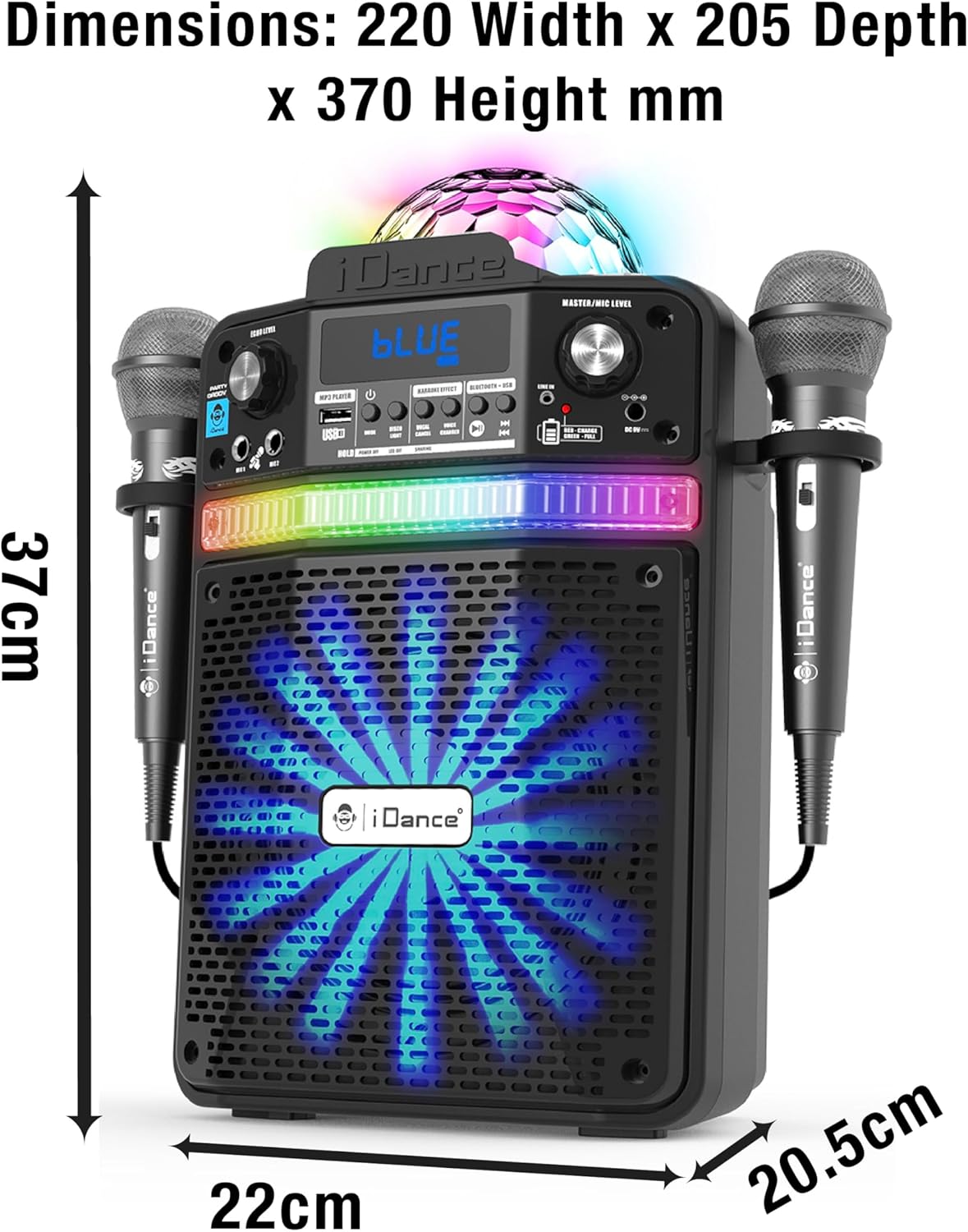
Figure 9.1: Detailed dimensions of the iDance Party Groove unit.
10. Émbaran Kasalametan
- Ulah ngantepkeun unit ieu ka cai atanapi kalembaban anu kaleuleuwihi.
- Hindarkeun nempatkeun unit caket sumber panas atanapi dina sinar panonpoé langsung.
- Ulah nyobian muka atawa ngalereskeun unit sorangan. Rujuk sadayana jasa ka tanaga anu mumpuni.
- Anggo ngan ukur adaptor daya anu disayogikeun pikeun ngecas.
- Jauhkeun tina jangkauan barudak.
- Pastikeun ventilasi ditangtoskeun sabudeureun unit salila operasi.
11. Garansi jeung Rojongan
For warranty information and technical support, please refer to the warranty card included with your product or visit the official iDance websitus. Simpen bukti pameseran anjeun pikeun klaim garansi.
If you encounter any issues not covered in this manual, please contact iDance customer support for assistance.


