1. Bubuka
Thank you for choosing the KEJOG Mini Portable Projector. This manual provides essential information for setting up, operating, and maintaining your projector to ensure optimal performance and longevity. Please read this manual thoroughly before use and retain it for future reference.
2. Eusi Paket
Pastikeun yén sadaya item aya dina pakét anjeun:
- 1x KEJOG Mini Portable Projector
- 1x Kadali Jauh
- 1x Kabel Listrik
- 1 x Kabel HDMI
- 1 x Manual Pamaké
Note: Additional accessories such as an HDMI adapter for smartphones may be required and are not included.
3. Produk Langkungview
Familiarize yourself with the components of your KEJOG Mini Portable Projector.

Gambar: Hareupeun view of the KEJOG Mini Portable Projector, showing the lens, control panel, and included remote control and mini tripod.
Gambar: Sisi view of the projector highlighting various input/output ports such as HDMI, USB, and audio jack.
Komponén konci:
- Lensa proyéksi: Emits gambar kana layar.
- Ring Fokus: Saluyukeun kajelasan gambar.
- Panél kontrol: Manual buttons for basic operations.
- Palabuhan Input: HDMI, USB, AV, 3.5mm Audio Out.
- Speaker Diwangun-di: Nyadiakeun kaluaran audio.
- Input kakuatan: Nyambung ka adaptor kakuatan.
4. Setélan
4.1 Nempatkeun
Position the projector on a stable, flat surface. The projector supports various placements:
- Penempatan Desktop: Place on a table in front of the projection surface.
- Overhead Ceiling Mount: Mount to the ceiling (mounting hardware not included).
- Pamasangan tripod: Use the included mini tripod or a compatible tripod for flexible positioning.

Image: Illustration demonstrating ceiling mount, table placement, and tripod installation options for the projector.
The optimal projection distance ranges from 4.9 feet to 18.4 feet, allowing for screen sizes from 40 inches to 200 inches. Adjust the distance to achieve your desired screen size.

Image: Visual representation of how projection distance affects screen size, from 2.6ft to 12.5ft.
4.2 Sambungan Daya
- Sambungkeun kabel daya ka port input daya proyektor.
- Colokkeun tungtung kabel listrik anu sanés ka stopkontak.
4.3 adjustment fokus
After powering on the projector, rotate the focus ring located near the lens until the projected image appears clear and sharp.
5. Parentah Operasi
5.1 Daya Hurung/Pareuman
- Daya Hurung: Pencét tombol daya dina proyektor atawa kadali jauh.
- Pareum listrik: Pencét deui tombol daya.
5.2 Pamilihan Sumber
Use the 'Source' button on the remote control or projector to cycle through available input sources (HDMI, USB, AV).
5.3 Nyambungkeun Alat
Proyektor ieu nawiskeun sababaraha pilihan konéktivitas:
- HDMI: Connect devices like laptops, PCs, TV boxes, Fire TV Stick, Roku, Chromecast, or gaming consoles (e.g., PS5) using an HDMI cable.
- USB: Selapkeun drive USB pikeun muterkeun média files langsung.
- OF: Sambungkeun alat anu langkung lami nganggo kabel AV.
- Smartphone / Tablet: To connect smartphones or tablets, an HDMI adapter (not included) is required. Connect your smartphone to the adapter, then the adapter to the projector's HDMI port.

Image: Visual guide for connecting Apple and Android phones to the projector using a data cable or HDMI adapter (adapter not included).
Important Note on Streaming Services:
Due to copyright restrictions, direct mirroring from certain streaming services like Netflix, Amazon Prime Video, and Hulu is not supported. To watch content from these platforms, use an external device such as an Amazon Fire Stick or Roku Stick connected via HDMI.
5.4 Audio Bluetooth
The projector features a built-in Bluetooth 5.2 chip and speakers. You can connect external Bluetooth audio devices for enhanced sound.
- Pastikeun spiker Bluetooth atanapi headphone anjeun dina modeu papasangan.
- Arahkeun ka setélan Bluetooth dina ménu proyektor.
- Pilih alat anjeun tina daptar pikeun dipasangkeun.

Image: A KEJOG projector wirelessly connected to an external Bluetooth speaker, projecting a movie scene.
Note: Bluetooth does not support direct connection with smartphones for audio output from the projector.
6. Pangropéa
6.1 Ngabersihan Lensa
Use a soft, lint-free cloth or lens cleaning paper to gently wipe the projector lens. Avoid using abrasive materials or harsh chemicals, which can damage the lens coating.
6.2 Lamp Hirup
Proyéktor lamp is designed for extended use, with a lifespan of up to 70,000 hours, which is significantly longer than conventional lamps. This reduces the need for frequent lamp ngagantian.

Image: Graphic indicating a projector lamp lifespan of up to 100,000 hours, emphasizing durability.
6.3 Panyimpenan
Nalika henteu dianggo, simpen proyektor di tempat anu tiis, garing, jauh tina sinar panonpoé langsung sareng suhu anu ekstrim. Anggo bungkusan asli atanapi wadah pelindung pikeun nyegah akumulasi lebu sareng karusakan fisik.
7. Cara ngungkulan
Upami anjeun mendakan masalah sareng proyektor anjeun, tingal masalah sareng solusi umum ieu:
| Masalah | Mungkin Cukang lantaranana | Solusi |
|---|---|---|
| Taya gambar | Sambungan kabel leupas, sumber input salah, proyektor pareum. | Check all cable connections. Select the correct input source. Ensure the projector is powered on. |
| Gambar kabur | Teu fokus, jarak proyeksi salah. | Adjust the focus ring. Ensure the projector is within the recommended projection distance. |
| Taya sora | Volume too low, external audio device not connected, incorrect audio settings. | Increase volume. Check external audio device connection or Bluetooth pairing. Verify audio output settings. |
| Bluetooth teu nyambung ka smartphone | Feature limitation. | The projector's Bluetooth is for connecting to external speakers/headphones, not for receiving audio from smartphones. Use an HDMI adapter for smartphone video/audio output. |
| Cannot play Netflix/Hulu/Prime Video | Copyright restrictions. | Use an external streaming device (e.g., Fire Stick, Roku) connected via HDMI. |
Lamun masalah persists sanggeus nyobian solusi ieu, mangga ngahubungan rojongan customer.
8. Spésifikasi
| Fitur | Rincian |
|---|---|
| merek | KEJOG |
| Nomer modél | Mini Portabel Projector |
| Resolusi tampilan | Native 1920 x 1080 (Full HD), 4K Supported |
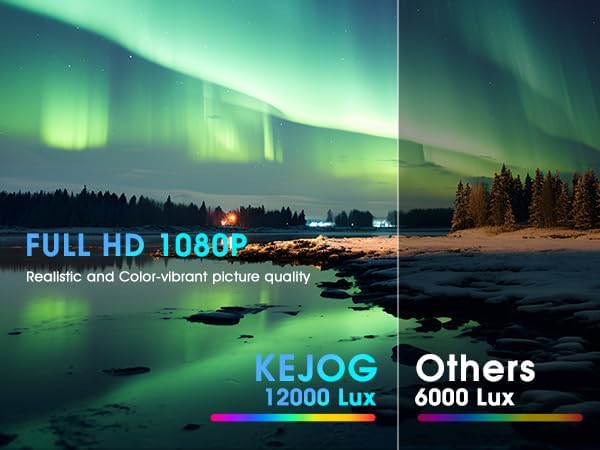
| Caang | 12,000 Lumén |
| Babandingan Kontras | 10,000:1 |
| Téhnologi konektipitas | Jack 3.5mm, Bluetooth 5.2, HDMI, USB |
| Fitur husus | Spiker Terpasang, Enteng, Portabel |
| Dianjurkeun Mangpaat | bisnis, atikan, kaulinan, Bioskop imah |
| Item Beurat | 2.42 pon |
| Dimensi produk | 8.15 x 7.2 x 3.94 inci |
| Diagonal layar katempo | 150" / 381 cm |
9. Garansi jeung Rojongan
KEJOG provides reliable after-sales service and lifelong technical support for this product. If you have any questions, require assistance, or encounter any issues not covered in this manual, please do not hesitate to contact our customer support team.
For support, please refer to the contact information provided with your purchase or visit the official KEJOG websitus.


