1. Bubuka
This manual provides detailed instructions for the setup, operation, maintenance, and troubleshooting of your 8BitDo Retro Mechanical Keyboard, C64 Edition. This keyboard is designed for compatibility with Windows 10 (1903) or above and Android 9.0 or above, offering versatile connectivity options and customizable features.
Key features include 87 keys, a top-mount design with Kailh Box White Switches, double-shot ABS keycaps with SA profile, and a hot-swappable PCB. It also features programmable keys, Dual Super Buttons, and a Super Stick with an independent control panel, all supported by 8BitDo Ultimate Software V2 for custom mapping.

Image 1.1: The 8BitDo Retro Mechanical Keyboard C64 Edition, including the main keyboard unit, Dual Super Buttons, and Super Stick.
2. Setélan
2.1 Eusi pakét
Pastikeun yén sadaya item aya dina bungkusan:
- 8BitDo Retro Mechanical Keyboard (C64 Edition)
- 2.4G adaptor nirkabel
- Dual Super Buttons
- Super Stick
- Kabel USB-C
- Instruksi Manual

Image 2.1: The 8BitDo Retro Mechanical Keyboard C64 Edition shown in its product box, indicating included accessories.
2.2 Ngecas Awal
Before first use, connect the keyboard to a power source using the provided USB-C cable. The keyboard contains a Lithium Polymer battery. A full charge ensures optimal wireless performance.
2.3 Pilihan Konektipitas
The keyboard supports three connection modes: Bluetooth, 2.4G Wireless, and USB-C Wired.
- Sambungan Bluetooth:
- Toggle the connection switch on the keyboard to 'BT'.
- On your device (Windows PC or Android), navigate to Bluetooth settings.
- Select '8BitDo Retro Mechanical Keyboard' from the list of available devices to pair.
- Sambungan Nirkabel 2.4G:
- Insert the 2.4G wireless adapter into an available USB port on your device.
- Toggle the connection switch on the keyboard to '2.4G'.
- The keyboard should automatically connect to the adapter.
- Sambungan Kabel USB-C:
- Connect the USB-C cable to the keyboard's USB-C port and the other end to your device.
- Kibor bakal fungsina salaku alat kabel sareng bakal ngecas sakaligus.

Image 2.2: The rear of the keyboard, highlighting the USB-C port for wired connection and charging, and the connection mode switch.
3. Parentah Operasi
3.1 Fungsi Keyboard Dasar
The 87-key layout provides standard alphanumeric and function keys. The keyboard supports N-key rollover, ensuring all key presses are registered accurately, even during rapid input.
3.2 Independent Control Panel
The keyboard features an independent control panel with dedicated knobs and buttons for quick adjustments.
- Jilid Kenop: Nyaluyukeun volume sistem.
- Switch Mode Sambungan: Toggles between Bluetooth, 2.4G, and Off.
- Tombol anu tiasa diprogram: Dedicated buttons (e.g., star icon, Wi-Fi icon) can be customized via software.

Gambar 3.1: A lengkep view of the keyboard's independent control panel, showing the volume knob and other function buttons.
3.3 Dual Super Buttons and Super Stick
The included Dual Super Buttons and Super Stick provide additional programmable input options, enhancing gaming and productivity. Connect these accessories to the dedicated ports on the rear of the keyboard.

Image 3.2: A user's hands interacting with the Dual Super Buttons and Super Stick, demonstrating their use alongside the keyboard.
3.4 8BitDo Ultimate Software V2
Customize your keyboard experience using the 8BitDo Ultimate Software V2 (available for PC). This software allows you to:
- Pemetaan konci: Reassign functions to any key, including the programmable buttons and Super Buttons.
- Nyiptakeun makro: Record and assign complex sequences of key presses to a single button.
- Profile Manajemén: Create and switch between multiple custom profiles pikeun aplikasi atawa kaulinan béda.
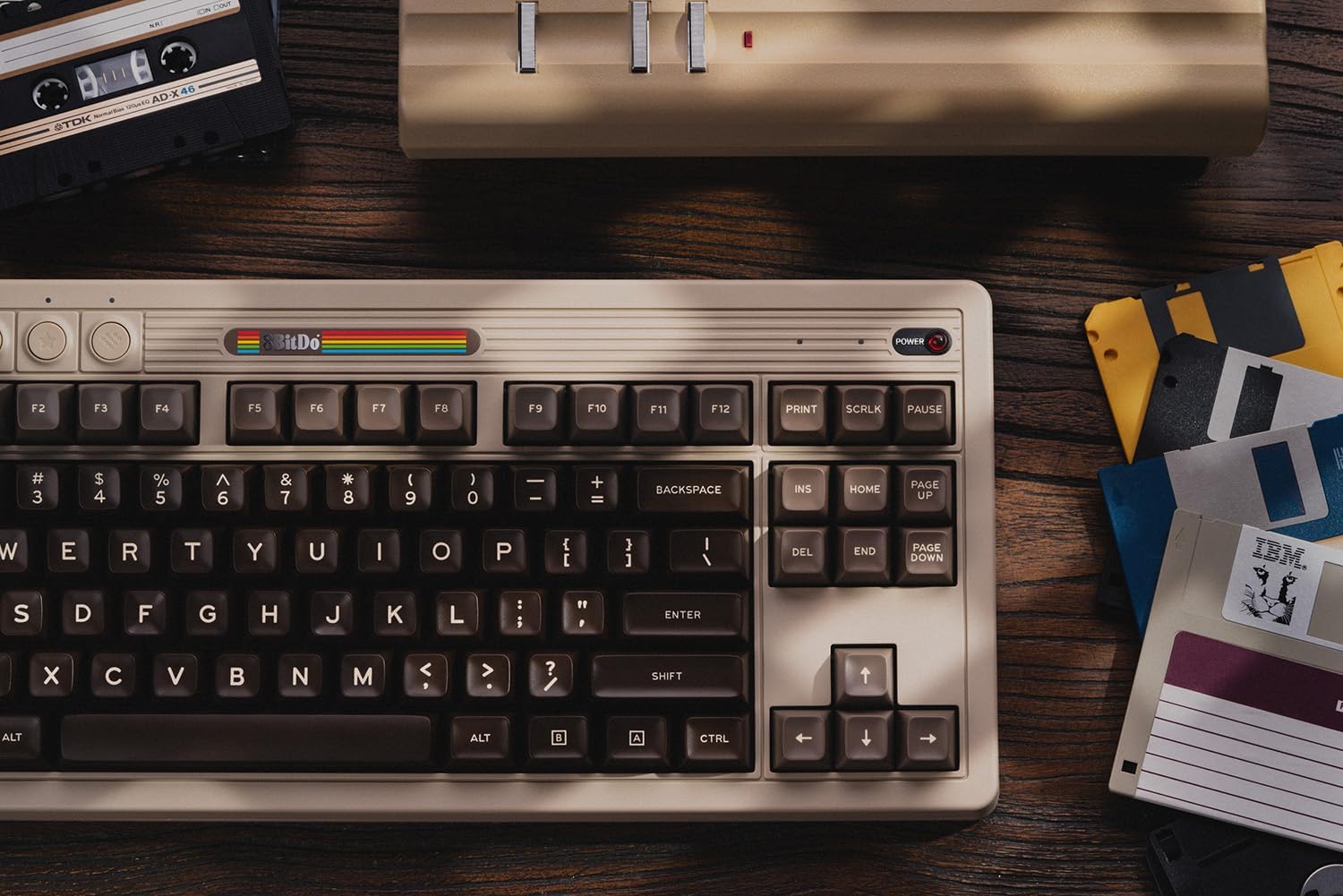
Image 3.3: A visual representation of the 8BitDo Ultimate Software V2, showing options for key mapping and macro recording.
4. Pangropéa
4.1 beberesih
Pikeun ngabersihkeun kibor, anggo lawon anu lemes sareng garing. Pikeun kokotor anu bandel, anggo lawon anu radaamp cloth with mild soap can be used, ensuring no liquid enters the keyboard. Avoid abrasive cleaners or solvents.
4.2 Keycap sarta Ngagantian Pindah
The keyboard features a hot-swappable PCB, allowing for easy replacement of switches without soldering. Use a keycap puller to remove keycaps and a switch puller to remove switches. Ensure replacement switches are compatible with the PCB.

Gambar 4.1: A lengkep view illustrating the hot-swappable PCB feature, the magnetic compartment for the 2.4G adapter, and the classic power status LED.
4.3 Perawatan Batré
To prolong battery life, avoid exposing the keyboard to extreme temperatures. If storing for an extended period, charge the battery to approximately 50% and store in a cool, dry place.
5. Cara ngungkulan
- Keyboard teu ngabales:
Ensure the keyboard is charged and the connection mode switch is set correctly (BT, 2.4G, or wired). For wireless connections, verify the adapter is properly inserted or Bluetooth is paired.
- Konci henteu ngadaptar:
Check for debris under the keycaps. If a specific key is not working, the switch may need to be replaced due to the hot-swappable design.
- Connectivity issues (lag/disconnections):
Ensure the keyboard is within range of the receiver/device. Minimize interference from other wireless devices. For 2.4G, try a different USB port. For Bluetooth, try re-pairing the device.
- Parangkat lunak henteu ngadeteksi keyboard:
Ensure the keyboard is connected via USB-C or 2.4G wireless. Bluetooth connection may not be fully supported by the software for all features. Update the software to the latest version.
For further assistance, please refer to the official 8BitDo support websitus atanapi ngahubungan layanan palanggan.
6. Spésifikasi
| Fitur | Rincian |
|---|---|
| merek | 8BitDo |
| Nomer modél | 6922621505266 |
| Téhnologi konektipitas | Bluetooth, 2.4G Nirkabel, USB-C Kabel |
| Katerangan kibor | Mékanis |
| Jumlah konci | 87 |
| Saklar | Kailh Box White Switches (Hot-swappable) |
| Kancing konci | Double-Shot ABS with SA profile |
| Kasaluyuan | Windows 10 (1903) or above, Android 9.0 or above |
| Fitur husus | Hot-Swappable, Programmable Keys, Rechargeable, Dual Super Buttons, Super Stick |
| Sumber Daya | Batré Powered (1 batré Litium Polimér kaasup) |
| Item Beurat | 4.56 pon |
| Bahan | Acrylonitrile Butadiena Styrene |
| Komponén Kaasup | Keyboard, 2.4G Adapter, Dual Super Buttons, Super Stick, USB Cable |
7. Garansi jeung Rojongan
8BitDo products are covered by a manufacturer's warranty. For specific warranty terms and conditions, please refer to the warranty card included with your product or visit the official 8BitDo websitus.
For technical support, frequently asked questions, and software downloads, please visit the official 8BitDo support page: www.8bitdo.com/support/. You may also contact customer service directly through the websitus pikeun bantuan salajengna.


