1. Bubuka
The Mesqool CR1009Ultra 12000 Emergency Radio is a versatile device designed to provide essential communication and power in various situations, including emergencies, outdoor activities, and daily use. It features multiple power sources, comprehensive radio bands, and integrated lighting functions to ensure you stay informed and connected.
2. Produk Langkungview
This emergency radio combines a NOAA weather alert radio with AM/FM/SW bands, a powerful flashlight, a reading lamp, and a phone charger. Its robust design and multiple power options make it a reliable companion.
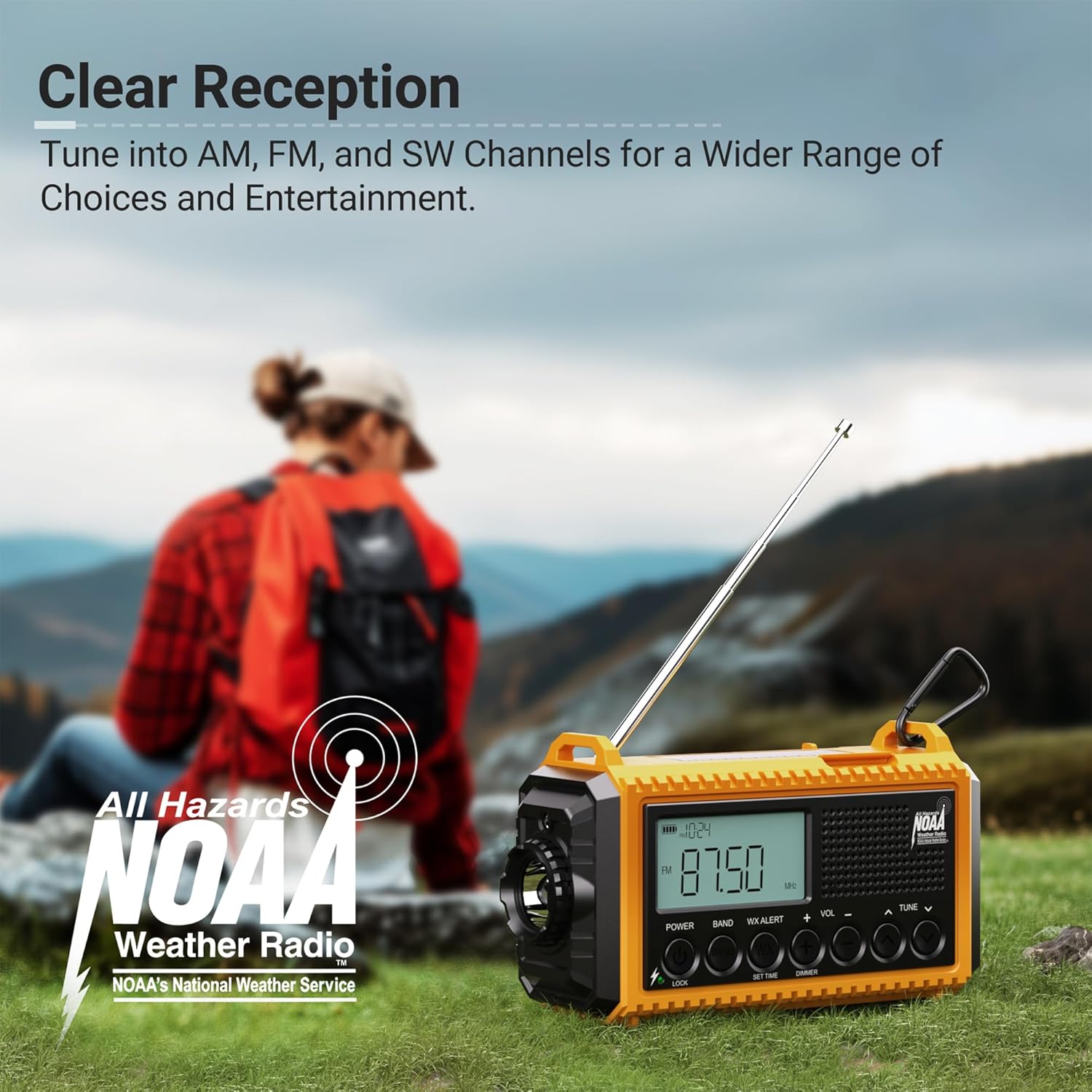
Gambar 2.1: Hareupeun view of the Mesqool CR1009Ultra Emergency Radio.
3. Naon dina Box
- Mesqool CR1009Ultra Emergency Radio
- Charging Cable (USB-A to Type-C)
- Adaptor kakuatan
- Hand Strap with Clip and Compass
- Manual Pamilik
4. Setélan
- Muatan Awal: Before first use, fully charge the internal 12000mAh Li-ion battery using the provided Type-C charging cable and power adapter.
- Install AAA Batteries (Optional): For additional backup power, open the battery compartment on the back and insert 3 AAA batteries (not included), ensuring correct polarity.
- Pasangkeun Tali Leungeun: Secure the hand strap to the designated loops on the radio for easy carrying. The strap includes a small compass for navigation.
5. Powering Alat
The Mesqool CR1009Ultra offers five distinct ways to power the device, ensuring continuous operation even in prolonged outages.
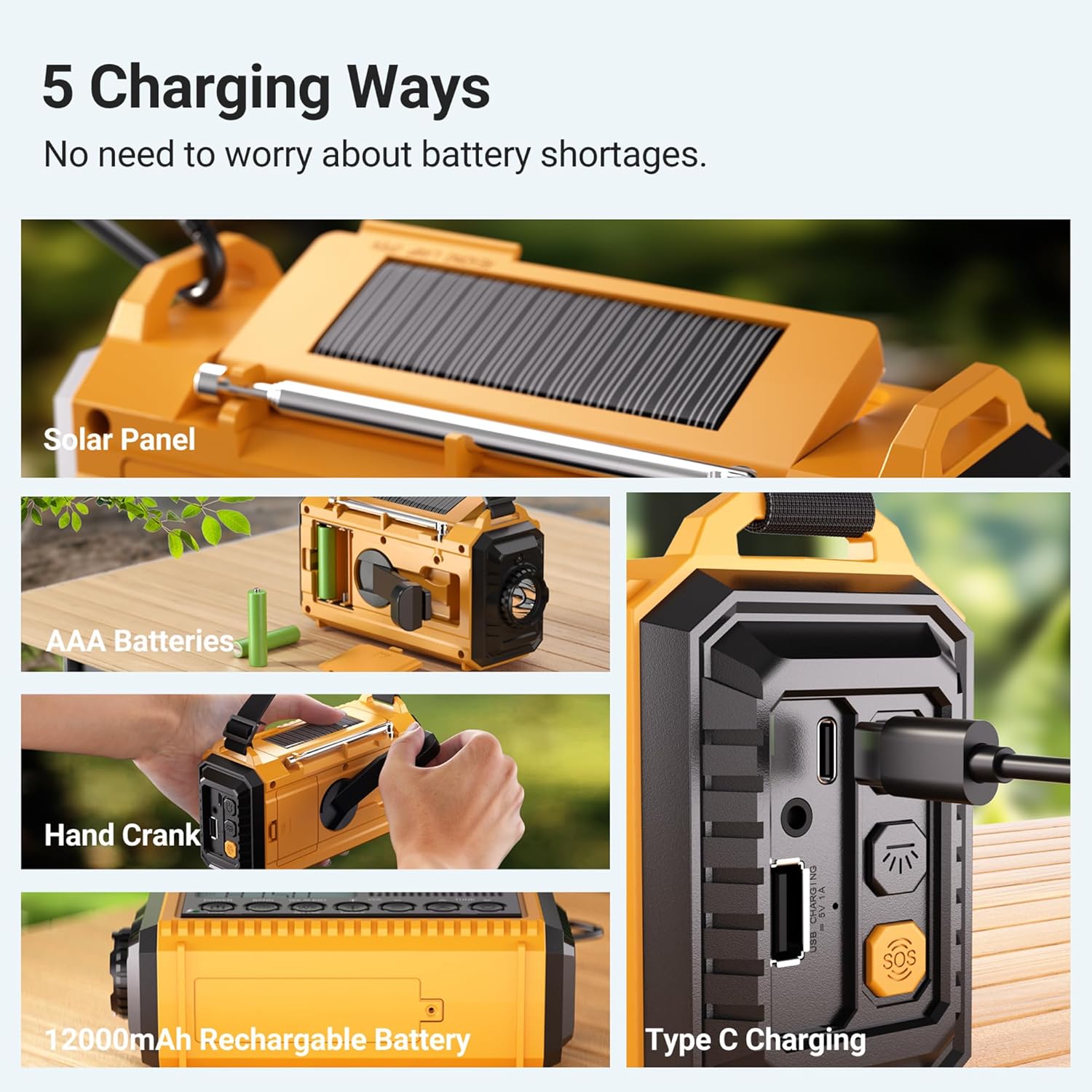
Gambar 5.1: Leuwihview of the 5 power options.
- Internal 12000mAh Li-ion Battery: The primary power source, rechargeable via Type-C or other methods.
- Ngecas Tipe-C: Connect the provided Type-C cable to a USB power adapter (included) or any compatible USB port for fast charging. The charging indicator lights will illuminate.
- Panel surya: Place the radio with the solar panel facing direct sunlight. This method is ideal for maintaining charge or trickle charging in outdoor environments.
- Engkol leungeun: Extend the hand crank from the back of the radio and rotate it clockwise or counter-clockwise for manual power generation. One minute of cranking can provide several minutes of radio use or emergency light.
- Batré AAA: Insert 3 AAA batteries into the dedicated compartment for an additional backup power source.
6. Ngoperasikeun Radio
The radio supports AM, FM, SW, and NOAA weather bands. Extend the telescopic antenna for optimal reception.

Figure 6.1: Digital display showing various radio bands and frequencies.
- Hurungkeun/Pareuman: Rotate the 'Volume' knob clockwise to turn the radio on and counter-clockwise to turn it off.
- Pilih Band: Use the 'BAND' button to cycle through SW (Shortwave), AM, FM, and WB (Weather Band).
- Stasion-stasion Lagu: Use the 'TUNE' knob to manually scan for stations. The digital display will show the current frequency.
- Siaga Cuaca NOAA: When in WB mode, the radio can automatically alert you to severe weather warnings with a loud siren and flashing red light. You can set a countdown timer for the alert duration (2H, 4H, 6H, etc.).
Video 6.1: A seller demonstration of the Mesqool Emergency Radio's 5-way power options and radio functions.
7. Fungsi Pencahayaan
The radio features two independent lighting sources for various needs.
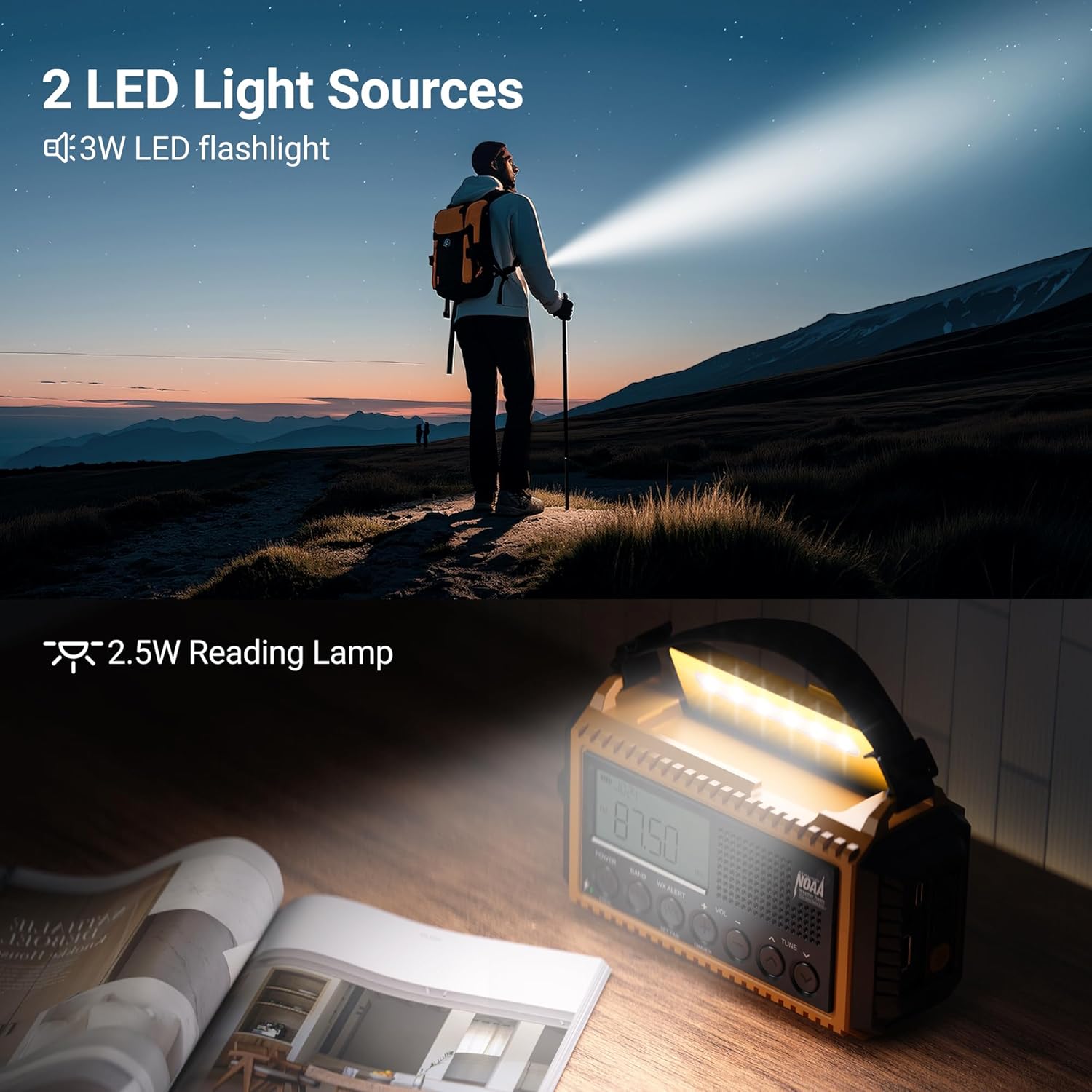
Figure 7.1: The radio's flashlight and reading lamp dina pamakéan.
- Senter LED: Located on the side of the radio. Press the flashlight button (light bulb icon) to turn it on/off. It offers two brightness levels (150LM/300LM).
- Bacaan Lamp: Located under the solar panel. Lift the solar panel to reveal the reading lamp. Pencét bacaan lamp button (sun icon) to turn it on/off. It also offers two brightness levels (120LM/250LM).
8. Alarm SOS
In emergency situations, activate the SOS alarm to attract attention.

Figure 8.1: The SOS alarm in action.
- Aktipkeun SOS: Press the red 'SOS' button on the side of the radio. It will emit a loud siren (105dB) and flash the flashlight to signal for help.
- Deactivate SOS: Press the 'SOS' button again to turn off the alarm.
9. Charging External Devices
The internal 12000mAh battery can act as a power bank to charge your mobile devices.

Figure 9.1: Charging a smartphone using the radio's power bank function.
- Sambungkeun Alat: Open the rubber flap on the side of the radio and connect your device's charging cable to the USB-A output port.
- Indikator ngecas: The battery indicator on the radio's display will show the charging status.
10. Fitur tambahan
- Jack headphone: A 3.5mm headphone jack is available for private listening.
- Tombol konci: Press the 'LOCK' button to prevent accidental button presses and preserve settings.
- Wrist Strap & Hanging Clip: For portability, use the included wrist strap or attach the heavy-duty metal clip to a backpack.
- Tahan cai IPX3: The radio is designed to withstand light splashes and rain, making it suitable for outdoor use.

Figure 10.1: The radio's water-resistant design for outdoor reliability.
11. Pangropéa
- beberesih: Ngusap radio ku hipu, damp lawon. Ulah make bahan kimia kasar atawa cleaners abrasive.
- Panyimpenan: Store the radio in a cool, dry place away from direct sunlight and extreme temperatures. If storing for extended periods, ensure the internal battery is partially charged (around 50%) and recharge every 3-6 months.
- Perawatan batré: Avoid fully discharging the Li-ion battery frequently to prolong its lifespan. Remove AAA batteries if the radio will not be used for a long time to prevent leakage.
12. Cara ngungkulan
| Masalah | Mungkin Cukang lantaranana | Solusi |
|---|---|---|
| Radio teu hurung | batré lemah; Pareum listrik | Charge the internal battery; Check AAA batteries; Ensure volume knob is turned clockwise. |
| panarimaan radio goréng | anteneu teu ngalegaan; Wewengkon sinyal lemah | Fully extend the telescopic antenna; Reposition the radio for better signal; Try different bands. |
| Senter/Maca lamp teu bisa dipake | Low battery; Button not pressed correctly | Charge the internal battery; Ensure the correct light button is pressed. |
| Cannot charge external devices | Radio battery too low; Incorrect cable/port | Ensure radio has sufficient charge; Use the correct USB-A output port and a compatible cable. |
13. Spésifikasi
- Jumlah modél: CR1009Ultra
- Ukuran produk: 6.8 "L x 2.48" W x 3.7" H
- Beurat barang: 1.15 pon
- Batré: Diperlukeun 1 batré Lithium Ion (kalebet), 12000mAh
- Sumber Daya: Battery Powered | Type-C Input 5V/2A | AAA Batteries | Solar Panel | Hand Crank
- Téknologi Tuner: NOAA/AM/FM/SW
- Band Radio Dirojong: NOAA/AM/FM/SW radio
- Fitur husus: Digital Weather Radio, LED Flashlight & Reading Lamp, Lock Function, Rechargeable Battery 12000mAh, SOS Alarm
- Téknologi konektipitas: USB
- Tahan cai: IPX3 (Note: Product feature bullets mention IPX3, specifications mention IPX4 in an image. Using IPX3 as it's explicitly stated in feature bullets.)
14. Garansi jeung Rojongan
For warranty information or technical support, please refer to the contact details provided with your purchase or visit the official Mesqool websitus. Simpen resi pameseran anjeun pikeun klaim jaminan.


