1. Bubuka
Hatur nuhun pikeun meuliasing the LogiLink SP0063 Bluetooth 5.1 TWS Speaker. This compact yet powerful speaker delivers clear and robust sound, offering stable and fast connectivity via Bluetooth 5.1. It supports True Wireless Stereo (TWS) for an enhanced audio experience with two speakers simultaneously. The integrated hands-free function allows you to answer calls without needing to pick up your smartphone. This manual provides essential information for setting up, operating, and maintaining your speaker.
2. Parentah Kasalametan
- Ulah ngalaan speaker ka suhu ekstrim, sinar panonpoé langsung, atawa kalembaban luhur.
- Hindarkeun lungsur atanapi nahan panyatur kana tabrakan anu kuat.
- Ulah ngabongkar, ngalereskeun, atanapi ngarobih alat nyalira. Hubungi petugas servis anu mumpuni pikeun perbaikan naon waé.
- Jauhkeun spéker tina cai sareng cairan sanés. Produk ieu henteu tahan cai.
- Anggo ukur kabel ngecas anu disayogikeun atanapi anu sarimbag anu disertipikasi.
- Jauhkeun tina jangkauan barudak.
3. Eusi Paket
Mangga parios pakét kanggo barang-barang ieu:
- 1 x LogiLink SP0063 Bluetooth Speaker
- 1 x Micro USB Charging Cable (30 cm)
- 1 x Tali pigeulang
- 1 x Manual Pamaké

Image: Micro USB Charging Cable for charging the speaker.

Image: The included wrist strap for easy portability.
4. Produk Langkungview
The LogiLink SP0063 is a compact and portable Bluetooth speaker designed for convenience and quality audio. It features intuitive controls and a durable design.
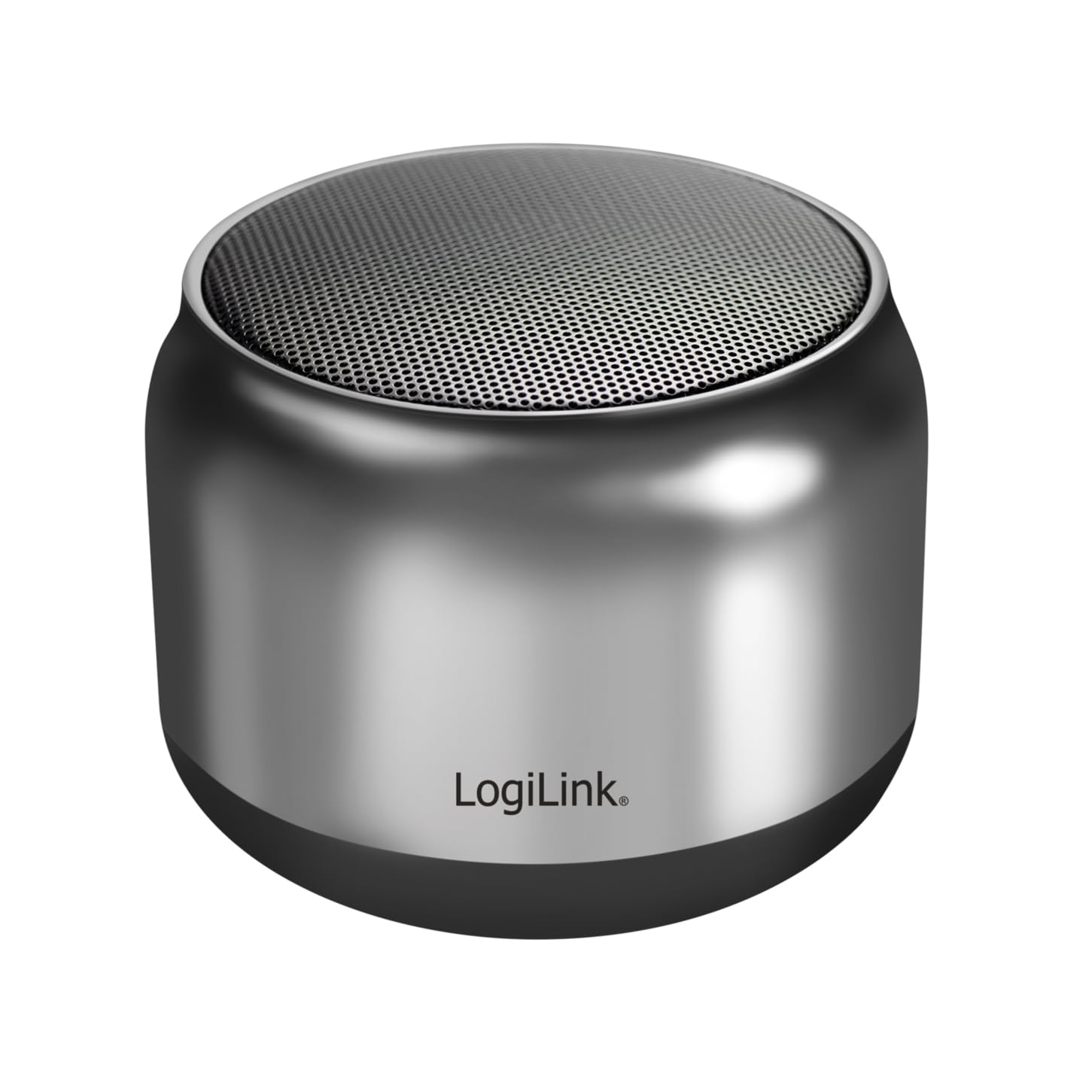
Image: The LogiLink SP0063 Bluetooth speaker on a table, emitting sound waves.
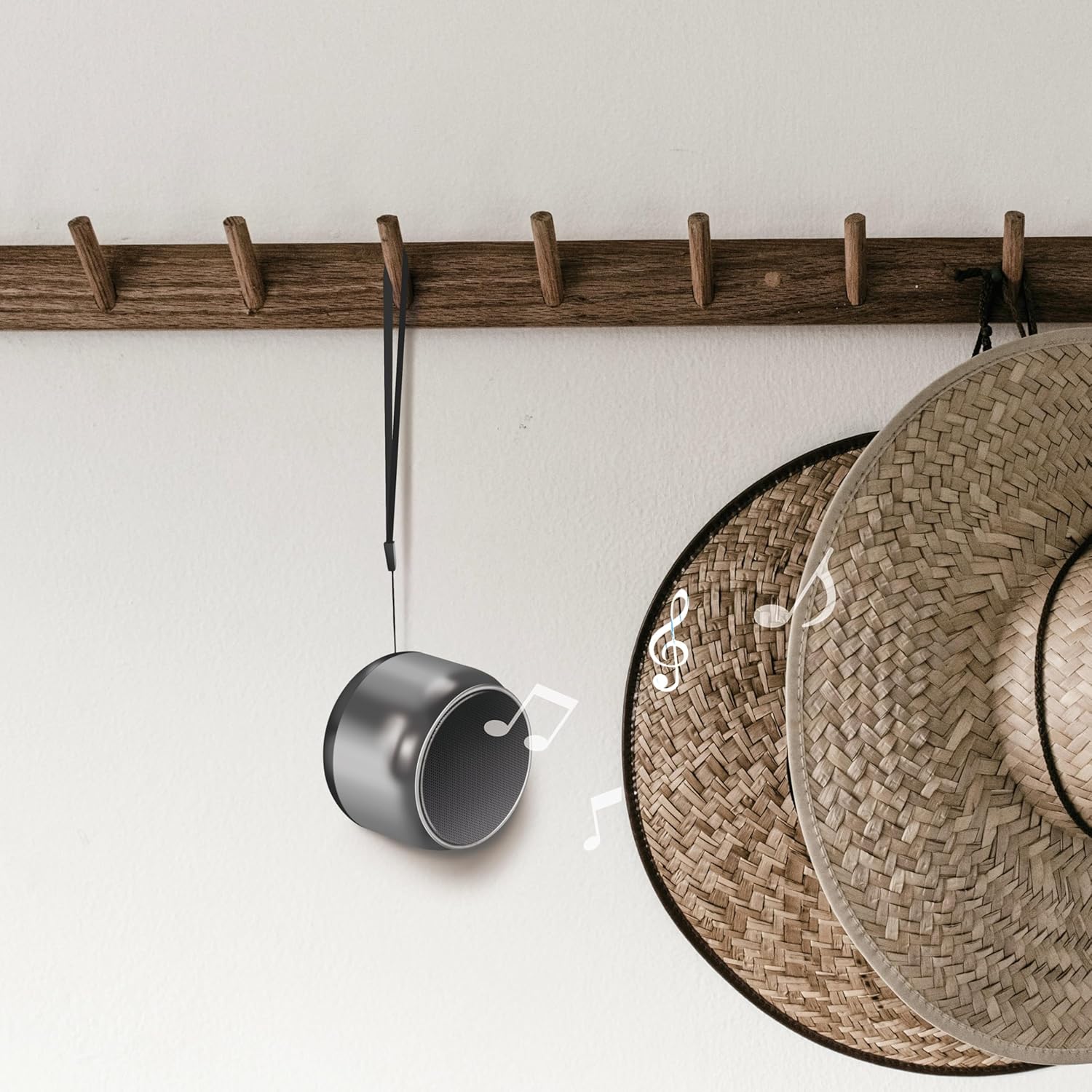
Image: The speaker hanging by its wrist strap, demonstrating its portability.
4.1. Kontrol jeung palabuhan

Gambar: Top view of the speaker showing the control buttons. These buttons allow you to manage power, playback, and calls.
- Tombol Daya: Pencét jeung tahan pikeun ngaktipkeun atawa mareuman speaker.
- Tombol Puter/Reureuh: Pencét pikeun muterkeun atawa ngareureuhkeun musik.
- Volume Jilid / Lagu Salajengna: Pencét pondok pikeun polumeu ka luhur, pencét panjang kanggo lagu salajengna.
- Volume Turun / Lagu Saméméhna: Pencét pondok pikeun volume handap, pencét lila pikeun lagu saméméhna.
- Tombol Telepon: Pencét pikeun ngajawab/mungkas telepon.
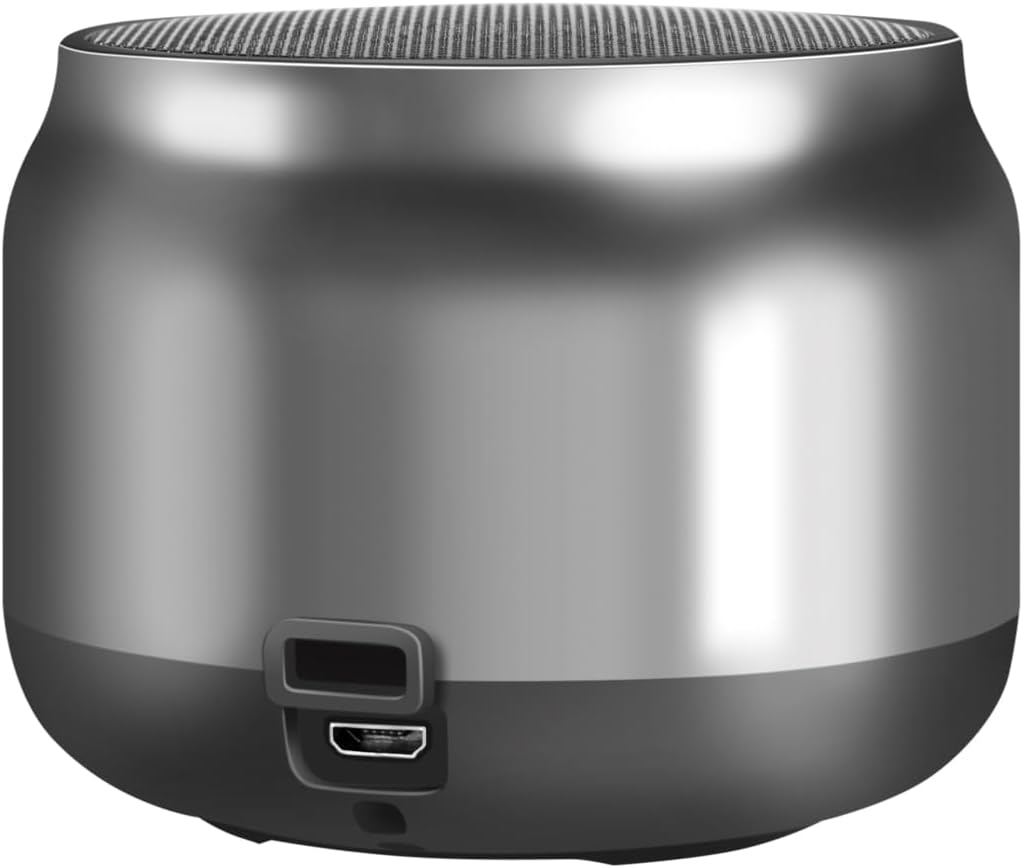
Gambar: Balik view of the speaker, highlighting the Micro USB charging port.
- Port USB Mikro: Dipaké pikeun ngecas spéker.
- Indikator LED: Némbongkeun status ngecas sareng status sambungan Bluetooth.
5. Setélan
5.1. Ngecas Speaker
- Connect the Micro USB charging cable to the speaker's Micro USB port.
- Connect the other end of the USB cable to a 5V/0.5A (2.5W) USB power adapter or a computer's USB port.
- The LED indicator will illuminate during charging. Once fully charged, the LED indicator may change color or turn off (refer to specific LED behavior in your product's quick start guide if available).
- Ngecas pinuh nyadiakeun nepi ka 10.5 jam waktu maén deui.
5.2. Daya Hurung / Pareum
- Pikeun Ngahurungkeun: Press and hold the Power button for approximately 3 seconds until you hear an audible prompt or the LED indicator flashes.
- Pikeun mareuman: Press and hold the Power button for approximately 3 seconds until you hear an audible prompt or the LED indicator turns off.
5.3. Papasangan Bluetooth
Pikeun nyambungkeun speaker anjeun ka alat nu diaktipkeun Bluetooth:
- Pastikeun spiker tos dicas sareng dihurungkeun. Indikator LED bakal kedip-kedip, nunjukkeun yén spiker nuju dina modeu pairing.
- Dina alat anjeun (smartphone, tablet, komputer), aktipkeun Bluetooth sareng milarian alat anu sayogi.
- Select "SP0063" from the list of found devices.
- Once connected, the speaker will emit an audible confirmation, and the LED indicator will stop flashing and remain solid.
- The speaker has a wireless range of up to 10 meters in open air.
5.4. Leres Wireless Stereo (TWS) papasangan
To pair two LogiLink SP0063 speakers for a stereo sound experience:

Image: Two LogiLink SP0063 speakers connected via True Wireless Stereo (TWS) for a richer audio experience.
- Ensure both SP0063 speakers are powered off.
- Turn on both speakers simultaneously. They will automatically attempt to pair with each other.
- Once successfully paired, one speaker will act as the master (left channel) and the other as the slave (right channel). You will hear an audible confirmation.
- Now, connect your Bluetooth device to the master speaker (the one whose LED is flashing for pairing).
- Duanana spiker ayeuna bakal muterkeun audio dina stereo.
6. Ngoperasikeun Speaker
6.1. Puterkeun Musik
After successfully pairing with your device, you can control music playback using the speaker's buttons:
- Puter / Reureuh: Pencét tombol Play / Reureuh sakali pikeun muterkeun atawa ngareureuhkeun lagu ayeuna.
- Lagu salajengna: Long press the Volume Up button to skip to the next track.
- Lagu Sateuacanna: Long press the Volume Down button to go to the previous track.
- Penyesuaian volume: Short press the Volume Up or Volume Down buttons to adjust the volume.

Image: The LogiLink SP0063 speaker actively playing music, indicated by sound waves.
6.2. Nelepon Hands-Free
The built-in microphone allows you to make and receive calls directly through the speaker when connected to your smartphone.

Image: Illustration of the built-in microphone function, showing icons for answering and hanging up calls.
- Ngajawab Telepon: When a call comes in, press the Call button once to answer.
- Tungtung Telepon: During a call, press the Call button once to end the conversation.
- Nolak Telepon: During an incoming call, press and hold the Call button for 2 seconds to reject the call.
- Telepon deui Nomer Panungtungan: Double-press the Call button to redial the last number.
7. Pangropéa
- beberesih: Anggo lawon anu lemes sareng garing pikeun ngabersihan spéker. Ulah make cleaners abrasive atawa pangleyur.
- Panyimpenan: Upami teu dianggo salami lami, simpen speaker di tempat anu tiis sareng garing.
- Perawatan batré: Pikeun manjangkeun umur batré, ngecas speaker sacara rutin, sanaos henteu sering dianggo. Hindarkeun ngosongkeun batréna salami lami.
8. Cara ngungkulan
If you encounter issues with your LogiLink SP0063 speaker, please refer to the following common solutions:
| Masalah | Mungkin Cukang lantaranana | Solusi |
|---|---|---|
| Speaker teu hurung. | batré lemah. | Cas speaker nepi ka pinuh nganggo kabel USB anu disayogikeun. |
| Teu tiasa dipasangkeun sareng alat Bluetooth. | Speaker henteu dina mode papasangan; Bluetooth ditumpurkeun dina alat; alat jauh teuing. | Ensure speaker is on and LED is flashing. Enable Bluetooth on your device. Move device closer to speaker (within 10m). Forget previous pairings on your device and try again. |
| Taya sora atawa volume low. | Volume low teuing dina speaker atawa alat; spiker teu nyambung. | Increase volume on both the speaker and your connected device. Ensure the speaker is properly paired. |
| Papasangan TWS gagal. | Speakers not reset; incorrect pairing sequence. | Ensure both speakers are powered off before attempting TWS pairing. Power them on simultaneously and allow them to connect to each other first, then connect your device to the master speaker. |
| Distorsi sora. | Volume teuing luhur; alat teuing jauh; gangguan. | Reduce volume. Move device closer to speaker. Avoid obstacles between speaker and device. |
9. Spésifikasi
Here are the technical specifications for the LogiLink SP0063 Bluetooth Speaker:
- model: SP0063
- Vérsi Bluetooth: 5.1
- Jangkauan nirkabel: Nepi ka 10 méter (hawa terbuka)
- Unit Speaker: 52 mm diameter, 5 W
- Sénsitip Speaker: 88 ± 3 dB
- Impedansi: 4 ohm
- Batré: Integrated 1200 mAh Lithium-ion battery
- Kahirupan batré: Nepi ka 10.5 jam
- Port ngecas: Micro USB
- Input ngecas: 5 V / 0.5 A (2.5 W)
- Format Audio anu Dirojong: MP3, WAV
- Ukuran (D x W x H): 7.6 x 7.6 x 6 cm
- Beurat barang: 212 gram
- warna: kulawu poék
- Fitur husus: True Wireless Stereo (TWS) connection, Lightweight, Integrated Microphone, Portable
- Mode Kaluaran Audio: Stereo
- Sumber Daya: Batré Powered
- Pabrikan: 2 langsung GmbH
- Negara asal: Cina
10. Garansi jeung Rojongan
LogiLink products are manufactured with quality and reliability in mind. For warranty information, technical support, or service inquiries, please refer to the warranty card included with your purchase or visit the official LogiLink websitus pikeun detil kontak.