Parentah Kasalametan penting
Please read all instructions carefully before operating the dehumidifier and retain this manual for future reference. Failure to follow these instructions may result in electric shock, fire, or serious injury.
- Always connect the dehumidifier to a grounded power outlet.
- Entong jalankeun unit upami kabel listrik atanapi colokan rusak.
- Ensure the dehumidifier is placed on a level, stable surface to prevent water spillage.
- Maintain a minimum clearance of 8 inches (20 cm) around the unit for proper airflow.
- Ulah nyelapkeun ramo atawa objék asing kana inlet hawa atawa outlet.
- Cabut colokan unit sateuacan ngabersihkeun atanapi ngalakukeun perawatan naon waé.
- Ulah nganggo dehumidifier di tempat anu aya gas atanapi cairan anu gampang kaduruk.
- Alat ieu henteu dimaksudkeun pikeun dianggo ku jalma (kalebet murangkalih) anu ngirangan kamampuan fisik, indrawi atanapi mental, atanapi kirang pangalaman sareng pangaweruh, kecuali aranjeunna dipasihan pangawasan atanapi petunjuk ngeunaan panggunaan alat ku jalma anu tanggung jawab kana kasalametanana.
Produk Leuwihview
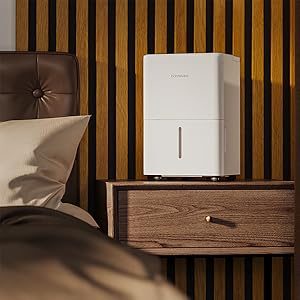
The hOmeLabs 1,000 Sq. Ft Portable Dehumidifier is designed to efficiently remove excess moisture from your indoor environment, improving air quality and comfort. It is ideal for small spaces such as bedrooms, bathrooms, offices, and closets, covering up to 1,000 square feet.

Image: The hOmeLabs 1,000 Sq. Ft Portable Dehumidifier, a compact white unit, shown next to its blue product packaging. The unit features a top handle and a visible water level indicator on the front.
This compact unit is capable of removing up to 8 pints of moisture per day (at 89.6°F, 80% RH) and operates at an ultra-quiet 33dB, making it suitable for noise-sensitive environments. It offers both manual bucket drainage and continuous drainage options for convenience.

Image: A diagram illustrating the dimensions of the hOmeLabs 8 Pint Dehumidifier. The unit measures 15.2 inches in height, 11.0 inches in width, and 7.7 inches in depth. The handle adds an additional 2.5 inches to the height.
Disetél
1. Unpacking na panempatan
- Sacara saksama piceun dehumidifier tina bungkusanna.
- Place the unit upright on a firm, level surface in the area where dehumidification is desired.
- Ensure there is at least 8 inches (20 cm) of space around all sides of the unit for proper air circulation. Do not block the air inlet or outlet.
- Ulah neundeun alat ieu di deukeut sumber panas, sinar panonpoé langsung, atanapi di tempat anu kakeunaan suhu beku.
2. Sambungan Daya
- Colokkeun kabel listrik kana stop kontak 120V/60Hz anu di-ground.
- Ulah make kabel extension atawa strips kakuatan.
3. Pilihan Drainase
Your dehumidifier offers two drainage methods: manual bucket drainage or continuous drainage using the included hose.

Image: A split image demonstrating the two drainage options. On the left, a person is shown removing the built-in water tank for manual emptying. On the right, the dehumidifier is connected to a gravity drain hose, illustrating continuous drainage into a floor drain.
Manual Drainage (Built-in Tank)
- The dehumidifier will collect water in its internal water tank.
- Nalika tanki pinuh, alat bakal otomatis pareum sareng lampu indikator bakal hurung.
- Carefully remove the water tank from the front of the unit.
- Kosongkeun cai anu dikumpulkeun kana tilelep atanapi solokan.
- Pasang deui tangki cai kosong pageuh-pageuh kana unit dugi ka ngaklik dina tempatna. Unit bakal beroperasi deui.
Gambar: A close-up view of the hOmeLabs dehumidifier's water collection tank being pulled out from the bottom front of the unit for emptying.
Drainase Kontinyu (Selang Drainase)
- For continuous operation without needing to empty the tank, attach the included 3.3 ft drain hose.
- Locate the drain outlet on the back or side of the dehumidifier (refer to diagram in manual if available).
- Connect one end of the drain hose to the drain outlet. Ensure a secure connection to prevent leaks.
- Direct the other end of the hose to a suitable drain, such as a floor drain, large sink, or bucket. Ensure the hose is sloped downwards to allow gravity drainage.
- Do not allow the end of the hose to be submerged in water, as this can cause backflow.
Parentah Operasi
Panél kontrol

Gambar: A close-up view of the hOmeLabs dehumidifier's top control panel. It features a digital display showing "35", and buttons for "TIMER", "MODE", power, and humidity adjustment (+/-). Indicator lights for "Comfort", "Continuous Drain", "Turbo", "Auto Defrost", and "Tank Full" are also visible.
- Tombol Daya (⏻): Hurungkeun dehumidifier ON atawa OFF.
- Tombol Mode: Cycles through different operating modes:
- Modeu kanyamanan: Automatically sets the humidity level for optimal comfort.
- Modeu Turbo: Operates at maximum fan speed for faster moisture removal.
- Continuous Drain Mode: Runs continuously, ideal when using the drain hose.
- Humidity Adjustment Buttons (+/-): Used to set your desired humidity level (typically between 35% and 80% Relative Humidity).
- Tombol Timer: Sets a timer for the unit to turn ON or OFF (1-24 hours).
- Indikator pinuh tank: Illuminates when the water tank is full and needs to be emptied.
- Auto Defrost Indicator: Illuminates when the unit is performing an auto-defrost cycle.
Nyetél Tingkat Kalembaban anu Dihoyongkeun
- Turn on the dehumidifier using the Power button.
- Press the Humidity Adjustment buttons (+/-) to select your desired humidity level. The display will show the set humidity.
- The unit will operate until the ambient humidity reaches the set level, then it will cycle on and off to maintain it.
Ngagunakeun Fungsi Timer
- To set a timer for the unit to turn OFF: While the unit is ON, press the Timer button. Use the +/- buttons to select the desired number of hours (1-24) after which the unit will turn off.
- To set a timer for the unit to turn ON: While the unit is OFF, press the Timer button. Use the +/- buttons to select the desired number of hours (1-24) after which the unit will turn on.
Pangropéa
Pangropéa rutin ngajamin kinerja optimal sareng umur panjang dehumidifier anjeun.
Ngabersihan Saringan Udara
Saringan hawa kedah dibersihkeun unggal dua minggu atanapi langkung sering gumantung kana panggunaan sareng kualitas hawa.
- Cabut dehumidifier tina stop kontak listrik.
- Locate the air filter, typically on the back or side of the unit. Gently pull it out.
- Rinse the filter under running tap water (not hot water) or use a vacuum cleaner to remove dust and debris.
- Allow the filter to air dry completely before reinserting it into the unit. Do not expose it to direct sunlight or heat.
- Sakali garing, geser deui saringan kana liangna.

Image: A white air filter from the dehumidifier is shown being cleaned under running water in a kitchen sink, demonstrating the washable nature of the filter.
Ngabersihan Tangki Cai
Ngabersihan tanki cai sacara teratur pikeun nyegah kapang sareng jamur.
- Cabut tank cai tina unit.
- Ngumbah tank jeung detergent hampang jeung cai haneut.
- Bilas tuntas tur garing lengkep saméméh nempatkeun deui kana dehumidifier nu.
Beberesih sareng Panyimpenan Éksternal
- Ngusap bagian luar unit kalayan lemes, damp lawon. Ulah make bahan kimia kasar atawa cleaners abrasive.
- For long-term storage, ensure the unit is completely dry, including the water tank and internal components. Store in a cool, dry place, covered to protect from dust.
Pamérésan masalah
Sateuacan ngahubungi dukungan palanggan, mangga tingal tabel di handap ieu pikeun masalah umum sareng solusina.
| Masalah | Mungkin Cukang lantaranana | Solusi |
|---|---|---|
| Dehumidifier teu hurung. | No power; Water tank full or not properly seated; Temperature too low. | Check power connection; Empty and re-seat water tank; Ensure room temperature is above 41°F (5°C). |
| Taya cai dikumpulkeun. | Humidity level too low; Air filter clogged; Room temperature too low; Unit in fan-only mode. | Adjust desired humidity lower; Clean air filter; Ensure room temperature is suitable; Select dehumidifying mode. |
| Unit ribut. | Unit henteu dina permukaan anu rata; saringan hawa clogged; Halangan dina kipas. | Teundeun dina permukaan anu rata; saringan hawa bersih; Pariksa jeung cabut sagala halangan. |
| Ibun dina coils. | Suhu kamar rendah. | This is normal; the unit has an auto-defrost function. If persistent, increase room temperature. |
| Error Codes (e.g., E1, E2). | Sensor malfunction or other internal issue. | Cabut colokan unit salami 10 menit, teras colokkeun deui. Upami kasalahan tetep, hubungi dukungan pelanggan. |
spésifikasi
| Fitur | Rincian |
|---|---|
| merek | hOmeLabs |
| Ngaran modél | HME010081N (Product Model: HME0081) |
| Kapasitas Dehumidification | 8 Pints per Poé (dina 89.6 ° F, 80% RH) |
| Wewengkon Cakupan | Nepi ka 1000 suku pasagi |
| Kapasitas Tangki Cai | 0.8 galon (kira-kira 6.4 pint) |
| Ukuran produk (DxWxH) | 7.7 "D x 11" W x 15.2" H |
| Item Beurat | 24 pon |
| Modeu Operasi | Sleep (also Comfort, Turbo, Continuous) |
| Warna | Bodas |
| UPC | 810049721725 |
Garansi sareng Rojongan
For warranty information and customer support, please refer to the warranty card included with your product packaging or visit the official hOmeLabs website. You may also contact hOmeLabs customer service directly for assistance with product inquiries, troubleshooting, or parts replacement.
Please have your model number (HME0081) and purchase date available when contacting support.