Bubuka
This manual provides detailed instructions for the safe installation, operation, and maintenance of your UFESA CFNP Ceiling Fan with Light. Please read this manual thoroughly before installation and use, and keep it for future reference.
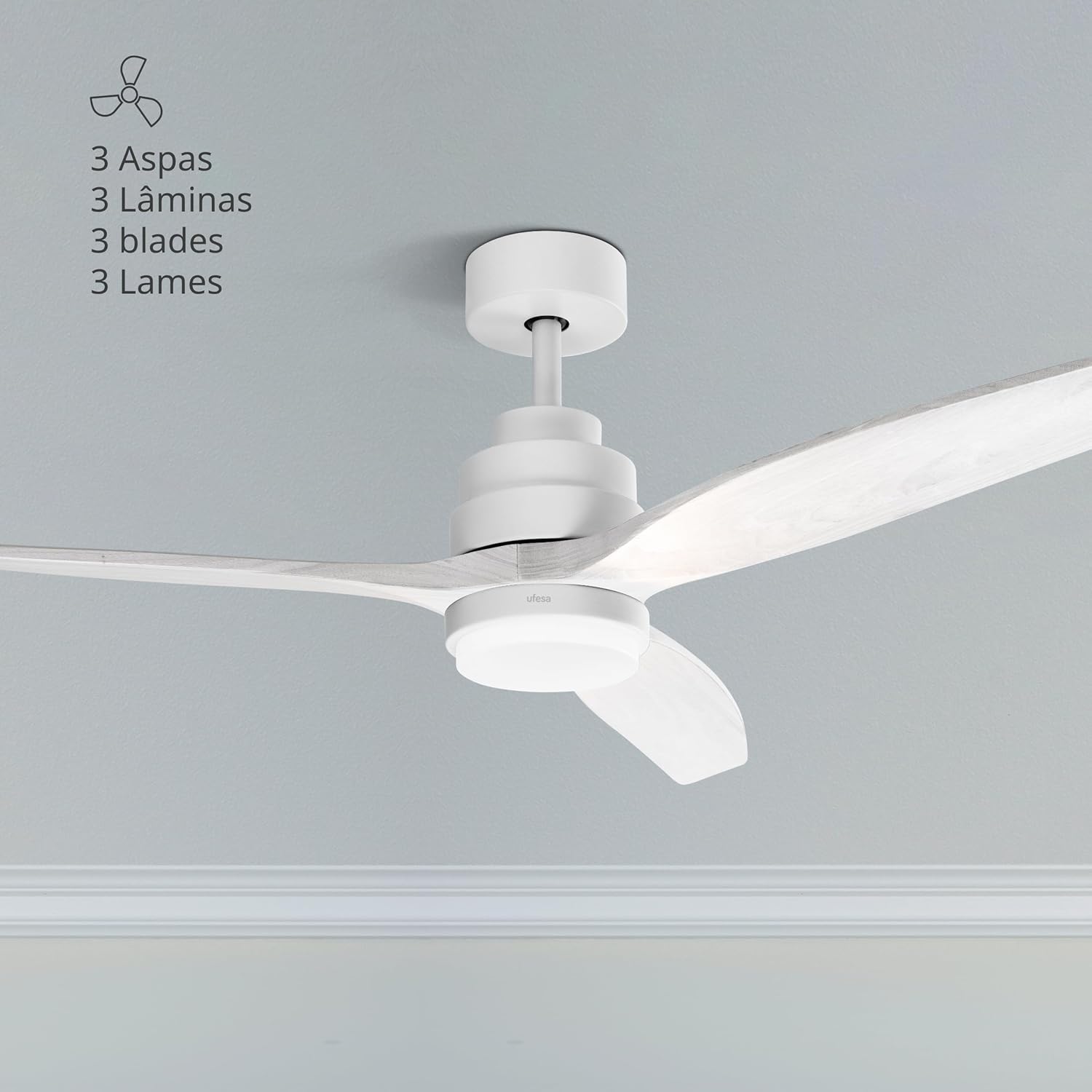
The UFESA CFNP Ceiling Fan with Light installed in a room, showcasing its three natural wood blades and integrated light.
Parentah Kasalametan
Salawasna turutan pancegahan kaamanan dasar nalika nganggo alat-alat listrik pikeun ngirangan résiko seuneu, kejutan listrik, sareng tatu pribadi.
Kasalametan Umum
- Ensure the ceiling fan is installed by a qualified electrician in accordance with local electrical codes.
- Disconnect power at the main circuit breaker before installation, cleaning, or any maintenance.
- Do not operate the fan with damaged blades or housing. Inspect regularly for any signs of wear or damage.
- Keep hands, hair, and clothing away from moving fan blades during operation.
- Alat ieu henteu dimaksudkeun pikeun dianggo ku jalma (kaasup murangkalih) anu kakurangan kamampuan fisik, indrawi, atanapi mental, atanapi kirang pangalaman sareng pangaweruh, kecuali aranjeunna dipasihan pangawasan atanapi petunjuk ngeunaan panggunaan alat ku jalma anu tanggung jawab kasalametanana. .
- Barudak kedah diawaskeun pikeun mastikeun yén aranjeunna henteu maén sareng alatna.
Kasalametan listrik
- Pariksa yén voltage dituduhkeun dina kipas cocog catu daya lokal Anjeun sateuacan nyambungkeun.
- Sadaya kabel kedah saluyu sareng kode listrik nasional sareng lokal.
- Pastikeun grounding ditangtoskeun pikeun nyegah shock listrik.
- Ulah make kipas dina damp or wet locations, or where it may be exposed to water.
Eusi pakét
Carefully unpack all components and ensure all items are present and undamaged. If any parts are missing or damaged, contact Ufesa customer service.

A close-up of the fan's motor housing and a blade, representing the main components.
The package should typically include:
- 3 Natural Wood Blades
- Majelis Motor
- Downrod (typically 15cm and 25cm options)
- Mounting Bracket + Canopy
- Integrated LED Light Kit / Lampngiuhan
- Majelis Controller
- Panutup Yoke
- Kadali jauh
- Pemasangan Hardware (screws, jangkar)
Setup sareng Instalasi
Important: Disconnect power at the circuit breaker before beginning any installation work.
Lengkah 1: Pasang Bracket
Fix the fan's mounting bracket to the ceiling. Use a pencil to mark the drilling points. Ensure the bracket is securely fastened to a structural beam or a suitable ceiling electrical box capable of supporting the fan's weight.
lengkah 2: bor liang
Bor liang dina titik anu ditandaan nganggo mata bor anu cocog pikeun bahan plafon anjeun.
Lengkah 3: Selapkeun Jangkar
Insert the provided ceiling anchors into the drilled holes. Tap gently with a hammer if necessary to ensure they are flush with the ceiling surface.
Step 4: Secure Bracket
Align the mounting bracket with the anchors and secure it firmly with the provided screws. Ensure it is stable and does not wobble.
Step 5: Connect Light Wiring
Connect the light wires from the fan to the terminal block on the mounting bracket. Match colors (e.g., blue to blue, brown to brown, etc.) according to the wiring diagram in the full manual.
Step 6: Connect Controller Wiring
Connect the wiring from the light kit to the fan's controller. Ensure all connections are tight and secure.
Step 7: Assemble Fan Base
Assemble the fan base by attaching the chosen downrod (15cm or 25cm) to the motor assembly. Secure it with the provided pin and screw.
Step 8: Hang Fan Base
Carefully lift the assembled fan base and hang it onto the hook or support provided on the ceiling mounting bracket. This allows you to work on wiring with the fan temporarily supported.
Step 9: Connect Base Wiring to Controller
Connect the main power wiring from the ceiling to the fan's controller, and then connect the controller to the fan motor wiring. Ensure all connections are correct and secure.
Step 10: Position Controller and Cables
Carefully tuck the controller and all excess cables into the opening of the ceiling support bracket, ensuring no wires are pinched.
Lengkah 11: Sambungkeun Kawat Ground
Connect the ground wire (usually green/yellow) from the fan base to the ground terminal on the mounting bracket or ceiling wiring.
Step 12: Install Canopy
Slide the canopy up to the ceiling and secure it to the mounting bracket with the provided screws. Ensure it covers all wiring connections.
Step 13: Attach Blades
Attach the three natural wood blades to the fan motor assembly using the provided screws. Ensure they are tightened evenly to prevent wobbling.
Step 14: Install Light Kit
Remove the small screws from the base of the fan's light housing. Place the LED light support, screw it into place, and then attach the light cover (lampshade) by twisting or securing it as per the design.
Parentah Operasi
Your UFESA CFNP ceiling fan is controlled by the included remote control. Ensure batteries are installed correctly in the remote.

The remote control allows easy access to all fan and light functions.
Daya Hurung/Pareuman
Pencét tombol kakuatan (⏻) on the remote control to turn the fan and light on or off.
Fan Speed Control
The fan offers 6 adjustable speeds. Use the numbered speed buttons (1-6) on the remote to select your desired airflow intensity. Speed 1 is the lowest, and Speed 6 is the highest.

The fan features 6 speeds and an 8-hour timer function.
Kontrol cahaya
The integrated LED light has 3 selectable color temperatures: natural light, cold light, and warm light. Use the light button (💡) on the remote to cycle through these settings to create the desired ambiance.

The fan light offers natural, warm, and cold light options.
Usum Panas / Usum Fungsi
This fan features a reversible motor for year-round comfort. Use the summer/winter button (⟳) on the remote to switch between modes.
- Modeu Usum Panas (Aliran Udara Ka Handap): Bilahna muter ka arah sabalikna tina jarum jam, nyiptakeun angin ka handap anu niiskeun ruangan.
- Modeu Usum Tiris (Aliran Udara Ka Luhur): Blades rotate clockwise, circulating warm air trapped near the ceiling downwards without creating a direct draft, helping to distribute heat more evenly.

Visual representation of the summer and winter airflow directions.
Fungsi Timer
Set the fan to automatically turn off after a specified period using the timer buttons (1H, 4H, 8H) on the remote control. This is useful for energy saving or for use during sleep.
Pangropéa
Pangropéa rutin mastikeun kinerja anu optimal sareng manjangkeun umur kipas siling anjeun.
beberesih
- Salawasna pegatkeun sambungan kakuatan saméméh beberesih.
- Regularly clean the fan blades and motor housing with a soft, damp lawon. Ulah make cleaners abrasive, pangleyur, atawa bahan kimia kasar, sabab ieu bisa ngaruksak finish.
- Ensure the fan is completely dry before restoring power and operating.
Pamariksaan sabeulah
- Periodically check that all blade screws are tight. Over time, they may loosen, causing the fan to wobble or create noise.
- Ensure blades are free from cracks or damage. Replace damaged blades immediately.
Pamérésan masalah
Upami anjeun mendakan masalah sareng kipas anjeun, tingal masalah sareng solusi umum ieu:
Kipas Teu Dimimitian
- Check if the main power supply to the fan is connected and turned on.
- Ensure the circuit breaker for the fan is in the 'ON' position.
- Pariksa sadaya sambungan listrik aman sareng kabelna leres.
- Pariksa batré kadali jauh jeung ngaganti lamun perlu.
Kipas Angin
- Ensure all blade screws are tightened evenly. Loose screws can cause imbalance.
- Check that the mounting bracket is securely fastened to the ceiling and that the downrod is properly seated.
- Verify that the blades are not bent or damaged.
Lampu Teu Gawé
- Check the light wiring connections within the fan housing.
- Ensure the light kit is properly installed and connected to the fan's electrical system.
- If the light is LED and not replaceable by the user, a faulty LED module may require professional service.
Remote Control Teu Gawé
- Ganti batré dina kadali jauh ku nu anyar.
- Ensure there are no obstructions between the remote control and the fan's receiver.
- Confirm the remote control is paired with the fan (refer to specific pairing instructions if available in the full manual).
spésifikasi

The fan has a diameter of 132 cm, suitable for various room sizes.
| Fitur | Spésifikasi |
|---|---|
| Nomer modél | CFNP |
| Kakuatan | 40W |
| Laju | 6 |
| Bahan Sabeulah | Kayu Alam |
| Diaméter kipas | 132 cm |
| Tingkat Cahaya | 3 (Natural, Cold, Warm) |
| Timer | Nepi ka 8 jam |
| Fitur husus | Ultra-silent DC motor, Summer/Winter function, Remote control |
| Ukuran (L x W x H) | 25.5 x 68.5 x 32.5 cm |
| Beurat | 5.63 kg |
| Sumber Daya | Kabel Listrik |
| Sertifikasi | CE, UL |
Garansi sareng Rojongan
For detailed warranty information, including terms, conditions, and duration, please refer to the warranty card included with your product. You can also find this information on the official Ufesa websitus.
For customer support, technical assistance, or to inquire about replacement parts, please visit the Ufesa website or contact their customer service department directly. Have your product model number (CFNP) and purchase date ready when contacting support.
Official Ufesa Websitus: www.ufesa.es


