1. Bubuka
Thank you for choosing the SYLVOX 43-inch Deck Pro 2.0 Outdoor Smart TV. This manual provides essential information for the safe and efficient use of your new television. Designed for partial sun outdoor areas, this TV features 4K resolution, HDR 10 support, 1000 nits brightness, and a weatherproof design, ensuring a high-quality viewing experience in various outdoor conditions.
Punten baca manual ieu sacara saksama sateuacan ngoperasikeun alat sareng tahan pikeun rujukan ka hareup.
Émbaran Kasalametan
- Ensure the TV is installed by qualified personnel according to local electrical codes.
- Do not attempt to repair the TV yourself. Refer all servicing to authorized service personnel.
- Jauhkeun kabel listrik tina sumber panas sareng ujung anu seukeut.
- Entong meungpeung lawang angin.
- Although weatherproof, avoid direct high-pressure water jets on the screen or ports.
2. Naon dina Box
Carefully unpack your SYLVOX Outdoor TV and check that all items are present. If any items are missing or damaged, please contact your retailer.
- SYLVOX 43-inch Outdoor TV
- Waterproof Voice Remote Control
- Power Cable (59 inches)
- Manual pamaké
- Kartu Garansi
- AAA Batteries (x2) for remote
- Screws for mounting (if included with specific mounting hardware)

Image: Contents of the SYLVOX Outdoor TV box, showing the waterproof voice remote, power cable, user manual, and warranty card.
3. Setélan
3.1 Instalasi fisik
The SYLVOX Outdoor TV is designed for outdoor use in partial sun areas. Ensure the mounting location is secure and can support the TV's weight (approximately 51.9 lbs).
- Pamasangan: Use a compatible outdoor TV mount (not included) that can withstand outdoor elements. Follow the mount manufacturer's instructions for installation.
- panempatan: Position the TV in a location that minimizes direct sunlight exposure to the screen for optimal viewing. The TV is weatherproof, but protection from extreme weather conditions is recommended for longevity.
- Ventilasi: Ensure adequate airflow around the TV. Do not install in enclosed spaces without proper ventilation.

Image: The SYLVOX 43-inch Outdoor TV, showcasing desain sareng fitur-fitur konci na.
3.2 Sambungan Daya
- Connect the provided power cable to the TV's power input port.
- Plug the other end of the power cable into a grounded outdoor-rated electrical outlet.
3.3 Daya Awal Hurung sareng Setup Jaringan
- Pencét tombol daya dina kadali jauh atanapi TV pikeun ngahurungkeunana.
- Follow the on-screen instructions to complete the initial setup, including language selection and time zone.
- Sambungan jaringan: Select your Wi-Fi network from the list and enter the password. The TV supports both 2.4G and 5G Wi-Fi for stable connectivity. Alternatively, connect an Ethernet cable to the LAN port for a wired connection.
- Masangkeun Bluetooth: The TV supports Bluetooth 5.0. You can pair Bluetooth devices like soundbars or headphones during setup or later in the settings menu.

Image: The TV supports both 2.4G and 5G Wi-Fi, and Bluetooth 5.0 for enhanced connectivity.
3.4 Google TV Account Setup
Your SYLVOX Outdoor TV runs on the Google TV system. You will be prompted to sign in with your Google account to access smart features, apps, and personalized content.
- Follow the on-screen prompts to sign in or create a new Google account.
- You can set up multiple family accounts to personalize watchlists and recommendations for each user.

Image: The Google TV interface provides access to a wide range of entertainment.
4. Parentah Operasi
4.1 Fungsi Remote Control
The included waterproof voice remote control allows for easy navigation and interaction with your TV.
- Tombol Daya: Ngahurungkeun atawa mareuman TV.
- Pad Navigasi: Use the directional buttons to move through menus and select options.
- Tombol Asisten Sora: Press and hold to activate Google Assistant for voice commands.
- Tombol Volume: Saluyukeun polumeu TV.
- Tombol Saluran: Change channels (for broadcast TV, if connected).
- Tombol potong kompas aplikasi: Aksés gancang ka layanan streaming populér.
- Tombol Potret Layar: Capture screenshots of the TV display.

Image: The waterproof voice remote control with Google Assistant for convenient operation.
4.2 Navigating the Smart TV System
The Google TV interface organizes your content for easy access.
- Layar Utama: Displays personalized recommendations, installed apps, and live TV options.
- Aplikasi: Access a wide range of streaming applications from the Google Play Store.
- Perpustakaan: Find your purchased movies and shows.
- Daptar awaskeun: Add movies and TV shows you want to watch later. This can be synchronized across your Google devices.

Image: The Personal Watchlist feature allows for customized content tracking for different users.
4.3 Nyambungkeun Alat éksternal
The TV offers multiple connectivity options for external devices.
- Port HDMI: Connect gaming consoles (Playstation, Xbox), Blu-ray players, or other HDMI-enabled devices.
- Port USB: Connect USB drives for media playback or to power streaming devices.
- Bluetooth: Pair Bluetooth sound systems, headphones, or other compatible accessories.
- Ethernet: Pikeun sambungan internét kabel stabil.

Image: The TV supports various connectivity options for external devices.
4.4 Gambar jeung Sora Setélan
Optimalkeun anjeun viewpangalaman dina jeung dengekeun ngaliwatan menu setelan TV.
- Modeu Gambar: Adjust brightness, contrast, color, and sharpness. The 1000 nits brightness ensures a clear, vibrant picture even in outdoor lighting.
- Resolusi 4K: Enjoy ultra-high-definition content with 3840x2160 pixels.
- HDR 10: Experience enhanced contrast and a wider range of colors with HDR 10 support.
- Dolby Atmos: The TV supports Dolby Atmos for immersive audio. For optimal sound, consider connecting an external sound system.
- Ngurangan Noise: This feature helps to reduce visual noise for clearer images.
- lebar Viewdina Angle: Lega 178° viewing angle ensures consistent picture quality from various positions.

Image: The 1000 nits high brightness ensures visibility even in bright outdoor environments.
4.5 Fitur husus
- Chromecast Diwangun-di: Cast content directly from your compatible smartphone or tablet to the TV.
- Modeu Kaulinan: Optimize settings for gaming to reduce input lag.
- Bagikeun ka TV: Easily share content from your mobile device to the TV screen.

Image: The 'Share to TV' feature allows for easy content mirroring from mobile devices.
5. Pangropéa
5.1 Ngabersihan TV
Pembersihan rutin ngabantosan ngajaga penampilan sareng kinerja TV.
- layar: Lembut usap layar nganggo lawon anu lemes sareng teu aya serat. Pikeun tanda nekad, rada dampBilas lawon ku cai atanapi pembersih layar anu hampang sareng henteu abrasif. Ulah nyemprotkeun cairan langsung kana layar.
- Frame and Back: Ngagunakeun lemes, damp cloth to wipe the frame and back of the TV. Avoid harsh chemicals or abrasive cleaners.
- Palabuhan: Ensure all port covers are securely closed when not in use to maintain waterproofing.

Image: The TV's waterproof design allows for easy cleaning and resilience against splashes.
5.2 Protection Cuaca
While the SYLVOX Outdoor TV is designed to be weatherproof, proper care can extend its lifespan.
- Ensure all cables are properly connected and sealed to prevent water ingress.
- In extreme weather conditions (e.g., heavy storms, prolonged freezing temperatures), consider using a protective cover or temporarily relocating the TV if possible.
6. Cara ngungkulan
If you encounter issues with your SYLVOX Outdoor TV, refer to the following common problems and solutions.
| Masalah | Mungkin Cukang lantaranana | Solusi |
|---|---|---|
| Taya kakuatan | Power cable disconnected, outlet issue, remote batteries dead. | Check power cable connection, test outlet, replace remote batteries. |
| Taya gambar / sora | Incorrect input source, external device off, cable issue. | Verify input source, ensure external devices are on, check HDMI/audio cables. |
| Jauh teu ngaréspon | Batteries dead, obstruction, remote not paired. | Replace batteries, remove obstructions, re-pair remote if necessary (refer to TV settings). |
| Sambungan Wi-Fi teu stabil | Router distance, interference, incorrect password. | Move router closer, reduce interference, re-enter Wi-Fi password, try Ethernet connection. |
| Picture quality issues (e.g., lines on screen) | Hardware defect, external interference. | Perform a factory reset (if software related). If persistent, contact customer support. |
If the problem persists after attempting these solutions, please contact SYLVOX customer support for further assistance.
7. Spésifikasi
Detailed technical specifications for the SYLVOX 43-inch Deck Pro 2.0 Outdoor Smart TV.
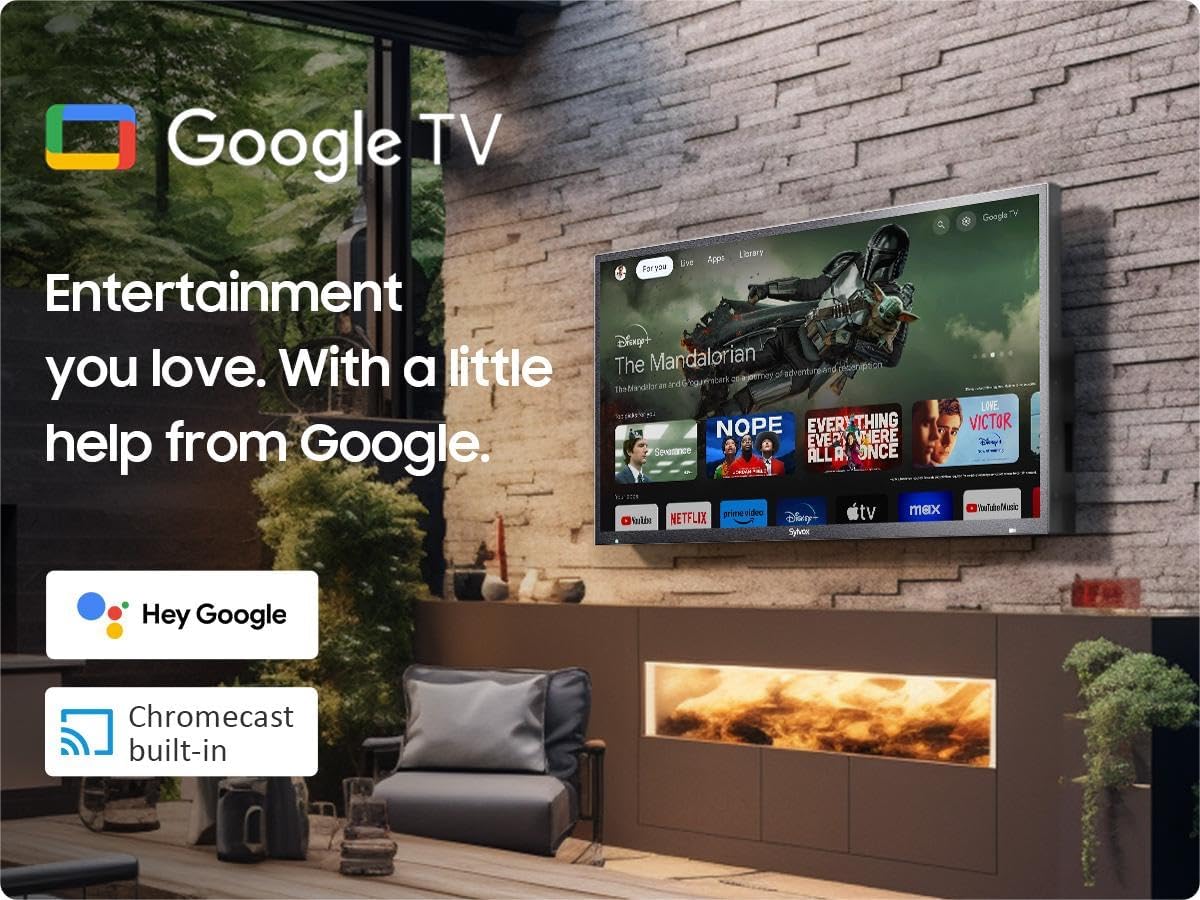
Image: Dimensions of the SYLVOX 43-inch Deck Pro 2.0 Outdoor TV.
| Fitur | Spésifikasi |
|---|---|
| merek | SYLVOX |
| Nomer modél | SYLVOX-Deck-020 |
| Ukuran layar | 43 Inci (110 cm katempo diagonal) |
| Téknologi tampilan | LED |
| Resolusi | 4K (3840 x 2160) |
| Refresh Laju | 60 Hz |
| Caang | 1000 nits |
| Babandingan Kontras | 3000:1 |
| Viewdina Angle | 178° |
| Fitur husus | Chromecast, Waterproof, Weatherproof, High Brightness, Wide Viewing Angle, HDR 10, Dolby Atmos, Noise Reduction, Game Mode |
| Téhnologi konektipitas | Ethernet, Wi-Fi (2.4G/5G), Bluetooth 5.0, HDMI (multiple), USB (multiple) |
| Sistem operasi | Google TV |
| Ukuran produk (D x W x H) | 3.44 x 38.41 x 22.64 inci |
| Item Beurat | 51.9 pon |
| Batré | 2 batré AAA (kaasup pikeun jarak jauh) |
8. Garansi jeung Rojongan
8.1 Émbaran jaminan
Your SYLVOX Outdoor TV comes with a Perlindungan cacad gratis 12 bulan ti tanggal beuli. Garansi ieu nyertakeun cacad manufaktur dina panggunaan normal. Punten tahan bukti pameseran anjeun pikeun klaim garansi.
8.2 Sarat jeung Kaayaan Balik deui
SYLVOX offers 30 poé mulih repot-gratis for quality issues. Original packaging is required for all returns. Free returns are provided for quality-related issues.
8.3 Rojongan Palanggan
For technical assistance, troubleshooting, or warranty inquiries, please contact SYLVOX customer support. Refer to the warranty card or the SYLVOX official websitus pikeun detil kontak.