Bubuka
This manual provides detailed instructions for the installation, operation, and maintenance of your ASD LED Motion Sensor Outdoor Flood Light, Model A-SFL-20BK. This advanced outdoor lighting solution features a 180° motion sensor, multiple lighting modes, adjustable color temperature, and rotatable light heads for optimal illumination and security.
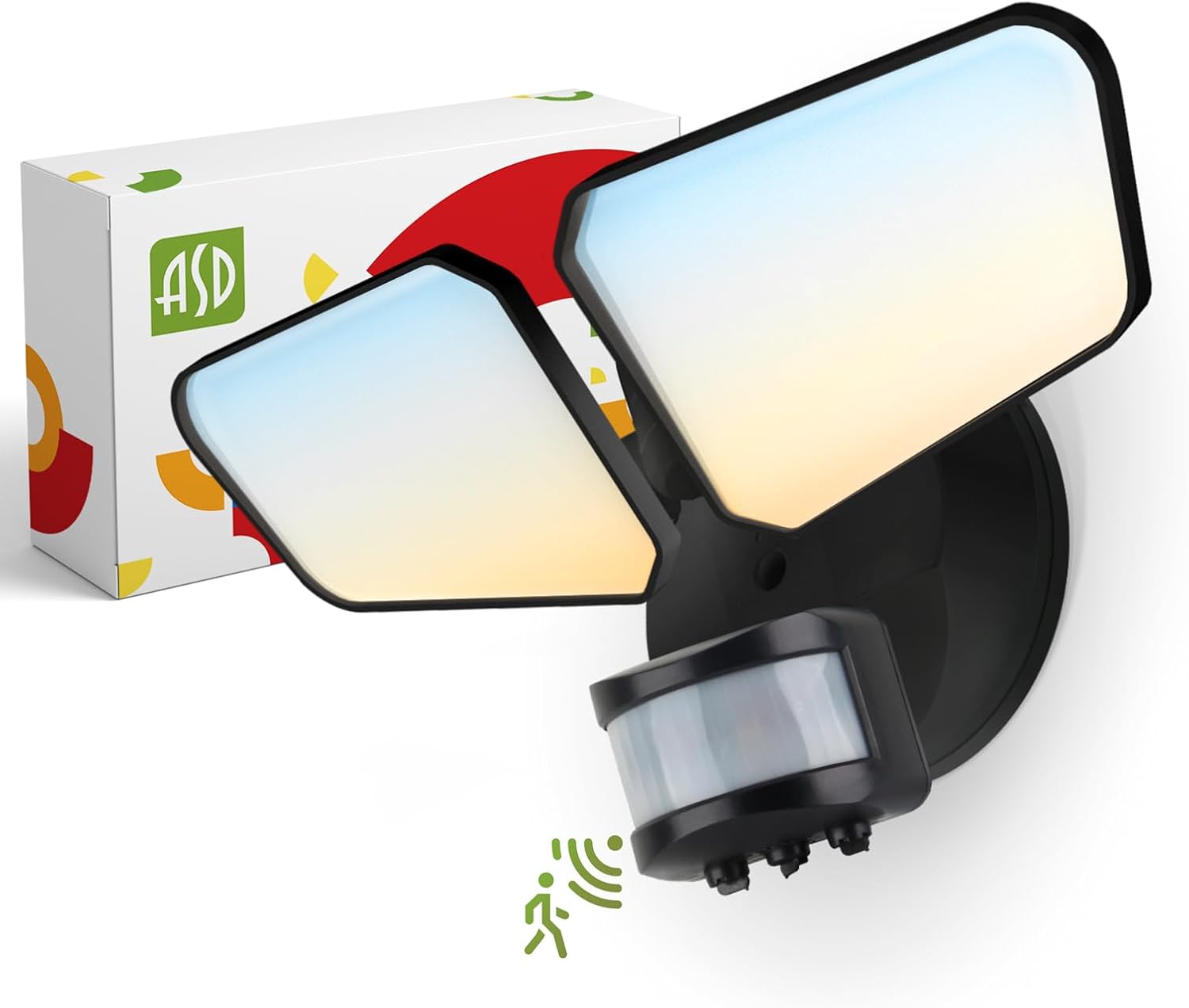
Gambar: The ASD LED Motion Sensor Outdoor Flood Light, Model A-SFL-20BK, shown with its packaging. This image illustrates the product's design and included components.
Émbaran Kasalametan
Please read and understand all instructions before beginning installation. Failure to follow these instructions may result in electric shock, fire, or other hazards that could cause property damage or personal injury. Keep this manual for future reference.
- Kasalametan listrik: Always turn off power at the circuit breaker before installing or servicing the fixture. Ensure all wiring connections are secure and comply with local electrical codes.
- Grounding: The fixture must be properly grounded to prevent potential electrical shock.
- Tukang listrik anu mumpuni: Upami anjeun henteu yakin ngeunaan bagian mana waé tina prosés pamasangan, konsultasi ka tukang listrik anu mumpuni.
- Suhu operasi: Ulah ngoperasikeun alat di luar kisaran suhu anu ditangtukeun.
- Lokasi baseuh: This fixture is rated IP65 for wet locations, but ensure all seals and connections are properly secured during installation to maintain this rating.
Setup sareng Instalasi
Follow these steps for proper installation of your flood light. Ensure power is OFF at the circuit breaker before proceeding.
1. Nyiapkeun Instalasi
- Bongkar bungkus perlengkapan sareng parios naha aya karusakan.
- Ensure all necessary mounting hardware is present.
- Pareuman kakuatan dina pemutus sirkuit utama.
2. Pamasangan Fixture
- Gantelkeun bracket ningkatna kana kotak simpang ngagunakeun screws disadiakeun.
- Feed the electrical wires from the junction box through the gasket and into the fixture's wiring compartment.
- Ngamankeun fixture kana bracket ningkatna.
3. Sambungan Wiring
- Nyambungkeun hideung kawat ti fixture kana black (live) wire from the power supply.
- Nyambungkeun bodas kawat ti fixture kana white (neutral) wire from the power supply.
- Nyambungkeun green (ground) kawat ti fixture kana green or bare copper (ground) wire from the power supply.
- Ensure all connections are secured with wire nuts and tucked neatly into the junction box.
4. Adjusting Light Heads
The light heads are rotatable 150° side-to-side and 180° up-and-down. Adjust them to cover your desired illumination area.

Gambar: Illustration showing the 180° up-and-down and 150° side-to-side rotation capabilities of the flood light heads, allowing for precise light direction.
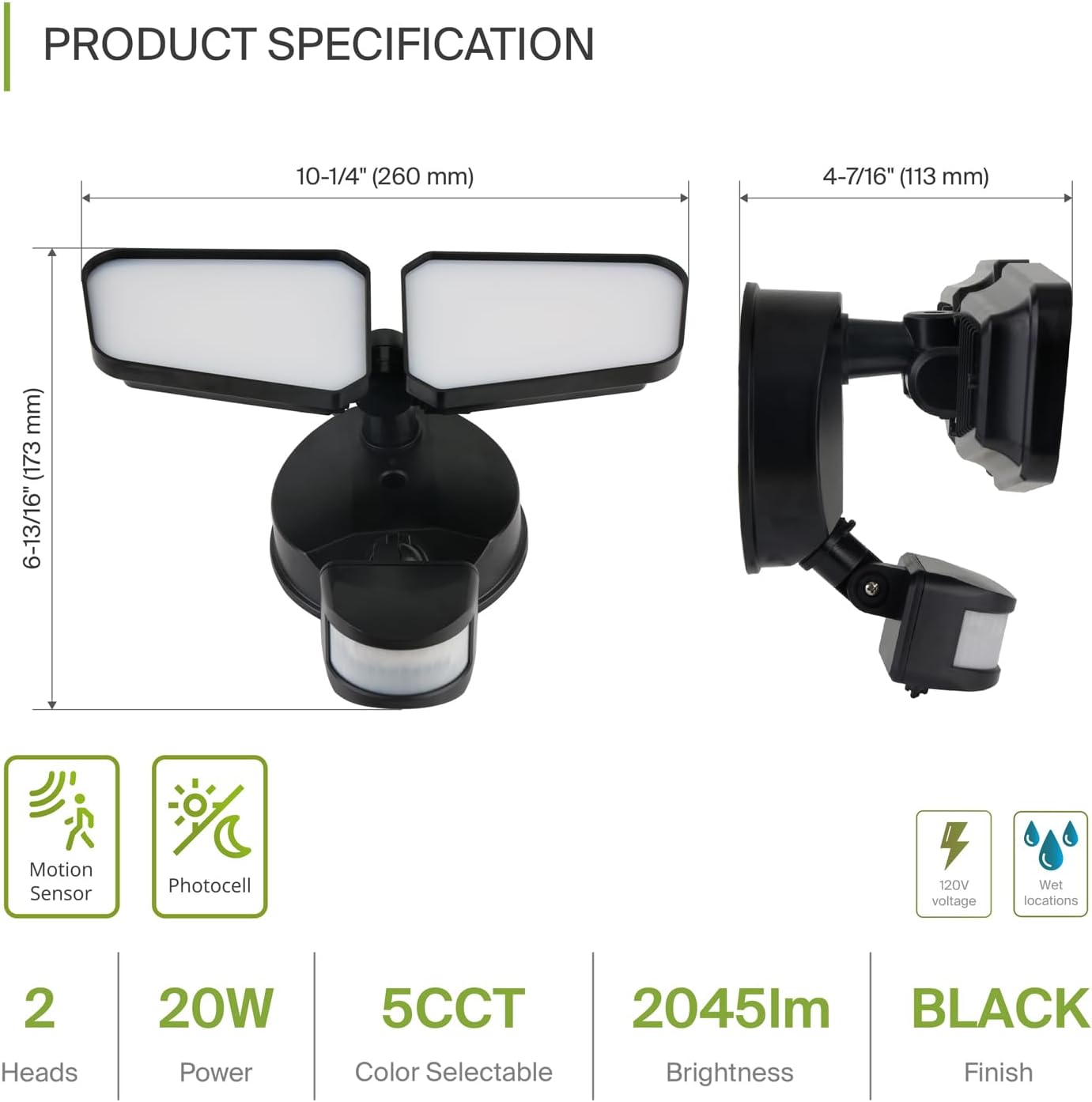
Gambar: Detailed product specification diagram showing dimensions (10-1/4" L x 4-7/16" W x 6-13/16" H) and key features like motion sensor, photocell, 20W power, 5CCT, 2045lm brightness, and IP65 wet location rating.
Parentah Operasi
Your ASD LED Flood Light offers versatile operation modes and customizable settings.
1. Selecting Lighting Modes
Use the control dial on the motion sensor to select one of three operating modes:
- DINA WAKTOSNA: The light functions as a standard lamp, staying on continuously without motion sensing.
- DUSK TO DAWN (D2D): The light automatically turns on at dusk and off at dawn, based on ambient light levels detected by the photocell.
- Otomatis: The light turns on and off based on motion detection and your selected lux requirement settings (L - Low sensitive / M - Middle sensitive / H - High sensitive).

Gambar: Diagram illustrating the control dial for selecting ON TIME, D2D (Dusk to Dawn), and AUTO modes, with visual examples of how the light behaves in each setting.
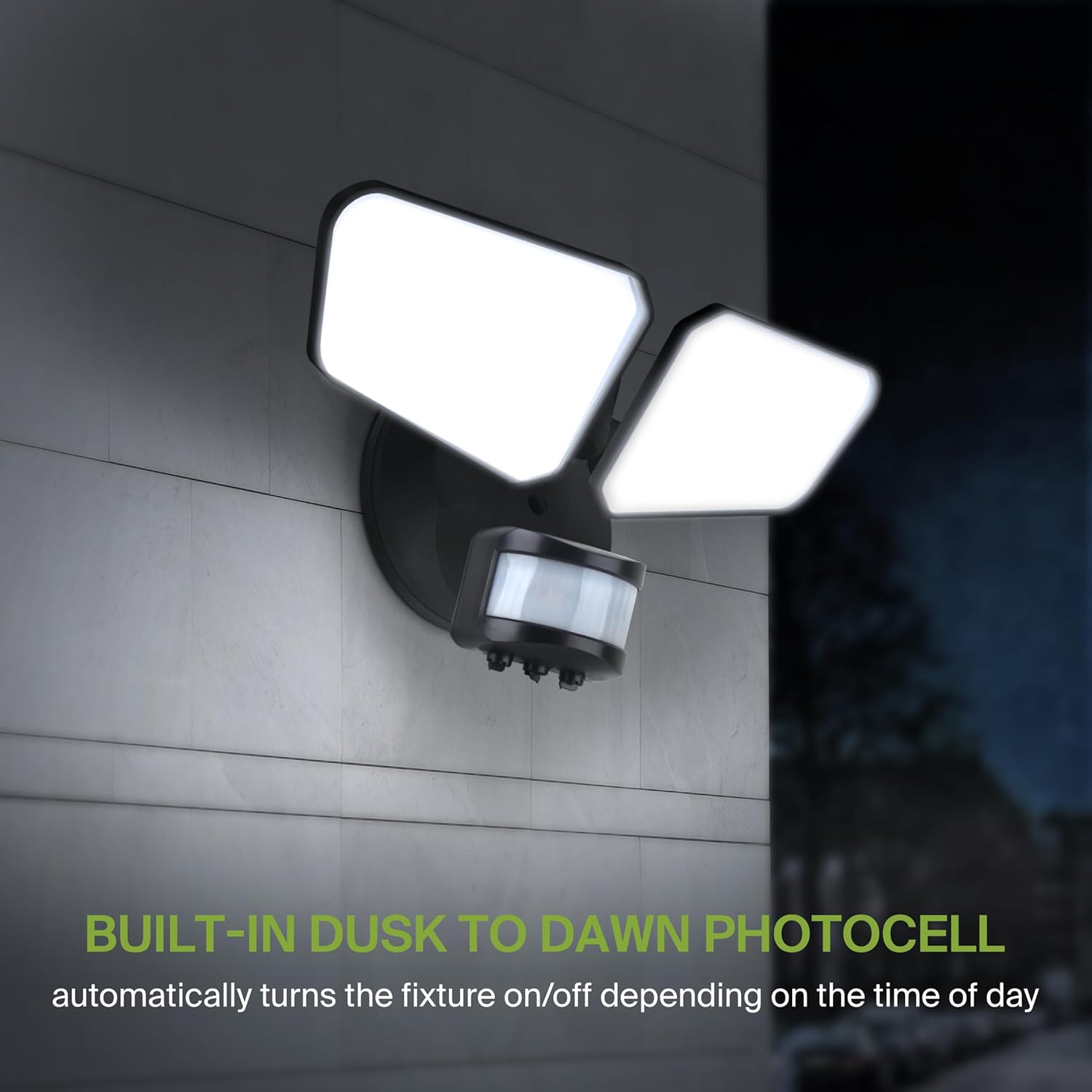
Gambar: The flood light operating at night, demonstrating the built-in dusk-to-dawn photocell functionality which automatically activates the light when ambient light levels drop.
2. Setélan Sénsor Gerak
The integrated 180° motion sensor has a detection range of up to 60 feet. In AUTO mode, you can adjust the sensitivity:
- L (Low Sensitive): Less sensitive to movement, ideal for areas with minimal activity.
- M (Middle Sensitive): Sensitivitas standar pikeun panggunaan umum.
- H (High Sensitive): Most sensitive to movement, suitable for high-traffic areas or enhanced security.
You can also adjust the 'Hold Time' (how long the light stays on after motion is detected) and 'Ambient Light' (lux level at which the sensor becomes active) settings using the respective dials on the sensor unit.
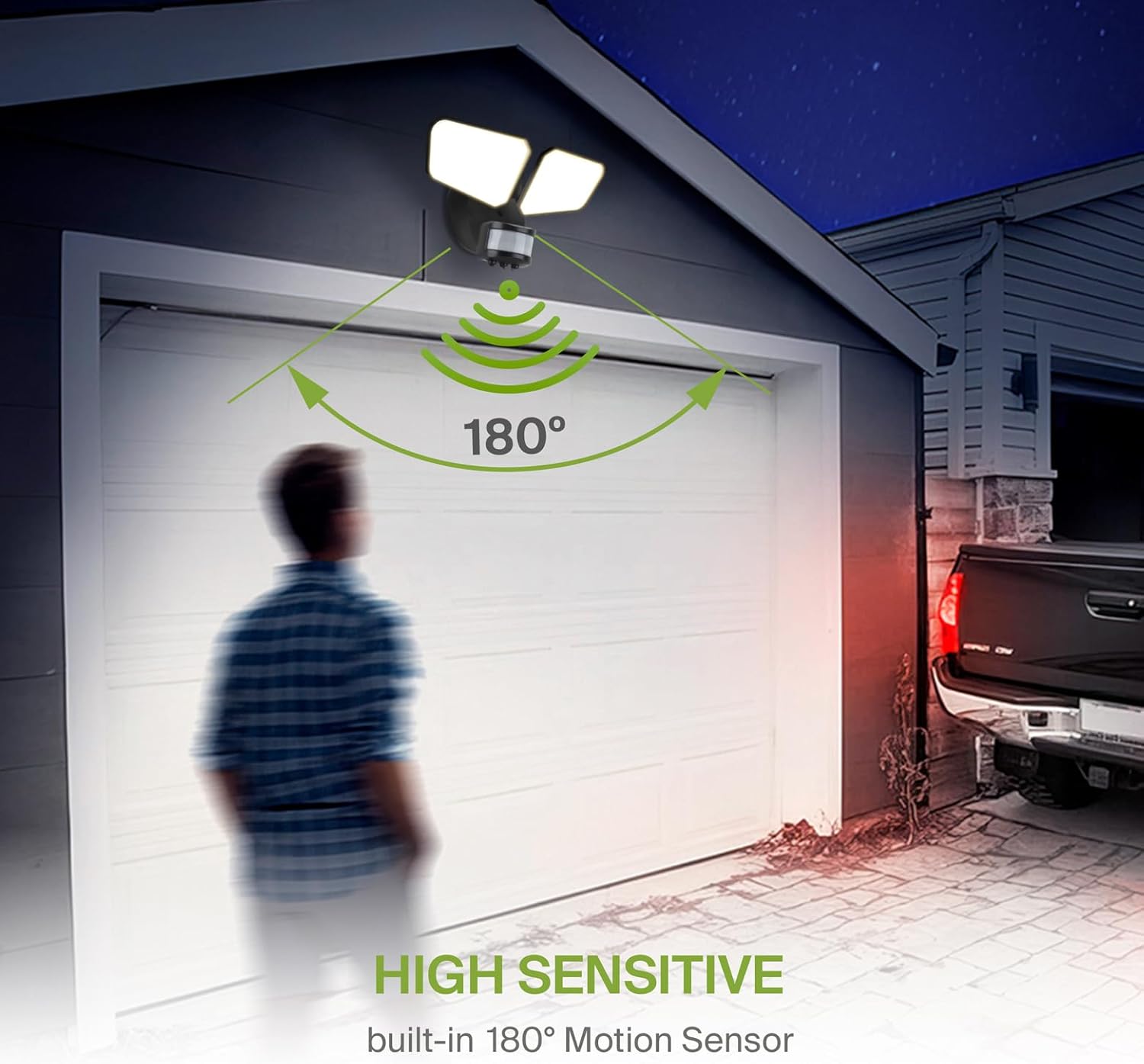
Gambar: A person walking in front of a garage, demonstrating the 180° detection angle of the high-sensitive motion sensor, which activates the flood light.

Gambar: Diagram showing the flexible settings for the motion sensor, including Ambient Light (less than 10 lux), Hold Time (10 seconds to 10 minutes), and Detection Motion Speed (0.6-1.5 m/s), with a visual representation of the 60ft detection distance.
3. Color Temperature (CCT) Adjustment
The fixture offers 5 selectable color temperatures, ranging from warm to daylight. To change the CCT, locate the CCT switch on the fixture and slide it to your desired setting:
- 2700K: Bodas Lemes
- 3000K: Bodas haneut
- 3500K: Bodas Netral
- 4000K: Bodas tiis
- 5000K: Beurang

Gambar: Visual representation of the 5 CCT options (2700K, 3000K, 3500K, 4000K, 5000K) and how they appear when the flood light is active, allowing users to select their preferred light ambiance.
Pangropéa
Regular maintenance ensures optimal performance and longevity of your flood light.
- beberesih: périodik ngabersihan fixture kalawan lemes, damp lawon. Ulah make cleaners abrasive atawa pangleyur, sabab bisa ngaruksak finish atawa komponén listrik.
- Pamariksaan: Annually inspect the wiring and mounting hardware for any signs of wear, corrosion, or loosening. Tighten connections as needed.
- Lensa sénsor: Keep the motion sensor lens clean and free from obstructions (e.g., dirt, spiderwebs) to ensure proper operation.
Pamérésan masalah
If you experience issues with your flood light, refer to the following common problems and solutions:
| Masalah | Mungkin Cukang lantaranana | Solusi |
|---|---|---|
| Lampu henteu hurung. | No power, faulty wiring, incorrect mode setting, photocell detecting too much light. | Check circuit breaker. Verify wiring connections. Ensure mode is set to AUTO or ON TIME. Cover photocell to test if it's detecting light. |
| Lampu terus hurung. | Mode set to ON TIME or D2D, constant motion detected, sensor sensitivity too high. | Switch mode to AUTO. Reduce motion sensor sensitivity (L setting). Check for constant heat sources or movement in detection zone. |
| Sénsor gerak teu ngadeteksi gerakan. | Sensor obstructed, sensitivity too low, incorrect ambient light setting. | Clean sensor lens. Increase sensor sensitivity (H setting). Adjust ambient light setting on the sensor. Ensure sensor is aimed correctly. |
| Lampu kedip-kedip atanapi dims. | Loose wiring, voltage fluctuations, incompatible dimmer (if applicable). | Check and tighten all wiring connections. Consult an electrician for voltage issues. This fixture is not designed for use with dimmers. |
Spésifikasi produk
- merek: ASD
- Ngaran modél: SFL A-SFL-20BK
- Nomer Bagian: A-SFL-20BK
- warna: Black with Motion Sensor
- Bahan: Aluminium, Polycarbonate
- Gaya: Modern
- Bentuk Lampu: Lampu sorot
- Tipe Kamar: Spasi outdoor
- Ukuran produk: 10.24 "L x 4.45" W x 6.81" H
- Mangpaat husus pikeun produk: Luar
- Pamakéan Indoor/Outdoor: Luar
- Sumber Daya: Kawat kabel
- Jenis pamasangan: siram Gunung
- Fitur husus: 180° 3 Modes Motion Sensor and Photocell, 5 Color Temperature Options, Beam Angle 100°, Rotatable Light Heads for Directional Light Control, Wet Locations Rated (IP65)
- Métode kontrol: Remote (referring to sensor adjustments, not a physical remote)
- Jenis Sumber Cahaya: LED
- Voltage: 120 volt
- Métode cahaya: Bisa diatur
- Beurat barang: 1 pon
- Wattage: 20 watt
- Jumlah Unit: 1.0 Ngitung
- Tipe Pamasangan: Tembok Gunung
- Jenis fixture: Non Removable
- UPC: 810128113458
- Sertifikasi: UL, DLC Premium
- Jangka waktu hirup: 145,000 jam
Émbaran jaminan
This ASD LED Motion Sensor Outdoor Flood Light (Model A-SFL-20BK) is covered by a 5-taun jaminan kawates ti tanggal beuli. Garansi ieu nyertakeun cacad dina bahan sareng pagawean dina panggunaan normal. Éta henteu nutupan karusakan anu disababkeun ku pamasangan anu teu leres, kacilakaan, nyalahgunakeun, nyiksa, atanapi modifikasi anu teu diidinan.
For warranty claims or further details, please retain your proof of purchase and contact customer support.
Rojongan Palanggan
If you have any questions, require technical assistance, or need to report an issue with your ASD LED Motion Sensor Outdoor Flood Light, please contact our customer support team.
Please visit the official ASD website for the most current contact information, including phone numbers, email addresses, and online support resources.
Sumberdaya Online: Visit the ASD Store on Amazon