Bubuka
This manual provides essential information for the safe and efficient use of your REOLINK Home Hub with 2x E1 Outdoor 5MP PTZ WiFi Security Camera System. Please read these instructions carefully before installation and operation.
The REOLINK Home Hub system offers a comprehensive surveillance solution with two 5MP PTZ outdoor cameras featuring auto-tracking, plug-in power, and microSD card storage for 24/7 offline recording. The Home Hub acts as a central management and storage unit, supporting up to 8 Reolink IP cameras (excluding 4G models).
Naon dina Box
- Home Hub x1
- E1 Outdoor Camera x2
- Adaptor kakuatan x1
- MicroSD Card (included)
- Pamasangan Bracket sareng Screws
- Kabel Ethernet
Disetél
1. Sambungan kabel
Connect the Reolink Home Hub to your router and power source using the provided cables. Ensure a stable network connection for optimal performance.
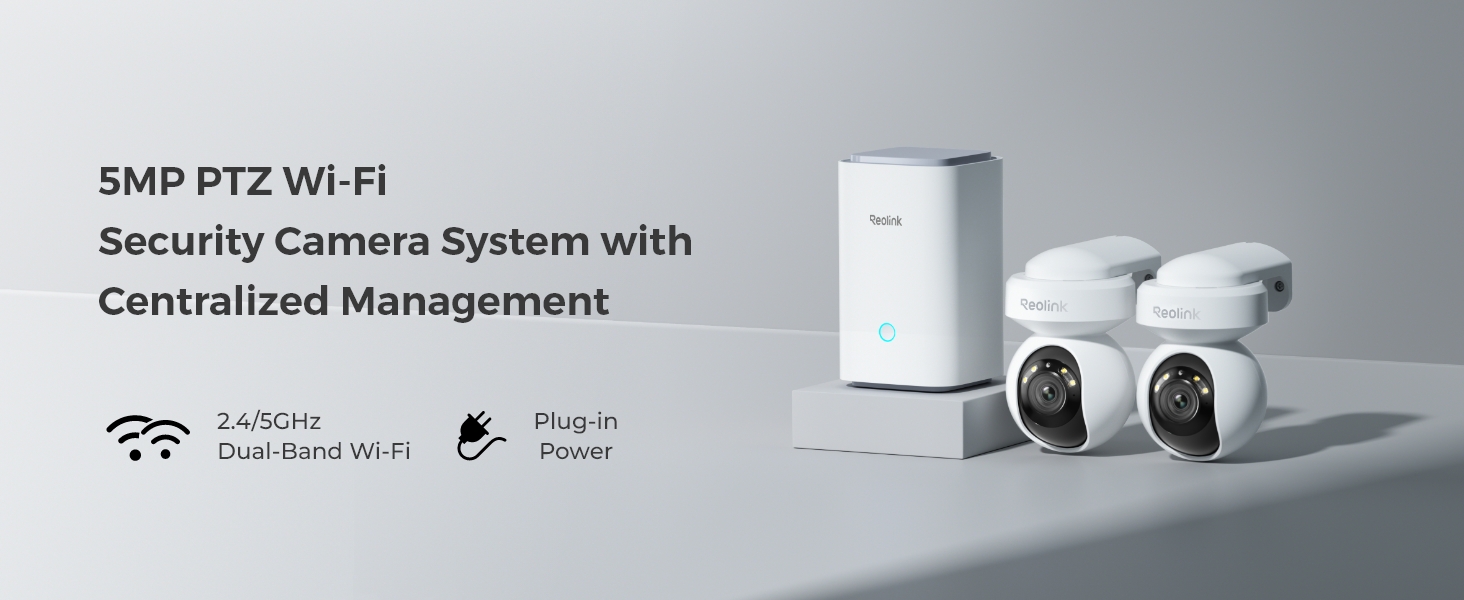
Image: Reolink Home Hub connected to a router and power source.
2. App Installation and Network Configuration
Download the Reolink App from your mobile device's app store. Connect your phone to the same Wi-Fi network as your router. Follow the in-app instructions to add the Home Hub by scanning its QR code.
Video: Learn How to Set up Home Hub and How to Add Reolink Cameras. This video demonstrates the initial setup process for the Home Hub and connecting cameras via the Reolink app.
3. Adding Cameras to Home Hub
Once the Home Hub is set up in the app, you can add your E1 Outdoor cameras. Power on each camera, then use the Reolink App to scan the QR code on the camera. Select "Use with Home Hub" and follow the on-screen prompts to connect and initialize each camera.

Image: Reolink E1 Outdoor camera mounted for surveillance.
Parentah Operasi
1. Fitur konci Leuwihview
- 5MP High-Definition Video: Ngarekam gambar anu jelas sareng rincitage with 5-megapixel resolution.
- Fungsi PTZ: Enjoy 355° pan and 55° tilt capabilities, allowing for wide area coverage and up to 64 preset positions.
- 3x Zoom Optik: Get a closer look at distant objects without losing image quality.
- AI-Powered Smart Detection: Reduce false alarms with intelligent detection of persons, vehicles, and animals.
- Nyukcruk Otomatis: Cameras can automatically follow detected subjects within their field of view.
- Color Night Vision with Spotlight: Powerful spotlights enable full-color video recording even in low-light conditions.
- Audio Dua Arah: Communicate directly through the camera using the built-in microphone and speaker.
- Panyimpenan Lokal: Rékam footage directly to the included microSD card, expandable up to 2x 512GB.
- Manajemén terpusat: The Home Hub manages up to 8 Reolink IP cameras, providing a unified system.
2. Using the Reolink App
The Reolink App is your primary interface for controlling and monitoring your security system. After adding your cameras to the Home Hub, you can access various functions:
- Hirup View: Watch real-time video streams from your cameras.
- Kontrol PTZ: Use the on-screen joystick or swipe gestures to pan, tilt, and zoom the camera.
- Obrolan Dua Arah: Tap the microphone icon to speak through the camera's speaker.
- Ngarekam & Playback: Aksés dirékam footage stored on the microSD card. Filter events by person, vehicle, or animal detection.
- Alerts & Notifications: Customize alert settings, including push notifications, email alerts, and siren activation.
- Kontrol Sorotan: Manually activate or set the spotlight to trigger upon motion detection for enhanced visibility and deterrence.
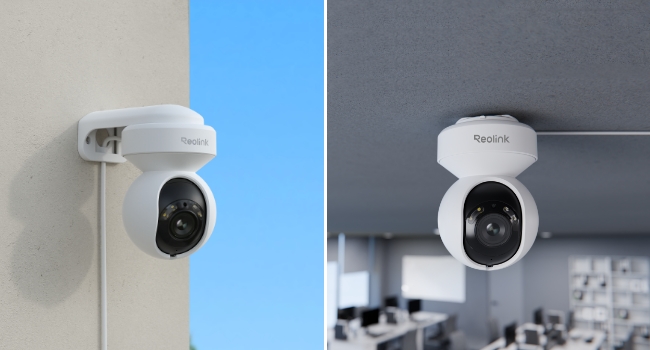
Image: Smart Detection and Auto Tracking features of the E1 Outdoor camera.
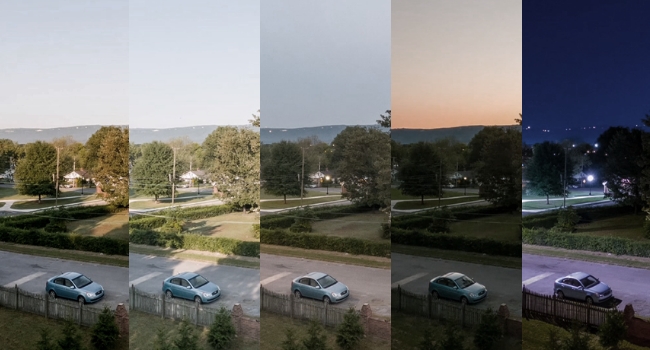
Image: 5MP Super HD and 3x Optical Zoom capability.

Image: Spotlight Color Night Vision in action.
Pangropéa
- beberesih: Bersihkeun lénsa kaméra sacara rutin nganggo lawon anu lemes sareng garing pikeun mastikeun kualitas gambar anu jelas. Entong nganggo bahan kimia anu keras.
- Pembaruan firmware: Check the Reolink App periodically for firmware updates to ensure your devices have the latest features and security enhancements.
- Pamariksaan kabel: Periodically inspect power and network cables for any signs of wear or damage, especially for outdoor installations.
- Manajemén Panyimpenan: Monitor the microSD card storage capacity via the app. The system will automatically overwrite older footage nalika pinuh.
Pamérésan masalah
- Henteu aya kakuatan: Ensure the power adapter is securely connected to both the camera/hub and a working power outlet.
- Henteu aya sambungan jaringan: Verify that the Home Hub is connected to the router via Ethernet and that your Wi-Fi network is active. For cameras, ensure they are within Wi-Fi range and connected to the correct network.
- Kualitas Gambar goréng: Check the camera lens for dirt or obstructions. Ensure the camera is positioned correctly and there are no strong light sources directly facing the lens.
- Alarm palsu: Adjust the motion detection sensitivity and set up detection zones in the Reolink App to minimize unwanted alerts.
- Cannot Add Device: Double-check the QR code scan. Ensure the device is powered on and follow the in-app instructions carefully. If issues persist, try resetting the device using the reset needle.
spésifikasi
| Fitur | Rincian |
|---|---|
| merek | REOLINK |
| Ngaran modél | Home Hub with 2x E1 Outdoor |
| Sumber Daya | Kabel Listrik |
| Protokol konektipitas | Wi-Fi (Dual-Band 2.4/5GHz) |
| Tipe Pamasangan | Tembok Gunung |
| Resolusi Capture Video | 5MP |
| Komponén Kaasup | Home Hubx1; E1 Outdoorx2 |
| Ukuran barang L x W x H | 9 x 9 x 9 inci |
| Item Beurat | 5.68 pon |
| Métode kontrol | App |
| Smart Home kasaluyuan | Smart Home Compatible |
| Fitur husus | 2-Way Audio, Local Recording, PTZ Technology |
| Pamakéan jero rohangan / outdoor | Luar |
Garansi sareng Rojongan
Kanggo inpormasi garansi sareng dukungan téknis, mangga tingali REOLINK resmi. website or contact REOLINK customer service directly. Details are typically available on the product packaging or within the Reolink App's support section.
REOLINK offers a standard manufacturer's warranty. Please retain your proof of purchase for any warranty claims.