Bubuka
The Naztech Xpods PRO are true wireless earbuds designed for an immersive audio experience with advanced features for daily use and active lifestyles. These earbuds offer high-definition sound, noise isolation, and extended battery life, all within a compact and durable design.
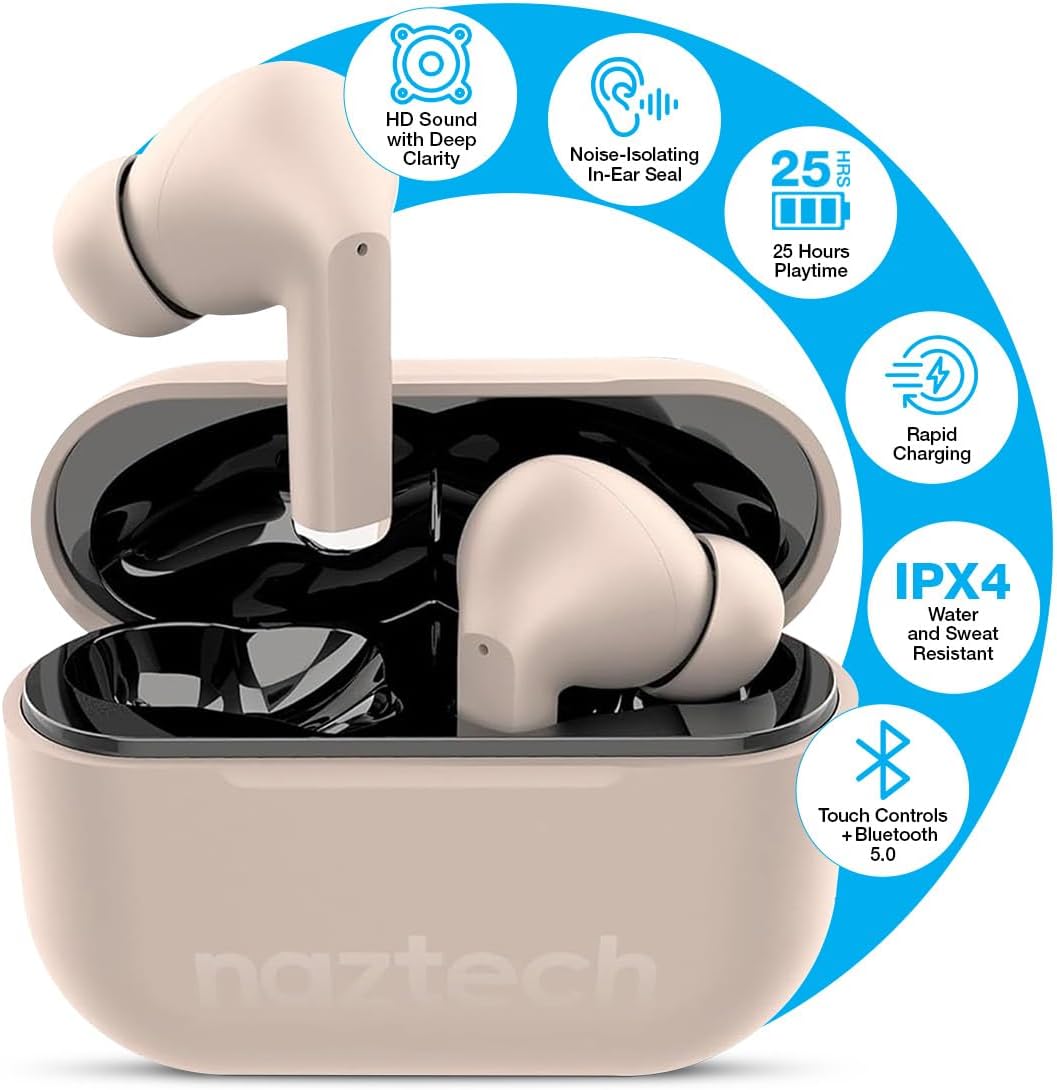
Image: Naztech Xpods PRO True Wireless Earbuds in Sandstone, resting in their open charging case.
Naon dina Box
- Naztech Xpods PRO True Wireless Earbuds
- Kasus Ngecas Nirkabel
- Kabel Ngecas USB-C
- Sababaraha Ukuran Tips Ceuli Silicone
- Instruksi Manual
Disetél
1. Ngecas Earbuds jeung Case
Before first use, fully charge the Xpods PRO charging case and earbuds. The case can be charged via the included USB-C cable or a compatible Qi wireless charging pad (sold separately).
- USB-C ngecas: Sambungkeun kabel USB-C ka port ngecas dina casing jeung ka sumber kakuatan.
- Ngecas nirkabel: Simpen wadah ngecas dina bantalan ngecas nirkabel anu cocog sareng Qi.
- The LED indicator on the case will show charging status. A full charge provides up to 25 hours of total playtime (5 hours per charge from earbuds + 20 hours from case). A 10-minute quick charge can provide 1 hour of playback.

Image: Naztech Xpods PRO charging case on a wireless charging pad, illustrating 25 hours total playtime and quick charge feature.
2. Nyapasangkeun sareng Alat Anjeun
The Xpods PRO utilize Bluetooth 5.0 for stable and universal compatibility with Android and iPhone devices.
- Pastikeun earbud aya dina wadah ngecas sareng wadahna parantos dicas.
- Buka wadah ngecas. Earbuds bakal otomatis asup kana mode papasangan.
- Dina smartphone Anjeun atawa alat Bluetooth-diaktipkeun, buka setélan Bluetooth.
- Select "Naztech Xpods Pro" from the list of available devices.
- Sakali disambungkeun, anjeun bakal ngadangu konfirmasi karungu, sareng earbuds bakal siap dianggo.

Image: Naztech Xpods PRO earbuds and a smartphone screen showing successful Bluetooth pairing.
Parentah Operasi
The Xpods PRO feature intuitive touch controls for easy management of audio playback and calls.
Fungsi Kontrol Toél

Image: Visual guide to touch sensor controls on the Naztech Xpods PRO earbuds.
- Puter / Reureuh: Ketok tunggal dina boh earbud.
- Lagu salajengna: Ketok dua kali dina earbud katuhu.
- Lagu Sateuacanna: Ketok dua kali dina earbud kénca.
- Ngajawab / mungkas Telepon: Ketok tunggal dina boh earbud.
- Nolak Telepon: Pencét jeung tahan boh earbud salila 2 detik.
- Aktipkeun Asisten Sora: Ketok tilu kali dina boh earbud.
Nelepon jeung Narima Telepon
The Xpods PRO feature dual microphones with advanced voice capture technology to filter out wind and background noise, ensuring clear conversations.
- Use the touch controls as described above to manage calls.
- Audio will automatically switch to the earbuds when a call is initiated or received while connected.
Perawatan sareng Pangropéa
To ensure the longevity and optimal performance of your Naztech Xpods PRO, follow these care guidelines:
- beberesih: Rutin ngabersihkeun earbuds sareng wadah ngecas ku lawon anu lemes, garing, teu aya lint. Ulah make bahan kimia kasar atawa bahan abrasive.
- Tips ceuli: Cabut sareng bersihan ujung ceuli silikon sacara berkala nganggo cai sareng sabun anu hampang. Pastikeun éta garing pisan sateuacan dipasang deui.
- Tahan cai: The Xpods PRO are IPX4 water and sweat resistant, meaning they are protected against splashing water from any direction. They are suitable for workouts and light rain but should not be submerged in water.
- Panyimpenan: Nalika henteu dianggo, simpen earbuds dina wadah ngecasna pikeun ngajagi sareng tetep dicas.
- Suhu: Hindarkeun ngalaan earbuds ka suhu anu ekstrim (panas atanapi tiis) atanapi sinar panonpoé langsung kanggo waktos anu berkepanjangan.

Image: Naztech Xpods PRO earbuds designed for active lifestyles, featuring IPX4 water resistance.
Pamérésan masalah
If you encounter issues with your Xpods PRO, refer to the following common solutions:
- Earbuds Teu Nyapasangkeun:
- Ensure both earbuds are charged and in the case.
- Pareuman sareng aktipkeun Bluetooth alat anjeun.
- Forget/delete "Naztech Xpods Pro" from your device's Bluetooth list and attempt to re-pair.
- Ngan Hiji Earbud Anu Gawé:
- Lebetkeun deui dua earbud kana wadah ngecas, tutup tutupna, antosan sababaraha detik, teras buka deui.
- Pastikeun kadua earbuds dicas.
- Masalah ngecas:
- Pariksa kabel USB-C sareng adaptor daya naha aya karusakan.
- Pastikeun kontak pangisi daya dina earbud sareng dina wadahna bersih sareng bébas tina kokotor.
- Upami nganggo ngecas nirkabel, pastikeun wadahna tos dijajarkeun kalayan leres dina bantalan ngecas.
- Low Sound Quality/Noise:
- Ensure the ear tips provide a secure seal in your ear. Try different sizes.
- Clean the earbud speakers and ear tips.
- Pastikeun volume alat anjeun disetel kalayan leres.
spésifikasi
| Fitur | Spésifikasi |
|---|---|
| Nomer modél | 15352 |
| Vérsi Bluetooth | 5.0 |
| Rentang Bluetooth | 33 suku |
| Kahirupan Batré (Total) | Up to 25 Hours (5 hours per charge + 20 hours with charging case) |
| Waktu Ngecas | 1 Hour (for case) |
| Métode kontrol | Toél |
| Tingkat Résistansi Cai | IPX4 (Tahan Cai) |
| Item Beurat | 4 ons |
| Dimensi produk | 4.7 x 4.7 x 1.2 inci |
| Alat nu cocog | Any device with Bluetooth capabilities |
| Tipe Supir Audio | Supir dinamis |
| Kontrol bising | Active Noise Cancellation (Passive Noise Isolation from fit) |
Garansi sareng Rojongan
For warranty information or technical support, please refer to the official Naztech websitus atanapi ngahubungan departemén layanan palanggan maranéhna. Simpen bukti pameseran anjeun pikeun klaim garansi.


