1. Bubuka
This manual provides detailed instructions for the safe and effective operation of your iCarsoft EU MAX (Enhanced) 2025 Bidirectional OBD2 Diagnostic Tool. Please read this manual thoroughly before using the device to ensure proper functionality and to prevent damage to the tool or your vehicle. This device is designed for comprehensive vehicle diagnostics and maintenance services for European car makes.

Figure 1: iCarsoft EU MAX Diagnostic Tool main unit. This image displays the front view of the iCarsoft EU MAX device, showing its screen with various menu icons and physical navigation buttons.
2. Fitur Produk
- Fungsi OBD2 lengkep: Supports all 10 OBD2 test modes including Read/Clear Codes, I/M Readiness, Freeze Frame, O2 Sensor Test, On-Board Monitoring, Evap System Test, Auto-VIN, and Vehicle Information.
- 44+ Reset & Calibration Services: Perform comprehensive reset, adaptation, and calibration services for various systems including Oil Reset, EPB, BMS, ETC, SAS, DPF, ABS Bleeding, Injector Coding, TPMS, Air Suspension, Air Conditioner, Head Lamp, Body Stability Control, Engine Control, Transmission Control, Airbag, Seat, Door-Window-Roof, Fuel Pump, Air Filter Control, Engine Idle, Immobilizer, EGR, Odometer, Clutch, Water Pump, Crankshaft, Cruise Control, Language Setting, NOx Sensor, Rain Sensor, Stop&Start, Turbocharger, Head-Up Display, Radar/Camera, Vehicle Setup, Cylinder Shutoff Test, Speed Limit Assist, Control Unit Reset, Oxygen Sensor, and Seat Belt.
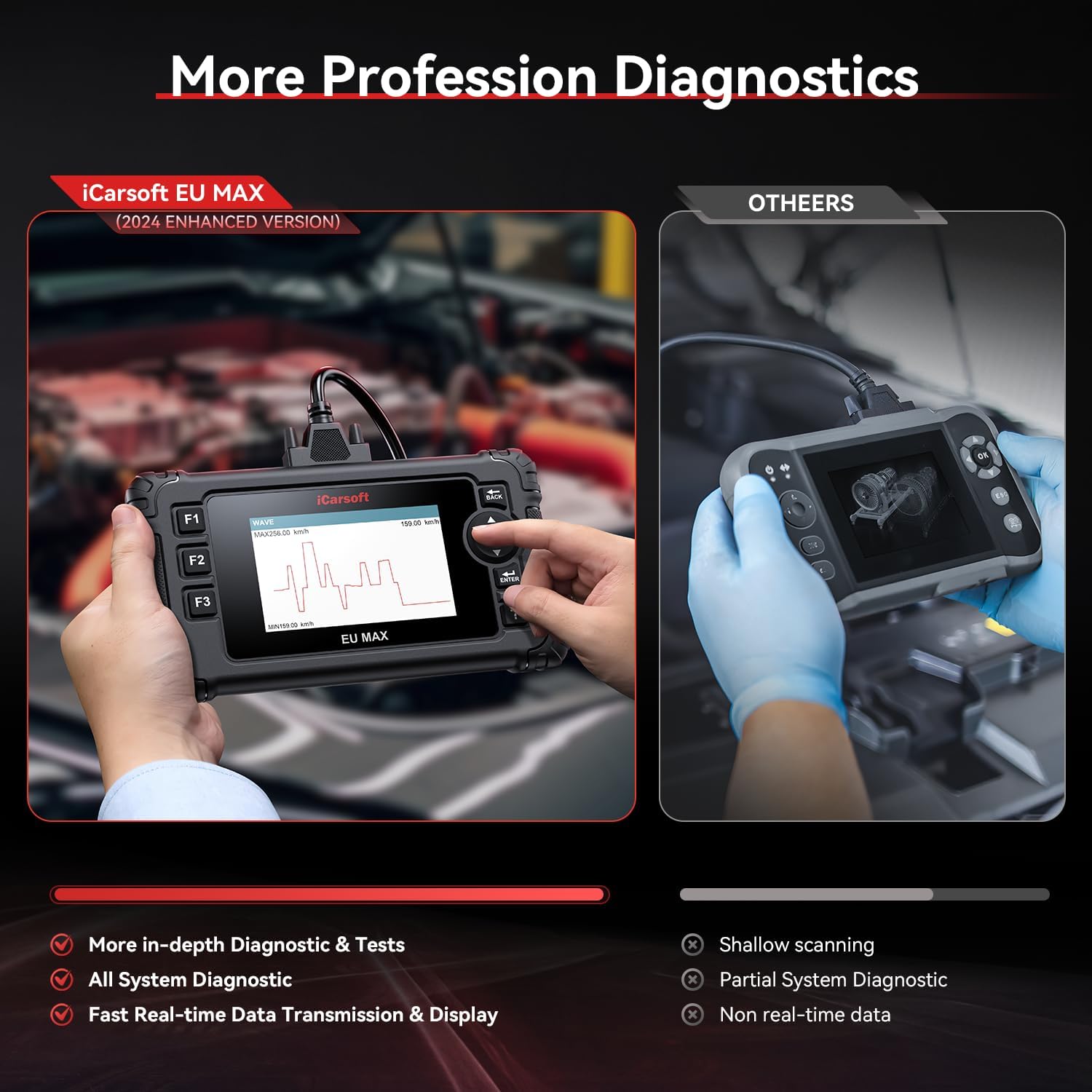
- Diagnostik Sistem Pinuh Tingkat OE: Conduct accurate and in-depth diagnostics across all automotive systems. View live data streams in waveform format, export data, retrieve freeze-frame data, perform active tests, and generate custom reports.
- EU Vehicle Coverage: Supports European car makes (after 2001) including Sprinter, BMW, Mini, VW, Seat, Skoda, Volvo, Porsche, SAAB, EU Ford, Dacia, Renault, Fiat, Mercedes-Benz, Citroen, Jaguar, Peugeot, Audi, Opel, Land Rover, Smart, Vauxhall, Alfa-Romeo, and Lancia.
- Fitur merenah: Automatic vehicle text history recording, VIN identification, 4-in-1 real-time live data graphing, DTC library for lookup, custom report generation and printing, and support for 15 languages.
- Free Updates & 24/7 Tech Support: Includes a 1-year risk-free global warranty, lifetime free software updates, and lifetime free hardware repairs (excluding logistics costs). Dedicated 24/7 technical support is available.

Gambar 2: Leuwihview of OE-level diagnostic capabilities. This image highlights the in-depth full system diagnostic and tests available for European vehicles, showing various systems like Airbag, TPMS, Engine, and more.

Figure 3: Detailed list of 44+ maintenance and calibration services. This image illustrates the extensive range of reset functions, including Oil Reset, EPB, BMS, and many others, categorized for easy understanding.
3. Setélan
To begin using your iCarsoft EU MAX diagnostic tool, ensure your vehicle's ignition is in the 'ON' position (engine can be off). Locate your vehicle's OBD2 port, typically found under the dashboard on the driver's side. Connect the diagnostic tool's cable to the OBD2 port. The device will power on automatically.
Video 1: Connecting the iCarsoft CR MAX to a vehicle's OBD2 port. This video demonstrates the physical connection process and the initial boot-up sequence of the device, showing the main menu.
4. Parentah Operasi
4.1. Menu Napigasi
The iCarsoft EU MAX features a user-friendly interface with intuitive icons. Use the directional buttons and 'ENTER' key to navigate through the menus. The 'BACK' button allows you to return to the previous screen.
4.2. Otomatis VIN Scan
From the main menu, select 'Diagnostics' and then choose your vehicle's brand. The tool can automatically detect and display your vehicle's VIN (Vehicle Identification Number) and other relevant information such as production date, model type, and transmission details.
4.3. Bacaan jeung Clearing Kodeu
Navigate to 'OBDII/EOBD' from the main menu. You can select 'Read Codes' to view any diagnostic trouble codes (DTCs) present in your vehicle's systems. If codes are found and the issue has been resolved, select 'Erase Codes' to clear them from the vehicle's memory.
4.4. Live Data Stream
Within the 'OBDII/EOBD' menu, select 'Live Data' to view real-time parameters from your vehicle's sensors. This data can be displayed numerically or graphically, allowing for detailed monitoring of engine RPM, temperatures, fuel system status, and more. You can also record and transfer this data for further analysis.

Figure 4: Full OBD2 service functions. This image illustrates the various OBD2 functions available, including Read/Erase Codes, I/M Readiness, Freeze Frame, O2 Sensor Test, and On-Board Monitoring.
4.5. Bidirectional Control / Active Tests
The tool supports bidirectional control, allowing you to send commands to vehicle systems to perform active tests. This can include testing components like fuel pumps, windows, headlights, mirrors, cooling fans, and more, to verify their functionality.

Gambar 5: Kelamples of bidirectional control and actuation tests. This image shows various components that can be actively tested, such as Fuel Pump, Window, Headlight, and Mirrors.
Video 2: Demonstration of 8 Reset Services and Battery Test. This video highlights the ease of performing various reset functions and checking battery voltage using the iCarsoft diagnostic tool.
5. Layanan Pangropéa
The iCarsoft EU MAX offers over 44 maintenance and reset services. These services allow you to perform common vehicle maintenance tasks and calibrations without needing specialized dealer tools. Examples ngawengku:
- Reset minyak
- Éléktronik Parkir marake (EPB) Reset
- System Management Batre (BMS) Reset
- Electronic Throttle Control System (ETC) Relearns
- Steering Angle sénsor (SAS) Calibration
- ABS Bleeding Service
- Injektor Coding
- TPMS (Tire Pressure Monitor System Service)
- Air Suspension Service
- Air Conditioner Service (ACS)
- Pimpinan Lamp Service (LAP)
- Body Stability Control (BSC)
- Modul Kontrol Mesin (ECM)
- Modul Kontrol Transmisi (TCM)
- Airbag Reset (ABR)
- Seat Service (SIT)
- Door/Window/Roof Service (DWR)
- Fuel Pump Service (FPP)
- Air Filter Control Service (AFS)
- Engine Idle Learning (IDL)
- Immobilizer Reset
- Rupa-rupa Fungsi
- EGR (Sirkulasi Gas Buang)
- Pangaluyuan Odometer
- Clutch Adaptasi
- Water Pump Activation
- Crankshaft Learning
- Cruise Control Adaptation
- Setélan Basa
- NOx Sénsor Reset
- Rain Sensor Calibration
- Stop&Start System Reset
- Kalibrasi Turbocharger
- Head-Up Display Calibration
- Radar/Camera Calibration
- Setup Kandaraan
- Silinder Shutoff Test
- Bantuan wates speed
- Kontrol Unit Reset
- Oxygen Sensor Reset
- Seat Belt Reset
6. Jangkauan Kendaraan
The iCarsoft EU MAX (Enhanced) 2025 is specifically designed for European car makes manufactured after 2001. It supports a wide range of brands and models, offering comprehensive diagnostics and maintenance services.
Supported European Brands:
- BMW
- Mini
- Mercedes-Benz
- Audi
- Porsche
- Volkswagen (VW)
- Sprinter
- Korsi
- Skoda
- Volvo
- SAAB
- EU Ford
- Dacia
- Renault
- Fiat
- Citroén
- Jaguar
- Peugeot
- Opel
- Land Rover
- Pinter
- Vauxhall
- Alfa-Romeo
- Lancia
The tool supports OBDII compliant PETROL European vehicles from 2001 onwards and OBDII compliant DIESEL European vehicles from 2004 onwards. It supports OBDII/EOBD test modes: CAN, ISO9141, KWP2000, J1850VPW, J1850 PWM.

Gambar 6: Leuwihview of supported European vehicle brands and model year compatibility. This image lists the extensive range of European car manufacturers covered by the iCarsoft EU MAX tool.
7. Troubleshooting & Compatibility
Sateuacan meuliasing or if you encounter issues, it is recommended to check the compatibility and available maintenance services for your specific car model on the iCarsoft official websitus. The website provides a function list for each scanner model.
Mariksa kasaluyuan:
- Jalur 1: Lebetkeun URL langsung: www.icarsoft.us/Cr/eumax. Select Car Brand and check Compatibility/Basic Functions.
- Jalur 2: Milarian pikeun "icarsoft.us". Enter Official web. Select "Support&Update". Select "Function List". Enter "iCarsoft EU MAX/US V3.0/JP V3.0/FR V3.0" Page. Select Car Brand. Perform Compatibility/Basic Function Checks.
Tips haneut: Resmi web only has ability to check common-used functions, the new-adding & unique special functions of ENHANCE VERSION scanners are not displayed on web. If cars meet the compatibility, it can basically enjoy new-adding & special functions.

Figure 7: Instructions for checking vehicle compatibility and available services on the iCarsoft website. This image provides a visual guide to navigating the website for compatibility checks.
8. Spésifikasi
| Produsén | iCarsoft |
| merek | iCarsoft |
| Modél | EU MAX (enhanced) |
| Item Beurat | 2 pon |
| Ukuran Paket | 10 x 7.5 x 2.5 inci |
| Sistem operasi | Windows 10 (for updates) |
9. Naon dina Box
- 1 x iCarsoft EU MAX (enhanced) diagnostic Tool
10. Garansi jeung Rojongan
The iCarsoft EU MAX (Enhanced) 2025 comes with a comprehensive support package:
- 1-Year Risk-Free Global Warranty: Nutupan cacad manufaktur sareng mastikeun reliabilitas produk.
- Apdet Parangkat Lunak Gratis Saumur Hirup: Keep your device up-to-date with the latest vehicle models and diagnostic functions without additional cost.
- Lifetime Free Hardware Repairs: Enjoy free repairs for hardware issues (excluding logistics costs).
- Rojongan Téknis 24/7: Access professional technical assistance for any operational questions or troubleshooting needs.
For technical support, please contact the iCarsoft customer service team via email at support@icarsoft.us or through the official iCarsoft online stores on Amazon.
Gambar 8: Leuwihview of iCarsoft's customer support and service offerings. This image highlights features like diagnostic report generation, email support, and 24/7 professional assistance.


