Bubuka
Thank you for choosing Aamft Bone Conduction Headphones. These open-ear headphones are designed to provide a comfortable and safe listening experience, allowing you to stay aware of your surroundings while enjoying high-quality audio. This manual will guide you through the setup, operation, and maintenance of your new headphones.
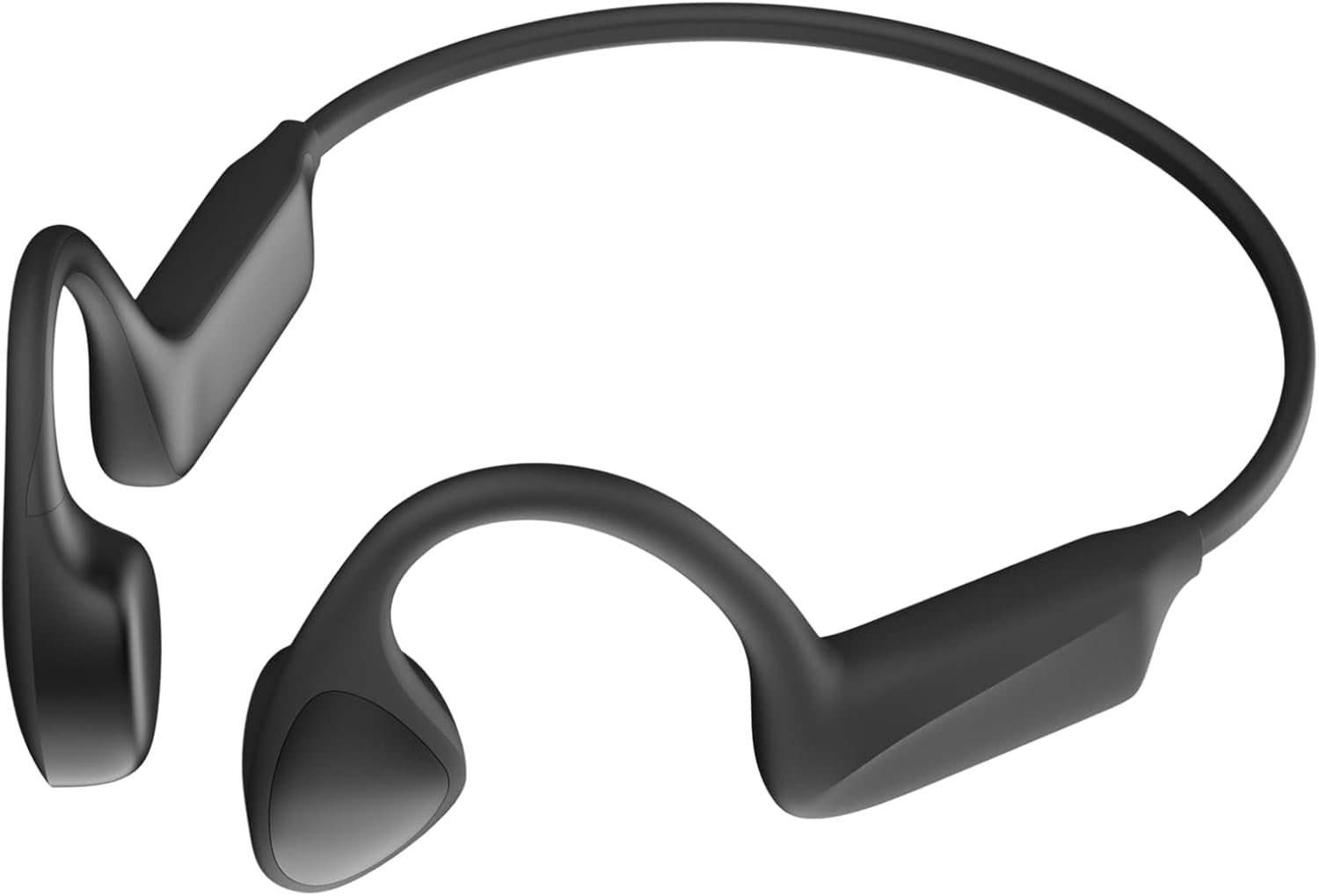
Image: Aamft Bone Conduction Headphones. These headphones feature a lightweight, flexible design with transducers that rest on the cheekbones, leaving the ears open. The main band connects the two ear pieces, designed for a secure fit during physical activity.
Eusi pakét
Pastikeun sadaya item aya dina bungkusan:
- 1 x Aamft Bone Conduction Headphones
- 1 x Kabel Ngecas
- 1 x Manual Pamaké (dokumén ieu)
Disetél
Ngecas Headphone
Before first use, fully charge your headphones. The charging time is approximately 2 jam.
- Locate the charging port on your Aamft Bone Conduction Headphones.
- Connect the charging cable to the headphones and a compatible USB power source (e.g., computer USB port, wall adapter).
- Indikator LED bakal nunjukkeun status ngecas.
- Saatos dicas pinuh, pegatkeun sambungan kabel ngecas.
Masangkeun sareng Alat Bluetooth
Your Aamft Bone Conduction Headphones use Bluetooth 5.3 for wireless connection.
- Pastikeun headphone dipareuman.
- Press and hold the power button until the LED indicator flashes blue and red alternately, indicating pairing mode.
- Dina alat Bluetooth-diaktipkeun anjeun (smartphone, tablet, komputer), buka setélan Bluetooth.
- Milarian pikeun available devices and select "Aamft B10" (or similar name).
- Once connected, the LED indicator will turn solid blue (or flash blue slowly), and you will hear a confirmation tone.
Note: The headphones support multipoint pairing, allowing connection to two devices simultaneously.
Parentah Operasi
Ngagem Headphone
Place the headphones with the transducers resting on your cheekbones, just in front of your ears. The band should wrap around the back of your head.
Kadali dasar
| Fungsi | Aksi |
|---|---|
| Daya Hurung/Pareuman | Pencét jeung tahan tombol Daya. |
| Play / Reureuh | Pencét tombol Multi-fungsi sakali. |
| Volume Up | Pencét tombol Volume +. |
| Volume Turun | Pencét polumeu - tombol. |
| Lagu salajengna | Press and hold Volume + button. |
| Lagu saméméhna | Press and hold Volume - button. |
| Ngajawab / mungkas Telepon | Pencét tombol Multi-fungsi sakali dina telepon asup. |
| Nolak Telepon | Press and hold the Multi-function button during an incoming call. |
| Aktipkeun Asisten Sora | Pencét dua kali tombol Multi-fungsi. |
Note: Specific button functions may vary slightly. Refer to the quick start guide included with your product for precise button layouts.
Pangropéa
Proper care ensures the longevity of your Aamft Bone Conduction Headphones.
- beberesih: Ngusap headphone ku hipu, damp lawon. Ulah make bahan kimia kasar atawa cleaners abrasive.
- Panyimpenan: Simpen headphone dina tempat anu tiis sareng garing jauh tina sinar panonpoé langsung sareng suhu anu ekstrim.
- Tahan cai: The headphones are IPX6 sweatproof/water resistant. This means they can withstand strong jets of water, making them suitable for workouts and light rain. Do not submerge them in water.
- Ngecas: Anggo ngan ukur kabel ngecas anu disayogikeun atanapi kabel anu sami anu disertipikasi. Hindarkeun ngecas kaleuleuwihi.
Pamérésan masalah
| Masalah | Solusi anu mungkin |
|---|---|
| Headphone moal hurung. | Ensure the headphones are fully charged. Press and hold the power button for a few seconds. |
| Teu tiasa dipasangkeun sareng alat. |
|
| Taya sora atawa volume low. |
|
| Kualitas sora henteu saé. |
|
spésifikasi
- Ngaran modél: Aamft B10
- Vérsi Bluetooth: 5.3
- Jenis Supir Audio: Supir Konduksi Tulang
- Kahirupan batré: Dugi ka 10 jam waktos maén
- Waktu Ngecas: Kurang leuwih 2 Jam
- Tahan cai: IPX6 Tahan Kesang
- Beurat barang: 29 Gram (1.02 ons)
- Rentang Frékuénsi: 20 Hz - 20,000 Hz
- Mikropon: HD ENC Mic
- Alat anu cocog: Alat anu diaktipkeun Bluetooth
- Tipe Kontrol: Volume Control, Remote
- Fitur husus: Built-in Rechargeable Battery, Multipoint Pairing, Clear Mic, Lightweight, Sweatproof
Garansi sareng Rojongan
Aamft products are designed for durability and performance. For warranty information and customer support, please refer to the warranty card included with your purchase or visit the official Aamft website. You can also contact customer service via the platform where you purchased the product.
Pikeun pitulung salajengna, mangga buka di Aamft Store on Amazon.


