1. Bubuka
This manual provides detailed instructions for the safe and efficient operation of your HANLIM Portable CD Player, Model HL-108. Please read this manual thoroughly before using the product and retain it for future reference.

Gambar 1: Hareupeun view of the HANLIM Portable CD Player HL-108. This image displays the main unit with its control panel, LCD screen, and integrated handle.
2. Parentah Kasalametan
- Ulah ngalaan unit ka hujan, Uap, atawa suhu ekstrim.
- Hindarkeun nempatkeun unit caket sumber panas atanapi dina sinar panonpoé langsung.
- Ulah muka casing; ngarujuk sadaya jasa ka tanaga anu mumpuni.
- Jauhkeun unit tina médan magnét anu kuat.
- Paké ngan kabel kakuatan disadiakeun.
- Pastikeun ventilasi ditangtoskeun pikeun nyegah overheating.
3. Eusi Paket
Punten parios yén sadaya barang aya:
- HANLIM Portable CD Player HL-108
- Kabel kakuatan (1.2m)
- Jauh kadali (aki-aki teu kaasup)
- Manual pamaké

Gambar 2: The HANLIM Portable CD Player HL-108 shown with its included accessories: the power cable, remote control, and user manual.
4. Produk Langkungview
The HANLIM Portable CD Player HL-108 features a compact design with multiple playback options and connectivity ports.
4.1 Kadali Panel hareup
- Layar LCD: Némbongkeun modeu ayeuna, informasi trek, sareng frékuénsi FM.
- Tombol MODE: Pindah antara modeu CD, FM, Bluetooth, USB, sareng AUX.
- Tombol STANDY: Ngahurungkeun atanapi mareuman unit.
- Play/Pause/Scan Button: Plays/pauses media or scans FM radio stations.
- Tombol Saméméhna/CH-: Skips to previous track/station.
- Tombol Salajengna/CH+: Skips to next track/station.
- Jilid Kenop: Saluyukeun volume audio.
- Port USB: Pikeun playback USB drive.
- Jack Headphone (3.5mm): Pikeun déngékeun pribadi.
4.2 Sambungan Panel Rear
- AUX IN (3.5mm): Sambungkeun alat audio éksternal.
- MIC Port: Connect a microphone for singing.
- Input Daya AC: Connect the power cable for charging or continuous power.
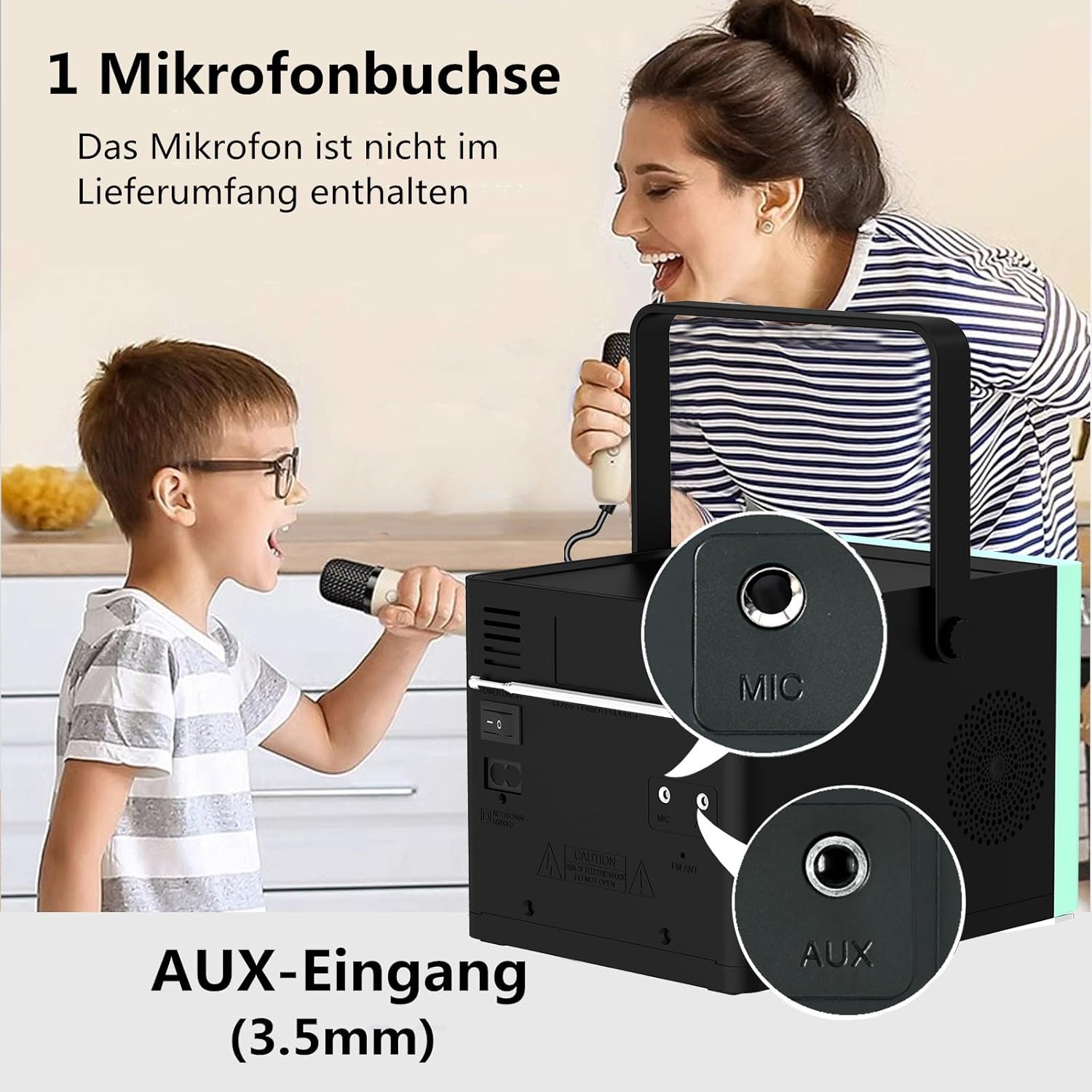
Gambar 3: Tukangeun view of the HANLIM Portable CD Player HL-108, highlighting the microphone input and AUX input ports.
5. Setélan
5.1 Ngahurungkeun sareng Ngecas
- Connect the provided power cable to the AC power input on the rear of the unit and plug it into a wall outlet.
- The built-in 2000mAh battery will begin charging automatically. A full charge provides approximately 4.5 to 5 hours of playback at maximum volume.
- Pencét éta ANTOSAN tombol pikeun kakuatan dina unit.
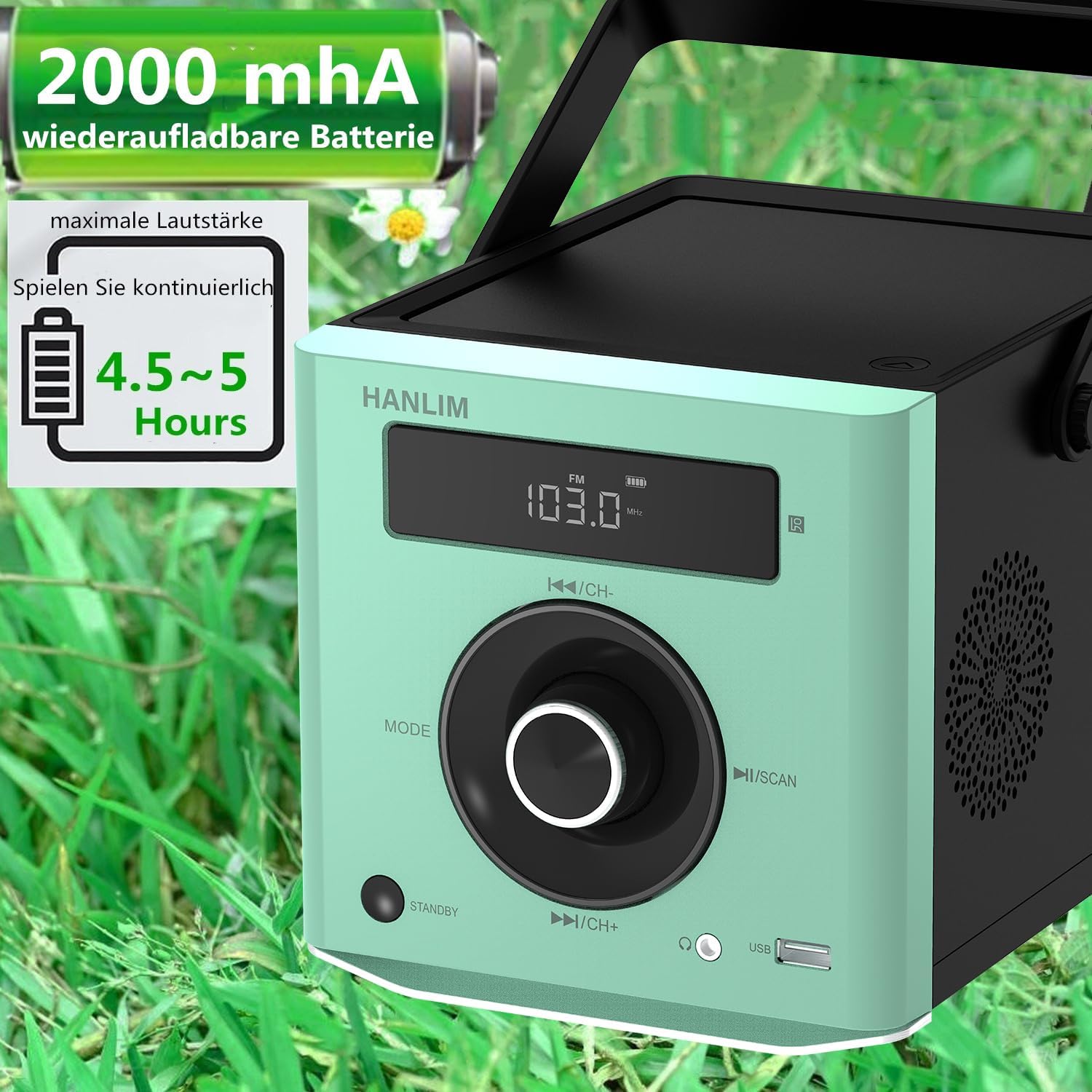
Gambar 4: The HANLIM Portable CD Player HL-108 displaying battery charge status and indicating 4.5-5 hours of continuous playback.
6. Parentah Operasi
6.1 Playback CD
- Buka tutup kompartemen CD.
- Place a CD (CD/CD-R/CD-RW/MP3 format) onto the spindle, label side up.
- Tutup tutup kompartemen CD.
- Pencét éta MODÉ tombol dugi "CD" dipintonkeun.
- Pencét éta Play / Reureuh tombol pikeun ngamimitian playback.
- Ngagunakeun éta Saméméhna/Salajengna tombol pikeun skip lagu.
- Fungsi Ulang: Press the repeat button on the remote control to cycle through repeat one, repeat all, or random play.
- Continue Playback: The unit will resume playback from where it was last stopped, useful for language learning.
6.2 Radio FM
- Pencét éta MODÉ tombol dugi "FM" dipintonkeun.
- Pencét jeung tahan tombol Nyeken button to automatically scan and store available FM stations (87.5-108MHz). Up to 20 stations can be stored.
- Ngagunakeun éta CH- jeung CH+ tombol pikeun napigasi ngaliwatan stasiun anu disimpen.

Gambar 5: The HANLIM Portable CD Player HL-108 showing the FM radio frequency on its display.
6.3 Sambungan Bluetooth
- Pencét éta MODÉ button until "Bluetooth" is displayed. The unit will enter pairing mode.
- On your device (phone, tablet, computer), enable Bluetooth and search for "HANLIM HL-108".
- Select the device to pair. Once connected, you will hear a confirmation sound.
- Note: Bluetooth headphones are not supported for connection to this CD player.

Gambar 6: The HANLIM Portable CD Player HL-108 illustrating its Bluetooth connectivity, USB port, and headphone jack.
6.4 Playback USB
- Insert a USB flash drive (up to 32GB, supporting MP3/WMA formats) into the USB port.
- Pencét éta MODÉ tombol dugi "USB" dipintonkeun.
- Playback will start automatically. Use the Saméméhna/Salajengna tombol pikeun nganapigasi lagu.
6.5 Input AUX
- Connect an external audio device (e.g., phone, computer) to the AUX IN port using a 3.5mm audio cable (not included).
- Pencét éta MODÉ tombol dugi "AUX" dipintonkeun.
- Kontrol playback tina alat Anjeun nu disambungkeun.
6.6 Jack headphone
For private listening, connect 3.5mm headphones to the headphone jack on the front panel.
6.7 Microphone Port
Connect a microphone (not included) to the MIC port on the rear panel for singing along to music.
6.8 Sound Settings (Equalizer)
The unit offers 5 sound qualities: Pop, Jazz, Rock, Classical, and Flat. Use the EQ button on the remote control to cycle through these modes and adjust the audio output to your preference.
7. Pangropéa
- beberesih: Ngusap unit ku kaén anu lembut sareng garing. Ulah make cleaners abrasive atawa pangleyur.
- Perawatan CD: Nanganan CD ku edges maranéhanana. Bersihkeun CD anu kotor nganggo kaen anu lemes sareng henteu lint, usap ti tengah ka luar.
- Perawatan batré: Pikeun umur batré anu optimal, ulah sering ngosongkeun batréna. Upami disimpen kanggo waktos anu lami, ngecas batréna dugi ka sakitar 50% unggal sababaraha bulan.
8. Cara ngungkulan
| Masalah | Mungkin Cukang lantaranana | Solusi |
|---|---|---|
| Unit teu hurung. | Batré béak atawa kabel daya teu nyambung. | Connect the power cable and allow the battery to charge, or operate directly from AC power. |
| Taya sora. | Volume is too low, headphones connected, or incorrect mode selected. | Increase volume, disconnect headphones, or ensure the correct input mode (CD, FM, BT, USB, AUX) is selected. |
| CD teu diputer atawa skip. | CD kotor, calar, atanapi teu leres dipasangna. | Clean the CD, try a different CD, or reinsert the CD correctly. Ensure the CD compartment is fully closed. |
| Papasangan Bluetooth gagal. | Device is too far, Bluetooth is off on the device, or unit is not in pairing mode. | Ensure the unit is in Bluetooth mode, your device's Bluetooth is on, and they are within range. Try restarting both devices. |
| panarimaan radio FM goréng. | Sinyal lemah atanapi posisi anteneu. | Adjust the unit's position or extend the antenna for better reception. |
9. Spésifikasi
| Fitur | Spésifikasi |
|---|---|
| merek | HANLIM |
| Modél | HL-108 |
| Dimensi produk | 15.5 x 20.5 x 16 cm (6.1 x 8.1 x 6.3 inci) |
| Item Beurat | 1.7 kg (3.75 lbs) |
| Kaluaran kakuatan | 20W |
| Batré | Built-in 2000mAh rechargeable Lithium Ion |
| Kahirupan batré | Up to 5 hours (at maximum volume) |
| Supported CD Formats | CD, CD-R, CD-RW, MP3 |
| Frékuénsi Radio FM | 87.5-108 MHz |
| Rojongan USB | Up to 32GB, MP3/WMA formats |
| Konektipitas | Bluetooth, USB, AUX (3.5mm), Headphone Jack (3.5mm), Microphone Port |
| Tipe tampilan | LCD |
| Fitur husus | Bluetooth, CD-R/RW Compatible, Equalizer, Portable, Rechargeable |
10. Garansi jeung Rojongan
This HANLIM product comes with a jaminan hiji taun ti tanggal beuli. Garansi ieu nyertakeun cacad manufaktur sareng pagawean dina panggunaan normal.
For technical support, warranty claims, or service inquiries, please contact your retailer or the HANLIM customer service department through the contact information provided at the point of purchase.


