Bubuka
The eKids Wireless Earbuds with Microphone are designed for seamless audio streaming and communication, perfect for school, home, or travel. These Bluetooth earbuds offer high-quality stereo sound for various activities, including listening to music, audiobooks, watching videos, and gaming. Featuring a fun Pokemon design, they provide lasting comfort with their ergonomic shape and included ear cushions.
Enjoy extended use with up to 22 hours of total music playtime, supported by a portable charging case that provides 2.5 extra charges. The built-in microphone allows for clear communication during video calls and online gaming, making them a versatile audio solution for children and adults alike.
Naon dina Box
- eKids Pokemon Wireless Earbuds (Left and Right)
- Matching Charging Case with Pikachu design
- Kabel Ngecas USB-C
- Additional Rubber Ear Cushions (3 sizes: Small, Medium, Large)

Image: The eKids Pokemon Wireless Earbuds nestled in their open charging case, showcasing the yellow earbuds with a black lightning bolt design.

Image: A flat lay of all included items: the charging case, two earbuds, a USB-C charging cable, and multiple pairs of yellow ear cushions, with dimensions indicated.
Disetél
1. Ngecas Earbuds jeung Case
- Connect the provided USB-C charging cable to the charging port on the back of the earbud case.
- Colokkeun tungtung kabel USB-C anu sanésna kana sumber daya USB anu cocog (contona, port USB komputer, adaptor témbok).
- The indicator light on the case will show charging status. Allow approximately 1-2 hours for a full charge.
- Ensure earbuds are placed correctly in the charging case to charge them simultaneously.

Gambar: A close-up view of the black charging case featuring a Pikachu graphic, highlighting its compact and portable design.
2. Papasangan Bluetooth
- Buka wadah pangisi daya teras cabut dua earbud. Éta bakal otomatis lebet kana modeu pairing.
- Dina alat anjeun (smartphone, tablet, komputer), buka setélan Bluetooth.
- Milarian pikeun available devices and select "eKids Pi-B18PK" (or similar name) from the list.
- Once connected, you will hear an audio confirmation, and the earbuds' indicator lights will change.
- Headphone bakal otomatis nyambung deui ka alat anu terakhir dipasangkeun nalika dicabut tina casingna.

Image: A visual representation of the earbuds' compatibility with multiple devices, including PCs, smartwatches, gaming devices, mobile phones, tablets, and notebooks.
Parentah Operasi
Toél Kontrol
The eKids Wireless Earbuds feature intuitive touch controls for easy management of audio and calls.
- Puter / Reureuh: Ketok tunggal dina boh earbud.
- Lagu salajengna: Ketok dua kali dina earbud katuhu.
- Lagu Sateuacanna: Ketok dua kali dina earbud kénca.
- Ngajawab / mungkas Telepon: Ketok sakedap boh earbud salami sauran asup atanapi sauran aktip.
- Nolak Telepon: Pencet jeung tahan boh earbud salila 2 detik dina mangsa telepon asup.
- Aktipkeun Asisten Sora: Ketok tilu kali dina boh earbud (upami dirojong ku alat anjeun).
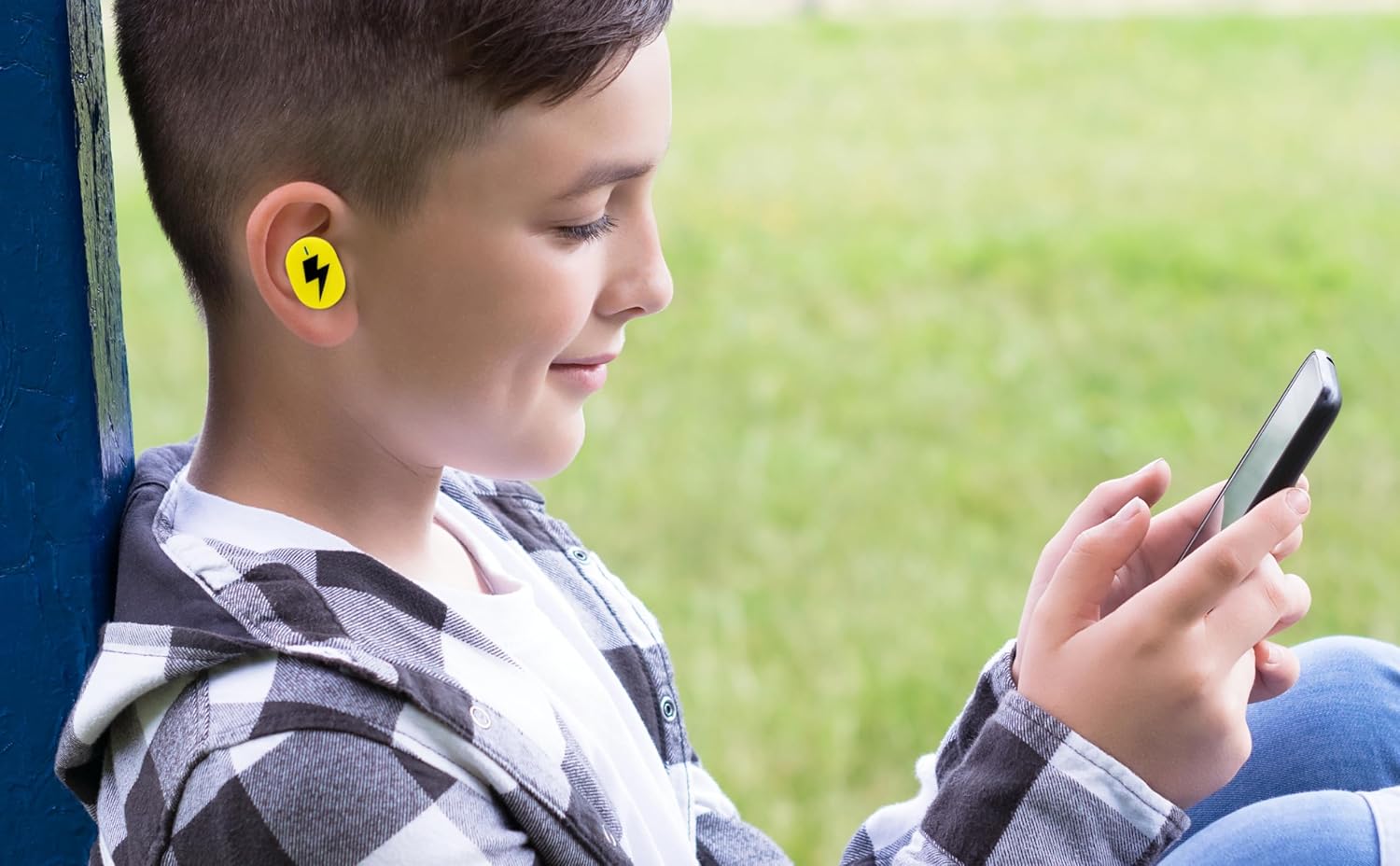
Image: A young person wearing one of the yellow earbuds, demonstrating its comfortable fit while interacting with a mobile device.
Ngagunakeun Mikropon
The built-in microphone allows for hands-free communication. When connected to your device, you can use the earbuds for:
- Telepon
- Konperénsi pidéo
- Online gaming communication
- Voice commands to your device's assistant
Video: Hiji acara video produk resmicasing the eKids Pokemon Pikachu Wireless Earbuds, demonstrating features like wireless audio streaming, charging case, additional ear cushions, 22-hour playtime, and call answering capabilities.
Pangropéa
- beberesih: Lembut usap earbuds sareng wadah ngecas ku lawon anu lemes, garing, teu aya serat. Ulah make bahan kimia kasar atawa bahan abrasive.
- bantal ceuli: Remove the ear cushions periodically and clean them with a damp lawon. Pastikeun aranjeunna tos rengse garing saméméh reattaching.
- Panyimpenan: Nalika henteu dianggo, simpen earbuds dina wadah ngecasna pikeun ngajagi sareng tetep dicas. Nyimpen dina tiis, tempat garing jauh ti sinar panonpoé langsung jeung suhu ekstrim.
- Tahan cai: Earbud ieu henteu tahan cai. Hindarkeun kakeunaan cai, késang, atanapi kalembaban anu luhur.
Pamérésan masalah
| Masalah | Solusi |
|---|---|
| Earbuds teu dipasangkeun |
|
| Teu aya sora ti hiji earbud |
|
| Kasus ngecas teu ngecas |
|
| Kualitas audio goréng |
|
spésifikasi
| Fitur | Rincian |
|---|---|
| Ngaran modél | Pi-B18PK |
| Téhnologi konektipitas | Nirkabel (Bluetooth) |
| Vérsi Bluetooth | 5.0 |
| Kahirupan batré | Nepi ka 22 Jam (kalayan wadah ngecas) |
| Tipe Kontrol | Toél Control |
| Bahan | palastik |
| Item Beurat | 2.46 ons |
| Ukuran Paket | 4.09 x 4.02 x 1.54 inci |
| Produsén | KIDdesigns |
| UPC | 092298960531 |
| Panempatan Ceuli | Dina Ceuli |
| Faktor Bentuk | Dina Ceuli |
| Impedansi | 32 ohm |
| Kontrol bising | Euweuh |
| Rentang Umur (Deskripsi) | Budak leutik |
Garansi sareng Rojongan
For warranty information and customer support, please refer to the documentation included with your product or visit the official eKids brand websitus. Anjeun oge bisa manggihan rojongan tambahan sarta informasi produk dina Toko Merek eKids di Amazon.
For technical assistance or inquiries, please contact eKids customer service through their official channels.


