1. Bubuka
This manual provides detailed instructions for the operation and maintenance of your MUQI Wireless Lavalier Microphone system. This system is designed for high-quality audio capture in various scenarios, including video recording, streaming, and presentations, offering a wide range and long battery life with noise cancellation capabilities.

Image: The MUQI Wireless Lavalier Microphone system, including two transmitters and one receiver, neatly stored within its charging case.
2. Naon dina Box
Saatos muka kotakna, mangga pastikeun sadaya komponén anu didaptarkeun di handap ieu aya:
- Wireless Lavalier Microphone Transmitters (2 units)
- Wireless Lavalier Microphone Receiver (1 unit)
- Ngecas Case
- Battery (pre-installed or included)
- Kabel Ngecas USB
- 3.5mm Cellphone Cable
- Tipe-C kana adaptor kilat
- Type-C to Type-C Adapter
- Wind Muffs (for transmitters)
- Earbuds (for monitoring)
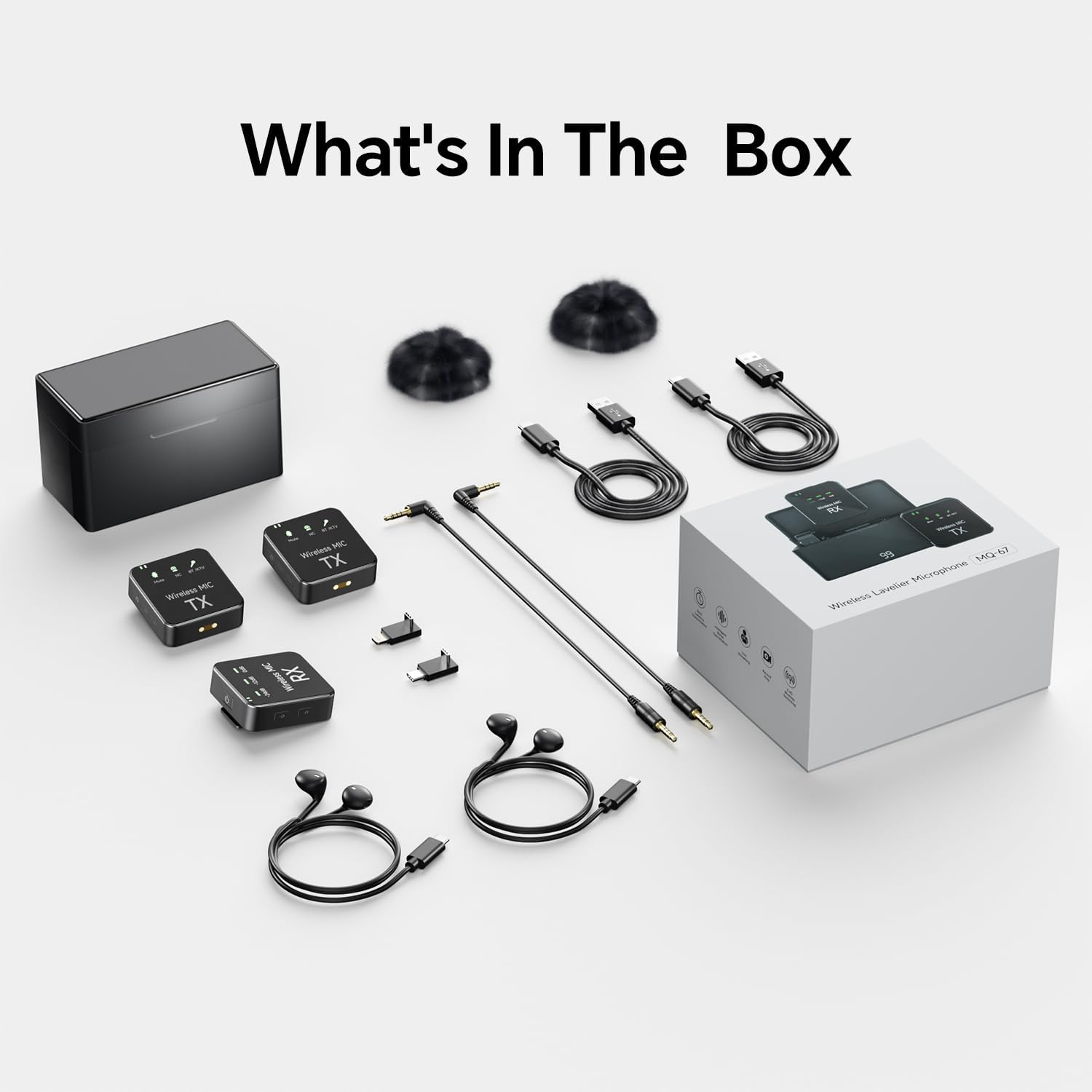
Gambar: Hiji overhead view displaying all items included in the MUQI Wireless Lavalier Microphone package, including the charging case, transmitters, receiver, cables, adapters, wind muffs, and earbuds.
3. Fitur konci
- Extended Wireless Transmission: Achieves stable transmission up to 150 meters (492 feet) in open areas.
- Smart Noise Cancellation: Double-click to activate or deactivate the noise reduction function, effectively minimizing ambient noise for clearer audio.
- Integrated Recording Function: Transmitters can serve as standalone recorders, capturing pristine audio directly.
- Manjangkeun Umur Batré: Provides 8-10 hours of continuous use per charge, with the charging case extending total usage time to 32 hours. A full charge typically takes 2 hours.
- Kasaluyuan lega: Connects seamlessly with iPhone, Android devices, cameras, PCs, and laptops using appropriate adapters (Lightning, USB Type-C, 3.5mm).

Image: A woman wearing the MUQI lavalier microphone, illustrating the product's capability for long-range wireless transmission up to 150 meters (492 feet) in open environments.

Image: A visual representation of the noise cancellation feature, showing a microphone transmitter with indicators for noise cancellation activation and a waveform comparison of audio before and after noise reduction.
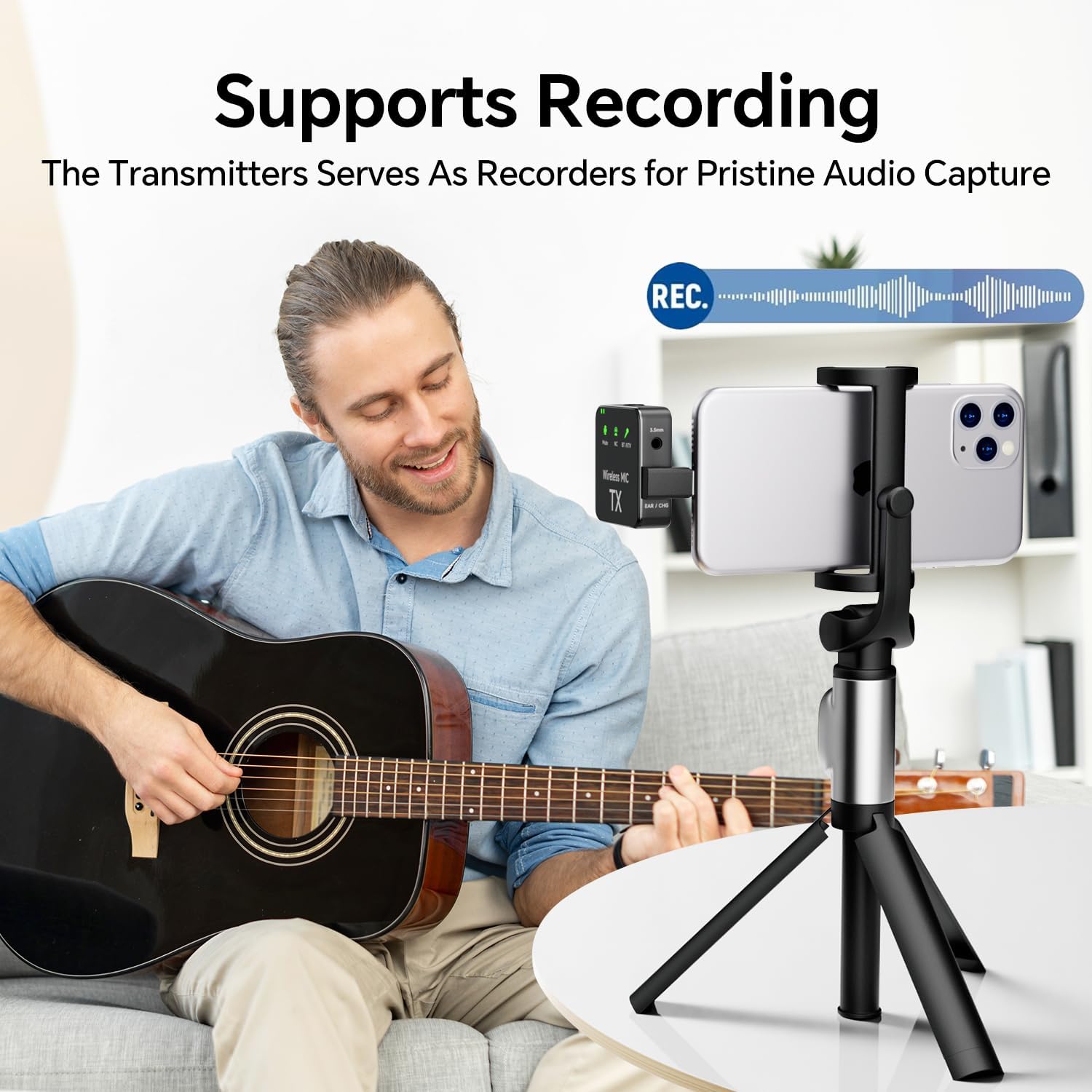
Image: A man playing an acoustic guitar, with the MUQI microphone transmitter clipped to his shirt, connected to a smartphone on a tripod, demonstrating its use for recording audio.

Image: Graphic illustrating the extended battery life of the system, showing icons for continuous usage (8-10 hours), charging time (2 hours), and total usage time with the charging case (32 hours).

Image: A visual guide demonstrating the wide compatibility of the MUQI microphone, showing connections to an iPhone (via Lightning adapter), an Android phone (via Type-C adapter), and a camera/computer (via 3.5mm cable).
4. Setup Guide
4.1 Ngecas Alat
- Place the transmitters (TX) and receiver (RX) into the charging case.
- Sambungkeun wadah ngecas ka sumber listrik nganggo kabel USB anu disayogikeun.
- Indicator lights on the devices will show charging status. A full charge typically takes 2 hours.
4.2 Ngapasangkeun Alat-alat
The transmitters and receiver are pre-paired from the factory. If re-pairing is needed:
- Turn on both the transmitter(s) and the receiver.
- They should automatically connect. Look for stable indicator lights on both units, typically a solid blue or green light, indicating a successful connection.
4.3 Nyambungkeun ka Alat Anjeun
- Pikeun iPhone/iPad: Connect the receiver to your iPhone/iPad's Lightning port using the provided Type-C to Lightning adapter.
- For Android/Tablet: Connect the receiver to your Android device's USB Type-C port using the provided Type-C to Type-C adapter.
- For Camera/PC/Laptop: Connect the receiver to your camera's microphone input or PC/laptop's audio input using the provided 3.5mm cellphone cable. Ensure your device's audio input settings are configured to recognize the external microphone.
5. Parentah Operasi
5.1 Daya Hurung/Pareuman
- Daya Hurung: Press and hold the power button on the transmitter (TX) and receiver (RX) for a few seconds until the indicator light illuminates.
- Pareum listrik: Pencét jeung tahan deui tombol daya nepi ka lampu indikator pareum.
5.2 Pangurangan Bising
- To activate Noise Cancellation (NC) mode, double-click the designated button on the transmitter. The NC indicator light will illuminate.
- To deactivate NC mode, double-click the button again. The NC indicator light will turn off.
5.3 Recording Function (Transmitter)
The transmitter can record audio internally. Refer to the transmitter's specific controls for initiating and stopping recordings, and for transferring recorded files kana komputer.
5.4 Volume Control
Adjust the output volume on the receiver or directly on your connected recording device (camera, smartphone, PC) to achieve optimal audio levels.
5.5 Ngawaskeun Audio
Connect the provided earbuds or your own headphones to the 3.5mm monitoring port on the receiver to listen to the audio in real-time during recording or streaming.
6. Pangropéa
- beberesih: Use a soft, dry cloth to clean the devices. Do not use liquid cleaners or solvents.
- Panyimpenan: Store the microphone system in its charging case in a cool, dry place when not in use.
- Perawatan batré: To prolong battery life, avoid fully discharging the batteries frequently. Charge the devices regularly, even if not in constant use.
- Kaayaan Lingkungan: Avoid exposing the devices to extreme temperatures, humidity, dust, or direct sunlight.
7. Cara ngungkulan
| Masalah | Mungkin Cukang lantaranana | Solusi |
|---|---|---|
| Taya kaluaran sora |
|
|
| Kualitas audio goréng / Statis |
|
|
| Paranti teu ngecas |
|
|
8. Spésifikasi
| Fitur | Rincian |
|---|---|
| Ngaran modél | Wireless Lavalier Microphone (MQ-67) |
| merek | MUQI |
| Faktor Bentuk Mikropon | Lavalier |
| Téhnologi konektipitas | Bluetooth, USB (Wireless) |
| Tipe Panyambung | Lightning, USB Type-C, 3.5mm |
| Alat nu cocog | iPhone, Android, Camera, PC, Laptop |
| Range nirkabel | Up to 150m (492 ft.) in open areas |
| Daya Tahan Batré (Kontinyu) | 8-10 Jam |
| Total Usage Time (with Charging Case) | Nepi ka 32 Jam |
| Waktu Ngecas | Kira-kira. 2 jam |
| Fitur husus | Clip, Noise Reduction, Volume Control, Recording Function |
| Sumber Daya | Batré Powered (Litium Ion) |
| Bahan | palastik |
| Warna | Hideung |
| Item Beurat | 14.4 ons |
| Tanggal Kahiji Sadia | 4 Juni 2024 |
9. Garansi jeung Rojongan
Specific warranty details for the MUQI Wireless Lavalier Microphone are not provided in this manual. Please refer to the product packaging or the retailer's websitus kanggo inpormasi jaminan.
For technical support or customer service inquiries, please contact MUQI customer support through their official websitus atanapi platform dimana produk ieu dibeuli.
Anjeun tiasa nganjang ka MUQI Store on Amazon pikeun inpo nu leuwih lengkep.


