1. Bubuka
Welcome and thank you for choosing the TELLUR Portable Jump Starter. This device is designed to provide emergency jump-starting for vehicles, act as a portable power bank for electronic devices, and offer illumination with its integrated LED light. Please read this manual carefully before use to ensure safe and optimal operation of your device.
2. Émbaran Kasalametan penting
To prevent personal injury or damage to your vehicle and the jump starter, always observe the following safety precautions:
- Baca sadaya parentah sateuacan nganggo produk ieu.
- Do not short-circuit the jumper clamps. Ensure positive (+) and negative (-) clamps do not touch each other.
- Jauhkeun alat ti barudak.
- Do not disassemble the jump starter. Unauthorized repairs can be dangerous and will void the warranty.
- Paké alat di wewengkon well-ventilated.
- Avoid exposing the device to extreme temperatures (above 60°C/140°F or below -20°C/-4°F), direct sunlight, or moisture.
- Pastikeun jumper clamps are securely connected to the correct battery terminals before attempting to jump start.
- Lamun batré clamps are connected incorrectly, the device's safety features will prevent operation. Correct the connection immediately.
- Do not use the jump starter if it is damaged or leaking.
- Only use the provided smart jumper cables with this device.
3. Eusi Paket
Pastikeun yén sadaya item aya dina pakét anjeun:
- TELLUR Portable Jump Starter Unit
- Kabel Jumper pinter
- USB-A ka USB-C ngecas Cable
- Mawa Kantong

Image 3.1: Contents of the TELLUR Portable Jump Starter package, showing the main unit, smart jumper cables, a USB charging cable, and a black carrying pouch with the TELLUR logo.
4. Produk Langkungview
4.1 Komponén
- Palabuhan Mimitian Luncat: Pikeun nyambungkeun kabel jumper pinter.
- USB Output Ports (QC 3.0, 5.0V 2.4A): For charging electronic devices.
- Port Input USB-C: Pikeun ngecas unit jump starter.
- Lampu LED: Nyayogikeun katerangan kalayan sababaraha modeu.
- Tombol Daya: To turn the device on/off and cycle LED light modes.
- Layar LCD: Némbongkeun persén batrétage and operational status.

Gambar 4.1: Detil view of the various ports on the side of the TELLUR Jump Starter, including the covered jump start port, USB-A output ports, and a USB-C input port.

Image 4.2: The front of the TELLUR Jump Starter, displaying a digital screen indicating 100% charge, 'IN' and 'OUT' indicators, and 'QC 3.0 5.0V 2.4A' specifications. The smart jumper cables are attached.
5. Setélan
5.1 Ngecas Jump Starter
Before first use, fully charge the TELLUR Portable Jump Starter. It is recommended to fully charge the device every 3-6 months to maintain battery health, even when not in use.
- Connect the provided USB-A to USB-C charging cable to the USB-C input port on the jump starter.
- Connect the other end of the USB cable to a suitable USB power adapter (not included) or a powered USB port.
- The LCD display will show the charging progress. Charge until the display indicates 100%.
6. Parentah Operasi
6.1 Luncat Mimitian Kandaraan
Pastikeun jump starter geus dieusi sahenteuna 50% sateuacan nyobian jump starter kendaraan.
- Turn off your vehicle's ignition and all accessories.
- Insert the smart jumper cable connector into the jump start port on the jump starter unit. Ensure it is fully seated.
- Nyambungkeun BEureum positip (+) clamp kana terminal batré positif (+) kandaraan.
- Nyambungkeun HIDEUNG négatip (-) clamp kana terminal batré négatif (-) kandaraan.
- Once connected, the smart cable indicator light will show green if the connection is correct and safe to proceed. If it shows red or flashes, check the connections.
- Start your vehicle's engine. If it doesn't start immediately, wait 30 seconds and try again. Do not crank for more than 3 seconds per attempt.
- Sakali kendaraan dihurungkeun, langsung pegatkeun sambungan listrikna HIDEUNG négatip (-) clamp kahiji, teras teh BEureum positip (+) clamp.
- Remove the smart jumper cable connector from the jump starter unit.

Image 6.1: A user connecting the red positive clamp of the smart jumper cables to the positive terminal of a car battery, with the TELLUR Jump Starter unit visible.

Image 6.2: The TELLUR Jump Starter unit with its display illuminated, placed on the ground next to a car, illustrating its use in an emergency jump-start scenario.
6.2 Ngagunakeun salaku Power Bank
Jump starter ieu tiasa ngecas rupa-rupa alat éléktronik ngalangkungan port kaluaran USB-na.
- Sambungkeun kabel ngecas USB alat anjeun ka salah sahiji port kaluaran USB dina jump starter.
- The jump starter will automatically begin charging your device. The LCD display may show 'OUT' indicating power output.
- Pegatkeun sambungan alat anjeun saatos ngecas réngsé.

Image 6.3: The TELLUR Jump Starter unit positioned between a smartphone and a tablet, demonstrating its capability to charge multiple devices as a power bank.
6.3 Ngagunakeun Lampu LED
Lampu LED anu terintegrasi nyayogikeun katerangan pikeun sagala rupa kaayaan.
- Press and hold the Power Button for 3 seconds to turn on the LED light (steady mode).
- Press the Power Button again to cycle through the light modes: Steady > Strobe > SOS > Off.
- To turn off the light directly from any mode, press and hold the Power Button for 3 seconds.
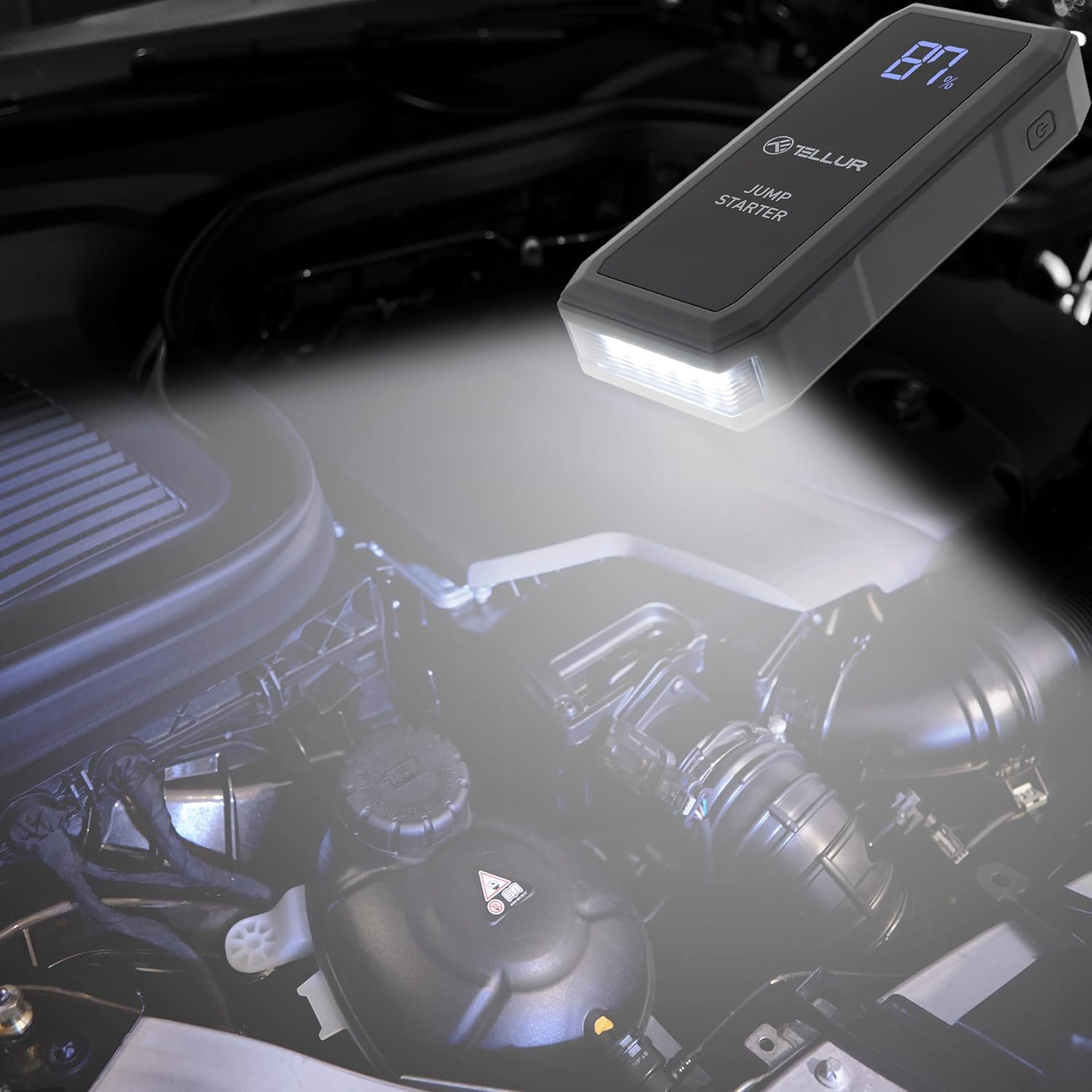
Image 6.4: The TELLUR Jump Starter unit with its powerful LED light activated, providing illumination within a car's engine compartment, useful for nighttime repairs or jump-starting.
7. Pangropéa
Pangropéa anu leres mastikeun umur panjang sareng kinerja jump starter anjeun.
- beberesih: Lap alatna ku lawon anu garing sareng lemes. Entong nganggo bahan kimia anu kasar atanapi bahan anu kasar.
- Panyimpenan: Store the jump starter in its carrying pouch in a cool, dry place, away from direct sunlight and moisture. The ideal storage temperature is between 0°C (32°F) and 45°C (113°F).
- Ngecas: Recharge the unit every 3-6 months, even if not used, to maintain the internal battery's health and readiness.
8. Cara ngungkulan
If you encounter issues with your TELLUR Portable Jump Starter, refer to the table below for common problems and solutions.
| Masalah | Mungkin Cukang lantaranana | Solusi |
|---|---|---|
| Jump starter teu hurung. | Batré discharged lengkep. | Cas jump starter nepi ka pinuh. |
| Vehicle does not start after jump-starting. | Lepat clamp connection; vehicle battery is severely damaged; vehicle has other mechanical issues. | Pariksa clamp connections (ensure correct polarity). Ensure jump starter is sufficiently charged. If issues persist, consult a mechanic. |
| Lampu indikator kabel pinter beureum atawa kedip-kedip. | Reverse polarity connection; short circuit; low voltage. | Pegatkeun sambungan clamps and reconnect with correct polarity. Ensure clamps are not touching. Charge the jump starter. |
| Electronic device not charging from USB ports. | Jump starter battery is low; faulty USB cable; device not compatible. | Charge the jump starter. Try a different USB cable. Ensure your device is compatible with USB charging. |
9. Spésifikasi
| Parameter | Nilai |
|---|---|
| merek | TELLUR |
| Modél | TLL158431 |
| Kapasitas batré | 16800 mAh |
| Puncak Arus | 1500 A |
| Voltage | 3.7 volt |
| Jinis Layanan Kandaraan | mobil |
| Item Beurat | 500 gram |
| Ukuran (L x W x H) | 18 x 7 x 3 cm |
| Komposisi batré | Litium-polimér |
| Kaluaran USB | QC 3.0, 5.0V 2.4A |
10. Garansi jeung Rojongan
The TELLUR Portable Jump Starter TLL158431 comes with a standard manufacturer's warranty against defects in materials and workmanship. Please refer to the warranty card included in your package for specific terms and conditions.
For technical support, warranty claims, or further assistance, please contact TELLUR customer service through the retailer where the product was purchased or visit the official TELLUR websitus pikeun inpo kontak.


