1. Bubuka
This manual provides detailed instructions for the proper use and maintenance of your Sandberg Pocket Radio FM+AM Recharge, Model 421-02. Please read this manual thoroughly before operating the device to ensure optimal performance and longevity.
2. Produk Langkungview
The Sandberg Pocket Radio is a compact, portable device designed for receiving FM and AM radio broadcasts. It features a built-in rechargeable battery and a digital display for easy tuning.
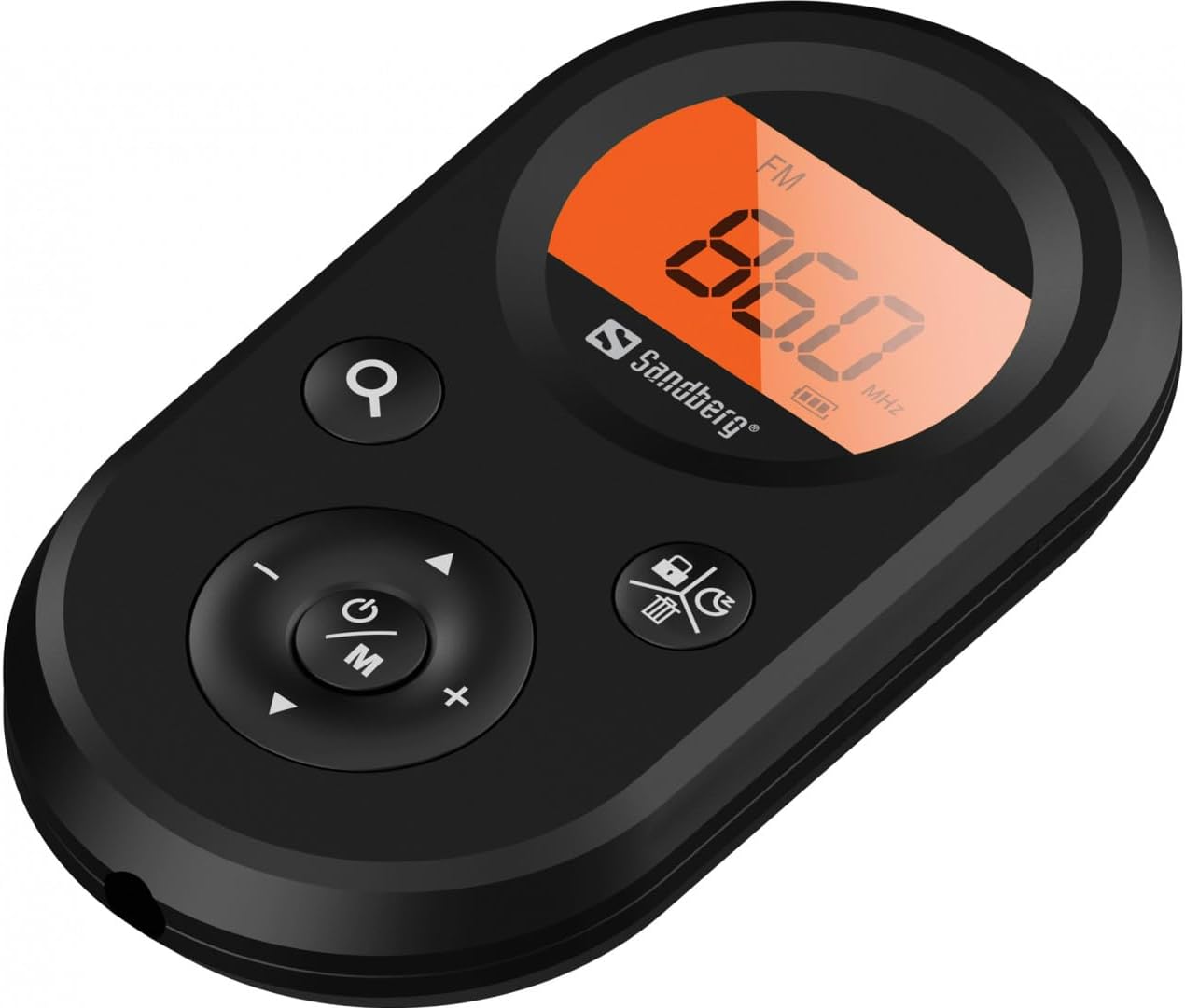
Gambar 1: Hareupeun view of the Sandberg Pocket Radio, displaying the frequency and controls.
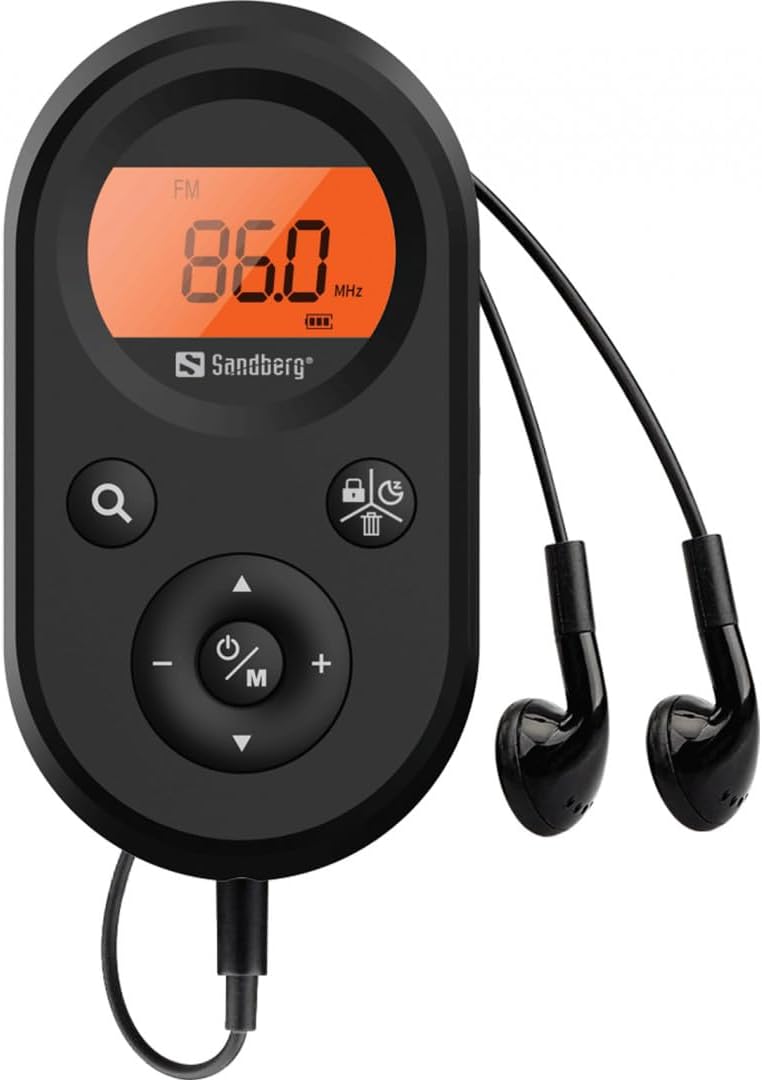
Figure 2: The radio connected to the included earphones, which also function as the FM antenna.
Eusi pakét:
- 1 x Sandberg Pocket Radio FM+AM Recharge (Model 421-02)
- 1 x Earphone
- 1 x Charging cable (USB-A to USB-C, 50 cm)
3. Setélan
3.1 Ngecas Batré
- Connect the small end of the included USB-C charging cable to the charging port on the radio.
- Connect the standard USB-A end of the cable to a USB power adapter (not included) or a computer's USB port.
- The radio's display will indicate charging status. A full charge typically takes a few hours.
- Disconnect the charging cable once the battery is fully charged.
3.2 Nyambungkeun Earphones
The included earphones are essential for operation as they serve as the antenna for FM reception. Without them, FM reception will be severely limited or non-existent.
- Insert the 3.5mm jack of the earphones into the earphone port on the radio.
- Pastikeun sambunganna aman.
4. Parentah Operasi
4.1 Daya Hurung/Pareuman
- Pikeun ngahurungkeun radio, pencét terus tahan tombol Power/Mode (ⓘ/M) button for approximately 2-3 seconds. The display will light up.
- Pikeun mareuman radio, pencét terus tahan tombol Power/Mode (ⓘ/M) button again for approximately 2-3 seconds. The display will turn off.
4.2 Mode Selection (FM/AM)
- While the radio is powered on, short press the Power/Mode (ⓘ/M) button to switch between FM and AM radio bands. The current band will be indicated on the display.
4.3 Stasion Tuning
- Scan otomatis: To automatically scan for and store available stations, press and hold the Search (⌕) button. The radio will scan through the frequency range and save stations with strong signals.
- Tuning Manual: To manually tune to a specific frequency, short press the Ka luhur (▲) or Turun (▼) buttons to adjust the frequency incrementally.
4.4 Volume Control
- Pikeun ningkatkeun polumeu, pencét éta Volume Naik (+) kancing.
- Pikeun ngirangan polumeu, pencét éta Volume Turun (-) kancing.
4.5 Émbaran tampilan
The digital display shows the current radio band (FM or AM), the tuned frequency, and the battery level indicator.
5. Pangropéa
5.1 beberesih
- Wipe the radio's exterior with a soft, dry cloth.
- Do not use abrasive cleaners, solvents, or strong chemicals, as these can damage the surface.
- Ulah meunang Uap kana sagala bukaan.
5.2 Perawatan Batré
- Pikeun manjangkeun umur batre, ulah miceun batre pinuh.
- Simpen radio di tempat anu tiis sareng garing upami henteu dianggo salami lami.
- Cas deui batréna sacara périodik upami disimpen lami pikeun nyegah debit anu ageung.
6. Cara ngungkulan
- Henteu aya kakuatan: Ensure the battery is charged. Connect the radio to a power source using the USB-C cable.
- Henteu aya sora: Check that the earphones are securely plugged in. Adjust the volume using the Volume Naik (+) kancing.
- Panarimaan FM anu goréng: Ensure the earphones are fully plugged in, as they function as the FM antenna. Try repositioning the radio or the earphone cable for better signal.
- Cannot Save Favorite Stations: This model does not support saving favorite radio stations. Stations are found via automatic scan or manual tuning each time.
- Tampilan Teu Gawé: If the display is blank or flickering, try recharging the battery. If the issue persists, contact customer support.
7. Spésifikasi
| Fitur | Spésifikasi |
|---|---|
| Nomer modél | 421-02 |
| Rentang Frékuénsi AM | 522-1710 KHz (9KHz) / 520-170KHz (10KHz) |
| Rentang Frékuénsi FM | 76-108 MHz |
| Sensitipitas AM | <20mV/m |
| FM Signal to Noise Ratio | > 40db |
| Daya Kaluaran Maksimum | 6.5mW |
| Kapasitas batré | 5000 mAh, 3.7V (1.85 Wh) |
| Téhnologi konektipitas | Auxiliary (for earphones/antenna) |
| Sumber Daya | Batré Powered |
| Item Beurat | 60 Gram (2.12 ons) |
8. Garansi jeung Rojongan
Sandberg products are manufactured to high quality standards. For information regarding warranty terms and conditions, or for technical support, please refer to the official Sandberg websitus atanapi ngahubungan layanan palanggan maranéhanana langsung. Simpen resi pameseran anjeun salaku bukti pameseran.


