1. Bubuka
This manual provides detailed instructions for the iTOMA Retro Alarm Clock Model 138. Please read thoroughly before use to ensure proper functionality and to maximize your product experience. This device combines time display, alarm functions, Bluetooth connectivity, and media playback options in a compact, vintagdesain e-diideuan.
2. Eusi Paket
Saatos muka bungkusan, pariksa yén sadaya item di handap ieu kalebet:
- 1 x iTOMA Retro Alarm Clock (Model 138)
- 1 x Kabel Ngecas Tipe-C
- 1 x Manual Pamaké
Catetan: An AC adapter is not included and must be supplied separately for power.
3. Fitur Produk
The iTOMA Retro Alarm Clock Model 138 offers a range of functionalities:
- Tampilan waktos: Clear LED display with 12/24-hour format options.
- Fungsi Alarm: Multiple alarm settings with adjustable volume (1-16 levels) and a 9-minute snooze feature.
- Modeu alarem: Choose between everyday, weekdays only, or weekends only alarm activation.
- Konektipitas Bluetooth: Bluetooth 5.1 for stable wireless audio streaming from compatible devices.
- Puterkeun Média: Supports TF (MicroSD) card slot and AUX jack for direct music playback.
- Telepon Hand-Free: Integrated microphone for hands-free phone calls when connected via Bluetooth.
- Kontrol Sora: Option to turn off the display and reactivate it by sound (tapping or clapping).
- Kacaangan tampilan: Adjustable display brightness for optimal viewdina sagala rupa kondisi pencahyaan.
- Batré mémori: Internal battery to retain time and alarm settings during power outages (not for powering the device).

Figure 1: Key features of the iTOMA Retro Alarm Clock, including Bluetooth, AUX, hands-free calling, and TF card support.
4. Setélan
- Sambungan Daya: Connect the provided Type-C charge cable to the DC 5V port on the back of the alarm clock. Plug the other end of the cable into a compatible USB AC adapter (not included) and then into a power outlet. The display should illuminate.
- Setélan waktos mimiti:
- Press and hold the "TIME" button on the back of the clock for 3 seconds. The year display will start flashing.
- Use the scroll wheel (or +/- buttons if applicable) to adjust the year.
- Press "TIME" again to move to month, then day, then hour, then minute. Adjust each setting using the scroll wheel.
- After setting the minute, press "TIME" one more time to select 12-hour or 24-hour format.
- Press "TIME" again to confirm and exit time setting mode.
- Memory Battery Activation: To ensure settings are saved during power interruptions, locate the memory battery switch on the back of the clock and slide it to the "ON" position.
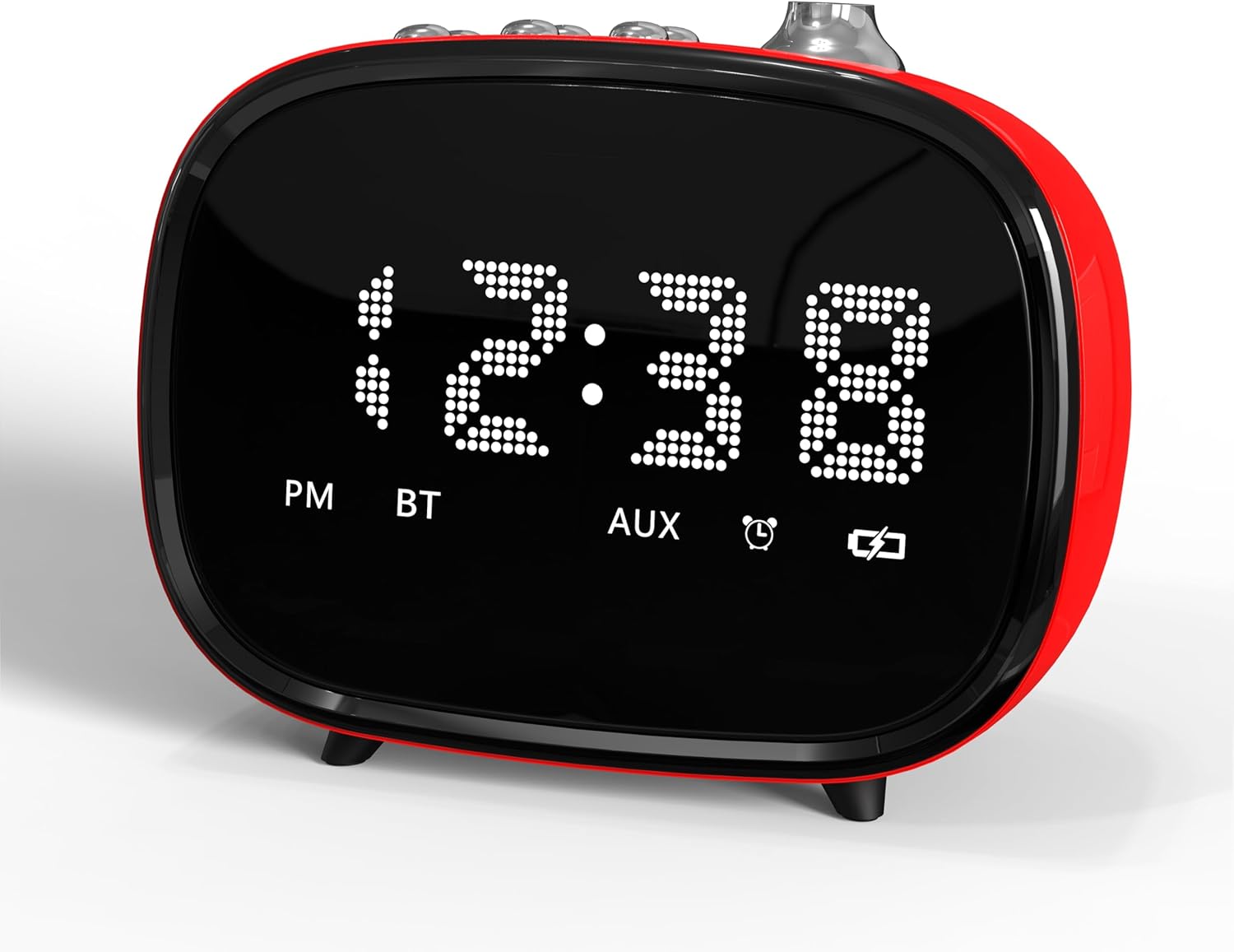
Gambar 2: Hareupeun view of the iTOMA Retro Alarm Clock, showing the LED time display.
5. Parentah Operasi
5.1. Nyetel Alarm
- Press and hold the "ALARM" button on the back of the clock for 3 seconds. "A1" (Alarm 1) will appear on the display.
- Press "ALARM" repeatedly to cycle through Alarm 1, Alarm 2, and Alarm 3 settings.
- When the desired alarm (e.g., A1) is displayed, use the scroll wheel to set the hour, then press "ALARM" to set the minute.
- After setting the minute, press "ALARM" again to choose the alarm mode:
- "--E": Alarm rings every day.
- "oNE": Alarm rings on weekdays only (Monday-Friday).
- "E": Alarm rings on weekends only (Saturday-Sunday).
- Press "ALARM" again to set the alarm volume (1-16 levels) using the scroll wheel.
- Press "ALARM" one last time to confirm and exit alarm setting.
- To activate/deactivate an alarm, use the corresponding ON/OFF switch on the bottom of the clock.
5.2. Fungsi Snooze
When an alarm sounds, press the large "SNOOZE" button on the top of the clock to temporarily silence it for 9 minutes. The alarm will sound again after 9 minutes. This can be repeated up to 6 times.

Figure 3: The snooze function allows for an additional 9 minutes of rest after the alarm sounds.
5.3. Papasangan Bluetooth
- Pastikeun jam alarm hurung.
- Activate Bluetooth on your mobile device or other audio source.
- Milarian pikeun "iTOMA 138" (or similar) in your device's Bluetooth settings.
- Pilih alat nu rék disapasangkeun. Sora konfirmasi bakal nunjukkeun papasangan anu suksés.
- You can now stream audio to the alarm clock or use it for hands-free calling.
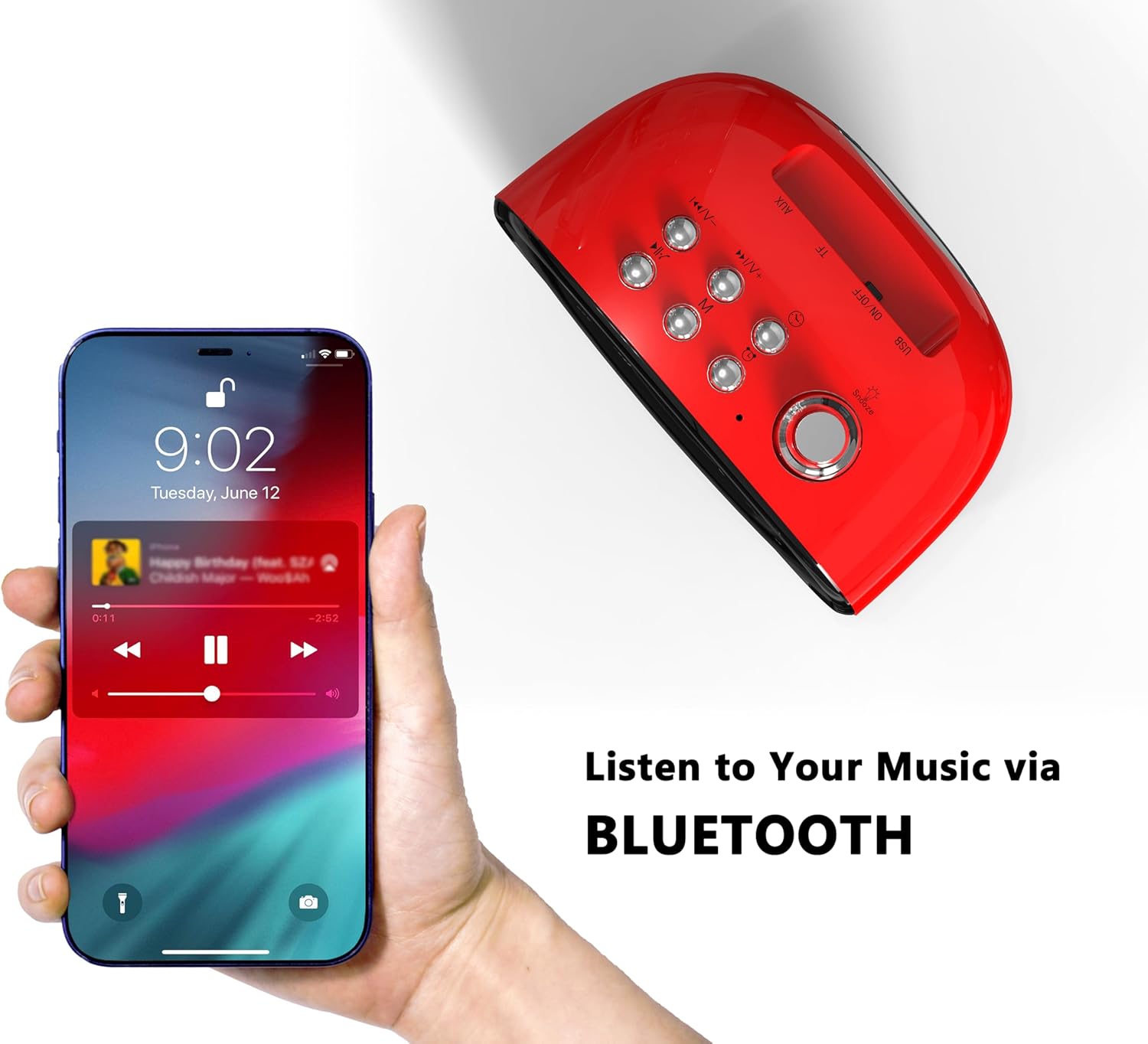
Figure 4: Connect your smartphone via Bluetooth to play music through the alarm clock's speaker.
5.4. TF Card and AUX Playback
- Kartu TF: Lebetkeun kartu TF (MicroSD) anu nganggo audio files into the designated slot on the back of the clock. The clock should automatically switch to TF card playback mode.
- Jack AUX: Connect an audio device using a 3.5mm AUX cable to the AUX jack on the back of the clock. The clock should automatically switch to AUX input mode.
5.5. Sound Control (Display On/Off)
To enable or disable the sound control feature, use the "SOUND CONTROL" ON/OFF switch on the back of the clock. When "ON", the display will turn off after a few seconds of inactivity. To reactivate the display, simply tap the clock, click a button, or make a sound (e.g., clap your hands).
5.6. Adjustment Caang tampilan
The display brightness can be adjusted using the dedicated switch on the back of the clock. Slide the switch to your preferred brightness level (Off, Dim, Bright).
6. Pangropéa
- beberesih: Use a soft, dry cloth to clean the surface of the alarm clock. Avoid using abrasive cleaners or solvents.
- panempatan: Place the device on a stable, flat surface away from direct sunlight, heat sources, and moisture.
- kakuatan: Always use the provided Type-C cable. Ensure the AC adapter used is compatible (DC 5V).
7. Cara ngungkulan
- Henteu aya tampilan/kakuatan: Ensure the Type-C cable is securely connected to both the clock and a working power outlet via a compatible AC adapter.
- Alarm teu disada: Check if the alarm is activated using the ON/OFF switch on the bottom. Verify the alarm time and mode are correctly set. Ensure the alarm volume is not set to 0.
- Masalah Nyapasangkeun Bluetooth: Ensure the clock is not already paired with another device. Turn off and on Bluetooth on your device and the clock, then try pairing again.
- Setélan Leungit Saatos Power Outage: Ensure the memory battery switch on the back is in the "ON" position.
- Resetting the Clock: If the clock malfunctions or settings are incorrect, locate the "RST" (Reset) button on the back. Use a thin object (like a toothpick) to press and hold the button for a few seconds to reset the device to factory defaults.
8. Spésifikasi
| merek | iTOMA |
| Nomer modél | 138 |
| Tipe tampilan | LED |
| Sumber Daya | Type-C cable (AC Adapter not included) |
| Dimensi produk | 4.72" W x 3.74" H |
| Item Beurat | 13.1 ons |
| Bahan | Acrylonitrile Butadiene Styrene (ABS) |
| Téhnologi konektipitas | USB-C, Bluetooth 5.1 |

Figure 5: Dimensions of the iTOMA Retro Alarm Clock.
9. Garansi jeung Rojongan
The iTOMA Retro Alarm Clock Model 138 comes with a Rek 365-Day. For any questions, missing accessories, or other issues, please contact iTOMA customer support.
Email Kontak: ThreeDucksDirect@outlook.com
Please include your order ID when contacting support for warranty claims.


