Bubuka
Thank you for choosing the pTron Bassbuds Astra TWS Earbuds. This manual provides essential information for setting up, operating, and maintaining your earbuds to ensure optimal performance and longevity. Please read this manual thoroughly before use.

Image: The pTron Bassbuds Astra TWS Earbuds with their charging case, showcasing desain produkna.
Eusi pakét
Pastikeun sadaya item aya dina pakét anjeun:
- pTron Bassbuds Astra TWS Earbuds
- Ngecas Case
- Kabel Ngecas USB Tipe-C
- Silicone Eartips (S/M/L sizes)
- Manual pamaké
Produk Leuwihview
Familiarize yourself with the components of your pTron Bassbuds Astra.

Gambar: A luhur-handap view of the pTron Bassbuds Astra earbuds removed from their charging case, illustrating their compact design.
- Earbuds: Left and Right earbuds with touch control areas and charging contacts.
- Kasus ngecas: Imah sareng ngecas earbuds, kalayan port ngecas Type-C sareng indikator LED.
- Eartips: Ujung silikon anu tiasa digentos pikeun ukuran anu aman sareng nyaman.
Disetél
1. Ngecas Earbuds jeung Case
Saméméh dipaké munggaran, eusian pinuh ku earbuds jeung wadah ngecas.
- Teundeun earbuds kana wadah ngecas. Pastikeun aranjeunna leres seated.
- Sambungkeun kabel USB Type-C ka port ngecas dina casing jeung tungtung séjén ka adaptor kakuatan USB (teu kaasup) atawa port USB komputer urang.
- Indikator LED dina wadahna bakal némbongkeun status ngecas. Sakali dicas pinuh, indikator bakal robah atanapi pareum.
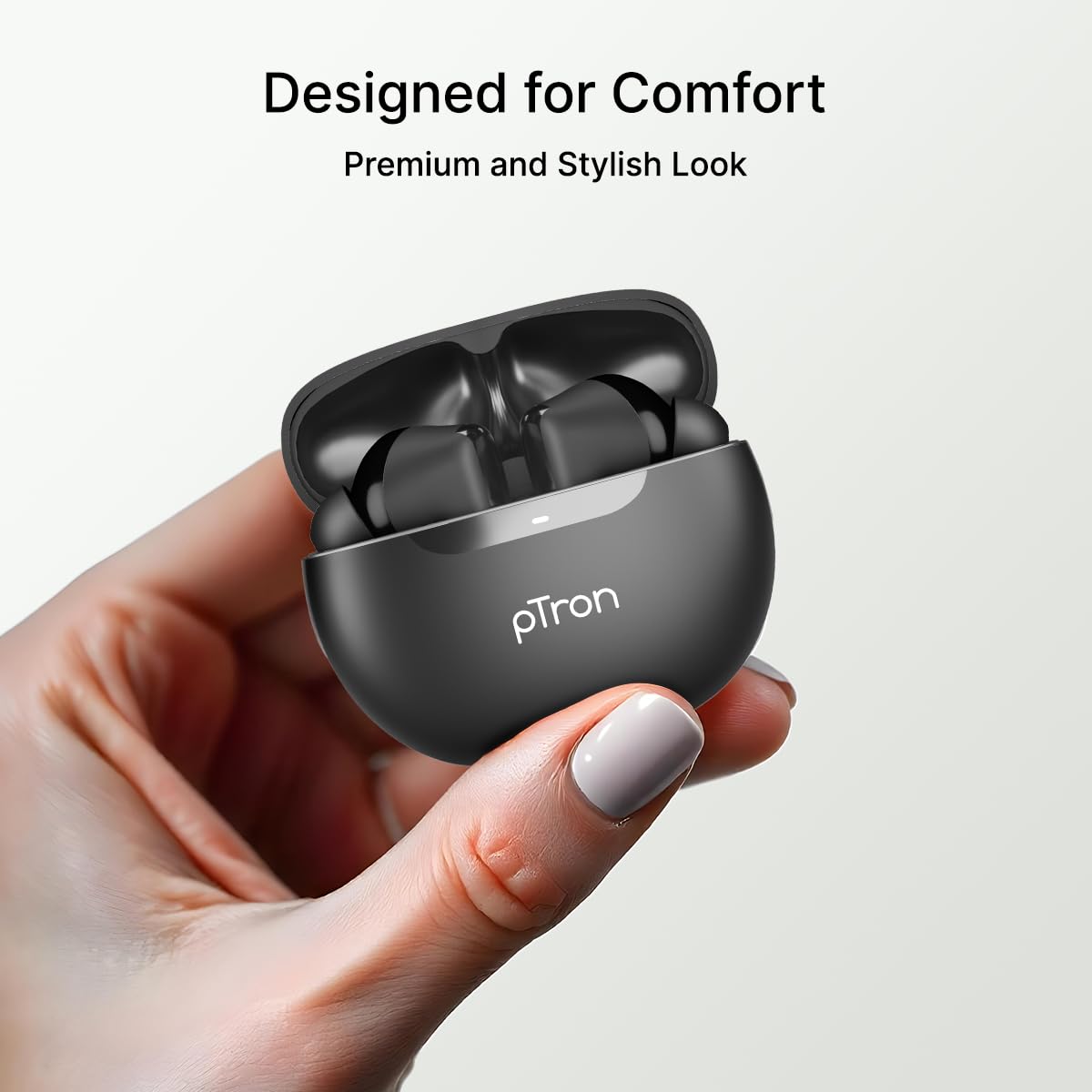
Image: An illustration highlighting the Type-C charging port and the fast charging capability of the earbuds.
Catetan: The earbuds offer approximately 34 hours of total playtime with the charging case.
2. Nyapasangkeun sareng Alat Anjeun
Follow these steps to connect your earbuds via Bluetooth:
- Buka wadah ngecas. Earbuds bakal otomatis asup kana mode papasangan.
- Aktipkeun Bluetooth dina smartphone Anjeun atawa alat sejenna.
- Milarian pikeun "pTron Bassbuds Astra" in the list of available Bluetooth devices.
- Select "pTron Bassbuds Astra" to connect. A voice prompt will confirm successful pairing.

Image: A smartphone screen showing an incoming call from "pTron" next to the earbuds and charging case, demonstrating quick Bluetooth v5.3 connectivity.
Earbuds bakal otomatis nyambung deui ka alat dipasangkeun panungtungan sawaktos nyandak kaluar tina wadahna, upami Bluetooth diaktipkeun dina alat.
Parentah Operasi
1. Ngagem Earbuds
For optimal sound quality and comfort, choose the correct size eartips and wear the earbuds properly.
- Select the eartips (S/M/L) that provide a snug fit in your ear canal.
- Insert the earbuds into your ears and gently twist them until they feel secure and comfortable.

Image: A woman wearing a pTron Bassbuds Astra earbud, illustrating the ergonomic design for comfortable and secure fit during use.
2. Toél Kontrol
The pTron Bassbuds Astra feature intuitive touch controls on each earbud:
| Fungsi | Aksi |
|---|---|
| Puter/Reureuh Musik | Ketok tunggal dina boh earbud |
| Lagu salajengna | Ketok dua kali dina earbud Katuhu |
| Lagu saméméhna | Ketok dua kali dina ceuli Kénca |
| Ngajawab / mungkas Telepon | Ketok tunggal dina boh earbud |
| Nolak Telepon | Pencét lila dina boh earbud |
| Aktipkeun Asisten Sora | Ketok tilu kali dina boh earbud |
Image: A visual representation of key features including IPX4 water resistance, voice assistant activation, fast charging, and touch controls.
3. Mono and Stereo Mode
The earbuds support both stereo (using both earbuds) and mono (using a single earbud) modes. Simply take one earbud out of the case to use it in mono mode. The other earbud can remain in the case or be used simultaneously for stereo audio.
Pangropéa
1. beberesih
- Rutin ngabersihkeun earbuds sareng wadah ngecas ku lawon anu lemes, garing, teu aya lint.
- Cabut eartips sareng bersihkeun ku sabun sareng cai anu hampang, teras garing sacara saksama sateuacan dipasang deui.
- Pastikeun kontak pangecas dina earbud sareng wadahna bébas tina lebu sareng kokotor.
2. Tahan cai (IPX4)
The pTron Bassbuds Astra are IPX4 rated, meaning they are resistant to splashing water from any direction. This makes them suitable for workouts and light rain.
- Ulah beuleum earbuds dina cai.
- Ulah nepi ka kakeunaan semburan cai tekanan tinggi.
- Pastikeun earbuds garing sateuacan nempatkeun deui kana wadah ngecas pikeun nyegah karusakan.
3. Panyimpenan
Nalika henteu dianggo, simpen earbuds dina wadah ngecasna pikeun ngajagi sareng tetep dicas. Nyimpen dina tiis, tempat garing jauh ti suhu ekstrim.
Pamérésan masalah
Upami anjeun ngalaman masalah, tingali solusi umum ieu:
| Masalah | Solusi |
|---|---|
| Earbuds teu dipasangkeun | Ensure earbuds are charged. Turn off and on Bluetooth on your device. Forget "pTron Bassbuds Astra" from your device's Bluetooth list and re-pair. |
| Ngan hiji earbud jalan | Lebetkeun deui dua earbud kana wadah ngecas, tutup tutupna, teras buka deui. Pastikeun dua earbud parantos dicas. |
| Taya sora | Check device volume. Ensure earbuds are connected. Try playing different audio. |
| Toél kadali teu responsif | Pastikeun ramo anjeun beresih jeung garing. Coba hurungkeun deui earbuds ku cara nempatkeun kana wadahna sareng cabut. |
| Masalah ngecas | Pariksa kabel ngecas jeung adaptor. Pastikeun ngecas kontak dina earbuds sareng wadahna beresih. |
spésifikasi
Key technical specifications for the pTron Bassbuds Astra TWS Earbuds:
- Ngaran modél: Bassbuds Astra
- Konektipitas: Bluetooth V5.3
- Jangkauan nirkabel: Nepi ka 10 méter
- Ukuran Supir Audio: 13mm Supir Dinamis
- Kahirupan batré: Dugi ka 34 jam (kalayan ngeusi batre)
- Port ngecas: USB Tipe-C
- Tahan cai: IPX4
- Métode kontrol: Toél
- Bahan: Acrylonitrile Butadiene Styrene (ABS)
- Beurat barang: 40 gram
- Komponén Kaasup: Earbuds, Charging Case, USB Type-C Cable, Eartips, User Manual

Image: A detailed diagram of a 13mm sonic surge driver alongside the pTron Bassbuds Astra charging case, emphasizing the audio technology and extended 34-hour playtime.
Garansi sareng Rojongan
Your pTron Bassbuds Astra TWS Earbuds come with a 6-bulan jaminan produsén ti tanggal pameseran, ngan ukur nutupan cacad produksi.
For warranty claims, technical support, or any other inquiries, please contact pTron customer care:
- Telepon: 040-67138888
- Surélék: rojongan@ptron.in
Mangga nahan resi pameseran Anjeun pikeun validasi jaminan.


