1. Bubuka
The Imou 2K(3MP) Video Doorbell with Chime provides advanced home security with high-resolution video and smart features. This manual guides you through the setup, installation, operation, and maintenance of your device.
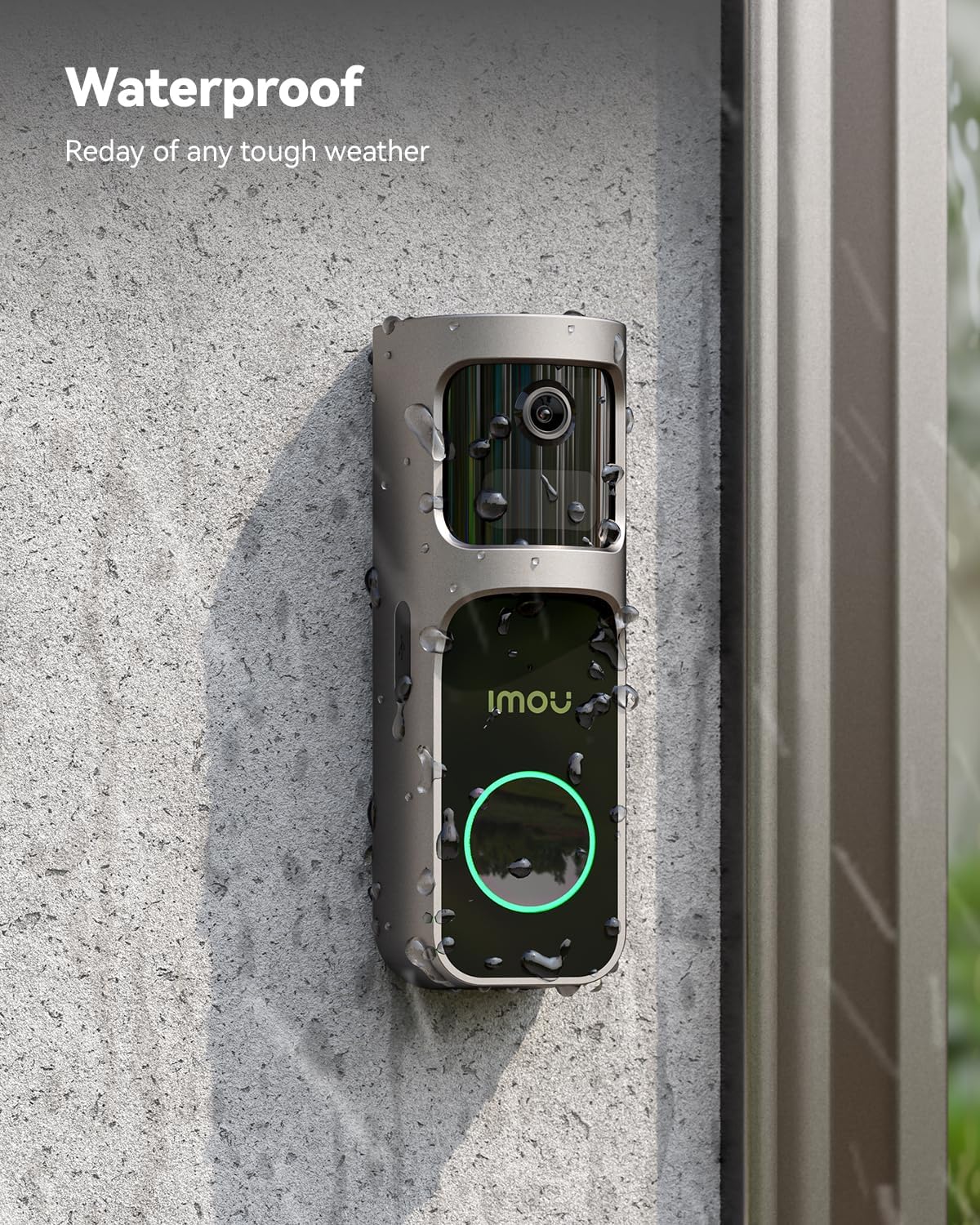
Image: Imou 2K(3MP) Video Doorbell and Chime highlighting key features such as 180° wide-angle view, 30° pan lens, human detection, two-way communication, and local storage.
2. Naon Kaasup
The Imou 2K(3MP) Video Doorbell with Chime package typically includes the following components:
- Imou 2K(3MP) Video Doorbell
- Imou Chime (with Wi-Fi repeater functionality)
- Mounting bracket for the doorbell
- Pamasangan screws na jangkar témbok
- Kabel ngecas USB-C
- Power adapter for the Chime
- Gancang Mimitian Guide
- Drilling template (for drilled installation)
Video: Unboxing the Imou Doorbell 2S Kit, showing the doorbell, chime, and various accessories included in the package.
3. Setélan
Follow these steps to set up your Imou Video Doorbell and Chime:
3.1 Chime Assembly and Power On
- Align the plug with the mark on the Chime and snap it into place.
- Rotate the plug clockwise to lock it securely.
- Plug the assembled Chime into a power outlet. The LED indicator will light up.
Video: Demonstrates how to attach the power plug to the Chime and plug it into an electrical outlet. It also shows the Chime's self-verification process.
3.2 Device Pairing and Wi-Fi Connection
- Download and install the Imou Life app on your smartphone.
- Buka aplikasi sareng jieun akun atanapi log in.
- Tap the "+" icon in the app to add a new device.
- Scan the QR code located on the Quick Start Guide or the device itself.
- Follow the on-screen instructions to connect the device to your 2.4 GHz Wi-Fi network. (5 GHz Wi-Fi is not supported).
- Press and hold the power button on the doorbell for 1 second until you hear a music indicating it's powered on.
- Place the doorbell and the Chime close together for network pairing. Wait until the doorbell indicator light is steady green.
- Once connected, press the doorbell button to verify that the Chime rings synchronously.
penting: It is recommended to install the Chime in an intermediate area between the doorbell and your Wi-Fi router (e.g., an entryway) to ensure a stable network signal. Extend the Chime's antennas vertically for optimal signal coverage.
4. Pamasangan
The Imou Video Doorbell offers two installation methods:
4.1 Method 1: Adhesive Mounting (Recessed)
This method is suitable for smooth surfaces such as marble or wood.
- Apply mounting adhesive strips to the back of the mounting bracket, aligning them with the top and bottom holes.
- Fix the bracket in the desired position on the wall. Press firmly for 30 seconds to ensure good adhesion.
- Power on the doorbell, then slide it into the mounting bracket until it clicks into place.

Image: The Imou Doorbell with its mounting plate, illustrating the battery compartment and the ease of installation.
4.2 Method 2: Drilled Installation
This method is suitable for plastered walls with cement or other surfaces requiring screws.
- Apply the provided drilling template to the desired installation surface, ensuring the arrow points upwards.
- Drill holes according to the marks on the template. Insert wall anchors into the drilled holes.
- Align the mounting bracket with the drilled holes and secure it with the provided screws.
- Power on the doorbell, then slide it into the mounting bracket until it clicks into place.

Image: The Imou Doorbell installed on an exterior wall, demonstrating its waterproof capabilities in rainy conditions.
4.3 Tips Instalasi
- Disarankeun jangkungna instalasi: The vertical distance between the device and the ground should be 1.4-1.5 meters.
- Avoid Metallic Surfaces: Do not install the doorbell on metallic doors or in corners with many metallic objects, as this can shield the signal. Install it on the side of the door if necessary.
- Chime Placement: If the doorbell is far from the router, place the Chime between the doorbell and the router to improve signal strength. The recommended distance between the Chime and the doorbell is 3-5 meters.
- Ngaminimalkeun halangan: Reduce obstructions (e.g., walls, large appliances) between the Chime and the doorbell for better connection.
Video: Provides installation tips, including recommended height, avoiding metallic doors, and optimal Chime placement for signal strength.
5. Operasi
5.1 Video Quality and Night Vision
The Imou Video Doorbell provides 3MP HD video for clear images and recordings. Integrated IR lights enable clear night vision up to 5 meters, even in low-light conditions.

Image: Illustrates the doorbell's 180° ultra-wide angle and 30° pan lens, providing a comprehensive view tina doorstep Anjeun.
5.2 Deteksi Gerak sareng Siaga
The doorbell features a built-in PIR sensor and AI human detection. It sends real-time alerts and push notifications upon detecting motion. You can customize detection zones to exclude busy areas and reduce false alarms. The system can also filter false alarms by only triggering alerts for stops longer than 8 seconds.

Image: Visual representation of PIR motion detection and AI human detection zones, showing how the doorbell identifies and alerts for human presence.
Video: Demonstrates the false alarm filtering feature, showing how the doorbell only alerts for prolonged presence (e.g., a delivery person stopping) rather than brief passersby.
5.3 Two-Way Audio and Quick Replies
Engage in real-time conversations with visitors using the two-way audio function. You can also select pre-defined voice replies for quick communication or use the voice changer feature for privacy.

Image: Illustrates the two-way talk feature, showing a user communicating with a delivery person and using a variable voice option.

Image: The Imou app interface displaying quick reply options for visitors, such as "Please leave it at the door" or "I'm coming, please wait."
5.4 Pilihan Panyimpenan
The doorbell supports local storage via a Micro SD card (up to 512GB, purchased separately) inserted into the Chime. Cloud storage is also available through Imou Protect, offering unlimited cloud space and additional features like vehicle, pet, and package detection.
Video: Highlights the secure storage options, including local SD card storage within the Chime and the benefits of cloud storage.
6. Pangropéa
6.1 Ngeusi batre
To charge the doorbell, remove it from its mounting bracket. Connect the provided USB-C charging cable to the charging port on the doorbell. The blue light will flash slowly during charging and remain steady blue when charging is complete.
Video: Demonstrates how to detach the doorbell from its bracket and connect the USB-C cable for charging. It also shows the LED indicator status during charging.
7. Cara ngungkulan
- Henteu aya kakuatan: Ensure the Chime is properly plugged into a working outlet and the doorbell battery is charged.
- Masalah Sambungan Wi-Fi: Verify that your Wi-Fi network is 2.4 GHz. Ensure the doorbell and Chime are within range of the router and each other, minimizing obstructions.
- Alarm palsu: Adjust the motion detection sensitivity and customize detection zones within the Imou Life app to reduce unwanted alerts.
- Kualitas pidéo goréng: Check your Wi-Fi signal strength. Ensure the camera lens is clean and free from obstructions.
- Lonceng Teu Nyaring: Confirm the doorbell and Chime are successfully paired in the app.
8. Spésifikasi
| Fitur | Spésifikasi |
|---|---|
| Ngaran modél | Bel panto 2S Kit |
| Nomer modél | DB-2SP-3T0W/DS2S |
| Resolusi Capture Video | 1080p (3MP) |
| Wengi Sawangan Sawangan | 5 méter |
| Protokol Konéksi | Wi-Fi (2.4 GHz wungkul) |
| Téknologi Komunikasi Nirkabel | Wifi |
| Alat nu cocog | Smartphone, Tablet |
| Tipe Pamasangan | On door |
| Lingkungan Pamakéan | Luar |
| Bahan | logam |
| Item Ukuran (L x W x H) | 15 x 5 x 15 cm |
| Item Beurat | 630 g |
| Batré | 1 batré AA diperlukeun (kaasup) |
9. Garansi jeung Rojongan
For any issues with installation, network connection, or general product inquiries, please contact Imou customer support. Imou Protect offers additional cloud storage and advanced features. You can subscribe or use Imou Protect for 30 days free to enjoy unlimited cloud space and other benefits.
Kontak Rojongan:
- Via the Imou Life App (Support section)
- Surélék: service.global@imou.com
Video: Instructions on how to contact Imou support through the app or via email for installation and network connection issues.


