1. Bubuka
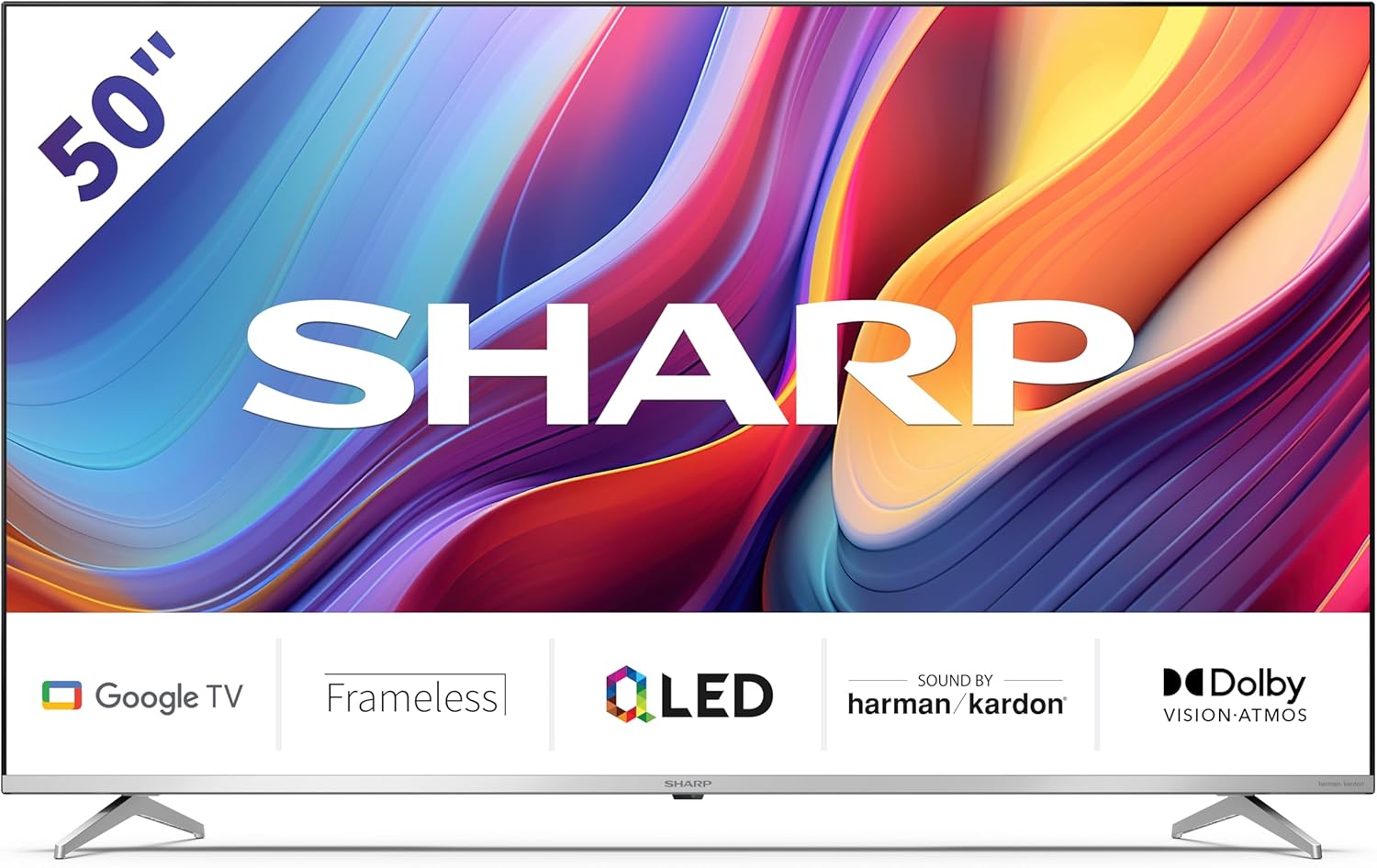
Welcome to the user manual for your new Sharp 50GP6265E 50-inch QLED 4K Ultra HD Google TV. This manual provides essential information for the safe and efficient use of your television. Please read it thoroughly before operating the device and retain it for future reference.
Émbaran Kasalametan penting
- Pastikeun televisi disimpen dina permukaan anu stabil pikeun nyegah ragrag.
- Do not block ventilation openings. Proper airflow is crucial to prevent overheating.
- Nangtayungan kabel kakuatan tina keur leumpang dina atawa pinched.
- Do not expose the TV to rain or moisture to reduce the risk of fire or electric shock.
- Rujuk sadayana jasa ka tanaga jasa anu mumpuni.
2. Naon dina Box
Saatos ngabongkar bungkusan, mangga pariksa yén sadaya komponén ieu kalebet:
- Sharp 50GP6265E 50-inch QLED 4K Ultra HD Google TV
- Kadali jauh
- 2 x AAA batteries (for remote control)
- Pituduh ngamimitian gancang
- TV stands (if not wall-mounted)
- Kabel kakuatan
3. Setélan
3.1 Ngabongkar bungkusan
Carefully remove the television from its packaging. It is recommended to keep the original packaging for potential future transport or servicing.
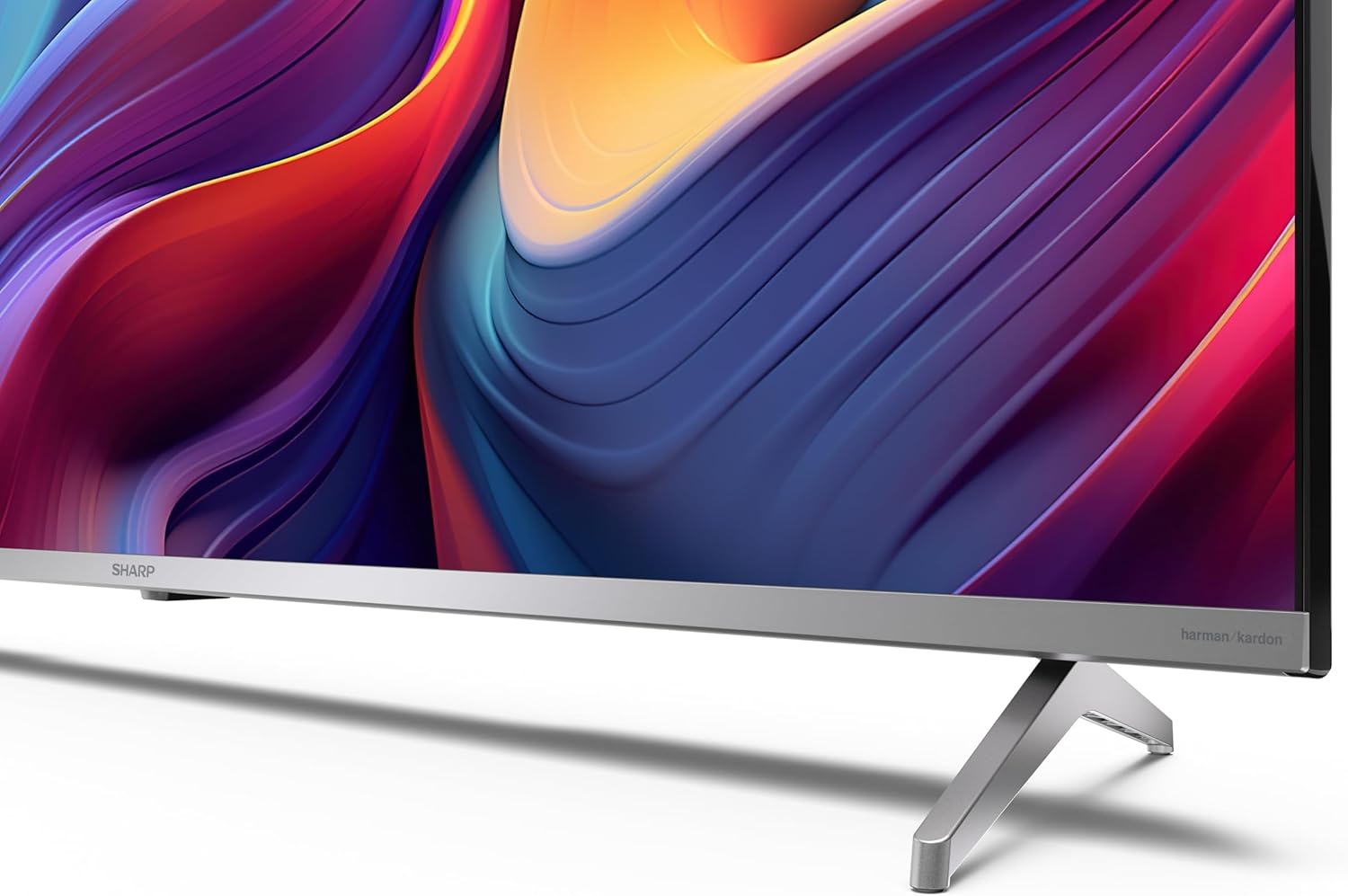
3.2 Pamasangan nangtung
If you are not wall-mounting the television, attach the included stands to the bottom of the TV. Ensure the screws are securely fastened. Refer to the quick start guide for detailed diagrams.
3.3 Pamasangan témbok
For wall mounting, the VESA dimensions required are 400 x 300 mm. Use a compatible wall mount bracket (sold separately) and follow the instructions provided with the bracket. Ensure the wall can support the weight of the television (9.7 kg net weight).

3.4 Nyambungkeun périferal
TV Sharp anjeun nawiskeun sababaraha pilihan konektipitas:
- HDMI: Connect external devices such as Blu-ray players, gaming consoles, or set-top boxes using the 4 HDMI 2.1 ports. One port supports eARC for enhanced audio return channel functionality.
- USB: Use the 2 USB ports for connecting external storage devices to play media or for service updates.
- Ethernet: Pikeun sambungan internét kabel stabil.
- Wifi: Pikeun konektipitas internét nirkabel.
- Bluetooth: Sambungkeun headphone nirkabel, soundbar, atanapi asesoris Bluetooth anu sanés.

3.5 Mimitian Time Setup
After connecting the power cable and turning on the TV, follow the on-screen instructions to complete the initial setup. This typically includes language selection, network connection, and Google account sign-in for Google TV features.
4. Ngoperasikeun TV Anjeun
4.1 Jauh Jauh
The included remote control allows you to navigate the TV's interface, adjust volume, change channels, and access smart features. Insert the 2 AAA batteries into the remote control, ensuring correct polarity.
4.2 Panganteur Google TV
Your Sharp TV runs on Google TV, which organizes movies, shows, and live TV from all your apps and subscriptions. The home screen provides personalized recommendations and quick access to your favorite content.

Supported internet services include Netflix, Amazon Prime Video, HBO, Disney+, Movistar+, DAZN, Atresmedia, KODI, IPTV, Steamlink, Twitch, VLC, YouTube, Puffin TV Browser, Spotify, Deezer, TuneIn Radio, and many more available on Google Play for Google TV.
4.3 Setélan Gambar
Experience stunning visuals with 4K Ultra HD resolution and Quantum Dot technology for vibrant colors. The TV supports Dolby Vision and HDR10 for enhanced contrast and brightness. Access picture settings through the TV menu to customize brightness, contrast, color, and sharpness to your preference. AQUOS Smooth Motion technology provides image interpolation for smoother motion.
4.4 Setélan Sora
The integrated Harman/Kardon speaker system (2 x 12 W) delivers immersive audio. With Dolby Atmos support, you can enjoy a rich, multi-dimensional sound experience. Adjust sound modes and equalizer settings in the audio menu.
4.5 Fitur pinter
- Asisten Google: Anggo paréntah sora pikeun milarian eusi, ngontrol alat home pinter, sareng kéngingkeun inpormasi.
- Chromecast Diwangun-di: Cast content from your smartphone, tablet, or computer directly to your TV screen.
5. Pangropéa
5.1 Ngabersihan TV
- Sok cabut TV samemeh beberesih.
- Anggo lawon anu garing sareng lemes pikeun ngusap layar sareng kabinet. Pikeun tanda pengkuh, enteng dampen lawon jeung cai atawa cleaner layar husus.
- Ulah make cleaners abrasive, lilin, atawa pangleyur.
5.2 Apdet parangkat lunak
TV anjeun tiasa nampi apdet parangkat lunak pikeun ningkatkeun kinerja sareng nambihan fitur énggal. Pastikeun TV anjeun nyambung ka internét pikeun nampi apdet ieu sacara otomatis atanapi parios sacara manual dina menu setélan.
6. Cara ngungkulan
Upami anjeun ngalaman masalah sareng TV anjeun, tingal masalah sareng solusi umum ieu:
| Masalah | Solusi anu mungkin |
|---|---|
| Taya kakuatan | Pariksa naha kabel daya parantos disambungkeun kalayan pageuh kana TV sareng stop kontak. Pastikeun stop kontakna tiasa dianggo. |
| Henteu aya gambar, tapi aya sora | Pastikeun sumber input anu leres dipilih. Pariksa sambungan alat éksternal. |
| Henteu aya sora, tapi aya gambar | Check the volume level and mute status. Ensure audio cables are correctly connected for external devices. |
| Kadali jauh teu jalan | Ganti batré AAA. Pastikeun teu aya halangan antara jauh sareng sénsor IR TV. |
| Masalah sambungan Wi-Fi | Restart your router and the TV. Re-enter the Wi-Fi password. Ensure the TV is within range of your Wi-Fi network. |
7. Spésifikasi
| Fitur | Rincian |
|---|---|
| merek | Seukeut |
| Nomer modél | 50GP6265E |
| Ukuran layar | 50 inci |
| Téknologi tampilan | QLED, Quantum Dot |
| Resolusi | 4K Ultra HD (3840 x 2160 piksel) |
| Refresh Laju | 60 Hz |
| Sistem operasi | Google TV |
| Rojongan HDR | Dolby Visi, HDR10 |
| Sistim Audio | Harman/Kardon (2 x 12 W), Dolby Atmos |
| Konektipitas | 4x HDMI 2.1 (with eARC), 2x USB, Wi-Fi, Bluetooth, Ethernet |
| Fitur husus | Google Assistant, Chromecast built-in, AQUOS Smooth Motion |
| VESA Wall Mount | 400 x 300 mm |
| Dimensi (kalayan stand) | 111.6P x 26.5l x 69.3H cm (1116.4 x 692.9 x 264.7 mm) |
| Ukuran (tanpa nangtung) | 111.6P x 9.2l x 65.1H cm (1116.4 x 651.3 x 91.5 mm) |
| Beurat bersih | 9.7 kg |
| Kelas Éfisiensi Énergi (SDR) | G (69 kWh/1000h) |
| Kelas Éfisiensi Énergi (HDR) | G (98 kWh/1000h) |

Kanggo inpormasi produk lengkep sareng data efisiensi énergi, mangga tingal database EPREL: https://eprel.ec.europa.eu/qr/1942440
8. Garansi jeung Rojongan
Information regarding spare parts availability and software updates is not explicitly provided for a guaranteed period. Please refer to the manufacturer's official website for the most up-to-date warranty terms and support information.
Produsén: SHARP
Resmi Websitus: www.sharpconsumer.com
For customer service inquiries, please visit the Sharp consumer website or contact their support channels as listed on their official site.


