1. Bubuka
Thank you for choosing the BOTSLAB HK30 Car Dash Cam. This manual provides detailed instructions for the installation, operation, and maintenance of your new dash camera system. Please read this manual thoroughly before using the product to ensure proper function and safety. Keep this manual for future reference.
2. Émbaran Kasalametan
- Ulah ngoperasikeun dash cam atanapi ngaksés setélanna nalika nyetir. Salawasna eureun heula kalawan aman sateuacan ngalakukeun pangaluyuan naon waé.
- Pastikeun dash cam dipasang kalawan pageuh sareng henteu ngahalangan pandangan supir view atanapi ngaganggu gerakan airbag.
- Use only the original power adapter and cables provided with the device. Using unauthorized accessories may damage the product and void the warranty.
- Ulah nepi ka dasbor kaméra kakeunaan suhu anu ekstrim, sinar panonpoé langsung salami waktos anu lami, atanapi kalembaban anu kaleuleuwihi.
- Ulah nyobian ngabongkar atawa ngalereskeun alat sorangan. Kontak rojongan customer pikeun pitulung.
- Regularly format the memory card to ensure optimal recording performance.
3. Eusi Paket
Mangga parios pakét kanggo barang-barang ieu:
- BOTSLAB HK30 Dash Cam Unit
- Carjer Mobil (Kabel Daya)
- Mounting Bracket (with adhesive pad)
- Manual pamaké
- Opsional: Kaméra Tukang (upami dipésér sakaligus)
- Optional: GPS Module
4. Produk Langkungview
The BOTSLAB HK30 is a multi-channel dash cam designed to provide comprehensive coverage of your driving environment. It features a main front camera with 4K resolution, and supports additional cameras for rear and interior views (sold separately or as part of a bundle).

Image: The main BOTSLAB HK30 dash cam unit, showing the front lens and the Botslab branding.
fitur konci ngawengku:
- Kaméra Hareup 4K: Captures high-resolution video of the road ahead.
- 140 ° Lega Viewdina Angle: Provides extensive coverage, minimizing blind spots.
- Warna Night Vision: Enhances visibility and clarity in low-light conditions.
- Diwangun-di GPS: Records speed and location data for your journeys.
- G-Sénsor: Otomatis ngonci pidéo filenalika dampak pikeun nyegah tulisan nimpa.
- Ngarekam loop: Continuously records by overwriting the oldest files lamun kartu memori pinuh.
- Monitoring Parkir: Offers 24-hour surveillance with time-lapse recording and collision-triggered normal recording (requires buck line kit, sold separately).
- Kontrol Aplikasi: Connects to your smartphone for easy settings adjustment, live view, and video download.

Image: An illustration demonstrating the 140-degree wide viewing angle of the dash cam, showing its ability to capture a broad perspective of the road.
5. Setup jeung Instalasi
5.1 Selapkeun Card Mémori
Before first use, insert a high-speed (Class 10 or higher) microSD card (up to 256GB recommended) into the dash cam's memory card slot. Ensure the card is inserted correctly until it clicks into place. Format the card via the dash cam's settings menu or the mobile app before initial recording.
5.2 Pasang Dash Cam
- Bersihkeun bagian kaca hareup tempat anjeun badé masang dasbor. Pastikeun bébas tina lebu sareng gajih.
- Attach the adhesive pad to the mounting bracket, then firmly press the bracket onto the chosen spot on your windshield, ideally behind the rearview eunteung pikeun optimal view sareng halangan minimal.
- Slide the dash cam unit onto the mounted bracket until it locks securely.
- Adjust the camera lens angle to ensure it captures the road ahead clearly, with approximately 60% road and 40% sky visible.
5.3 Sambungan Daya
- Connect the provided car charger cable to the dash cam's power input port.
- Colokkeun tungtung carjer mobil anu sanés ka stop kontak listrik 12V kendaraan anjeun (stop kontak korek rokok).
- Route the power cable neatly along the edge of the windshield and dashboard to conceal it and prevent interference with driving.
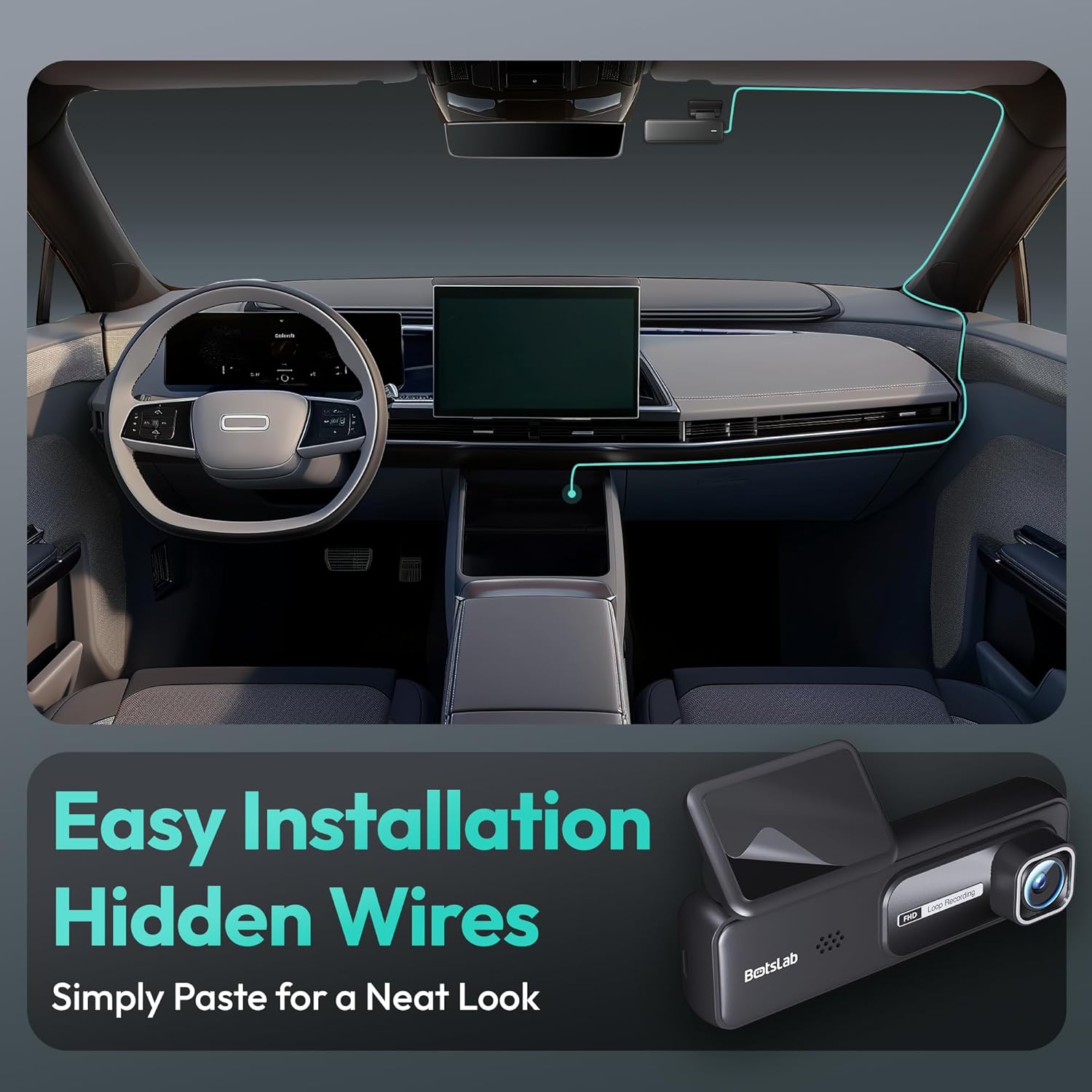
Image: A visual guide illustrating the process of easy dash cam installation with hidden wires, showing how to route the cable neatly along the car's interior for a clean look.
5.4 GPS Module Connection (if applicable)
If your package includes a separate GPS module, connect it to the designated port on the dash cam. Ensure the GPS module is placed in an area with a clear view langit pikeun panarimaan sinyal optimal.
6. Parentah Operasi
6.1 Ngarekam Otomatis
Once powered on and connected to your vehicle's ignition, the dash cam will automatically start recording when the engine is started. It will stop recording and power off shortly after the engine is turned off.
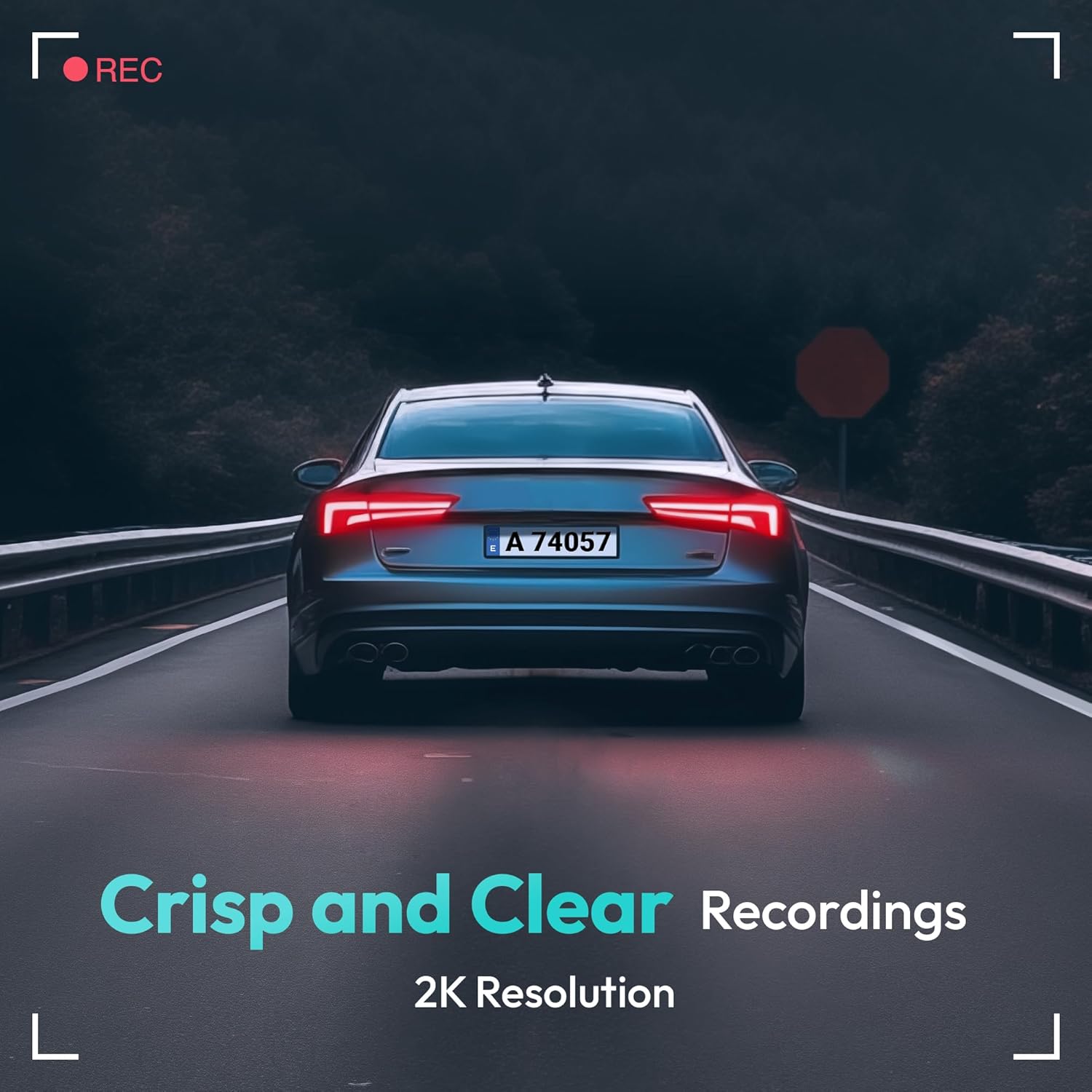
Image: A visual representation highlighting the crisp and clear recording capabilities of the dash cam, indicating 2K resolution for detailed footage.
6.2 Ngarekam loop
The dash cam records video in continuous loops (e.g., 1, 3, or 5-minute segments). When the memory card is full, the oldest unlocked files bakal otomatis ditimpa ku rékaman anyar. Ieu mastikeun rékaman kontinyu tanpa campur tangan manual.
6.3 G-Sensor (Rekaman Darurat)
The built-in G-Sensor detects sudden impacts or collisions. When an impact is detected, the current video segment will be automatically locked and saved to a protected folder on the memory card, preventing it from being overwritten by loop recording. These files penting pisan pikeun bukti kacilakaan.
6.4 Pangimeutan Parkir
For 24-hour parking surveillance, a hardwire kit (buck line) is required (sold separately). Once installed, the dash cam can utilize:
- Ngarekam waktos-waktos: Records continuously at a low frame rate to save storage space while providing a full overview of parking events.
- Collision-Triggered Recording: If an impact is detected while parked, the dash cam will wake up and record a short video segment, which will be locked.

Image: An illustration depicting the 24/7 parking monitoring feature, highlighting time-lapse recording and collision-triggered normal recording capabilities, with a shield icon indicating protection.
6.5 App Control and Connectivity
Download the official BOTSLAB app from your smartphone's app store. Connect your phone to the dash cam's Wi-Fi network (SSID and password usually found on the device or in the manual). Through the app, you can:
- View feed video hirup.
- Adjust dash cam settings (resolution, G-sensor sensitivity, loop recording duration, etc.).
- Playback dirékam video.
- Unduh pidéo filelangsung ka telepon anjeun.
- Apdet firmware.
6.6 GPS Tracking and Playback
With the GPS module connected, the dash cam records your vehicle's speed and location data. This information can be viewed during video playback using the dedicated PC viewer software (available for download from the BOTSLAB website) or within the mobile app, often overlaid on a map (e.g., Google Maps).
7. Pangropéa
7.1 Ngabersihan Alat
Use a soft, dry cloth to clean the dash cam's lens and body. Do not use liquid cleaners or abrasive materials, as they may damage the device.
7.2 Manajemén Kartu Mémori
It is recommended to format the microSD card once a month to maintain optimal performance and prevent data corruption. Back up any important files saméméh pormat.
7.3 Apdet firmware
Periodically check the BOTSLAB official website or the mobile app for available firmware updates. Firmware updates can improve performance, add new features, or fix bugs. Follow the instructions provided with the firmware update carefully.
8. Cara ngungkulan
| Masalah | Mungkin Cukang lantaranana | Solusi |
|---|---|---|
| Dash cam teu hurung. | No power supply; faulty cable; vehicle's power outlet issue. | Check power cable connection; try another power outlet; ensure vehicle ignition is on. |
| Ngarekam eureun atawa freezes. | Kartu mémori pinuh atawa ruksak; kartu memori slow; masalah firmware. | Format memory card; use a high-speed (Class 10+) card; update firmware. |
| Kualitas pidéona goréng. | Lénsa kotor; pilem pelindung masih kénéh dipasang dina lénsa; setélan résolusi salah. | Clean the lens; remove protective film; set recording resolution to highest available. |
| sinyal GPS teu kapanggih. | GPS module not connected; poor satellite reception. | Ensure GPS module is connected; move vehicle to an open area with clear sky view. |
| Teu tiasa nyambung ka Wi-Fi/App. | Incorrect Wi-Fi password; phone too far from device; app not updated. | Verify Wi-Fi password; ensure phone is close to dash cam; update app. |
9. Spésifikasi
| Fitur | Rincian |
|---|---|
| Ngaran modél | HK30 |
| Resolusi Capture Video | Front: 4K (1944p), Rear/Interior: 1080P (if applicable) |
| Viewdina Angle | 140° (Front) |
| Téhnologi konektipitas | USB, Nirkabel (Wi-Fi) |
| Fitur husus | App Control, G-Sensor, Loop Recording, Parking Monitor, Color Night Vision |
| Panyimpenan | Kartu MicroSD (dugi ka 256GB, Kelas 10 atanapi langkung luhur) |
| Tipe Pamasangan | Kaca Depan |
| Sumber Daya | Carjer mobil (12V) |
| Dimensi produk | 2 x 5.5 x 5.5 inci |
| Item Beurat | 9.6 ons |
10. Garansi jeung Rojongan
BOTSLAB products come with a limited warranty. Please refer to the warranty card included in your package or visit the official BOTSLAB website for detailed warranty terms and conditions. For technical support, troubleshooting assistance, or any inquiries, please contact BOTSLAB customer service through the contact information provided on their official websitus atanapi dina aplikasi sélulér.
Websitus: www.botslab.com (Kelamptautanana, mangga tingal dokuméntasi produk anu saleresna pikeun anu leres URL)


