1. Bubuka
This manual provides detailed instructions for the Maxcom MM39D 4G VoLTE Big Button Wireless Phone. The MM39D is a modern 4G LTE phone designed for both home and office environments, serving as an ideal replacement for traditional analog landline phones. It features a large, clear display and user-friendly island-style keys.
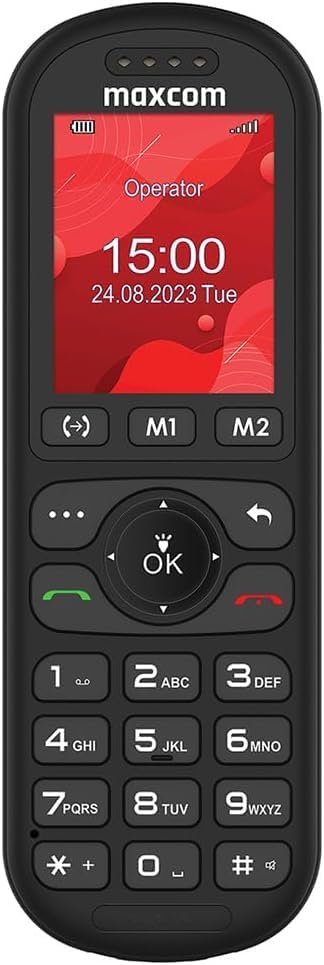
Gambar 1: Hareupeun view of the Maxcom MM39D phone, showcasintombol-tombolna anu ageung sareng tampilan anu jelas.
fitur konci ngawengku:
- Konéktivitas 4G VoLTE: Ensures clear call quality and reliable network connection.
- Layar 2 inci ageung: A 176 x 220 px screen for excellent readability of text and images.
- Island-Style Keys: Designed for easy and accurate dialing and function selection.
- 1000 mAh Efficient Battery: Provides extended standby time, ensuring the phone is ready when needed.
- USB-C Desktop Charger: Pikeun ngecas merenah tur universal.
- Fitur terpadu: Includes calendar, alarm clock, speed dial, FM radio, SMS/MMS, audio/video player, hands-free mode, and call transfer function.
2. Setélan
2.1 Eusi pakét
Sateuacan anjeun ngawitan, pastikeun sadaya item aya dina pakét:
- Maxcom MM39D Wireless Phone
- USB-C Desktop Charger
- Kabel USB-C
- Power Adapter (UK Plug)
- Manual pamaké
2.2 Masang Kartu SIM sareng Batré
- Cabut panutup tukang: Gently pry open the back cover of the phone using the notch provided, usually located at the bottom edge.
- Selapkeun Kartu SIM: Locate the SIM card slot. Insert your 4G compatible SIM card into the slot with the gold contacts facing down and the cut corner aligned as indicated. Ensure it clicks into place.
- Selapkeun Batré: Place the 1000 mAh battery into the battery compartment, aligning the gold contacts on the battery with the contacts in the phone.
- Ganti panutup tukang: Carefully align the back cover and press it firmly until it snaps into place around all edges.

Gambar 2: Tukangeun view of the Maxcom MM39D, indicating the area for battery and SIM card installation.
2.3 Ngecas Telepon
For first-time use, fully charge the phone.
- Connect the USB-C cable to the desktop charger and the power adapter.
- Colokkeun adaptor kakuatan kana stop kontak témbok.
- Place the Maxcom MM39D phone into the desktop charger, ensuring it sits securely and the charging indicator appears on the screen.
- Ngidinan télépon ngecas nepi ka ikon batré nunjukkeun muatan pinuh.
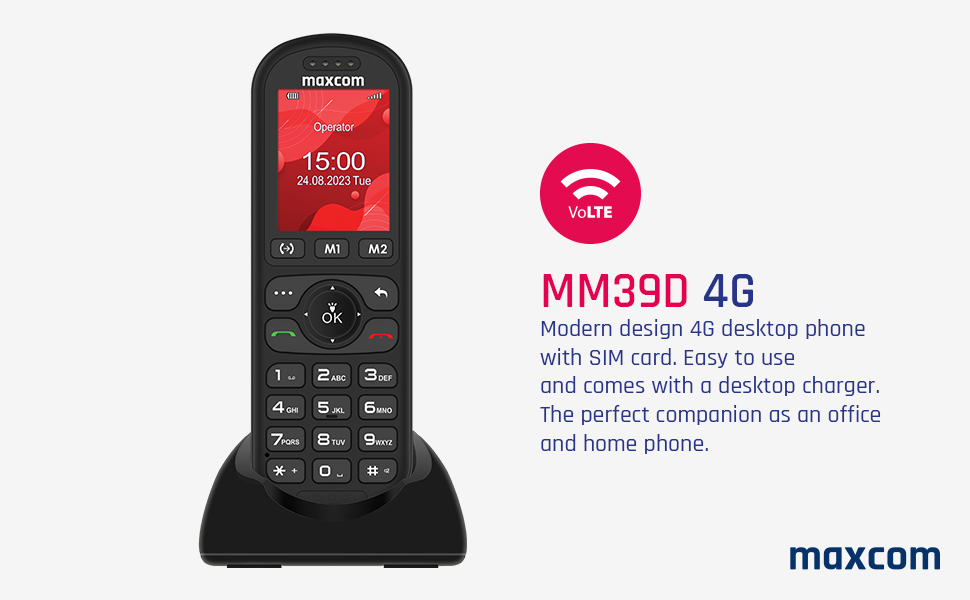
Figure 3: The Maxcom MM39D phone placed in its USB-C desktop charging dock.
3. Parentah Operasi
3.1 Powering on / Pareum
- Pikeun Ngahurungkeun: Pencét jeung tahan beureum Réngsékeun Telepon/Kakuatan tombol nepi ka layar hurung.
- Pikeun mareuman: Pencét jeung tahan beureum Réngsékeun Telepon/Kakuatan button until the power-off options appear, then select "Power Off".
3.2 Nelepon jeung Narima Telepon
- Pikeun nelepon:
- Asupkeun nomer telepon nganggo alas kenop.
- Pencét héjo Nelepon tombol pikeun ngamimitian nelepon.
- Pikeun Ngajawab Telepon: Nalika telepon disada, pencét héjo Nelepon kancing.
- Pikeun ngeureunkeun telepon: Pencét beureum Tungtung Telepon kancing.
- Dial gancang: Assign frequently called numbers to specific keys (M1, M2, or numeric keys). Refer to the phone's menu for speed dial setup.
3.3 Using Basic Functions
- Napigasi: Use the directional keys (up, down, left, right) and the central OK button to navigate through menus and confirm selections.
- Kalénder: Access the calendar from the main menu to view dates and add events.
- Jam alarem: Set multiple alarms with customizable tones and repeat options.
- SMS/MMS: Compose and send text messages. The phone supports multimedia messages (MMS) for sending images.
- Radio FM: Dengekeun kana stasiun radio FM. Headphone panginten diperyogikeun salaku anteneu.
- Audio and Video Player: Muterkeun média files stored on the phone or an inserted memory card (if supported).
- Mode bébas leungeun: Activate speakerphone during a call for hands-free communication.
- Call Transfer Function (CTF): Consult your network provider for details on activating and using call transfer services.
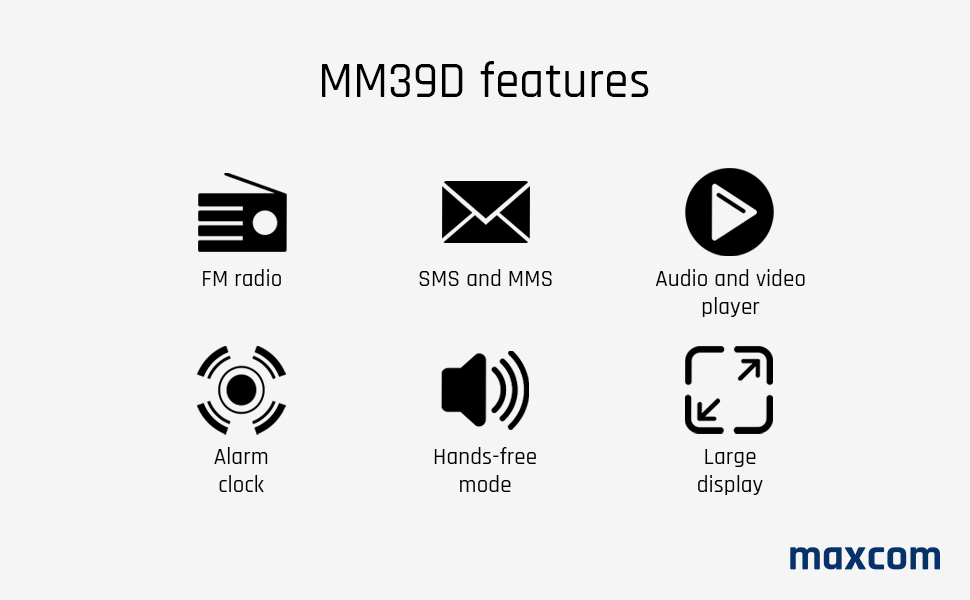
Figure 4: Visual representation of key features available on the Maxcom MM39D.
4. Pangropéa
4.1 Ngabersihan Telepon
- Use a soft, dry cloth to wipe the phone's surface.
- Ulah nganggo cairan pembersih, aerosol, atanapi bahan kimia anu keras, sabab ieu tiasa ngaruksak telepon.
- Jaga port ngecas tetep bébas tina lebu sareng kokotor.
4.2 Perawatan Batré
- Ulah ngalaan batré ka suhu ekstrim.
- Hindarkeun sering-sering ngecas batré pikeun manjangkeun umurna.
- Upami telepon teu tiasa dianggo kanggo waktos anu panjang, muatanana dugi ka 50% sateuacan disimpen.
- Paké ngan batré jeung carjer ngagantian aslina atawa disatujuan.
5. Cara ngungkulan
If you encounter issues with your Maxcom MM39D, refer to the following common problems and solutions:
| Masalah | Mungkin Cukang lantaranana | Solusi |
|---|---|---|
| Telepon teu hurung | Low battery; Battery not inserted correctly; Phone malfunction. | Charge the phone for at least 30 minutes. Reinsert the battery. If the problem persists, contact support. |
| Teu tiasa nelepon atanapi nampi telepon | Teu aya kartu SIM; Kartu SIM teu dipasang kalawan bener; Teu aya sinyal jaringan; Kartu SIM teu diaktipkeun. | Ensure SIM card is correctly inserted and activated. Check network signal strength. Restart the phone. |
| Low ringtone volume | Volume settings are too low. | Adjust the ringtone volume in the phone's settings menu. Ensure the phone is not in silent or vibrate-only mode. |
| Telepon teu ngecas | Charger or cable faulty; Charging port blocked; Phone not properly seated in dock. | Check connections. Clean the USB-C port. Try a different USB-C cable or power adapter. Ensure the phone is correctly placed in the desktop charger. |
If these solutions do not resolve the issue, please refer to the Warranty and Support section.
6. Spésifikasi
| merek | Maxcom |
| Nomer modél | MM39D |
| Warna | Hideung |
| Jenis produk | Telepon Bar |
| Jaringan | 4G VoLTE |
| Sistem operasi | Symbian 9.3 (Note: This OS is typically for smartphones, may be a generic entry or simplified OS.) |
| Ukuran layar | 2 inci |
| Resolusi tampilan | 176 x 220 px |
| Sambungan | Bluetooth, Sélular |
| Port ngecas | USB Tipe-C |
| Kapasitas batré | 1000 mAh |
| Sumber Daya | Batré Powered |
| Tipe Telepon | Papan tombol |
7. Garansi jeung Rojongan
For warranty information, please refer to the documentation provided with your purchase or contact your retailer. Maxcom strives to provide reliable products, and any specific warranty terms will be outlined by the point of sale.
Information regarding spare parts availability and guaranteed software updates is not readily available. For technical support or service inquiries, please contact the Maxcom customer service department or your local distributor.
You can often find contact details on the official Maxcom websitus atawa ngaliwatan bungkusan produk Anjeun.


