1. Bubuka
This manual provides essential instructions for the safe and efficient use of your Maxcom MM334 4G mobile phone. The Maxcom MM334 is a user-friendly classic mobile phone featuring a large 3.2-inch screen, 4G network connectivity, and a modern USB-C connector for convenient charging. It is designed for straightforward communication and includes a 2MP camera with LED flash.

Image 1.1: The Maxcom MM334 4G mobile phone displayed on a desk setup.
2. Eusi Paket
Mangga cék kotak pikeun item di handap ieu:
- Maxcom MM334 4G Mobile Phone
- Batré (Litium-ion)
- Kabel Ngecas USB-C
- Manual pangguna (dokumén ieu)
3. Alat Leuwihview
Familiarize yourself with the physical components of your Maxcom MM334 phone.

Gambar 3.1: Hareupeun view of the Maxcom MM334, showing the 3.2-inch screen, keypad, and navigation buttons.
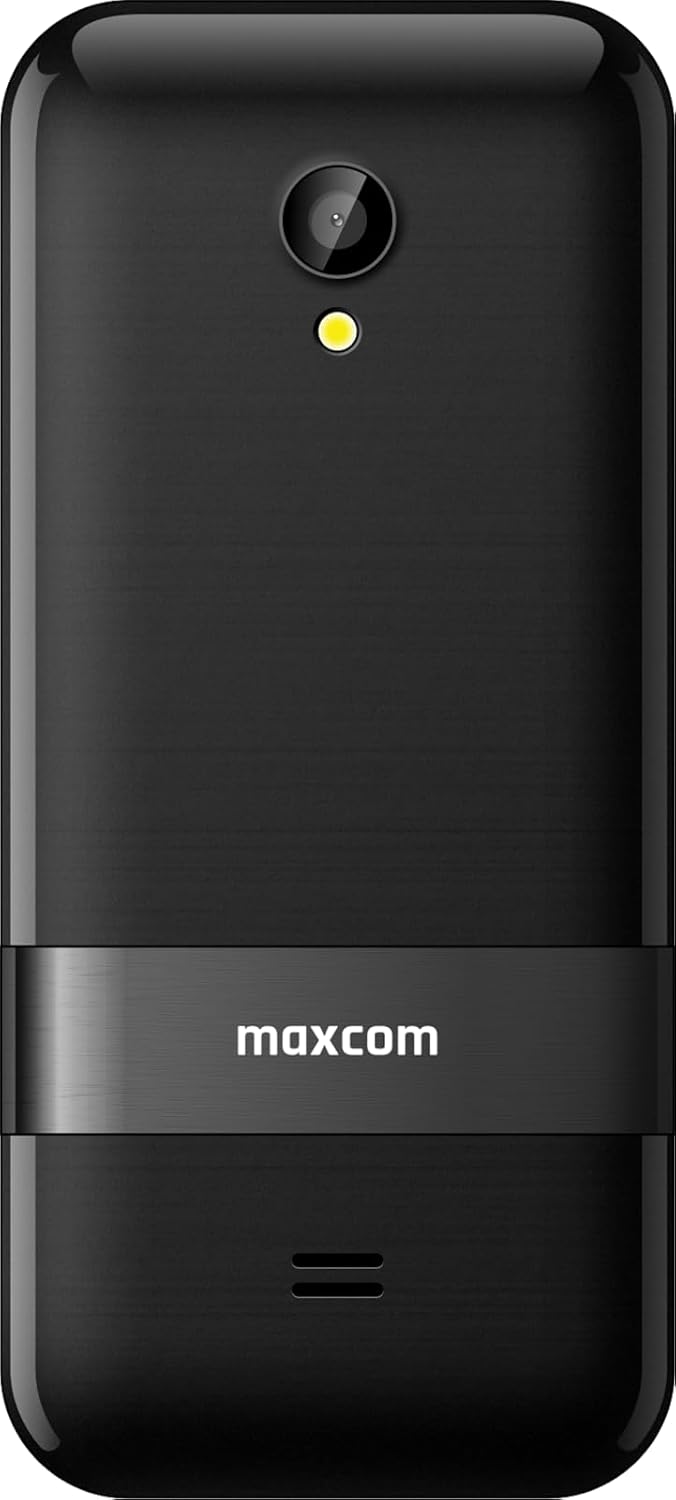
Gambar 3.2: Balik view of the Maxcom MM334, highlighting the 2MP camera with LED flash and the Maxcom branding.

Gambar 3.3: Sisi profile of the Maxcom MM334 phone.
Komponén konci:
- layar: tampilan 3.2 inci pikeun viewinpormasi.
- Papan tombol: Alphanumeric keys for dialing and text input, navigation keys, call/end buttons.
- Kaméra: 2 Megapixel camera with LED flash on the rear.
- Palabuhan USB-C: Tempatna di handap pikeun ngecas sareng mindahkeun data.
- Speaker/Mikropon: Pikeun input audio sareng kaluaran.
4. Setélan
4.1. Nyelapkeun Kartu SIM sareng Batré
- Cabut panutup tukang telepon sacara saksama.
- Locate the SIM card slot(s). Insert your SIM card(s) into the designated slot(s) with the gold contacts facing down, ensuring it clicks into place.
- Insert the Lithium-ion battery into its compartment, aligning the contacts.
- Replace the back cover, pressing gently until it snaps securely.
4.2. Ngecas Batré
- Connect the USB-C charging cable to the USB-C port at the bottom of the phone.
- Plug the other end of the cable into a compatible USB power adapter and then into a wall outlet.
- The battery indicator on the screen will show charging status. For first use, charge the phone fully.
4.3. Powering on / Pareum
- Pikeun Ngahurungkeun: Press and hold the red End Call/Power button until the screen lights up.
- Pikeun mareuman: Press and hold the red End Call/Power button until the power-off options appear, then select 'Power Off'.
5. Parentah Operasi
5.1. Napigasi Dasar
- Ngagunakeun éta Tombol Napigasi (up, down, left, right) to scroll through menus and options.
- Pencét éta Center Key to select an option or confirm an action.
- The Kénca Leuleus Kénca typically accesses the 'Menu' or context-sensitive options.
- The Katuhu Soft Key typically accesses 'Contacts' or a back function.
5.2. Nyieun jeung Nampa Telepon
- Pikeun nelepon: Lebetkeun nomer telepon nganggo keypad teras pencét tombol Telepon héjo.
- Pikeun Ngajawab Telepon: When the phone rings, press the green Call button.
- Pikeun ngeureunkeun telepon: Pencét tombol Telepon Tungtung beureum.
5.3. Kontak
- Access 'Contacts' from the main menu or by pressing the Right Soft Key.
- Select 'Add New Contact' to save a new number with a name.
- Scroll through your saved contacts to find and call a person.
5.4. Messaging (SMS)
- Buka 'Pesen' tina ménu utama.
- Select 'New Message' to compose an SMS. Enter the recipient's number and your message.
- Pencét 'Kirim' pikeun ngirim pesen.
5.5. Kaméra
The Maxcom MM334 features a 2 Megapixel camera with an LED flash.
- Aksés aplikasi 'Kaméra' tina ménu utama.
- Pigura shot anjeun ngagunakeun layar salaku a viewanu mendakan
- Press the Center Key or a designated camera button to take a photo.
- Photos are saved to the phone's memory or an inserted memory card (if applicable).
5.6. Setélan
The 'Settings' menu allows you to customize various phone functions.
- Sora Profiles: Adjust ringtones, volume, and alert types.
- tampilan: Configure wallpaper, backlight, and screen brightness.
- Setélan jaringan: Manage 4G connectivity and other network preferences.
- Kaamanan: Set PIN codes, phone lock, etc.
5.7. Fitur séjén
- Bluetooth: Connect to compatible Bluetooth devices like headsets.
- Mémori: The phone supports expandable memory for additional storage.
6. Pangropéa
- beberesih: Anggo lawon anu lemes sareng garing pikeun ngabersihkeun layar sareng awak telepon. Hindarkeun pembersih cair.
- Perawatan batré: Avoid extreme temperatures. Do not puncture or damage the battery. If the battery appears swollen or damaged, discontinue use and replace it.
- Panyimpenan: Simpen telepon di tempat anu tiis sareng garing upami henteu dianggo salami lami.
7. Cara ngungkulan
If you encounter issues with your Maxcom MM334, refer to the following common problems and solutions:
| Masalah | Solusi anu mungkin |
|---|---|
| Telepon teu hurung | Pastikeun batréna dipasang sareng dicas kalayan leres. Sambungkeun carjer teras cobian deui. |
| Taya sinyal jaringan | Check if the SIM card is properly inserted. Verify network settings. Move to an area with better signal coverage. |
| Teu tiasa nelepon atanapi nampi telepon | Check network signal. Ensure your SIM card is active and has sufficient credit/plan. |
| Batré teu ngecas | Ensure the USB-C cable and charger are properly connected and functional. Try a different charger or cable. |
| Keypad teu responsif | Restart the phone. If the issue persists, contact support. |
8. Spésifikasi
| Fitur | Rincian |
|---|---|
| merek | Maxcom |
| Nomer modél | MM334 |
| Ukuran layar | 3.2 inci |
| Sistem operasi | Symbian 9.3 |
| Téhnologi sélular | 4G |
| Konektipitas | Bluetooth, USB Tipe C |
| Resolusi kaméra | 2 megapiksel |
| Fitur husus | Expandable Memory, Always On Display, Basic Phone Functionality |
| Komposisi batré | Litium-ion |
| Kapasitas Panyimpenan Mémori | 2 GB |
| Resolusi | 320 x 240 |
9. Garansi jeung Rojongan
Your Maxcom MM334 mobile phone is covered by a manufacturer's warranty. Please refer to the warranty card included in your package for specific terms and conditions. For technical support, service, or further inquiries, please contact your retailer or the Maxcom customer service department.


