1. Bubuka
This manual provides essential information for setting up, operating, and maintaining your DOOGEE T40PRO 12-inch Android 14 Tablet. Please read it thoroughly to ensure proper usage and to maximize your device's capabilities.
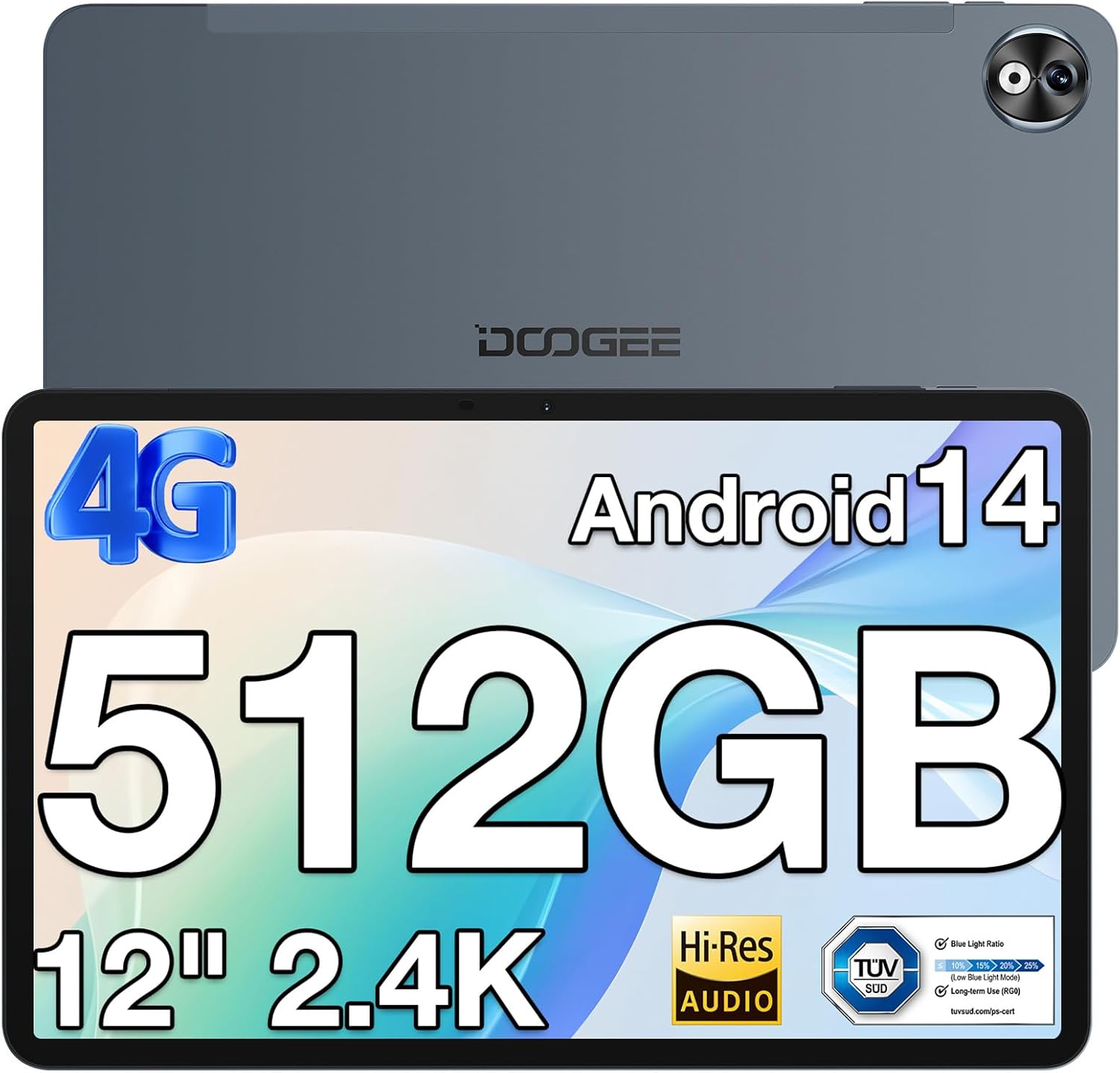
Gambar 1: Hareup jeung tukang view of the DOOGEE T40PRO Tablet.
2. Setélan
2.1 Eusi pakét
Pastikeun yén sadaya item aya dina kotak:
- DOOGEE T40PRO Tablet Android 14 (x1)
- carjer (x1)
- Kabel USB Tipe-C (x1)
- Tool for taking card (SIM ejector tool) (x1)
- Buku Panduan Pamaké (x1)
- Tempered Glass Protective Film (x1)

Image 2: Illustration of the DOOGEE T40PRO Tablet package contents.
2.2 Ngecas Awal
Before first use, fully charge your tablet using the provided 18W Type-C fast charger and cable. The tablet features a 10,800mAh battery.
Video 1: Demonstrates the charging process of the DOOGEE T40PRO Tablet.
2.3 Kartu SIM sareng Pamasangan Kartu Micro SD
The T40PRO Tablet supports dual SIM/Micro SD slots. Use the provided ejector tool to open the tray. Insert your SIM cards (GSM, WCDMA, FDD, TDD networks supported) and/or a Micro SD card (up to 2TB expandable storage) into the designated slots.

Image 3: Shows the dual SIM/Micro SD card slots and the tablet's navigation capabilities.
2.4 Daya Hurung/Pareuman
To power on, press and hold the power button until the DOOGEE logo appears. To power off, press and hold the power button, then select 'Power off' from the options.
3. Parentah Operasi
3.1 Tampilan sareng Visual
The tablet features a 12-inch 2.4K FHD In-Cell Touchscreen with a 1200x2000 resolution and a 16:10 aspect ratio for clear and vibrant visuals.

Image 4: Comparison highlighting the 12-inch 2.4K Fullview Display of the T40PRO.
3.2 Kinerja
Powered by the Helio G99 octa-core processor (2x ARM Cortex-A76 2.2GHz + 6x ARM Cortex-A55 2.0GHz) and 20GB RAM (8GB physical + 12GB virtual), the tablet offers smooth performance for gaming and applications.

Gambar 5: Detil view of the Helio G99 Octa-core Processor specifications.
Video 2: Shows the tablet's performance during gaming, highlighting its capabilities.
3.3 Panyimpenan
The tablet comes with 512GB of internal storage, expandable up to 2TB via a TF card, providing amprohangan pikeun média sareng aplikasi.

Image 6: Visual representation of the tablet's massive storage capacity.
3.4 Konéktipitas
Enjoy fast and stable connections with 5G/2.4G dual-band Wi-Fi, Bluetooth 5.0, and 4G Dual SIM support. Integrated GPS, Galileo, Beidou, and Glonass systems ensure accurate navigation.
3.5 Kaméra
Capture moments with the 16MP rear camera and 8MP front camera.
3.6 Audio
Experience immersive sound with quad speakers. A 3.5mm headphone jack and FM radio are also included for your convenience.
Video 3: Demonstrates media playback and volume control on the tablet.
3.7 Parangkat Lunak sareng Fitur
The tablet runs on the latest Android 14 operating system, offering enhanced privacy and multitasking capabilities. It is GMS certified, allowing access to Google Play Store apps. WPS Office is pre-installed for document editing.

Gambar 7: Leuwihview of the Android 14 system features on the tablet.

Image 8: Demonstrates the use of WPS Office for productivity on the tablet.
3.7.1 Multitasking and Split Screen
Utilize the split-screen feature for enhanced productivity, allowing two applications to run side-by-side.
Video 4: Shows the tablet's split-screen functionality, ideal for multitasking.
3.7.2 Muka konci raray
Securely unlock your device using the face unlock feature for instant access.

Image 9: Demonstrates the Face Unlock feature for quick and secure access.
3.7.3 Reading Modes
The tablet offers various reading modes, including Dark Mode, Eye-protection Mode, and Power-saving Mode, to optimize your viewpangalaman.

Image 10: Illustrates the different reading modes available on the tablet.
4. Pangropéa
4.1 Perawatan Batré
To prolong battery life, avoid extreme temperatures and fully discharge and recharge the battery periodically. Use only the provided charger and cable.
4.2 beberesih
Anggo lawon anu lemes sareng henteu lint pikeun ngabersihan layar sareng awak tablet. Hindarkeun bahan abrasive atanapi bahan kimia kasar.
4.3 Apdet parangkat lunak
Regularly check for and install system updates to ensure optimal performance, security, and access to the latest features of Android 14.
4.4 Manajemén Panyimpenan
Périodik ulangview and manage your stored files and applications to maintain sufficient free space for smooth operation. Utilize the expandable storage option for large files.
5. Cara ngungkulan
If you encounter issues with your DOOGEE T40PRO Tablet, consider the following common solutions:
- Alat Beku: If the tablet freezes, press and hold the power button for approximately 10-15 seconds to force a restart.
- Masalah ngecas: Ensure the Type-C cable and charger are securely connected and undamaged. Try a different power outlet.
- Masalah konektipitas: For Wi-Fi, restart your router and the tablet. For 4G, ensure your SIM card is correctly inserted and your plan is active.
- Kasalahan aplikasi: Hapus cache sareng data pikeun aplikasi anu bermasalah dina Setélan> Aplikasi. Upami masalahna tetep, cabut sareng pasang deui aplikasina.
- Performance Lambat: Close unnecessary background apps, clear cache, and ensure sufficient storage space.
Pikeun masalah anu terus-terusan, mangga tingal dukungan resmi DOOGEE websitus atanapi ngahubungan layanan palanggan.
6. Spésifikasi
| Fitur | Spésifikasi |
|---|---|
| Ngaran modél | T40PRO |
| Sistem operasi | Android 14 |
| Ukuran layar | 12 inci |
| Resolusi layar | 2000x1200 (2.4K) |
| Prosesor | Helio G99 Octa-core (2.2 GHz) |
| Ram | 20GB (8GB fisik + 12GB virtual) |
| Panyimpenan internal | 512GB |
| Panyimpenan Expandable | Up to 2TB (via TF card) |
| Kapasitas batré | 10,800 mah |
| Ngecas | 18W Tipe-C Ngecas Gancang |
| Kaméra tukang | 16MP |
| Kaméra hareup | 8MP |
| Konéktipitas Wireless | 2.4G & 5G Wi-Fi, Bluetooth 5.0 |
| Konéktipitas sélular | 4G Dual SIM (GSM, WCDMA, FDD, TDD) |
| Napigasi | GPS, Galileo, Beidou, Glonass |
| Diménsi | 10.9 x 6.8 x 0.29 inci (ketebalan 7.66mm) |
| Beurat | 2.64 pon (578g) |
7. Garansi jeung Rojongan
The DOOGEE T40PRO Tablet comes with a 1-year warranty. For any issues or support inquiries, please contact DOOGEE customer service. Contact details can typically be found on the official DOOGEE websitus atawa ngaliwatan pangecér mana produk ieu dibeuli.


