1. Produk Langkungview
The eKids Disney Frozen Kids Camera is designed for young photographers to capture photos and videos with ease. It features a durable design, built-in digital stickers, and games for an engaging experience.
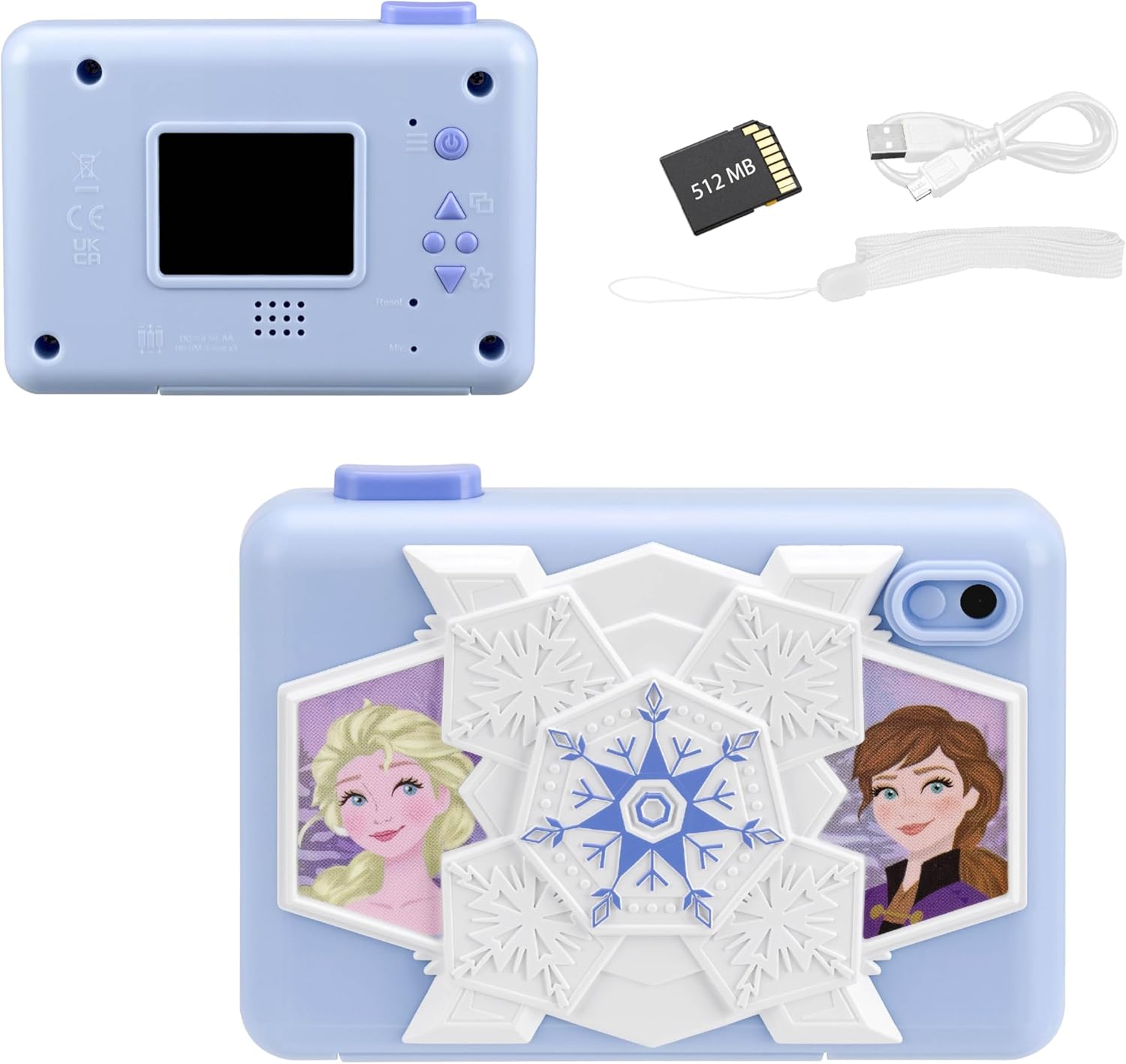
Hareupeun view of the eKids Disney Frozen Kids Camera, featuring Elsa and Anna characters.

Balik deui view of the camera showing the screen and controls, alongside the included 512MB SD card, micro USB cable, and wrist strap.
Fitur konci:
- Fungsi Kaméra Digital: Capture photos and videos with user-friendly controls.
- Ngarékam pidéo: Record and save videos, viewable on the 2-inch full-color screen.
- Mémori anu tiasa dilegakeun: Comes with a 512MB SD card for storage, which can be replaced with a larger SD memory card.
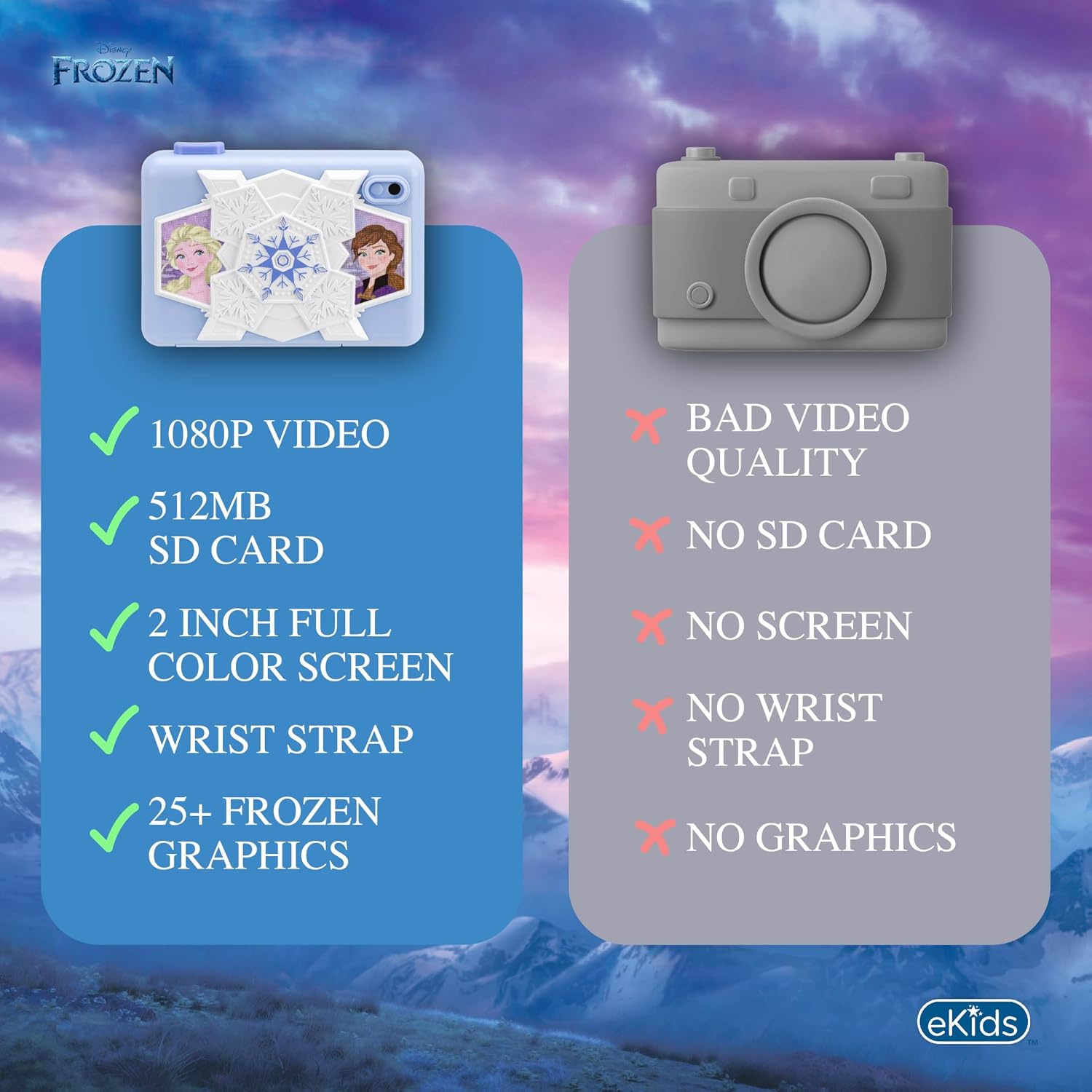
- Creative Decoration: Over 25 built-in photo frames and digital stickers inspired by Disney Frozen.
- Kaulinan Diwangun-di: Includes 5 pre-loaded games for entertainment.
- Konektipitas: Micro USB port for connecting to a computer to transfer content.
- Portability: Lightweight design with an included wrist strap.
2. Setélan
2.1 Pamasangan batré
Kaméra ieu peryogi 3 batré AA (teu kalebet).
- Panggihan kompartemen batré dina handapeun kaméra.
- Buka panutup kompartemen batré.
- Selapkeun 3 batré AA, mastikeun polaritasna bener (+/-).
- Tutup panutup kompartemen batré aman.
2.2 Pamasangan Kartu SD
The camera comes with a 512MB SD card. You can use this card or replace it with another compatible SD card (up to 32GB max).
- Locate the SD card slot next to the battery compartment.
- Lebetkeun kartu SD kana slotna dugi ka ngaklik kana tempatna. Pastikeun kartu parantos dipasang dina orientasi anu leres.
- To remove the SD card, gently push it in until it clicks, then release to eject.

Diagram showing the SD card slot and Micro USB port on the camera.
2.3 Ngalampirkeun tali pigeulang
Attach the included wrist strap to the designated loop on the camera for secure handling and to prevent accidental drops.
3. Parentah Operasi
3.1 Powering on / Pareum
- Pikeun ngahurungkeun, pencét jeung tahan kenop Tombol daya (usually marked with a power symbol) located on the back of the camera.
- Pikeun pareum, pencét jeung tahan Tombol daya deui nepi ka layar pareum.
The camera's screen displaying the main menu with various function icons.
3.2 Napigasi Menu
Use the directional buttons (Up, Down, Forward/Photo Frames, Reverse/Mode Select) to navigate through the camera's menu options on the 2-inch full-color LCD screen. Press the Camera Shutter / OK Button pikeun milih hiji pilihan.
Diwincik view of the camera's back panel, highlighting the display, speaker, microphone, and control buttons including Camera Shutter/OK, Indicator Light, Power, Up, Forward/Photo Frames, Reverse/Mode Select, Down, and Reset.
3.3 Nyokot Poto
- Tina ménu utama, pilih éta Ikon poto.
- Pigura shot anjeun ngagunakeun layar LCD.
- Pencét éta Camera Shutter / OK Button pikeun nyandak gambar.
3.4 Ngarékam Pidéo
- Tina ménu utama, pilih éta Ikon video.
- Pencét éta Camera Shutter / OK Button pikeun ngamimitian ngarékam.
- Pencét éta Camera Shutter / OK Button deui pikeun ngeureunkeun ngarékam.
Official product video demonstrating the eKids Disney Frozen Digital Camera for Kids, showcasing fitur sarta betah pamakéan na.
3.5 Applying Digital Stickers and Frames
The camera offers over 25 built-in Frozen-themed photo frames and digital stickers to decorate your images.
- After taking a photo, or when viewing a saved photo, use the Forward / Photo Frames button to browse available frames and stickers.
- Pencét éta Camera Shutter / OK Button to apply the selected decoration.
An image illustrating how to add fun digital images and record videos using filters or slow motion, with examples of photos decorated with Frozen characters.
3.6 Maén Kaulinan
The camera includes 5 built-in games for entertainment.
- Tina ménu utama, pilih éta Ikon kaulinan.
- Use the directional buttons to choose a game.
- Pencét éta Camera Shutter / OK Button pikeun ngamimitian maén.

Visual representation of the camera's multi-functional capabilities, including playing games, playing music, taking photos, and recording videos.
3.7 Transferring Content to a Computer
You can transfer your photos and videos to a computer using the included micro USB cable.
- Connect the micro USB cable to the camera's micro USB port and to an available USB port on your computer.
- The camera should appear as a removable storage device on your computer.
- Open the camera's folder to access and transfer your files.
4. Pangropéa
4.1 Ngabersihan Kaméra
- Use a soft, dry cloth to clean the exterior of the camera.
- Pikeun layar, paké lawon microfiber anu dirarancang khusus pikeun éléktronika.
- Ulah nganggo cairan pembersih atanapi bahan anu kasar, sabab tiasa ngaruksak kaméra.
4.2 Perawatan Batré
- Cabut batré upami kaméra moal dianggo kanggo waktos anu panjang pikeun nyegah bocor.
- Ulah campur batré heubeul jeung anyar, atawa tipena béda accu.
- Buang batré anu dipaké sacara tanggung jawab nurutkeun peraturan lokal.
4.3 Panyimpenan
Simpen kaméra di tempat anu tiis sareng garing jauh tina sinar panonpoé langsung sareng suhu anu ekstrim.
5. Cara ngungkulan
| Masalah | Mungkin Cukang lantaranana | Solusi |
|---|---|---|
| Kaméra teu hurung. | batré lemah atawa maot; pamasangan batré salah. | Replace with fresh AA batteries; ensure batteries are inserted with correct polarity. |
| Teu tiasa nyandak poto/video. | SD card full or not inserted correctly; camera mode not selected. | Check SD card storage and reinsert if necessary; ensure photo/video mode is active. |
| Kualitas gambar/video goréng. | Insufficient lighting; dirty lens. | Ensure adequate lighting; gently clean the camera lens with a soft cloth. |
| Teu bisa nyambung ka komputer. | kabel USB salah; port USB salah; masalah supir. | Try a different USB cable or port; restart computer and camera. |
Upami aya masalah, mangga tingal bagian Garansi sareng Rojongan kanggo bantosan salajengna.
6. Spésifikasi
| Fitur | Rincian |
|---|---|
| Ngaran modél | FR-533 |
| merek | eKids |
| Ukuran layar | 2 inci |
| Tipe tampilan | LCD |
| Panyimpenan mémori | 512 MB SD Card (expandable up to 32GB) |
| Jenis Batré | 3 x Batré Alkali AA (teu kalebet) |
| Konektipitas | Micro USB |
| Resolusi Sénsor Poto | 2 MP |
| Resolusi Video | 1080 p |
| Stabilisasi Gambar | Digital |
| File Formulir | JPEG (images), MP4 (video) |
| Diménsi (D x W x H) | 4.49 "D x 1.38" W x 3.3" H |
| Bahan | palastik |
7. Garansi jeung Rojongan
7.1 Garansi kawates
This eKids Disney Frozen Kids Camera (Model: FR-533) comes with a 1 Taun Garansi kawates from the manufacturer, KIDdesigns. This warranty covers defects in materials and workmanship under normal use.
For full warranty details and terms, please refer to the documentation included with your product or visit the eKids official websitus.
7.2 Rojongan Palanggan
If you have any questions, require technical assistance, or need to make a warranty claim, please contact eKids customer support:
- Dukungan Online: Nganjang ka Toko Merek eKids di Amazon pikeun inpormasi produk sareng sumber dukungan.
- Pabrikan: KIDdesigns
Please have your product model number (FR-533) and proof of purchase ready when contacting support.


