Bubuka
This manual provides detailed instructions for the setup, operation, and maintenance of your bemi Kix-m Smartwatch Fitness Tracker. Please read this manual thoroughly before using the device to ensure proper function and to maximize your user experience. The bemi Kix-m is designed to assist you in monitoring your fitness activities and health metrics.
Naon dina Box
- bemi Kix-m Smartwatch
- Kabel Ngecas
- Manual pangguna (dokumén ieu)
Disetél
1. Pamasangan Aplikasi
The bemi Kix-m Smartwatch operates with the "H Band" application. This application is compatible with smartphones running Android 4.4 or newer and iOS 8.0 or newer.
- Milarian pikeun "H Band" in the App Store (for iOS devices) or Google Play Store (for Android devices).
- Ngundeur tur masang aplikasi dina smartphone Anjeun.
- Turutan parentah dina layar pikeun nyieun akun tur nyetel pro pribadi Anjeunfile.
2. Papasangan Parangkat
To connect your smartwatch with the "H Band" app:
- Pastikeun Bluetooth smartphone anjeun diaktipkeun.
- Open the "H Band" application.
- Navigate to the device pairing section within the app (usually found under "Device" or "My Device").
- The app will search for available devices. Select "Kix-m" from the list to initiate pairing.
- Konfirmasi pamundut papasangan dina smartphone Anjeun sareng smartwatch upami dipenta.
Catetan: If you experience issues with pairing, ensure the watch is charged and within Bluetooth range of your phone. Refer to the troubleshooting section for further assistance.
Parentah Operasi
1. Napigasi Dasar
The bemi Kix-m Smartwatch features a 1.5-inch touchscreen display for navigation. Swipe left, right, up, or down to access different functions and menus. Tap to select options.
2. Puterkeun Musik
The Kix-m includes a built-in audio player with 512MB of internal memory, allowing you to store and play music directly from the watch.
- Mindahkeun Musik: Connect the smartwatch to a computer using the charging cable. The watch should appear as a removable storage device. Drag and drop your MP3 files into the designated music folder on the watch.
- Connecting Headphones/Speakers: The watch features a dual Bluetooth module. Navigate to the Bluetooth settings on your watch, enable Bluetooth, and pair with your wireless headphones or speaker.
- Ngadalikeun Playback: Access the music player from the watch's menu. You can play, pause, skip tracks, and adjust volume directly from the watch screen.
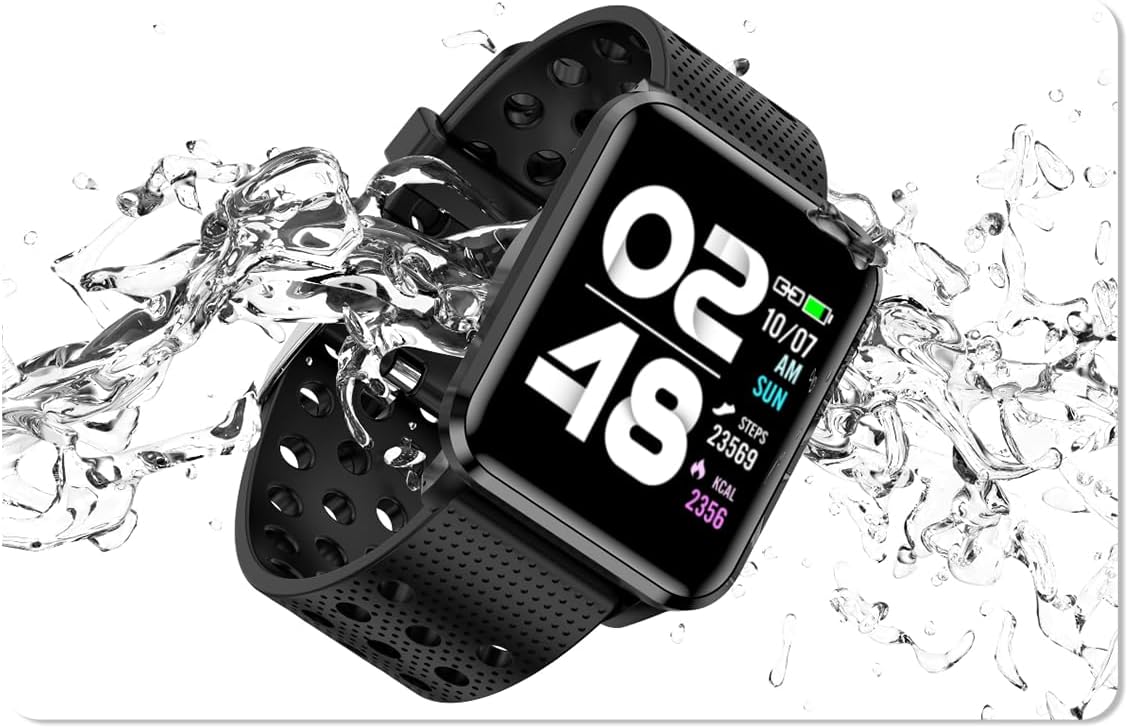
Image: The bemi Kix-m Smartwatch showing its music playback interface, with wireless earbuds positioned next to it, illustrating the device's audio capabilities.
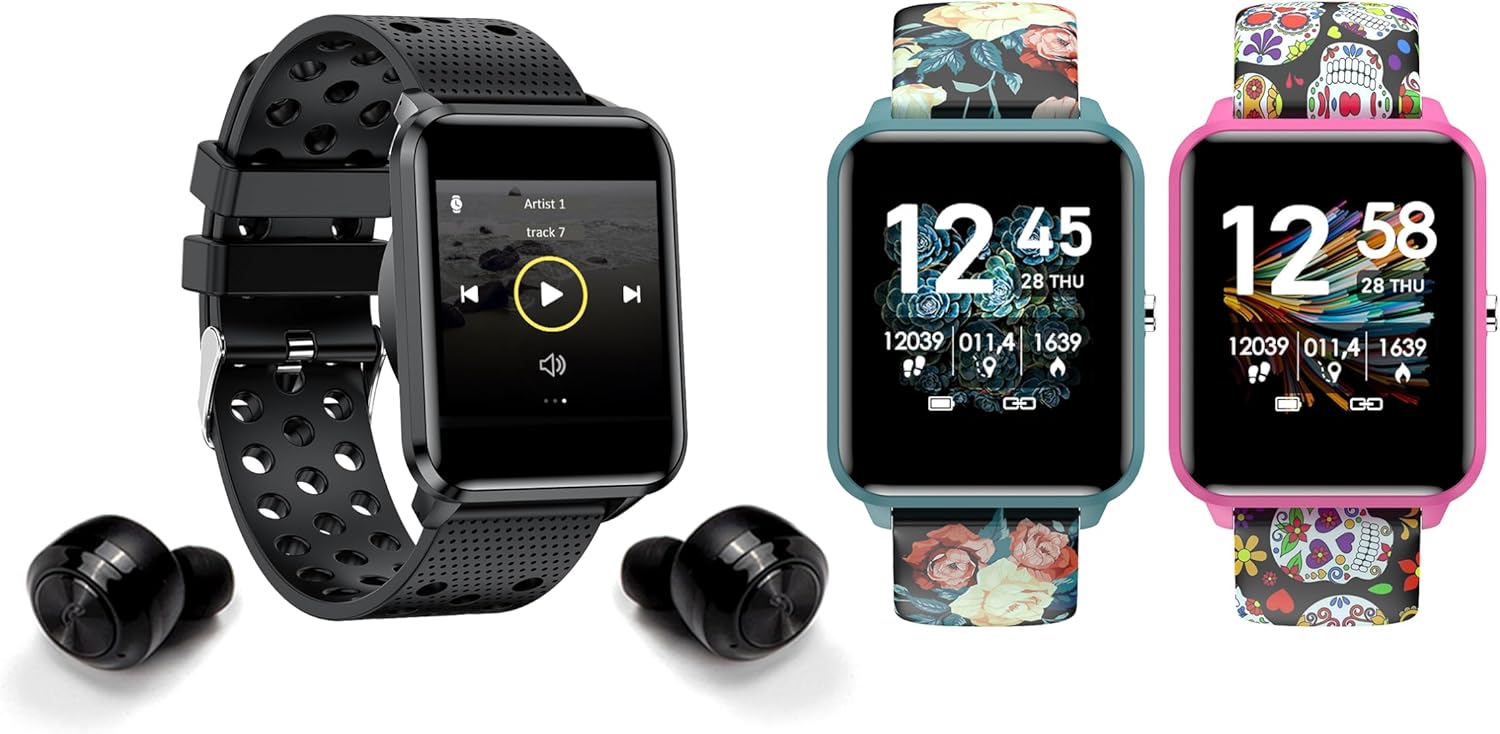
Image: The bemi Kix-m Smartwatch showing its music playback interface, with wireless earbuds positioned next to it, illustrating the device's audio capabilities.
3. Nyukcruk kagiatan
The smartwatch continuously monitors your daily activity, including steps taken, distance covered, and calories burned. This data is synchronized with the "H Band" app for detailed analysis.

Image: A screenshot of the H Band application dashboard, displaying various activity metrics such as steps, blood oxygen saturation (SpO2), heart rate, and sleep patterns, alongside a smartwatch face.
4. Modeu Olahraga
The Kix-m offers 10 different sport modes to track specific workouts. Select the appropriate mode before starting an activity to get accurate data for your performance.
- Access sport modes from the main menu.
- Choose your desired activity (e.g., running, cycling).
- The watch will display real-time metrics relevant to your chosen sport.
5. Pangimeutan Kaséhatan
The smartwatch provides continuous monitoring of several health metrics:
- Monitor Detak Jantung: Lacak denyut jantung anjeun sapopoe. View real-time data on the watch or detailed graphs in the app.
- Oksigén getih (SpO2): Ukur tingkat oksigén getih anjeun.
- Nyukcruk saré: Monitors your sleep patterns, including deep sleep, light sleep, and awake times. Data is analyzed in the "H Band" app to provide insights into sleep quality.

Gambar: Tukangeun view of the bemi Kix-m Smartwatch, highlighting the optical sensors used for heart rate and blood oxygen monitoring.

Image: The bemi Kix-m Smartwatch screen showing current blood pressure and heart rate measurements, with a background graph indicating historical data.

Gambar: A lengkep view of the H Band application's sleep tracking interface, showing sleep duration, quality, and different sleep stages.
6. Fitur pinter
- Bewara: Receive alerts for calls, messages, and app notifications directly on your wrist. Configure notification settings within the "H Band" app.
- Kontrol kaméra: Use your smartwatch as a remote shutter for your smartphone camera. Access this feature from the watch's menu.
- Nyukcruk Kaséhatan Awéwé: A dedicated mode for women's health tracking, including menstrual cycle and ovulation predictions. Set up and manage this feature in the "H Band" app.
- Panginget Gerakan: The watch can remind you to move after periods of inactivity.
- Alarm, Stopwatch, Timer: Standard utility functions available on the watch.
- Panggihan Telepon: Use this feature to locate your paired smartphone by making it ring.

Image: The bemi Kix-m Smartwatch screen showing a photo, demonstrating its remote camera control functionality with a smartphone in the background.

Image: A screenshot of the H Band application displaying the women's health tracking interface, including menstrual cycle and ovulation prediction features.
7. Kustomisasi
Choose from 24 clock faces available in the "H Band" application. You can also upload a photo from your phone to use as a custom watch face.

Image: A display of multiple bemi Kix-m Smartwatches showcasing different customizable watch faces, including a personalized photo option.
Pangropéa
1. Ngecas
Connect the provided charging cable to the charging port on the back of the smartwatch and to a USB power source. The watch will display a charging indicator. A full charge typically takes 1-2 hours.
2. Tahan cai
The bemi Kix-m Smartwatch is IP68 waterproof, meaning it is resistant to dust and can withstand immersion in water up to 1.5 meters for up to 30 minutes. It is suitable for daily use, such as washing hands or light rain. Avoid hot water, saunas, or diving, as these conditions may compromise the water resistance.

Image: The bemi Kix-m Smartwatch being splashed with water, illustrating its IP68 water resistance rating for daily activities.
3. beberesih
Lap layar jam tangan sareng talina ku kaén anu lemes,amp cloth. Avoid using harsh chemicals or abrasive materials, which can damage the device.
Pamérésan masalah
- Lalajo teu hurung: Pastikeun arloji dicas pinuh. Sambungkeun kana kabel ngecas sareng sumber listrik sahenteuna sahenteuna 30 menit.
- Teu tiasa dipasangkeun sareng telepon:
- Pastikeun Bluetooth diaktipkeun dina telepon anjeun.
- Pastikeun jam tangan aya dina jarak anu caket sareng telepon anjeun.
- Balikan deui telepon anjeun sareng jam tangan pinter.
- Check if the "H Band" app is updated to the latest version.
- Upami sateuacanna parantos dipasangkeun, cobian pegatkeun pasangan alat tina setélan Bluetooth telepon anjeun teras pasangkeun deui nganggo aplikasi.
- Data kaséhatan teu akurat:
- Pastikeun yén arloji dipaké pas dina pigeulang anjeun, tapi henteu ketat teuing.
- Ngabersihan sénsor dina tonggong arloji.
- Catet yén jam tangan pinter sanés alat médis sareng bacaan ngan ukur kanggo rujukan.
- Bewara teu muncul:
- Pastikeun yén arloji éta hasil dipasangkeun sareng telepon anjeun.
- Check notification permissions for the "H Band" app in your phone's settings.
- Ensure notifications are enabled within the "H Band" app for the desired applications.
spésifikasi
| Nomer modél | Kix-m |
| Ukuran layar | 1.5 inci |
| Kapasitas Panyimpenan Mémori | 512MB (for music) |
| Téhnologi konektipitas | Bluetooth, WiFi |
| Tahan cai | IP68 |
| Kasaluyuan System Operasi | Android 4.4+, ios 8.0+ |
| Jenis Batré | Litium Polimér |
| Item Beurat | 4.2 ons |
| Ukuran Paket | 4.8 x 2.83 x 2.24 inci |
Catetan: Spésifikasi tiasa robih tanpa aya bewara sateuacana.
Garansi sareng Rojongan
For warranty information and customer support, please refer to the official bemi websitus atanapi hubungi pangecér anjeun. Simpen resi pameseran anjeun salaku bukti pameseran pikeun klaim garansi.
Pikeun pitulung salajengna, mangga buka di bemi Store on Amazon.


