1. Bubuka
This manual provides essential instructions for setting up, operating, maintaining, and troubleshooting your Maxcom Iron R FW66 Smartwatch. Please read this manual thoroughly before using your device to ensure proper function and longevity.
The Maxcom Iron R FW66 smartwatch combines elegance and distinctive style with modern technology. Designed for discerning users, its timeless design and two included high-quality straps make it suitable for both business and intense workouts.
2. Eusi Paket
Pastikeun yén sadaya item aya dina pakét anjeun:
- Maxcom Iron R FW66 Smartwatch
- Two (2) interchangeable straps (e.g., metal and silicone)
- Kabel Ngecas USB
- Strap Link Remover Tool (for metal strap adjustment)
- Manual pamaké
3. Setup Awal
3.1. Ngecas Smartwatch
Before first use, fully charge your smartwatch. Connect the USB charging cable to the charging contacts on the back of the watch and to a standard USB power adapter (not included).

Gambar: Tukangeun view of the smartwatch, highlighting the charging contacts and health sensors.
- Pastikeun yén kontak ngecas beresih jeung garing.
- Ngeusi batre pinuh biasana butuh 2-3 jam.
- Ikon batré dina layar bakal nunjukkeun status ngecas.
3.2. Attaching/Changing Straps
Your Maxcom Iron R FW66 comes with two interchangeable straps. To attach or change a strap:
- Panggihan pin pelepas cepat di bagian belakang setiap tali.
- Geser pin ka jero pikeun ngaleupaskeun tali anu ayeuna.
- Align the new strap with the watch lugs and slide the pin inwards to insert one side.
- Release the pin to secure the strap. Gently pull on the strap to ensure it is properly locked.
For the metal strap, use the included link remover tool to adjust the length if necessary. Refer to the separate instructions provided with the tool for detailed steps.
3.3. Masangkeun jeung smartphone Anjeun
To unlock the full functionality of your smartwatch, pair it with your smartphone via Bluetooth:
- Download the official Maxcom companion app from your smartphone's app store (iOS App Store or Google Play Store).
- Pastikeun Bluetooth diaktipkeun dina smartphone Anjeun.
- Open the Maxcom app and follow the on-screen instructions to create an account or log in.
- In the app, select "Add Device" or a similar option.
- The app will search for available devices. Select "Maxcom Iron R FW66" from the list.
- Konfirmasi pamundut papasangan dina smartphone Anjeun sareng smartwatch.
Sakali dipasangkeun, jam tangan bakal nyingkronkeun data sareng setélan sareng telepon anjeun.
4. Ngoperasikeun Smartwatch Anjeun
4.1. Napigasi Dasar
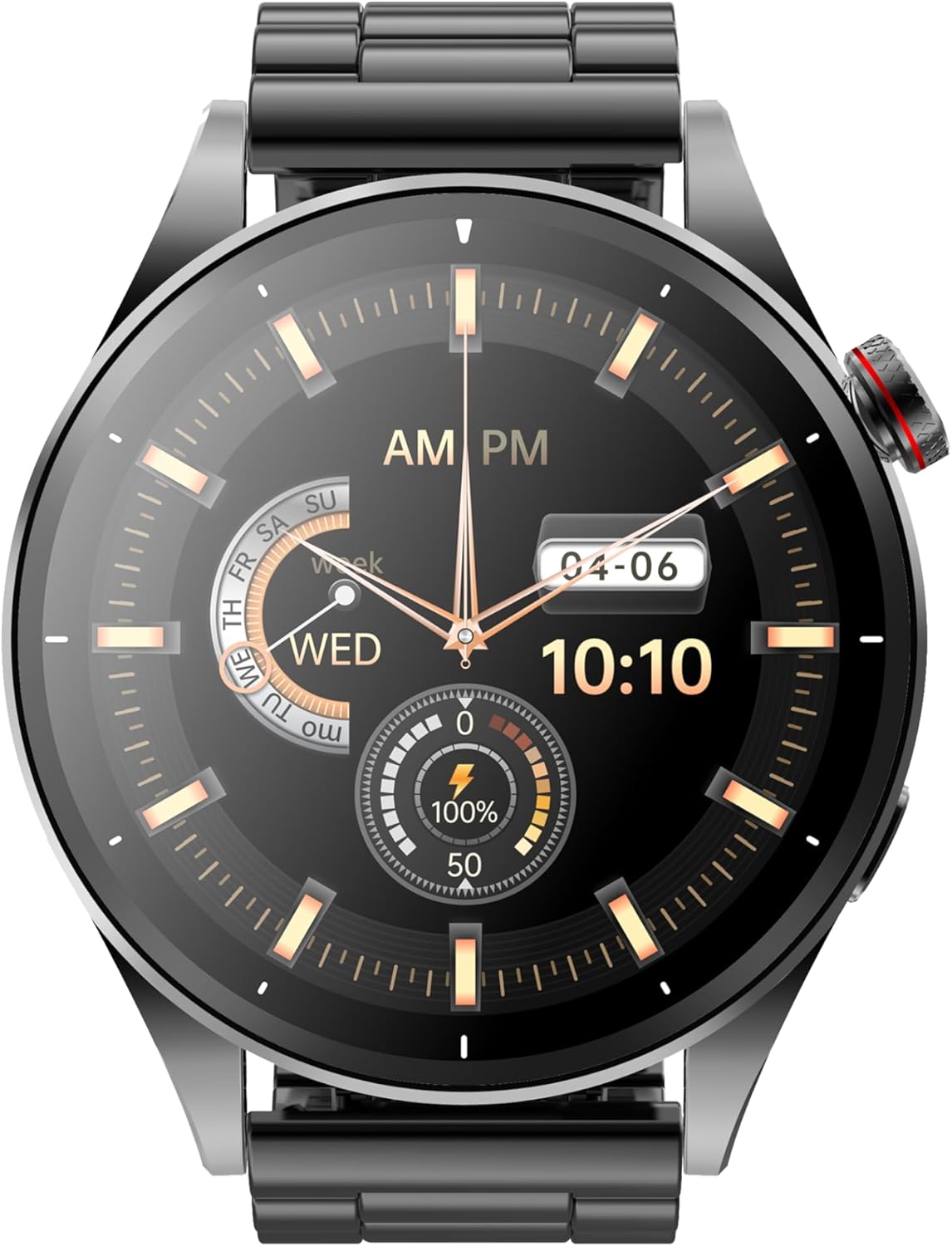
Gambar: Hareupeun view of the smartwatch displaying an analog watch face.
- Layar cabak: Swipe left, right, up, or down to navigate through menus and notifications. Tap to select.
- Tombol Puteran: Use the rotating button on the side to scroll through menus, change watch faces, or adjust settings. Press the button to return to the home screen or confirm a selection.
- Tombol samping: A secondary button (if present) may be customizable for quick access to a specific function or to turn the screen on/off.
4.2. Watch Faces and Menu Layout
The Maxcom Iron R FW66 offers a variety of watch faces, including both analog and digital displays. You can change the watch face by:
- Long-pressing the home screen and swiping to select a new face.
- Using the rotating button to cycle through available watch faces.
- Downloading additional watch faces via the companion app.
The menu layout can also be customized. Use the rotating button to change the menu display style (e.g., list view, grid view).
4.3. Pangimeutan Kaséhatan
Your smartwatch is equipped with sensors to monitor various health metrics:
- Laju Jantung: Aksés monitor denyut jantung tina ménu utama. Pastikeun jam tangan pas dina pigeulang anjeun pikeun hasil anu akurat.
- Oksigén getih (SpO2): Follow the on-screen instructions to measure your blood oxygen level. Remain still during measurement.
- Tekanan Darah: The watch can provide an estimate of blood pressure. For medical accuracy, consult a professional medical device.
- Nyukcruk kagiatan: Jam tangan ieu sacara otomatis ngalacak léngkah, jarak, sareng kalori anu kaduruk.
- Pangimeutan Saré: Wear the watch during sleep to track sleep patterns. For best results, ensure the watch is worn correctly.
Catetan: The health data provided by this device is for reference only and should not be used for medical diagnosis or treatment. Consult a healthcare professional for any health concerns.
4.4. Voice Calls and Notifications
Once paired with your smartphone, the Maxcom Iron R FW66 allows you to manage calls and receive notifications:
- Nelepon/Narima Telepon: Use the built-in microphone and speaker to make or answer calls directly from your wrist. Ensure the watch is within Bluetooth range of your phone.
- Bewara: Receive alerts for incoming calls, messages, emails, and app notifications. Customize which notifications appear on your watch through the companion app.
5. Pangropéa sarta perawatan
- beberesih: Ngusap layar arloji jeung awak ku hipu, damp, lawon anu teu ngaganggu. Ulah nganggo bahan kimia anu kasar atanapi bahan anu abrasif.
- Perawatan Tali: Clean straps regularly. Silicone straps can be washed with mild soap and water. Metal straps can be wiped with a damp cloth. Ensure straps are completely dry before reattaching.
- Tahan cai: Refer to the product specifications for the watch's water resistance rating. Avoid exposing the watch to hot water, steam, or high-pressure water jets.
- Panyimpenan: Lamun teu dipaké pikeun période nambahan, nyimpen arloji dina tiis, tempat garing.
- Hindarkeun Suhu Ekstrim: Ulah ngalaan jam tangan kana suhu anu luhur pisan atanapi handap pisan, sabab ieu tiasa mangaruhan umur batré sareng kinerja.
6. Cara ngungkulan
| Masalah | Solusi |
|---|---|
| Arloji teu hurung. | Pastikeun arloji dicas pinuh. Pencét jeung tahan tombol daya sababaraha detik. |
| Teu tiasa dipasangkeun sareng smartphone. |
|
| Pamacaan kaséhatan anu teu akurat. |
|
| hirup batré pondok. |
|
| Bewara teu némbongan. |
|
7. Spésifikasi
| merek | Maxcom |
| Ngaran modél | FW66 Iron R |
| Nomer Modél Item | FW66 |
| Warna | Hideung |
| Ukuran layar | 1.43 inci |
| Wangun | Buleud |
| Téhnologi konektipitas | Bluetooth |
| Standar Komunikasi Nirkabel | Bluetooth |
| Fitur husus | Email, Alarm Clock, Activity Tracker |
| Alat nu cocog | Smartphone |
| Komposisi batré | Litium-ion |
| Batré Rechargeable | Sumuhun |
| Kapasitas batré | 300 Miliampsajam (mAh) |
| GPS | GPS terpadu |
| Produsén | Maxcom |
| Tanggal Kahiji Sadia | 15 Juni 2024 |
| Kasadiaan suku cadang | Inpormasi teu sayogi |
| Software Apdet Dijamin Dugi | Inpormasi teu sayogi |
8. Garansi jeung Rojongan
For warranty information and customer support, please refer to the warranty card included in your product packaging or visit the official Maxcom websitus. Simpen bukti pameseran anjeun pikeun klaim garansi.
For technical assistance or further inquiries, please contact Maxcom customer service through their official channels.


