Bubuka
The ROCAM Loud Vibrating Alarm Clock with Bed Shaker is designed to provide a reliable and effective wake-up solution for all users, especially heavy sleepers, the hearing impaired, and deaf individuals. This alarm clock offers multiple wake-up modes, including a loud alarm, a powerful bed shaker, and a combination of both. With dual alarm settings, adjustable volume and display brightness, and a convenient USB charging port, it integrates seamlessly into your daily routine to ensure you wake up on time.
Disetél
1. Sambungan Daya
Connect the alarm clock to an AC power outlet using the provided power adapter. The clock is designed for outlet power only and is not battery-operated for primary function.

Image: The alarm clock requires AC power for operation. It also features a USB port for charging external devices.
2. Nyadangkeun Batré (Opsional)
Pikeun cadangan salila kakuatan outages, insert 2 AAA batteries (not included) into the battery compartment located on the back of the unit. These batteries will preserve time and alarm settings but will not power the display or alarm functions.

Image: The battery backup feature ensures your settings are saved during power interruptions.
3. Bed Shaker Connection and Placement
Plug the bed shaker cable into the designated port on the back of the alarm clock. For optimal vibration, place the bed shaker under your pillow or under the fitted sheet of your mattress.

Image: Proper placement of the bed shaker maximizes its effectiveness for waking heavy sleepers.
Parentah Operasi
1. Nyetel Waktos sareng Tanggal
- Pencét éta WAKTU tombol pikeun asup kana mode setelan waktos.
- Ngagunakeun éta + or - tombol pikeun nyaluyukeun jam, teras pencét WAKTU deui pikeun mastikeun sareng ngalih ka menit.
- Balikan deui salami sababaraha menit, teras pencét WAKTU to set the year, month, and day.
- Pencét WAKTU sakali deui pikeun kaluar ti modeu setelan.
2. Setting Dual Alarms
The clock supports two independent alarms (AL1 and AL2) with flexible scheduling.

Image: Set two separate alarms with options for everyday, weekday, or weekend wake-up.
- Pencét éta AL1 or AL2 button to select the alarm you wish to set.
- Ngagunakeun éta + or - buttons to adjust the alarm time.
- Pencét tombol alarm anu saluyu (AL1 or AL2) repeatedly to cycle through alarm modes: 7-day (Mon-Sun), 5-day (Mon-Fri), or 2-day (Sat-Sun).
- Pikeun ngaktipkeun atawa nganonaktipkeun alarm, pencét tombol AL1 or AL2 button until the alarm icon appears or disappears on the display.
3. Wake-Up Modes
Choose from three distinct wake-up modes:
- Ringing Alarm Only: Standard audible alarm.
- Pangocok Ranjang Hungkul: Silent vibration for discreet waking.
- Modeu Kombo: Both audible alarm and bed shaker activate simultaneously.

Image: Select your preferred wake-up method from three available modes.
4. Adjusting Volume and Vibration
The alarm clock features 5 adjustable volume levels (up to 116dB) and 3 vibration levels for the bed shaker.

Image: Customize the alarm's loudness and bed shaker intensity to suit your needs.
- Pencét éta VOL button to cycle through the 5 volume levels.
- Pencét éta VIB button to cycle through the 3 vibration levels.
5. Fungsi Snooze
Lamun alarm disada, pencét badag SNOOZE/OK/- button on top of the clock to activate a 9-minute snooze. The alarm will sound again after 9 minutes.
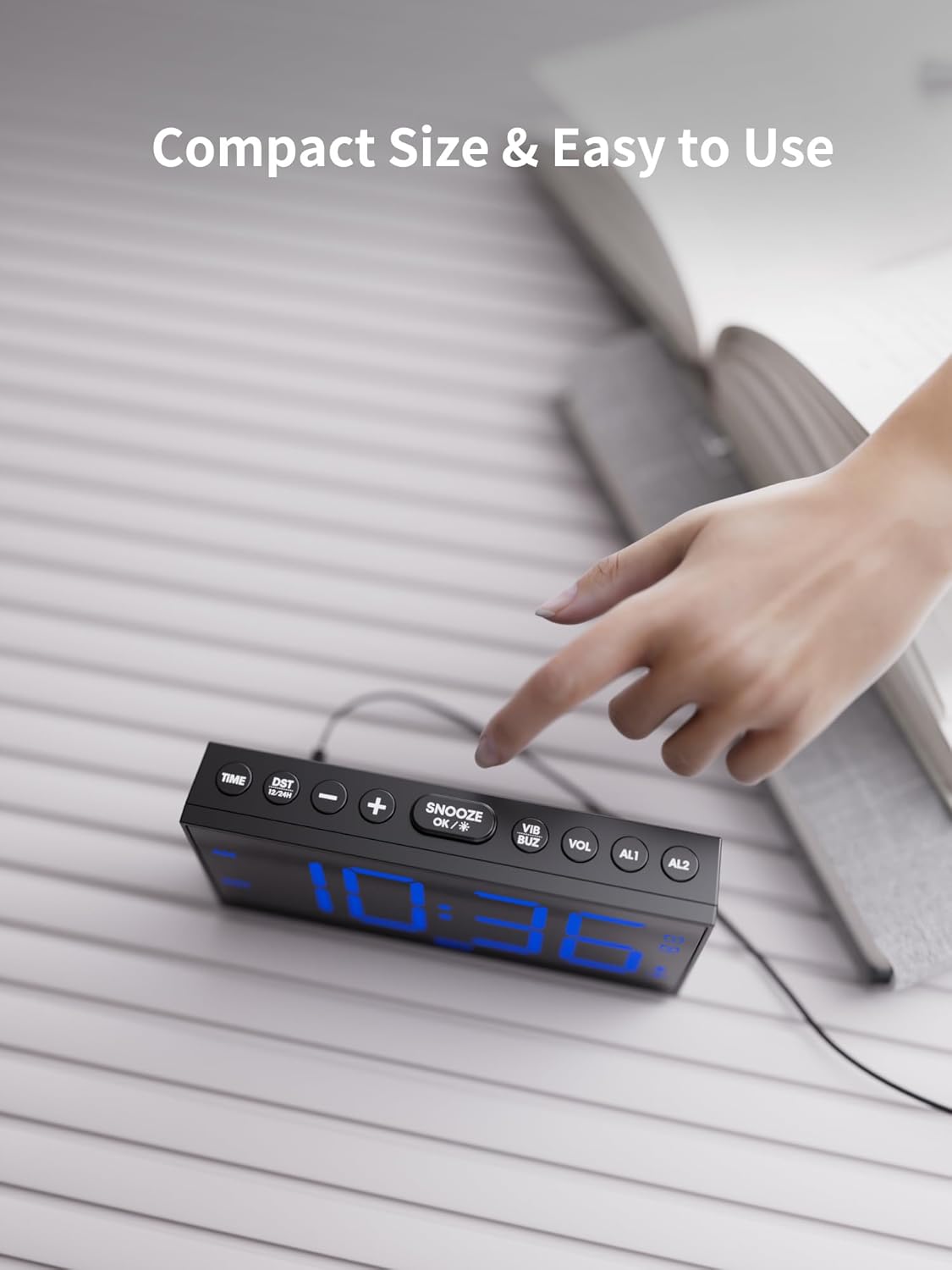
Image: The easily accessible snooze button provides an extra 9 minutes of rest.
6. Tampilan Caang
The 7.5-inch LED display features 5 levels of adjustable brightness.

Image: Adjust the display brightness to your comfort level for day or night viewing.
- Pencét éta DIM button to cycle through the 5 brightness levels.
7. Time Format and DST
Switch between 12-hour and 24-hour time formats, and enable/disable Daylight Saving Time (DST).
- Pencét éta 12/24H DST tombol pikeun ngalih antara format 12 jam sareng 24 jam.
- Pencét jeung tahan tombol 12/24H DST button to activate or deactivate DST.
8. Palabuhan Ngecas USB
The alarm clock includes two USB ports for charging your phone or tablet.

Image: Conveniently charge your mobile devices directly from the alarm clock.
Pangropéa
- Bersihkeun jam alarm sareng pangocok ranjang nganggo lawon anu lemes sareng garing. Entong nganggo pembersih cair atanapi bahan anu kasar.
- Keep the device away from water, high temperatures, and direct sunlight.
- Pastikeun ventilasi anu leres di sabudeureun unit.
Pamérésan masalah
| Masalah | Mungkin Cukang lantaranana | Solusi |
|---|---|---|
| Alarm teu disada/geter. | Alarm not activated, incorrect mode, or volume/vibration too low. | Ensure alarm is ON (icon displayed). Check wake-up mode settings. Increase volume/vibration level. |
| Paparanana kosong. | No power, or brightness set to lowest level. | Check AC power connection. Press DIM tombol pikeun ngaronjatkeun kacaangan. |
| Waktos/setélan diset ulang saatos listrik dipareumantage. | Batré cadangan teu dipasang atanapi béak. | Pasang atanapi gentos 2 batré cadangan AAA. |
| Ngecas USB teu jalan. | Device not properly connected, or cable issue. | Ensure USB cable is securely connected to both the clock and your device. Try a different USB cable. |
spésifikasi
- merek: ROCAM
- model: CR1001EM-PRO
- Jenis tampilan: LED digital
- Ukuran produk: 6.81" W x 3.43" H
- Sumber Daya: Kabel Listrik
- Batré cadangan: 2 x AAA (teu kaasup)
- Bahan: palastik
- Beurat barang: 14.4 ons
- Fitur husus: Adjustable Brightness, Adjustable Volume, USB Charging Port, Large Display, Loud Alarm, Bed Shaker
Garansi sareng Rojongan
ROCAM is committed to providing high-performance, reliable products and excellent customer service. We offer comprehensive support for your alarm clock:

Image: ROCAM's commitment to customer satisfaction and product support.
- 24 Hours Quick Response: For any inquiries or issues, expect a prompt response via email.
- 30-Day No-Reason Return Policy: Enjoy peace of mind with our flexible return policy.
- 18-Month Replacement or Partial Refund: We stand by the quality of our products.
- Rojongan Hirupna: Receive ongoing support and satisfactory solutions for the lifespan of your product.
For assistance, please contact ROCAM customer support through the contact information provided with your product packaging or visit the official ROCAM store online.


