Bubuka
This manual provides detailed instructions for the installation, operation, and maintenance of your Maxspect Jump Gyre DC 4000 gph Aquarium Wave Maker Pump, model MJ-GF316. This device is designed to create powerful, uniform water flow within your aquarium, eliminating dead spots and promoting a healthy aquatic environment. Please read this manual thoroughly before use to ensure proper function and longevity of the product.
Parentah Kasalametan penting
- Always disconnect the power supply before performing any maintenance or handling the pump.
- Ensure your hands are dry when plugging or unplugging the power adapter.
- Entong jalankeun pompa upami kabel listrik atanapi colokan rusak.
- This product is designed for indoor use in aquariums only. Do not use it for any other purpose.
- Keep the controller and power supply away from water.
- Ensure the pump is fully submerged in water during operation. Running dry can cause damage.
- Barudak kedah diawaskeun pikeun mastikeun yén aranjeunna henteu maén sareng alatna.
Eusi pakét
Pastikeun yén sadaya komponén aya dina bungkusan:
- Maxspect Jump Gyre Flow Pump (MJ-GF316)
- Controller with LED Display
- Adaptor Kakuatan
- Sistim Pamasangan Magnét
- Flow Guards / Eductors (2 pieces)
- Pasang Screws jeung Asesoris
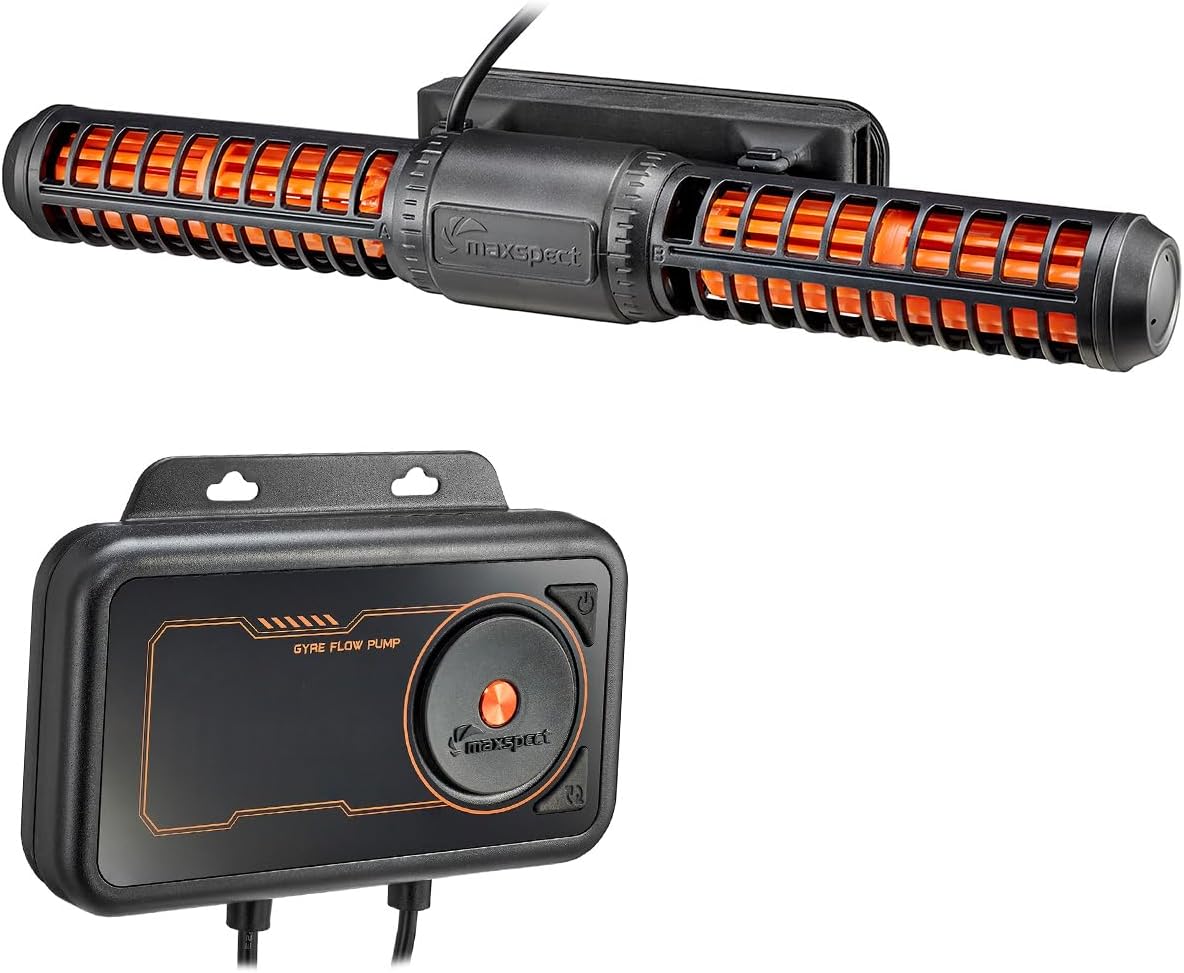
Image: Maxspect Jump Gyre Flow Pump MJ-GF316 and its dedicated controller.

Image: Various accessories included with the pump, such as flow guards, screws, and mounting strips.
Disetél
1. Mounting the Pump
The Maxspect Jump Gyre pump utilizes a magnetic mounting system for secure placement. It can be mounted vertically or horizontally on the aquarium glass.
- Identify the inner and outer magnetic mounts. The pump attaches to the inner mount.
- Place the pump (with the inner magnetic mount attached) inside the aquarium at your desired location.
- Align the outer magnetic mount on the exterior of the aquarium glass, directly opposite the inner mount. The magnets will secure the pump in place.
- Ensure the pump is positioned to create optimal water flow without disturbing substrate or corals excessively.
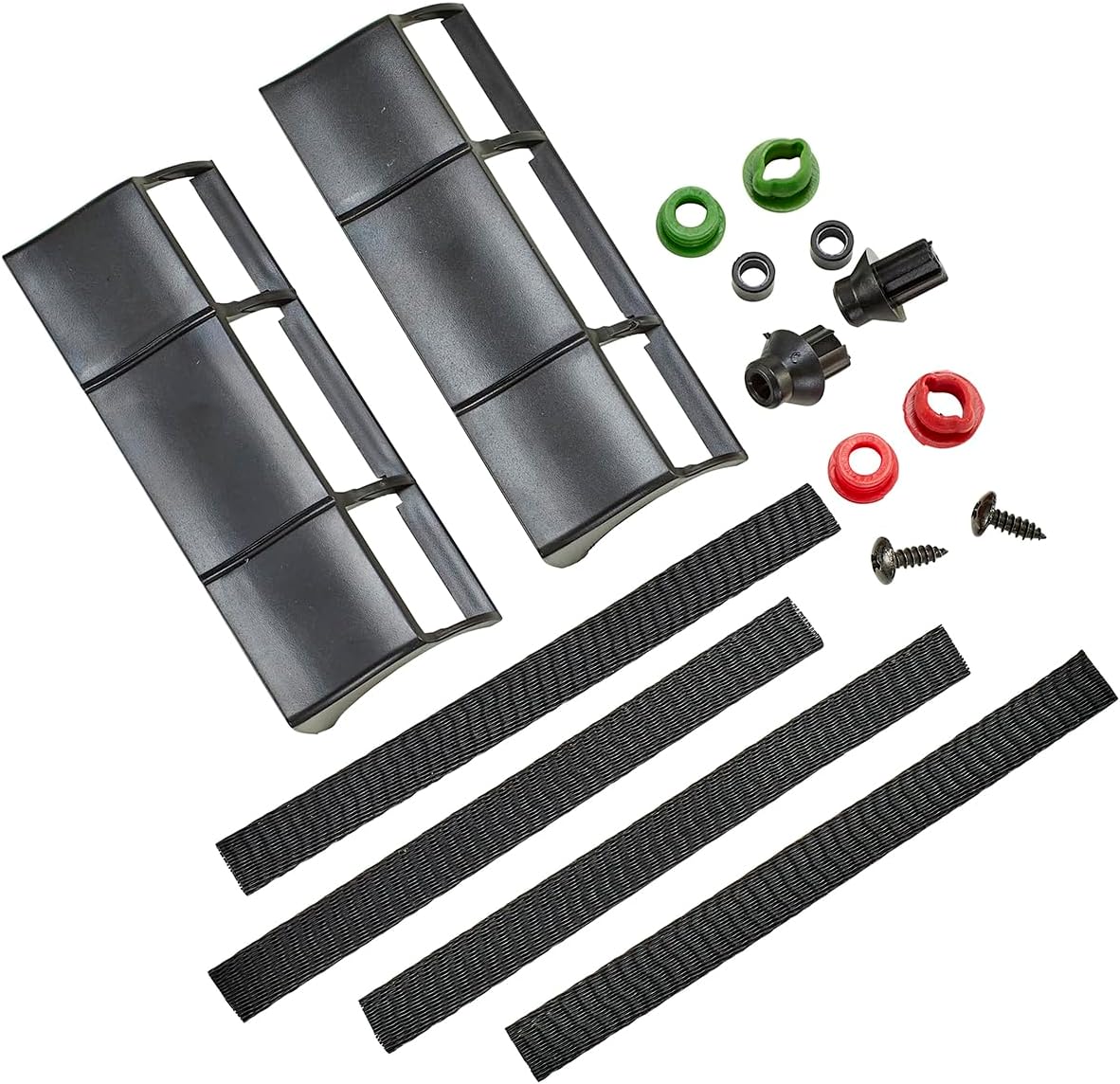
Image: The Maxspect Jump Gyre Flow Pump mounted horizontally on the inside of an aquarium glass.
2. Connecting the Controller and Power Supply
Connect the pump to the controller and then the controller to the power supply.
- Connect the pump's cable to the designated port on the controller. Ensure a secure connection.
- Connect the power supply adapter to the controller's power input port.
- Colokkeun catu daya kana stop kontak listrik anu cocog.
- The controller's LED display should illuminate, indicating power.

Image: The Maxspect Jump Gyre Flow Pump controller, showing its LED display and connection points for the pump and power supply.

Image: The power adapter used to supply electricity to the Maxspect Jump Gyre Flow Pump system.
Parentah Operasi
Controller Langkungview
The controller features an LED display and several buttons for adjusting pump settings.
- Tombol Daya: Turns the pump on/off.
- Tombol Mode: Cycles through the available operating modes.
- Adjust Dial/Buttons: Used to increase or decrease flow intensity or adjust specific mode parameters.
Modeu Operasi
The Maxspect Jump Gyre offers 5 distinct flow patterns to simulate natural aquatic environments:
- Mode acak: Generates unpredictable flow patterns, mimicking natural ocean currents.
- Rapid Pulse Mode: Creates short, intense bursts of flow, ideal for dislodging detritus.
- Slow Pulse Mode: Produces gentle, rhythmic pulses for broad water movement.
- Gradual Pulse Mode: Features a smooth transition between high and low flow, simulating tidal changes.
- Modeu konstan: Maintains a steady, continuous flow at a set intensity.
To select a mode, press the Mode button until the desired mode is displayed. Use the adjust dial/buttons to set the flow intensity for the chosen mode.
Pangropéa
Regular cleaning is essential to maintain optimal performance and extend the lifespan of your pump.
Ngabersihan Pompa
- Pegatkeun Daya: Always unplug the power supply from the wall outlet before handling the pump.
- Remove from Aquarium: Carefully detach the pump from the magnetic mount and remove it from the aquarium.
- ngabongkar: Gently twist and pull apart the pump components, including the impellers and protective cages. Refer to the diagram for proper disassembly.
- Komponén bersih: Rinse all parts under fresh water to remove loose debris. For stubborn algae or calcium deposits, soak the components in a diluted vinegar solution or a commercially available aquarium pump cleaner for several hours. Use a soft brush to scrub away any remaining residue.
- Bilas sacara saksama: After cleaning, rinse all components thoroughly with fresh water to remove any cleaning solution residue.
- Pasang deui: Carefully reassemble the pump, ensuring all parts are correctly aligned and securely fitted.
- Pasang deui: Place the cleaned pump back into the aquarium and reconnect the power.

Image: The Maxspect Jump Gyre Flow Pump, showing its main body and impeller sections, ready for disassembly and cleaning.
Pamérésan masalah
If you encounter issues with your Maxspect Jump Gyre pump, refer to the table below for common problems and solutions.
| Masalah | Mungkin Cukang lantaranana | Solusi |
|---|---|---|
| Pompa teu hurung | No power to controller; loose connection; faulty power supply. | Check power outlet; ensure all cables are securely connected; test power supply if possible. |
| Aliran cai lemah atanapi teu aya aliran cai | Impeller obstructed; pump dirty; incorrect mode/setting. | Disconnect power and clean pump thoroughly; check controller settings. |
| Noise atanapi geter anu teu biasa | Debris in impeller; worn impeller; improper mounting. | Disconnect power and clean impeller; ensure pump is securely mounted and not touching tank walls. |
| Layar kontroler teu jalan | No power; controller malfunction. | Check power connection to controller; contact support if issue persists. |
spésifikasi
| Fitur | Rincian |
|---|---|
| Modél | MJ-GF316 |
| Laju Ngalir | Up to 4227 gph (4000 gph nominal) |
| Konsumsi Daya | 45W |
| Ukuran (Pompa) | 12.25" L x 3.5" W x 1.75" H |
| Voltage | 12 Volt (DC) |
| Bahan | palastik |
| Item Beurat | 3.96 pon |
| Komponén Kaasup | Controller, Power Supply, Pump |
Garansi sareng Rojongan
For warranty information, please refer to the documentation provided with your purchase or visit the official Maxspect website. If you require technical support or have questions not covered in this manual, please contact Maxspect customer service through their official channels.


