1. Bubuka
Thank you for choosing the Diyeeni 10.1-inch Android 11 Car Stereo. This advanced multimedia player is designed to enhance your driving experience with its powerful Android 11 operating system, 8-core processor, and a wide array of features including navigation, multimedia playback, and smartphone integration. This manual provides essential information for the proper installation, operation, and maintenance of your new car stereo.

Figure 1: Diyeeni 10.1-inch Android 11 Car Stereo Front View
2. Eusi Paket
Please check the package contents carefully upon unpacking. If any items are missing or damaged, contact your retailer.
- 1 x Diyeeni 10.1-inch Car Stereo
- 4 x Pamasangan screws
- (Additional accessories such as wiring harnesses, GPS antenna, USB cables, and user manual may be included depending on the specific package.)
3. Émbaran Kasalametan
- Pamasangan profésional disarankeun: Kusabab sistem listrik mobil anu rumit, pamasangan profésional disarankeun pisan pikeun nyegah karusakan kana unit atanapi kendaraan anjeun.
- Sasayogian tanaga: Pastikeun unit disambungkeun ka catu daya 12V DC kalayan ground négatif.
- Wiring: Do not short-circuit any wires. Insulate all connections properly.
- Kasalametan nyetir: Ulah ngajalankeun unit dina cara nu distracts anjeun ti nyetir. Salawasna prioritas kaamanan jalan.
- Suhu: Hindarkeun ngalaan unit ka suhu anu ekstrim atanapi sinar panonpoé langsung kanggo waktos anu berkepanjangan.
- Uap: Jauhkeun unit tina cai sareng kalembaban anu kaleuleuwihan.
4. Spésifikasi
| Jinis barang | Mobil Stereo |
| Bahan | Metal, ABS, LCD |
| Chip | 9863 8-core Processor |
| Sistem operasi | Android 11 |
| Mémori | 4GB RAM, ROM 64GB |
| Vérsi Bluetooth | BT5.0 |
| Resolusi tampilan | 1280x720 |
| Ukuran layar | 10.1 Inch Capacitive Screen |
| Radio | FM, RDS |
| Ngabalikeun View Ngarojong | AHD, 720P |
| DSP | 48-band Sound Processing |
| Konektipitas | 4G Full Internet Connectivity, 5G WiFi, USB |
| Fitur husus | Touchscreen, Backup Camera Input, HiFi Sound, Navigation, CarPlay, Android Auto, Steering Wheel Control |
| Item Beurat | 3.08 pon |
| Ukuran Paket | 13.39 x 7.87 x 3.15 inci |
| Ngaran modél | Diyeeninbzudo6y73 |
5. Setélan
5.1. Pamasangan
The Diyeeni car stereo is designed for double DIN installation. Due to the variety of vehicle models and wiring configurations, it is highly recommended to have the unit installed by a qualified professional. Incorrect installation can lead to damage to the unit or vehicle electrical system.
- Persiapan: Pegatkeun sambungan terminal batré négatip kandaraan urang sateuacan ngamimitian sagala pagawean listrik.
- Hapus Unit anu Aya: Carefully remove your vehicle's existing car stereo and trim panels.
- Sambungkeun Wiring: Connect the provided wiring harness to your vehicle's wiring. Ensure all connections (power, ground, speakers, antenna, reverse camera, GPS antenna, 4G antenna, USB) are secure and correctly matched. Refer to your vehicle's wiring diagram if necessary.
- Pamasangan: Secure the car stereo into the double DIN slot using the provided mounting screws and brackets.
- Tes: Before reassembling the dashboard, reconnect the battery and perform a basic function test.
- Pasang deui: Once all functions are verified, reassemble the dashboard trim panels.

Figure 2: Rear Connectors of the Car Stereo
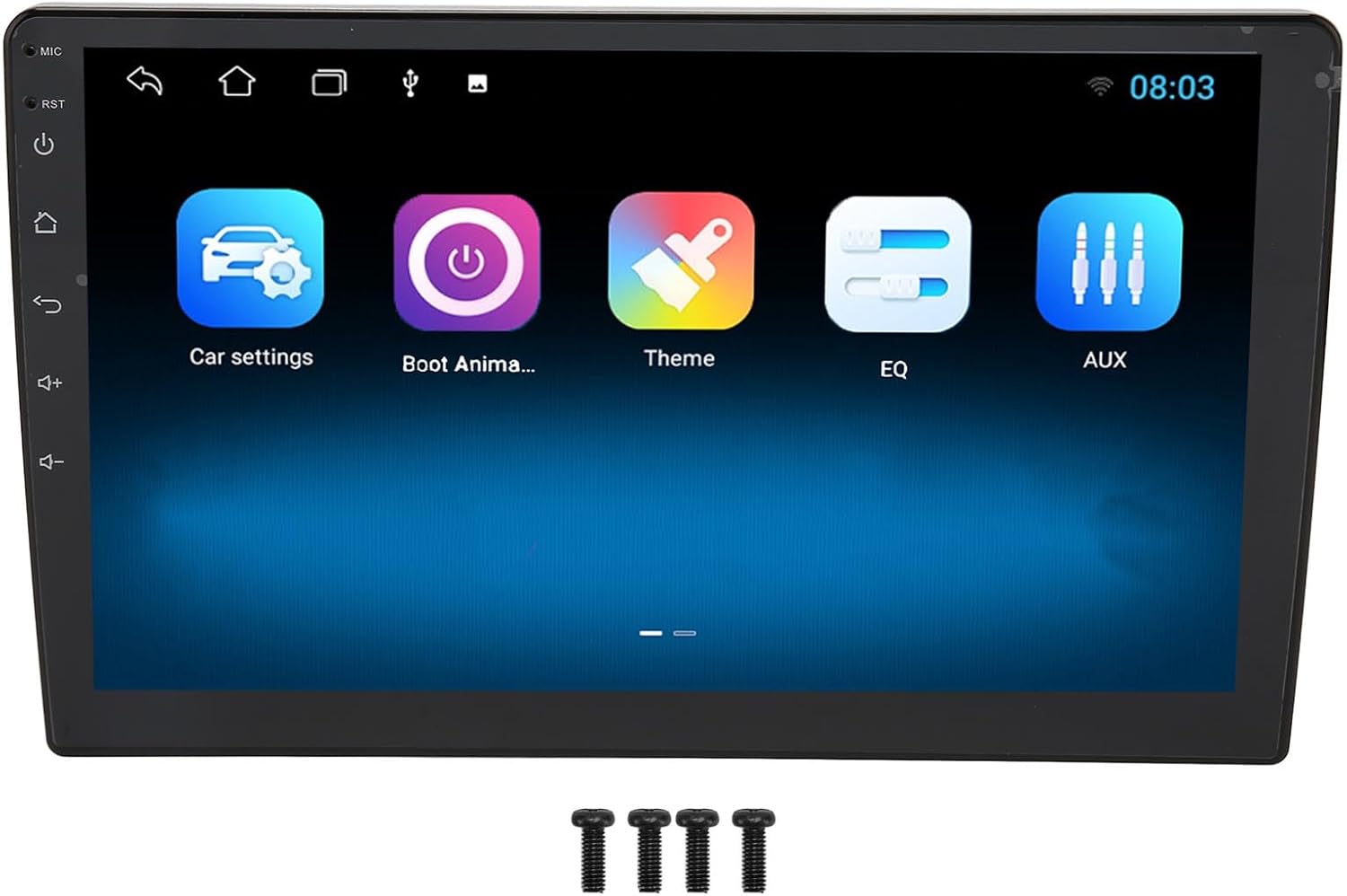
Figure 3: Car Stereo with Mounting Screws
5.2. Daya Awal Hurung
After successful installation, turn on your vehicle's ignition. The car stereo should power on automatically. Follow any on-screen prompts for initial setup, such as language selection and time zone.
6. Parentah Operasi
6.1. Home Screen Overview
The home screen provides access to all main functions and applications. Swipe left or right to navigate through different screens. Tap on an icon to launch the corresponding application.
6.2. Napigasi
The unit features a built-in 5G module for online and offline maps. Ensure the GPS antenna is properly connected for optimal performance.
- Accessing Navigation: Ketok ikon "Navigasi" atanapi "Peta" dina layar utama.
- Peta Online: Connect to Wi-Fi or insert a 4G SIM card (if supported by your model) to use online mapping services.
- Peta Offline: Download map data for your region for navigation without an internet connection.
- Perencanaan Rute: Enter your destination and follow the on-screen and voice-guided directions.

Gambar 4: Antarmuka Navigasi GPS
6.3. CarPlay & Android Auto
Connect your smartphone to access CarPlay (for iOS devices) or Android Auto (for Android devices) for a seamless integration of phone features.
- Sambungan: Connect your phone via a USB cable to the unit's USB port or wirelessly via Bluetooth/Wi-Fi (if supported by your phone and unit).
- Fungsionalitas: Once connected, you can use voice commands (Siri/Google Assistant), make calls, send messages, play music, and use navigation apps directly from the car stereo screen.
6.4. Konektipitas Bluetooth
Pair your mobile phone with the car stereo via Bluetooth for hands-free calling and audio streaming.
- papasangan:
- Go to the "Bluetooth" application on the car stereo.
- Enable Bluetooth on your mobile phone and make it discoverable.
- Milarian pikeun available devices on the car stereo and select your phone.
- Pastikeun kode papasangan dina kadua alat eta.
- Telepon Hand-Free: Use the built-in microphone to make and receive calls.
- Streaming Audio: Play music from your phone through the car stereo speakers.
6.5. Radio (FM/RDS)
Access the "Radio" application to listen to FM stations. The RDS (Radio Data System) feature provides additional information where available.
- Nyeken: Use the scan function to automatically search for available stations.
- Nyimpen prasetél: Long-press a frequency to save it as a preset.
6.6. Tautan Eunteung
Mirror Link allows you to display your smartphone's screen content directly onto the car stereo display.
- Sambungan: Connect your smartphone to the car stereo via a USB charging cable.
- Fungsionalitas: View your phone's main menu, photos, videos, and online maps. You can also control the connected Android smartphone from the car stereo unit.
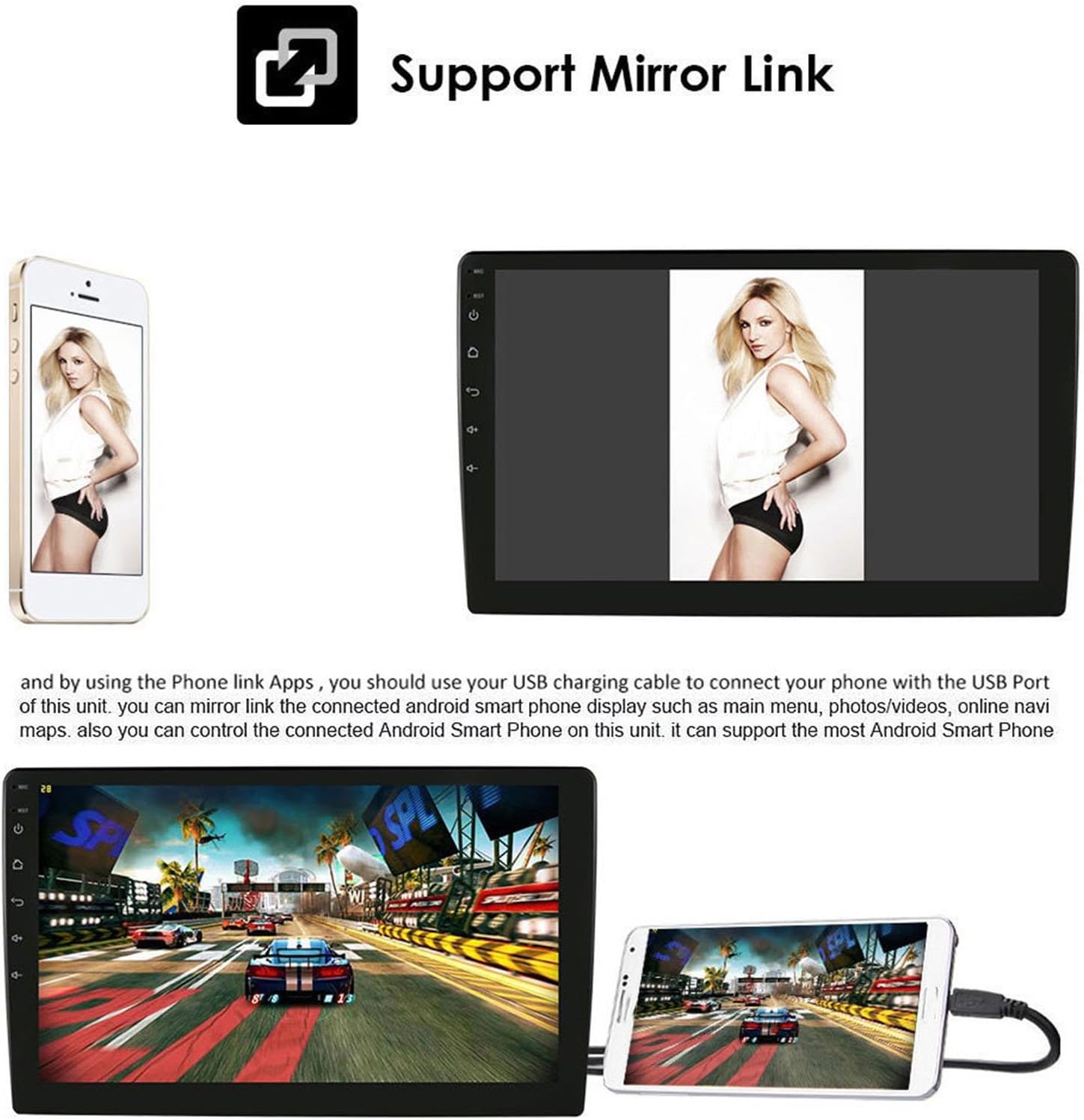
Gambar 5: Fungsi Mirror Link
6.7. Audio Settings (DSP)
The unit features DSP (Digital Signal Processor) with 48-band sound processing for high-fidelity audio. Access the "EQ" or "Sound Settings" application to customize your audio experience.
- Ékualiser: Adjust frequency bands to fine-tune the sound output.
- Kasaimbangan / Fader: Adjust audio distribution between speakers.
- Kontrol Subwoofer: If connected, adjust subwoofer output.
6.8. Kontrol Setir
If your vehicle supports steering wheel controls, you can configure them to operate the car stereo functions.
- Konfigurasi: Go to "Car Settings" or "Steering Wheel Control" in the system settings.
- Mapping Buttons: Follow the on-screen instructions to map your steering wheel buttons to specific functions (e.g., volume up/down, track skip, mode).
6.9. Kaméra ngabalikeun
When an AHD 720P reverse camera is connected and the vehicle is shifted into reverse gear, the car stereo will automatically display the rear view, aiding in safer parking.
6.10. Internet Connectivity (4G/Wi-Fi)
The unit supports 4G full internet connectivity and has a built-in 5G Wi-Fi module.
- Wifi: Connect to available Wi-Fi networks by going to "Settings" > "Network & Internet" > "Wi-Fi".
- Konektipitas 4G: If your model supports a SIM card, insert a compatible 4G SIM card to enable mobile data.
- Undeuran aplikasi: Once connected to the internet, you can download, install, and manage various applications from the app store.
7. Pangropéa
- Ngabersihan layar: Anggo lawon anu lemes sareng henteu ngaganggu pikeun ngusap layar sacara lembut. Pikeun noda anu bandel, radaampen lawon kalayan cai atanapi solusi beberesih layar. Hindarkeun bahan kimia anu kasar.
- Perawatan Umum: Jaga unit ieu bébas tina lebu sareng kokotor. Ulah neundeun barang beurat dina unit ieu.
- Apdet parangkat lunak: Pariksa périodik apdet software ngaliwatan setelan sistem pikeun mastikeun kinerja optimal sarta aksés ka fitur anyar.
8. Cara ngungkulan
| Masalah | Mungkin Cukang lantaranana | Solusi |
|---|---|---|
| Unit teu hurung. | Kabelna lepat, sekeringna bocor, masalah aki kendaraan. | Pariksa sambungan listrik sareng ground. Pariksa sekring kendaraan. Pastikeun batréna dicas. |
| Taya sora tina speaker. | Speaker wires disconnected, volume too low, audio settings incorrect. | Verify speaker connections. Increase volume. Check EQ and balance/fader settings. |
| Sinyal GPS lemah atanapi teu akurat. | Antena GPS teu nyambung kalawan bener atawa kahalangan. | Pastikeun anteneu GPS disambungkeun kalayan pageuh sareng disimpen di lokasi anu teu kahalangan (contona, dasbor). |
| Masalah sambungan Bluetooth. | Telepon teu kapanggih, pasanganna salah, gangguan. | Ensure phone's Bluetooth is on and discoverable. Re-pair the device. Clear previous pairings. |
| Layar rampa teu ngaréspon. | Sistem macet, gangguan parangkat lunak samentawis. | Restart the unit (if possible, use a reset button if available). If persistent, contact support. |
9. Garansi jeung Rojongan
For warranty information, please refer to the documentation provided at the time of purchase or contact your retailer. If you encounter any issues not covered in this manual or require further assistance, please contact Diyeeni customer support through the official websitus atanapi platform pameseran Anjeun.
Please have your model number (Diyeeninbzudo6y73) and purchase details ready when contacting support.