1. Bubuka
Thank you for choosing the Intenso Buds Plus TWS T313AE Wireless Earbuds. These earbuds are designed to provide a superior audio experience with advanced features such as Active Noise Cancellation (ANC), Environmental Noise Cancellation (ENC), and Bluetooth 5.4 connectivity. This manual provides essential information for setting up, operating, and maintaining your earbuds.
2. Eusi Paket
Mangga parios pakét kanggo barang-barang ieu:
- Intenso Buds Plus TWS Earbuds (Left and Right)
- Ngecas Case
- Kabel Ngecas USB
- Sababaraha Ukuran tina Tips Ceuli
- Manual pamaké
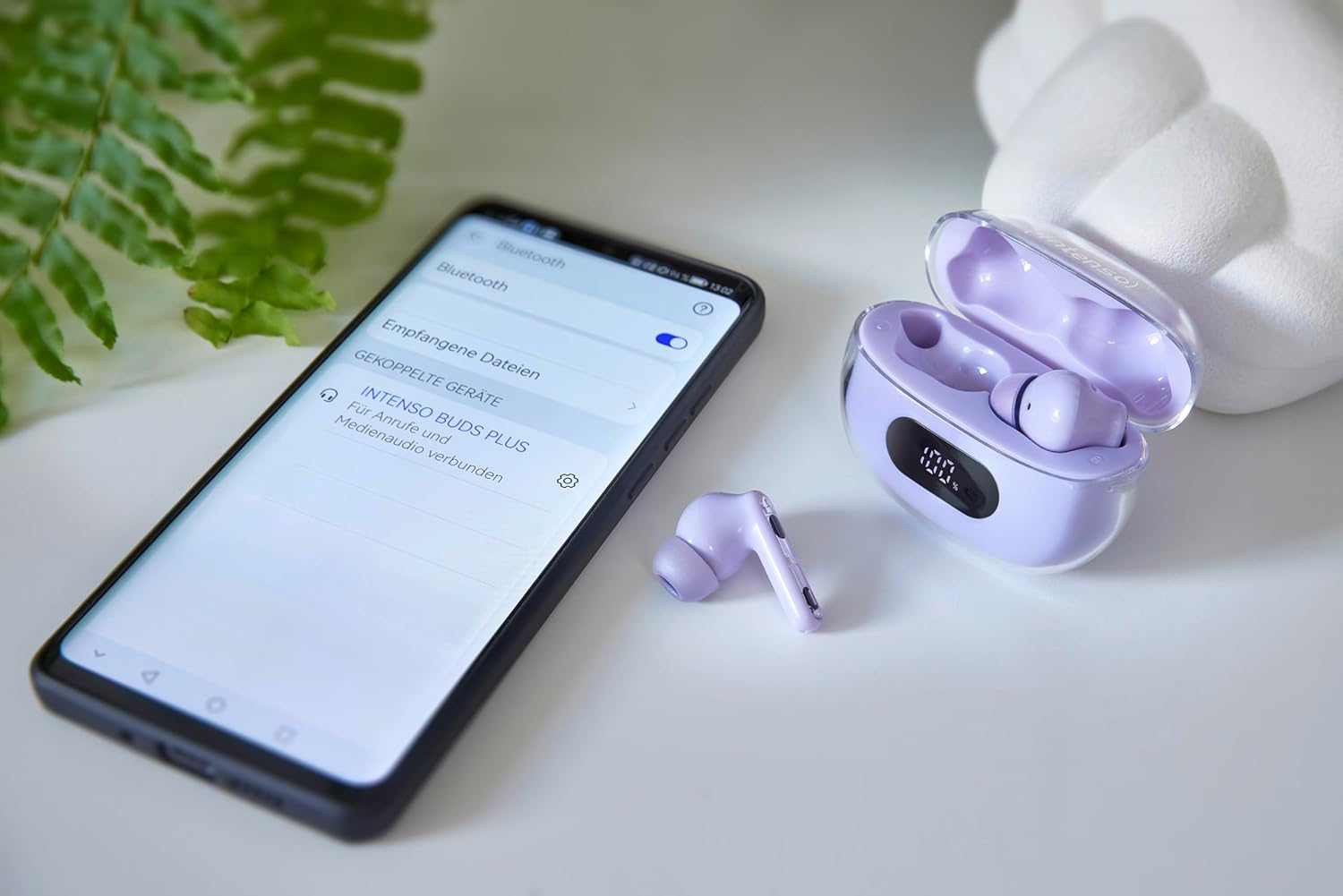
Image: Intenso Buds Plus TWS earbuds, charging case, and a smartphone displaying Bluetooth pairing settings.
3. Produk Langkungview
The Intenso Buds Plus TWS earbuds feature a compact design with a transparent charging case. The earbuds are equipped with touch controls and integrated microphones for clear communication.

Image: Earbuds in open charging case with digital display.

Image: Features highlighted: ANC, ENC, and LED display.

Image: Charging case with 100% battery display.

Image: Close-up of individual earbuds.
4. Setélan
4.1 Ngecas Earbuds sareng Case
Before first use, fully charge the earbuds and the charging case. The charging case features an LED display to indicate the battery level.
- Teundeun earbuds kana wadah ngecas.
- Sambungkeun wadah ngecas ka sumber daya USB nganggo kabel USB anu disayogikeun.
- The LED display on the case will show the charging status.
- A full charge typically takes approximately 1.5 to 2 hours for the case and earbuds.

Image: LED status display on the charging case.
4.2 Nyapasangkeun Bluetooth
The Intenso Buds Plus earbuds utilize Bluetooth 5.4 for a stable and fast connection.
- Pastikeun yén earbuds dieusi sareng di jero wadah ngecas.
- Buka wadah ngecas. Earbuds bakal otomatis asup kana mode papasangan.
- Dina alat anjeun (smartphone, tablet, laptop), buka setélan Bluetooth.
- Milarian pikeun available devices and select "Intenso Buds Plus" from the list.
- Sakali disambungkeun, anjeun bakal ngadangu sora konfirmasi, sarta earbuds bakal siap dipaké.

Image: Earbuds and case next to a smartphone.
5. Parentah Operasi
5.1 Kontrol Toél
The earbuds feature intuitive touch controls for managing audio playback, calls, and noise cancellation modes.
- Puter / Reureuh: Ketok tunggal dina boh earbud.
- Lagu salajengna: Ketok dua kali dina earbud katuhu.
- Lagu Sateuacanna: Ketok dua kali dina earbud kénca.
- Ngajawab / mungkas Telepon: Ketok tunggal dina boh earbud.
- Nolak Telepon: Pencét jeung tahan boh earbud salila 2 detik.
- Volume Up: Ketok tilu kali dina earbud katuhu.
- Volume Turun: Ketok tilu kali dina earbud kénca.
- Aktipkeun Asisten Sora: Pencét terus tahan salah sahiji earbud salami 3 detik (nalika teu keur nelepon).
5.2 Noise Cancellation Modes (ANC, ENC, Transparency)
The earbuds offer various modes to control your listening environment:
- Aktif Noise Cancelling (ANC): Reduces ambient noise, allowing you to focus on your audio.
- Pembatalan Noise Lingkungan (ENC): Enhances voice clarity during calls by filtering out background noise.
- Modeu Transparansi: Ngidinan anjeun ngadéngé sakuliling anjeun bari tetep ngarasakeun audio anjeun, mangpaat pikeun kasadaran di lingkungan sibuk.
To switch between ANC, Transparency, and Normal modes, press and hold the touch area on the left earbud for 2 seconds. ENC is automatically active during calls.
5.3 Kahirupan batré
The earbuds provide up to 7 hours of playback on a single charge. The charging case extends the total playtime to approximately 25 hours, allowing for multiple recharges on the go.

Image: Illustration of battery life with and without charging case.
6. Pangropéa
To ensure the longevity and optimal performance of your Intenso Buds Plus earbuds, follow these maintenance guidelines:
- beberesih: Rutin ngabersihkeun earbuds sareng wadah ngecas ku lawon anu lemes, garing, teu aya lint. Ulah make cleaners abrasive atawa pangleyur.
- Tips ceuli: Cabut tungtung ceuli sacara berkala teras bersihan ku cai sareng sabun anu hampang. Pastikeun garing pisan sateuacan dipasang deui.
- Ngecas Kontak: Keep the charging contacts on both the earbuds and inside the case clean and free of debris to ensure proper charging.
- Panyimpenan: Lamun teu dipake, nyimpen earbuds dina wadah ngecas maranéhanana pikeun ngajaga eta tina lebu jeung karuksakan.
- Tahan cai: Earbud ieu tahan cai. Ulah dikelelepkeun kana cai atanapi kakeunaan kalembaban anu kaleuleuwihi. Keringkeun tuntas upami baseuh.
7. Cara ngungkulan
If you encounter any issues with your earbuds, refer to the following common solutions:
| Masalah | Mungkin Cukang lantaranana | Solusi |
|---|---|---|
| Earbuds teu dipasangkeun | Low battery; Bluetooth off; Earbuds not in pairing mode; Device already connected to another Bluetooth device. | Charge earbuds and case; Ensure Bluetooth is enabled on your device; Place earbuds in case, close, then open to re-enter pairing mode; Disconnect from other devices. |
| Taya sora | Volume too low; Earbuds not connected; Audio source paused. | Increase volume on earbuds and device; Reconnect earbuds; Check audio playback on your device. |
| Kualitas sora goréng | Ear tips not properly sealed; Earbuds dirty; Interference. | Try different size ear tips for a better fit; Clean earbuds and ear tips; Move closer to your device or away from sources of interference. |
| Earbuds teu ngecas | Charging cable faulty; Charging contacts dirty; Power source issue. | Try a different USB cable; Clean charging contacts; Use a different USB port or power adapter. |
8. Spésifikasi
| Ngaran modél | Buds Plus |
| Nomer modél | 3720313 |
| merek | Intenso |
| Téhnologi konektipitas | Nirkabel (Bluetooth 5.4) |
| Panempatan Ceuli | Di-ceuli |
| Faktor Bentuk | Dina-Ceuli |
| Noise Cancelling | Pembatalan Bising Aktif (ANC), Pembatalan Bising Lingkungan (ENC) |
| Tipe Kontrol | Toél Control |
| Fitur husus | Noise Cancellation, Volume Control, Touch Control, Noise Isolation, Lightweight |
| Komposisi batré | Litium-polimér |
| Batré Rechargeable | Sumuhun |
| Waktu maén (Earbuds) | Nepi ka 7 jam |
| Total Playtime (kalawan Case) | Nepi ka 25 jam |
| Tingkat Résistansi Cai | Tahan cai |
| Bahan | palastik |
| Alat nu cocog | Mobile phone, Tablet, Laptop, Game console, Car audio system |
9. Garansi jeung Rojongan
Intenso products are designed for reliability and performance. For warranty information, technical support, or customer service inquiries, please refer to the contact details provided on the Intenso official websitus atanapi dokuméntasi pameseran Anjeun.
Punten tahan bukti pameseran anjeun pikeun klaim garansi.


