1. Bubuka
The BSP D9 Game Controller is a versatile gaming accessory designed for a wide range of devices, including iPhone, iPad, Android phones and tablets, PC, Nintendo Switch, and PlayStation consoles. It features advanced Hall Effect joysticks and triggers for precise control, along with programmable back buttons for enhanced gameplay. This manual provides detailed instructions for setting up, operating, maintaining, and troubleshooting your D9 Game Controller.
2. Produk Langkungview
The D9 Game Controller is engineered for comfort and performance, offering a stretchable design to accommodate various device sizes. Key features include:
- Hall Effect Joysticks and Triggers: Provides high precision and durability, reducing drift issues.
- Programmable Back Buttons (M1/M2): Customize functions for quick access to complex commands.
- Stretchable Design: Supports device lengths from 130mm to 280mm (5-11 inches) and thickness up to 13mm.
- Kasaluyuan Multi-Platform: Works with iOS, Android, PC, PS3, PS4, and Nintendo Switch.
- Fungsi Turbo: Adjustable auto-fire settings for various buttons.
2.1. Tata Letak Pangontrol

Image: BSP D9 Game Controller with a tablet, demonstrating its use with Call of Duty Mobile. This image highlights the controller's ergonomic design and how it holds a tablet.

Image: Detailed diagram of the BSP D9 Game Controller's buttons and indicators. This includes the Cross Key, L1/R1, L2/R2, Select, Home, Start, Turbo, A/B/X/Y buttons, Status Indicator, Charging Indicator, Left Stick/L3, Right Stick/R3, and programmable M1/M2 back buttons.

Image: Illustration explaining the Hall Effect Triggers and Joysticks. It highlights 0.1mm accuracy for triggers and features like no latency, no dead zone, long lift, and precision control for joysticks, ensuring smooth and accurate input.
3. Setup jeung Connection
Before first use, ensure the controller is fully charged. Connect the provided USB cable to the controller's charging port and a power source.
3.1. Device Compatibility and Mounting

Image: Diagram illustrating the stretchable design of the BSP D9 Game Controller. It shows support for device lengths from 130-280mm (5-11 inches) and a thickness of 13mm. The image also indicates compatibility with iPhone 15 series and support for silicon & clear phone cases.
The D9 controller features a stretchable design to securely hold your smartphone or tablet. Gently pull the two halves of the controller apart to extend the central bracket. Insert your device into the bracket, ensuring it is centered and stable. The controller supports devices with lengths between 130mm and 280mm and a maximum thickness of 13mm. Extra silicone pads are included for optimal fit and protection.
3.2. Nyambungkeun ka Alat
The controller supports various connection modes. Refer to the specific pairing instructions for your device type:
- iOS Devices (iPhone/iPad):
- Hurungkeun controller.
- Go to Bluetooth settings on your iOS device.
- Select "D9 Gamepad" or similar from the list of available devices to pair.
- Alat Android:
- Hurungkeun controller.
- Aktipkeun Bluetooth dina alat Android Anjeun.
- Milarian pikeun "D9 Gamepad" and pair.
- PC:
- Connect via USB cable or Bluetooth (if your PC has Bluetooth).
- For Bluetooth, go to PC Bluetooth settings and pair with "D9 Gamepad".
- Nintendo Switch/PS3/PS4:
- Specific pairing instructions may vary. Generally, put the console into pairing mode and then activate the controller's pairing mode (often by holding a specific button combination).

Image: Visual representation of the BSP D9 Game Controller's broad compatibility. It shows support for streaming & cloud gaming services like PS Remote Play, Xbox Game Pass, Steam Link, Rainway, NVIDIA GeForce NOW, Moonlight, and Arcade. It also lists direct play support for iOS games (Genshin Impact, Call of Duty Mobile, Diablo Immortal, Minecraft, Roblox) and Android games (Call of Duty Mobile, Diablo Immortal, Minecraft, NBA, Asphalt).
4. Parentah Operasi
4.1. Kadali dasar
Familiarize yourself with the controller's buttons and their standard functions:
- Joystick Kénca/Katuhu: Movement and camera control.
- D-Pad (Konci Silang): Input arah.
- Tombol A/B/X/Y: Action buttons, typically for jumping, interacting, etc.
- L1/R1 (Kancing taktak): Common for aiming, firing, or menu navigation.
- L2/R2 (Pemicu): Analog input for acceleration, braking, or precise shooting.
- SELECT/START/HOME Buttons: Menu navigation, pausing, or system functions.
4.2. Macro Programming Function (M1/M2)

Image: Instructions for the Macro Programming Function on the BSP D9 Game Controller. It shows how to set and cancel macros for the M1 and M2 back buttons, allowing users to combine A/B/X/Y/L1/L2/R1/R2/Cross key inputs into a single button press.
The D9 controller features two programmable back buttons (M1 and M2) that can be customized to perform complex key combinations, enhancing your in-game operation and potentially prolonging the life of other buttons.
How to Set a Macro:
- Press "SELECT + M1" key for 2 seconds until the LED indicator light flashes quickly.
- Press the key combination you want to set for the macro (e.g., "A + B + X + Y").
- Then press the "M1" key again. The LED light will remain on, indicating that the setting is complete.
- After setting, pressing "M1" will automatically execute the programmed key combination. (This setting also applies to "M2".)
How to Cancel a Macro:
- Press "SELECT + M1" key for 2 seconds until the LED indicator light flashes quickly.
- Press "M1" to clear the macro programming button. (Note: Do not press other buttons at this time). The LED light will remain on to confirm the clearing.
4.3. Fungsi Turbo
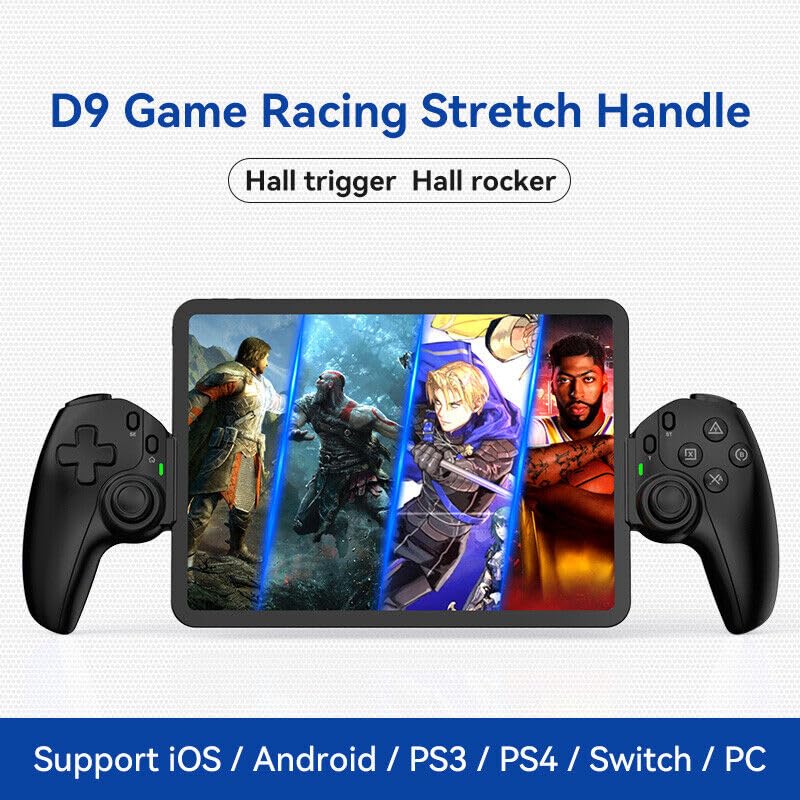
Image: The D9 Game Racing Stretch Handle, highlighting its Hall trigger and Hall rocker features. This image serves as a general product shot.

Image: Explanation of the Turbo Function on the BSP D9 Game Controller. It shows that A/B/X/Y/L1/L2/R1/R2 buttons can be set with turbo function, offering three adjustable turbo speeds: 8 shoots/s, 15 shoots/s, and 25 shoots/s.
The Turbo function allows you to set automatic rapid firing for specific buttons (A/B/X/Y, L1/L2, R1/R2). There are three adjustable turbo speeds: 8 shots/second, 15 shots/second, and 25 shots/second.
How to Set Turbo:
- Press and hold the button you wish to apply Turbo to (e.g., A button).
- While holding the button, press the "TURBO" button once to activate the lowest speed.
- Press the "TURBO" button again (while still holding the action button) to cycle through the speeds.
- Release both buttons when the desired speed is set.
How to Clear Turbo:
- Press and hold the button with Turbo enabled.
- Press the "TURBO" button until the Turbo function is deactivated (usually indicated by a specific LED flash or cessation of rapid firing).
5. Pangropéa
- beberesih: Paké kaen lemes, garing pikeun ngusap controller. Keur kokotor bandel, rada dampen lawon jeung cai. Hindarkeun ngagunakeun bahan kimia anu kasar atanapi pembersih abrasive.
- Panyimpenan: Nyimpen controller dina tiis, tempat garing jauh ti sinar panonpoé langsung jeung hawa ekstrim.
- Perawatan batré: Pikeun manjangkeun umur batre, ulah pinuh discharging controller remen. Ngeusi batre rutin, sanajan teu dipaké pikeun période nambahan.
- Penanganan: Ulah ngaleupaskeun controller atawa ngagebugan kalawan tarik, sabab ieu bisa ngaruksak komponén internal.
6. Cara ngungkulan
| Masalah | Mungkin Cukang lantaranana | Solusi |
|---|---|---|
| Controller teu hurung. | batré lemah. | Ngecas controller sahenteuna 30 menit. |
| Controller does not connect via Bluetooth. | Bluetooth not enabled on device; controller not in pairing mode; interference. | Ensure Bluetooth is on. Put controller in pairing mode. Move closer to the device. Restart both controller and device. |
| Tombol atawa joysticks teu responsif. | Software glitch; physical damage; low battery. | Recharge the controller. Restart the controller. If problem persists, contact customer support. |
| Macro function not working. | Léngkah-léngkah pamrograman anu salah. | Review "Macro Programming Function" section and re-program carefully. |
| Device does not fit in the controller. | Device dimensions exceed supported range. | Check your device's length and thickness against the supported range (130-280mm length, 13mm thickness). |
7. Spésifikasi
- model: D9
- Konektipitas: Bluetooth, Wired (USB)
- Platform anu cocog: iOS, Android, PC, PS3, PS4, Nintendo Switch
- Supported Device Length: 130mm - 280mm (5 - 11 inci)
- Supported Device Thickness: Nepi ka 13mm
- Joysticks/Triggers: Balé Pangaruh
- Fitur husus: Programmable Back Buttons (M1/M2), Turbo Function
- Pabrikan: ShenZhen ShanWan Technology Co., Ltd.
- ASIN: B0DBR2SZZ6
8. Garansi jeung Rojongan
For warranty information and technical support, please refer to the official BSP websitus atanapi hubungi pangecér anjeun. Simpen resi pameseran anjeun salaku bukti pameseran pikeun klaim garansi.
Pabrikan: ShenZhen ShanWan Technology Co., Ltd.


