Xtreme RGB Wireless Earbuds User Manual
Model: XBE9-0136-BLK
Merek: XTREME DIGITAL LIFESTYLE ACCESSORIES
Bubuka
The Xtreme RGB Wireless Earbuds are designed to provide a high-quality audio experience with vibrant LED RGB lighting. These true wireless Bluetooth earphones offer extended playtime, smart touch controls, and a convenient LED display on the charging case for battery status monitoring. This manual provides essential information for setup, operation, maintenance, and troubleshooting to ensure optimal performance of your earbuds.
Fitur konci
- Vibrant LED RGB Lighting: These earbuds feature stunning LED RGB lighting effects, offering a visually appealing and customizable look.
- Manjangkeun Umur Batré: Enjoy uninterrupted music and calls with up to 5 hours of playtime on a single charge. The portable charging case provides an additional 11 hours of battery life, giving you a total of 16 hours of use. The case can fully recharge the earbuds three times.
- Reliable Bluetooth Connectivity: With a robust Bluetooth connection that extends up to 33 feet, you can move freely without worrying about losing connection.
- Intuitive Smart Touch Controls: Managing your audio has never been easier with the smart touch controls. You can effortlessly play, pause, skip tracks, adjust volume, and answer or end calls with simple touch gestures.
- Convenient LED Display Charging Case: The sleek charging case features an LED display that shows the battery status of the case.
- Kontrol bising: Features Hybrid Noise Cancellation for focused listening.
- Mikropon Terpadu: For clear call handling.
Naon dina Box
The Xtreme RGB Wireless Earbuds package includes the following components:
- Xtreme RGB Wireless Earbuds (Left and Right)
- Kasus Ngecas Nirkabel
- USB Charging Cable (typically included, though not explicitly listed in 'whats_in_the_box')
- Manual pangguna (dokumén ieu)

Image: Xtreme RGB Wireless Earbuds and Charging Case in retail packaging.
Disetél
Ngecas Awal
Before first use, fully charge the charging case and earbuds. Place the earbuds into the charging case. Connect the charging case to a power source using a USB cable. The LED display on the case will indicate the charging status and battery level.

Image: Earbuds in charging case with LED battery display.
Papasangan Bluetooth
- Pastikeun yén earbuds dicas pinuh.
- Buka wadah ngecas. Earbuds bakal otomatis asup kana mode papasangan.
- Dina alat Anjeun (smartphone, tablet, jsb), aktipkeun Bluetooth.
- Milarian pikeun "Xtreme RGB Earbuds" or similar in the list of available Bluetooth devices.
- Pilih earbud anu bade disambungkeun. Saatos disambungkeun, aya paréntah sora anu bakal mastikeun parantos suksés dipasangkeun.

Image: Close-up of the Xtreme RGB Wireless Earbuds.
Parentah Operasi
Smart Touch Controls
The Xtreme RGB Wireless Earbuds feature intuitive touch controls on each earbud. Refer to the table below for common functions:
| Aksi | Fungsi |
|---|---|
| Ketok Sakali (Earbud Kénca/Katuhu) | Puter / Reureuh Musik, Jawab / Tungtung Telepon |
| Ketok dua kali (Earbud Katuhu) | Lagu salajengna |
| Ketok dua kali (Earbud Kénca) | Lagu saméméhna |
| Pencét Panjang (Earbud Katuhu) | Volume Up |
| Pencét Panjang (Earbud kénca) | Volume Turun |
| Ketok Tilu Kali (Earbud Kénca/Katuhu) | Aktipkeun Asisten Sora |
| Long Press (2 seconds) during incoming call | Nolak Telepon |

Image: Earbuds in charging case, illustrating touch control areas.
Puterkeun Musik
After successful pairing, open your preferred music application on your device. Use the touch controls on the earbuds to manage playback as described above.
Manajemén Telepon
When a call comes in, you can answer or reject it using the touch controls. During a call, use the controls to end the conversation. The integrated microphone ensures clear communication.
Lampu RGB
The earbuds and charging case feature vibrant LED RGB lighting. This lighting is an aesthetic feature and typically activates when the earbuds are in use or when the case is opened/closed. Specific controls for the RGB lighting are integrated with the overall design and do not usually require separate user input for color changes, as they are color-changing LEDs.
Émbaran batré
The Xtreme RGB Wireless Earbuds provide up to 5 hours of continuous playtime on a single charge. The portable charging case extends this to a total of 16 hours of use, providing an additional 11 hours of power. The case can fully recharge the earbuds three times before needing its own recharge.
The LED display on the charging case shows the current battery status of the case, allowing you to monitor power levels easily.
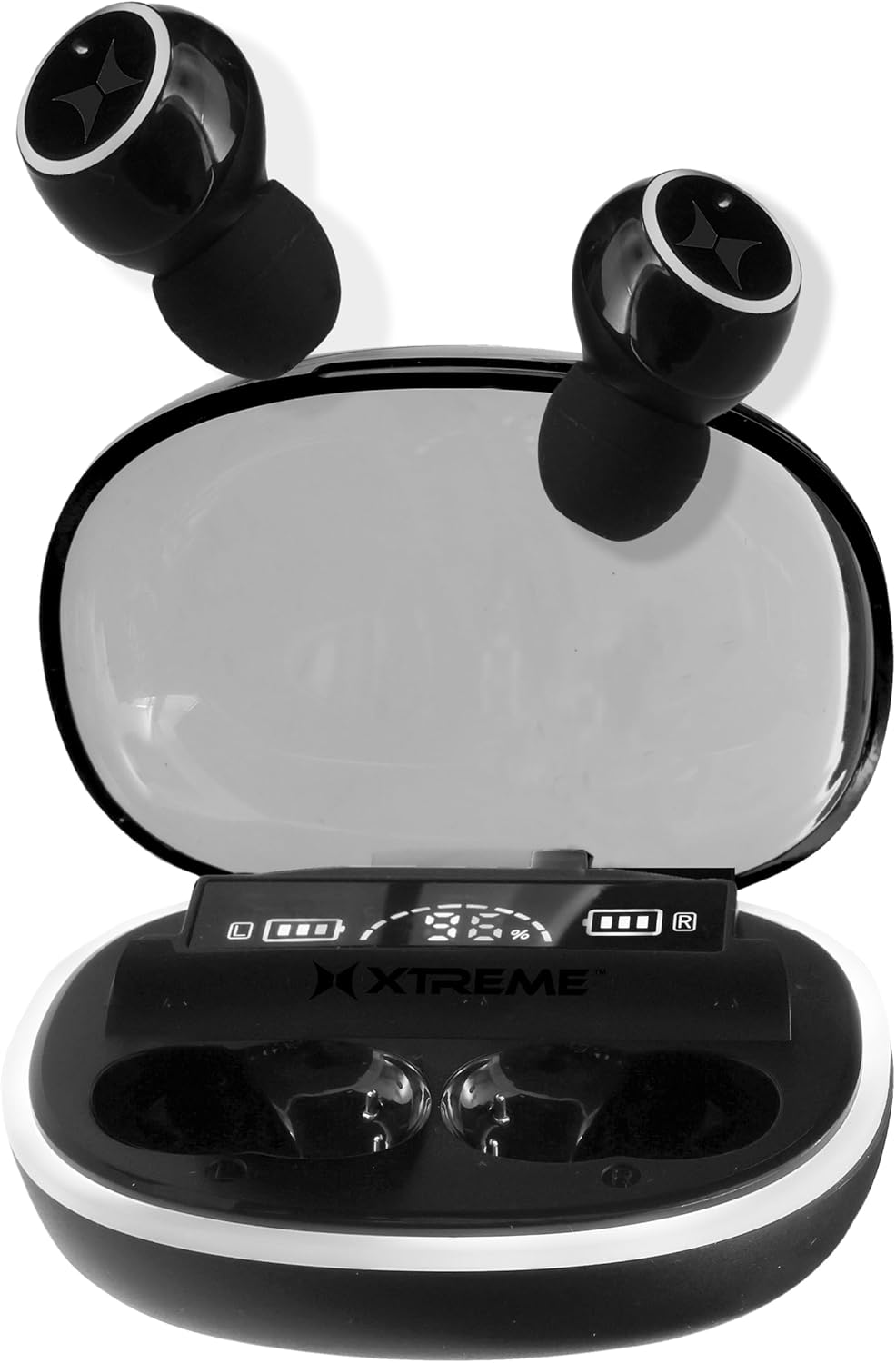
Image: Charging case with earbuds, illustrating compact design and LED display.
Pangropéa
beberesih
Pikeun ngajaga kinerja sareng kabersihan anu optimal, bersihan earbud sareng wadah ngecas anjeun sacara rutin:
- Anggo lawon anu lembut, garing, henteu lint pikeun ngusap earbuds sareng wadah ngecas.
- For ear tips, gently remove them and clean with a mild soap solution if necessary, then rinse and dry thoroughly before reattaching.
- Avoid using abrasive materials, alcohol, or chemical cleaners, as these may damage the product.
- Pastikeun ngecas kontak dina duanana earbuds jeung wadahna beresih jeung bébas tina lebu.
Panyimpenan
Nalika teu dianggo, simpen earbud dina wadah ngecasna pikeun ngajaga tina lebu, karusakan, sareng supados tetep dicas. Simpen wadahna di tempat anu tiis, garing, sareng jauh tina sinar panonpoé langsung sareng suhu anu ekstrim.
Pamérésan masalah
If you encounter any issues with your Xtreme RGB Wireless Earbuds, please refer to the following common solutions:
- Earbuds teu dipasangkeun: Ensure both earbuds are in the charging case, then open the lid to activate pairing mode. Check your device's Bluetooth settings and forget previous connections if necessary. Try restarting your device.
- Taya sora tina hiji earbud: Place both earbuds back into the charging case, close the lid, wait a few seconds, then open it again. This often re-syncs the earbuds. Ensure both earbuds are charged.
- Kasus ngecas teu ngecas: Verify the USB cable is securely connected to both the case and the power source. Try a different USB cable or power adapter.
- Volume lemah atawa kualitas sora goréng: Ensure the earbuds are properly seated in your ears. Clean any earwax or debris from the ear tips and speaker mesh. Adjust the volume on both your device and the earbuds.
- Sambungan intermiten: Ensure you are within the 33-foot Bluetooth range of your device. Avoid obstacles that may interfere with the signal. Reduce the number of active Bluetooth devices nearby.
spésifikasi
| Fitur | Rincian |
|---|---|
| Ngaran modél | XBE9-0136-BLK |
| Téhnologi konektipitas | Nirkabel, Bluetooth |
| Téknologi Komunikasi Nirkabel | Bluetooth |
| Komponén Kaasup | Kasus Ngecas Nirkabel |
| Bahan | palastik |
| Mangpaat husus Pikeun Produk | Exercising, Music, Gaming, Travel |
| Dianjurkeun Mangpaat Pikeun Produk | Running, Exercising, Cycling, Calling, Gaming, Music, Travel |
| Alat nu cocog | Alat anu diaktipkeun Bluetooth |
| Tipe Kontrol | Kontrol Média |
| Métode kontrol | Toél |
| Jumlah Item | 3 |
| Kahirupan Batré (Earbuds) | 5 Jam |
| Tipe Supir Audio | Supir dinamis |
| Rentang Bluetooth | 33 suku |
| Vérsi Bluetooth | 5.0 |
| Mawa Case Batre Rata-rata Kahirupan | 11 Hours (additional playtime) |
| Kapasitas Batré Carrying Case | 11 Hours (additional playtime) |
| Mawa Case Warna | RGB |
| Wangun Earpiece | Tips rounded |
| UPC | 805106236960 |
| Produsén | Xtreme |
| Ukuran Paket | 7.4 x 4.53 x 1.54 inci |
| Item Beurat | 6.7 ons |
| ASIN | B0DC85QRHS |
| Panempatan Ceuli | Dina Ceuli |
| Faktor Bentuk | Dina Ceuli |
| Kontrol bising | Hybrid Noise Cancellation |
Video Produk Resmi
Video: Hiji leuwihview of the Xtreme RGB Wireless Earbuds, highlighting key features and design elements.
Garansi sareng Rojongan
This product comes with a standard manufacturer's warranty. For detailed warranty information, technical support, or to inquire about replacement parts, please visit the official XTREME DIGITAL LIFESTYLE ACCESSORIES store on Amazon or contact their customer service directly.
Toko merek resmi: XTREME DIGITAL LIFESTYLE ACCESSORIES Store


