Bubuka
Welcome to the user manual for your new Tecno Spark 30 smartphone. This guide provides comprehensive instructions on how to set up, operate, and maintain your device. Please read this manual carefully to ensure optimal performance and longevity of your phone.
The Tecno Spark 30 is a powerful 5G smartphone designed for seamless connectivity and high-performance tasks. It features a MediaTek Dimensity 6300 5G processor, a high-resolution 108MP main camera, and a smooth 120Hz display, offering an exceptional user experience.
Émbaran Kasalametan
Before using your device, please read all safety information to ensure safe and proper use. Failure to follow these safety instructions may result in injury, damage to your device, or other property damage.
- Kasalametan batré: Do not disassemble, impact, squeeze, or put the battery into fire. If the battery swells, stop using it immediately.
- Ngecas: Use only Tecno-approved chargers and cables. Unapproved chargers may cause fire, explosion, or other hazards.
- Tahan cai sareng lebu: While the device has an IP54 rating for dust and splash resistance, it is not waterproof. Avoid submerging the device in water.
- Suhu operasi: Operate the device within a temperature range of 0°C to 35°C (32°F to 95°F).
- pembuangan: Dispose of the device and its battery responsibly according to local regulations. Do not dispose of them with household waste.
Eusi pakét
Mangga parios eusi kotak produk anjeun. Upami aya barang anu leungit atanapi ruksak, hubungi pangecér anjeun.
- Tecno Spark 30 Smartphone
- Adaptor kakuatan
- Kabel Tipe-C USB
- Alat Ejector SIM
- Kasus pelindung (tiasa béda-béda dumasar daérah)
- Gancang Mimitian Guide
- Kartu Garansi
Produk Leuwihview
Familiarize yourself with the physical components of your Tecno Spark 30.

Hareup jeung tukang view of the Tecno Spark 30 smartphone, showcasinmodul kaméra sareng tampilanna.
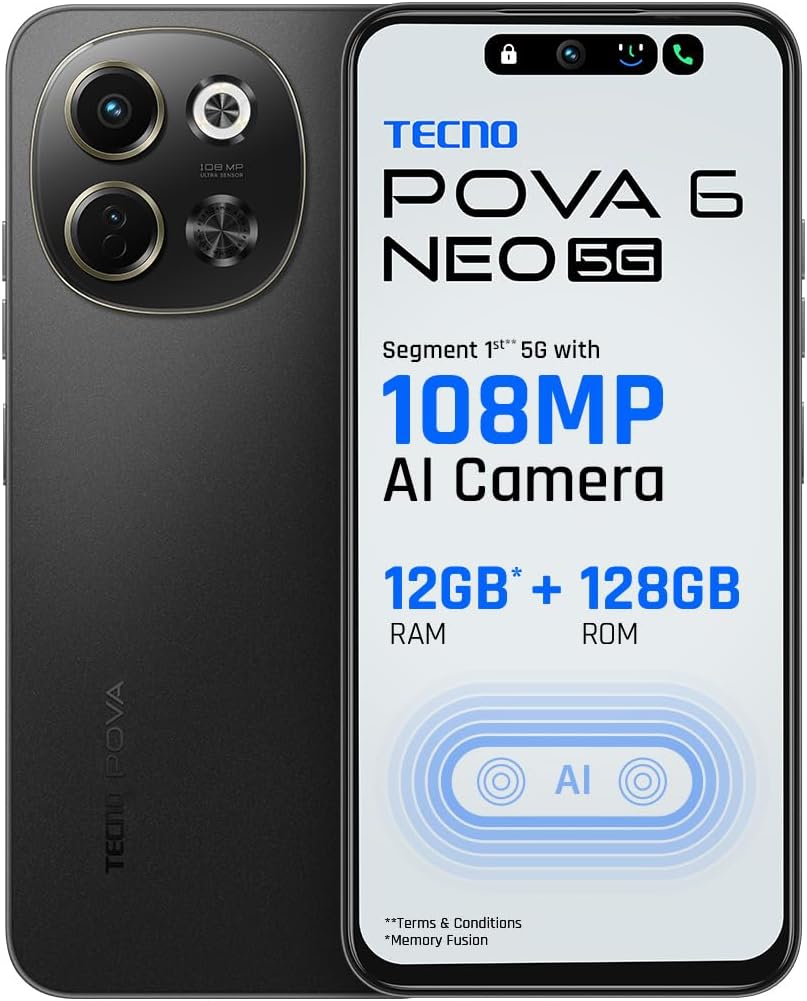
Hareupeun view of the Tecno Spark 30, highlighting the display and front camera.

Handapeun view of the Tecno Spark 30, showing the USB-C port, headphone jack, and speaker grille.
Komponén konci:
- Kaméra hareup: Pikeun selfie sareng telepon pidéo.
- tampilan: 6.67-inch screen with 120Hz refresh rate.
- Tombol Volume: Saluyukeun volume media sareng volume rington.
- Tombol Daya: Turn on/off the device, lock/unlock screen.
- Baki Kartu SIM: Lebetkeun kartu Nano-SIM.
- Port USB Tipe-C: Pikeun ngecas sareng mindahkeun data.
- Speaker: Kaluaran audio.
- Main Camera Module: Includes 108MP main camera and other sensors.
Disetél
1. Nyelapkeun Kartu SIM
- Tangtukeun lokasi baki kartu SIM di sisi telepon Anjeun.
- Selapkeun alat SIM ejector kana liang leutik gigireun baki jeung dorong gently nepi baki pops kaluar.
- Lebetkeun kartu Nano-SIM anjeun kana slot anu ditunjuk dina baki. Pastikeun kontak emasna nyanghareup ka handap.
- Taliti nyorong baki deui kana telepon nepi ka ngaklik kana tempatna.
2. Ngecas Batré
- Sambungkeun kabel USB Type-C ka port ngecas di handapeun telepon anjeun.
- Sambungkeun tungtung kabel anu sanés ka adaptor kakuatan.
- Colokkeun adaptor kakuatan kana stop kontak témbok.
- The charging indicator will appear on the screen. Allow the phone to fully charge before first use.
3. Powering on / Pareum
- Pikeun Ngahurungkeun: Pencét terus tahan tombol Daya nepi ka logo Tecno némbongan.
- Pikeun mareuman: Pencét jeung tahan tombol Daya, teras pilih "Pareuman" tina pilihan dina layar.
4. Mimiti Setup Wizard
Saatos dihurungkeun pikeun anu munggaran, turutan pitunjuk dina layar pikeun ngalengkepan setelan awal, kalebet pilihan basa, sambungan Wi-Fi, setelan akun Google, sareng setélan kaamanan.
Ngoperasikeun Alat Anjeun
Nelepon
- Buka aplikasi Telepon.
- Enter the phone number using the dial pad or select a contact from your Contacts list.
- Ketok tombol nelepon pikeun ngamimitian nelepon.
Ngirim Pesen
- Buka aplikasi Messages.
- Tap the "Start chat" or "New message" button.
- Asupkeun nomer telepon panarima atawa pilih tina kontak.
- Ketik pesen anjeun dina kolom téks teras ketok tombol kirim.
Ngagunakeun kaméra
The Tecno Spark 30 features a 108MP AI Camera for high-quality photos.
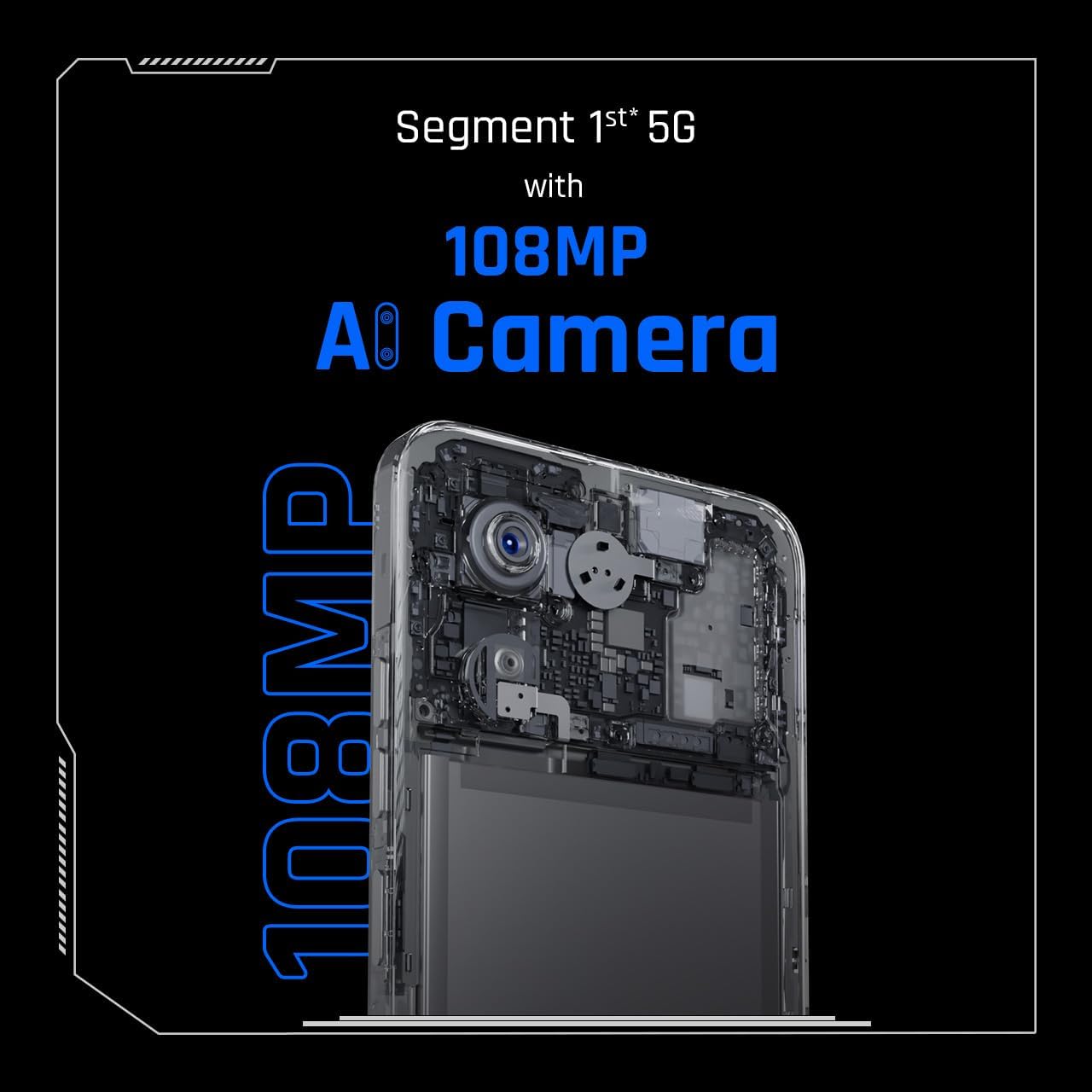
Close-up of the Tecno Spark 30's 108MP AI camera module.
- Buka aplikasi kaméra.
- Pilih modeu anu dipikahoyong (contona, Poto, Pidéo, Potret).
- Frame your shot and tap the shutter button to capture.
Nyambungkeun ka Wi-Fi
- Buka Setélan > Jaringan & internét > Wi-Fi.
- Hurungkeun Wi-Fi.
- Pilih jaringan anu dipikahoyong tina daptar sareng lebetkeun kecap akses upami dipenta.
Jauh Jauh Infrabeureum
Your device includes an in-built infrared blaster, allowing it to function as a universal remote control for compatible home appliances.
- Open the pre-installed 'IR Remote' or 'Smart Remote' app.
- Follow the app's instructions to add and configure your home appliances (e.g., TV, AC, DVD player).
- Point the top of your phone towards the appliance and use the on-screen controls.
Pangropéa
Proper maintenance ensures the longevity and optimal performance of your Tecno Spark 30.
- beberesih: Anggo lawon anu lemes sareng henteu lint pikeun ngabersihan layar sareng awak telepon. Ulah make bahan kimia kasar atawa bahan abrasive.
- Apdet parangkat lunak: Regularly check for and install system updates to ensure your device has the latest features and security patches. Go to Settings > System > System update.
- Perawatan batré: Avoid extreme temperatures. Do not let the battery drain completely often. For long-term storage, keep the battery charged to around 50%.
- Manajemén Panyimpenan: Périodik mupus teu perlu files and apps to free up storage space and improve performance.
- Protecting the Screen: Consider using a screen protector and a protective case to prevent scratches and damage.
Pamérésan masalah
Here are solutions to some common issues you might encounter.
| Masalah | Solusi anu mungkin |
|---|---|
| Telepon teu tiasa dihurungkeun | Pastikeun batréna geus dieusian. Sambungkeun ka carjer sareng antosan sababaraha menit sateuacan nyobian hurung deui. |
| Aplikasi nabrak atanapi katirisan | Close the problematic app and reopen it. Clear the app's cache (Settings > Apps > [App Name] > Storage > Clear cache). Restart the phone. |
| umur batre goréng | Kurangan kacaangan layar, nonaktipkeun fitur anu teu dianggo (Wi-Fi, Bluetooth, GPS), tutup aplikasi latar tukang, sareng parios aplikasi anu boros daya dina setélan panggunaan batré. |
| Teu bisa nyambung ka Wi-Fi | Ensure Wi-Fi is enabled. Restart your phone and the Wi-Fi router. Forget the network and reconnect. |
| Network connectivity issues (calls/data) | Check if SIM card is properly inserted. Ensure you have network coverage. Restart the phone. Reset network settings (Settings > System > Reset options > Reset Wi-Fi, mobile & Bluetooth). |
spésifikasi
Detailed technical specifications for the Tecno Spark 30.
| Fitur | Spésifikasi |
|---|---|
| Ngaran modél | Ceurik 30 |
| Nomer modél | KL8 256+8 |
| merek | Téknologi |
| Sistem operasi | Android 14 |
| Ukuran RAM | 8 GB |
| Kapasitas Panyimpenan | 256 GB |
| Modél CPU | Cortex (MediaTek Dimensity 6300 5G) |
| Laju CPU | 1.8 GHz |
| Ukuran layar | 6.67 inci |
| Resolusi | 720 x 1600 piksel |
| Refresh Laju | 120 Hz |
| Diménsi | 16.5 x 7.68 x 0.82 cm; 192 gram |
| Batré | 1 batré Litium Polimér (kaasup) |
| Tanggal Sadia munggaran | 4 Nopémber 2024 |
Garansi sareng Rojongan
Your Tecno Spark 30 comes with a standard manufacturer's warranty. Please refer to the warranty card included in your package for specific terms and conditions, including warranty period and coverage details.
Rojongan Palanggan:
For technical assistance, troubleshooting, or warranty claims, please contact Tecno customer support through their official websitus atanapi inpormasi kontak anu disayogikeun dina dokuméntasi jaminan anjeun.
You can also visit the official Tecno store on Amazon for more information and support: Tecno Store


