1. Bubuka
Thank you for choosing the Auronic AU3273 Compact Series Dehumidifier. This appliance is designed to effectively remove excess moisture from your indoor environment, helping to prevent mold, mildew, and musty odors. With a dehumidification capacity of 25 liters per day, it is ideal for spaces up to 50 m².
This manual provides important information regarding the safe operation, installation, maintenance, and troubleshooting of your dehumidifier. Please read it thoroughly before use and retain it for future reference.

Image 1.1: Auronic AU3273 Dehumidifier with visual representation of air circulation.
2. Parentah Kasalametan
Pikeun mastikeun operasi anu aman sareng nyegah karusakan kana alat atanapi cilaka ka diri anjeun, mangga perhatoskeun tindakan pencegahan kaamanan ieu:
- Salawasna tempatkeun dehumidifier dina permukaan anu stabil sareng rata.
- Do not block the air inlet or outlet. Maintain at least 20 cm clearance around the unit.
- Pastikeun catu daya cocog sareng voltage dieusian dina labél rating.
- Ulah ngajalankeun unit ku kabel kakuatan ruksak atawa colokan.
- Unplug the appliance before cleaning, moving, or performing any maintenance.
- Entong nganggo dehumidifier di daérah dimana gas atanapi cairan anu gampang kaduruk disimpen.
- Jauhkeun barudak sareng piaraan tina alat salami operasi.
- If the unit has been tilted more than 45 degrees during transport, allow it to stand upright for at least 24 hours before plugging it in and operating. This allows the refrigerant to settle.
- Ulah nyelapkeun objék kana liang hawa.
- Perkakas ieu kanggo panggunaan jero rohangan wungkul.
3. Eusi Paket
Carefully unpack your Auronic AU3273 Dehumidifier and check that all items are present and in good condition. The package should contain:
- Auronic AU3273 Dehumidifier Unit
- Drain Hose for continuous drainage
- Manual pangguna (dokumén ieu)

Image 3.1: Contents of the Auronic AU3273 Dehumidifier package, showing the unit, drain hose, and manual.
4. Produk Langkungview
4.1. Komponén utama
- Panél kontrol: Located on the top of the unit for setting functions.
- Inlet Udara: Tempat hawa lembab disedot kana unit.
- Outlet hawa: Dimana hawa garing diusir.
- Tangki cai: Collects condensed water. Capacity: 4 liters.
- Outlet solokan kontinyu: For connecting the drain hose.
- Roda: Pikeun mobilitas gampang.
4.2. Fungsi Panel Kontrol
The control panel provides access to all operational settings. Refer to the image below for button identification:

Gambar 4.1: Detil view of the control panel with button descriptions.
- LAJU: Saluyukeun laju kipas.
- SLEEP/RESET: Activates sleep mode or resets certain functions.
- Konci: Engages child lock to prevent accidental changes.
- Panah luhur/handap: Adjust humidity settings or timer values.
- TIMER: Nyetél waktos operasi.
- MODÉ: Switches between different operating modes (e.g., Laundry Dry).
- STAND-BY (Power Button): Hurungkeun atanapi Pareum unit.
5. Setélan
5.1. Panempatan Awal
Place the dehumidifier in the desired location, ensuring it is on a firm, level surface. Allow at least 20 cm of space around all sides for proper airflow. The unit is equipped with wheels for easy movement.
5.2. Sambungan Daya
Plug the power cord into a grounded electrical outlet. If the unit was tilted during transport, wait 24 hours before plugging it in.
5.3. Continuous Drainage (Optional)
For continuous operation without needing to empty the water tank, connect the included drain hose:
- Locate the continuous drain outlet on the back or side of the unit.
- Securely attach one end of the drain hose to this outlet.
- Direct the other end of the hose to a suitable drain point (e.g., floor drain, sink), ensuring it is lower than the unit's drain outlet for gravity flow.
- Ensure the hose is not kinked or blocked.
6. Parentah Operasi
6.1. Daya Hurung / Pareum
Pencét éta ANTOSAN tombol pikeun ngaktipkeun atawa mareuman dehumidifier.
6.2. Nyetel kalembaban anu dipikahoyong
When the unit is on, the display will show the current room humidity. Use the Up jeung Turun arrow buttons to set your desired humidity level. The unit will operate until the set humidity is reached, then cycle on and off to maintain it.
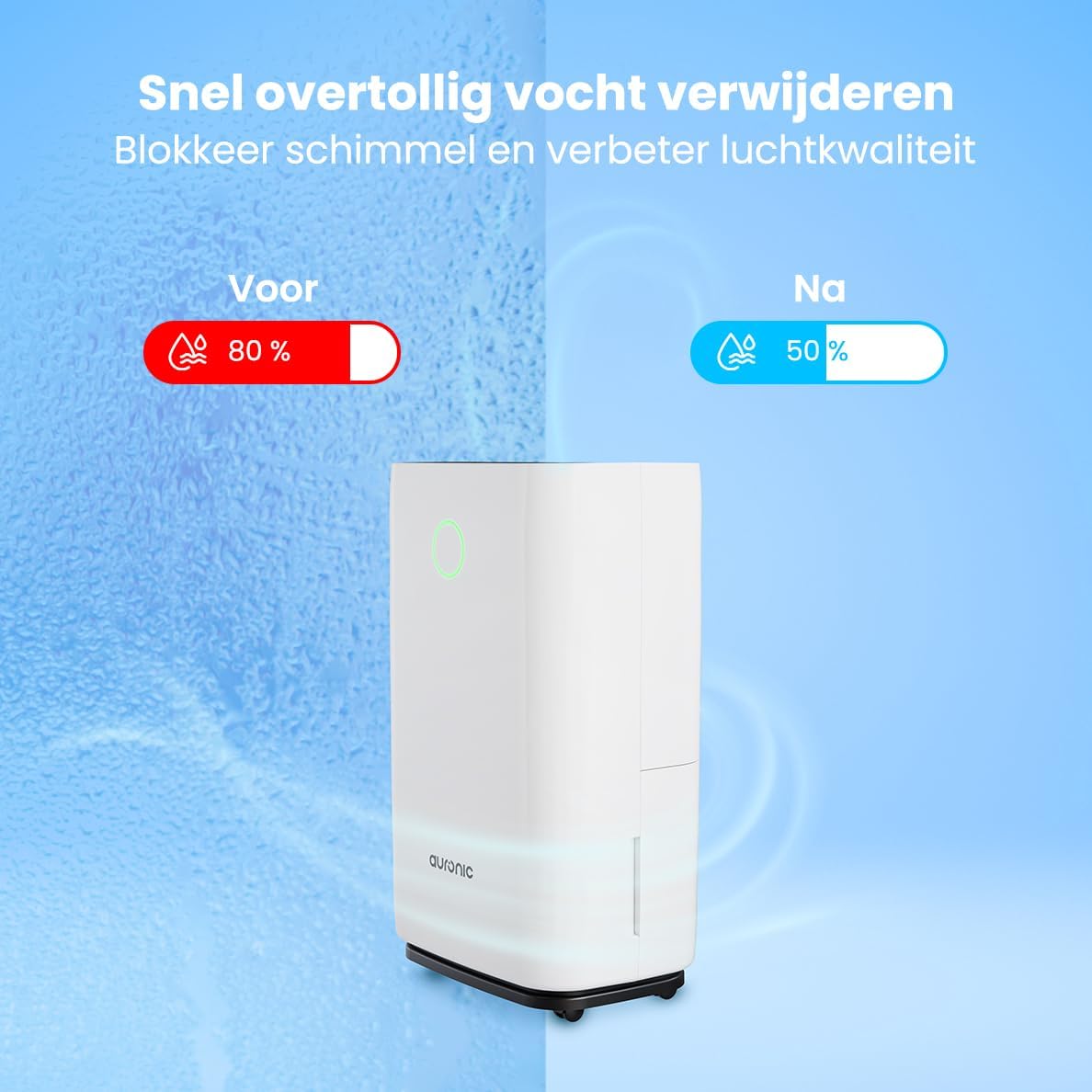
Image 6.1: Visual representation of humidity reduction from 80% to 50% using the dehumidifier.
6.3. Modeu Operasi
- Modeu otomatis: The unit automatically adjusts its operation based on the ambient humidity.
- Laundry Dry Function: Pencét éta MODÉ button to select the Laundry Dry function. This mode increases fan speed and continuous operation to accelerate the drying process of clothes. Place the dehumidifier in your laundry room for optimal results.
- Modeu Bobo: Pencét éta Bobo / RESET button to activate sleep mode. In this mode, the display lights dim, and the fan operates at a lower speed for quieter operation, suitable for nighttime use.

Image 6.2: The dehumidifier operating quietly, suitable for use in a bedroom.
6.4. Fungsi Timer
Pencét éta TIMER button to set an auto-on or auto-off time. Use the Up jeung Turun arrows to adjust the desired hours (1-24 hours). The unit will turn on or off after the set time has elapsed.
6.5. Budak Konci
Pencét jeung tahan tombol KUNCI button for a few seconds to activate or deactivate the child lock. When activated, the control panel buttons will be unresponsive to prevent accidental changes.
7. Pangropéa
Pangropéa rutin ngajamin kinerja optimal sareng manjangkeun umur dehumidifier anjeun.
7.1. Ngosongkeun Tangki Cai
When the water tank is full, the unit will automatically stop operating, and an indicator light will illuminate. Carefully remove the water tank from the unit, empty the collected water, and then reinsert the tank securely. Ensure the tank is properly seated to resume operation.
7.2. Ngabersihan Saringan Udara
The air filter should be cleaned every two weeks or more frequently depending on usage and air quality. A dirty filter can reduce efficiency.
- Cabut dehumidifier tina stop kontak listrik.
- Panggihan tur cabut filter hawa (biasana di tukang atawa samping).
- Bersihkeun saringan nganggo vacuum cleaner atanapi kumbah lalaunan nganggo cai sabun haneut.
- Bilas sacara saksama sareng ngantepkeun saringan dugi ka hawa garing sateuacan dipasang deui.
- Pasang deui saringan garing teras colokkeun deui unitna.
7.3. beberesih umum
Ngusap bagian luar unit kalayan lemes, damp lawon. Ulah make bahan kimia kasar, cleaners abrasive, atawa pangleyur, sabab ieu bisa ngaruksak beungeut cai.
8. Cara ngungkulan
Upami anjeun mendakan masalah sareng dehumidifier anjeun, tingal masalah sareng solusi umum ieu:
- Unit teu hurung:
- Pariksa naha kabel listrik dicolokkeun sacara aman kana stop kontak anu tiasa dianggo.
- Ensure the water tank is properly inserted and not full.
- Check if the child lock is activated.
- No water collected or low dehumidification:
- Verify that the set humidity level is lower than the current room humidity.
- Check if the air filter is clean and not blocked.
- Ensure room temperature is above 5°C (41°F), as dehumidifiers are less effective in cold conditions.
- Close doors and windows in the room to prevent humid air from entering.
- Allow a few minutes for the unit to accurately measure humidity upon startup, as initial readings may be inaccurate.
- Unit bising:
- Pastikeun unitna aya dina permukaan anu stabil sareng rata.
- Check for any obstructions in the air inlet or outlet.
- Clean the air filter if it is dirty.
- Defrost function activates frequently:
- This is normal in cooler environments (e.g., below 20°C). The unit temporarily stops dehumidifying to melt any ice buildup on the coils.
If the problem persists after trying these solutions, please contact Auronic customer support.
9. Spésifikasi
| Fitur | Spésifikasi |
|---|---|
| merek | Auronik |
| Nomer modél | AU3273 |
| Dimensi produk | Ukuran 57 x 34 x 23 cm (P x L x T) |
| Beurat | 13.6 kg |
| Warna | Bodas |
| Bahan | Plastic and ABS Plastic |
| Wattage | 395 watt |
| Tingkat Noise | 45 desibel |
| Fitur husus | Otomatis Pareum |
| Komponén Kaasup | Manual, Drain Hose |
| Kapasitas (Dehumidifikasi) | 25 Liter per poé |
| Volume tank | 4 liter |
| Panutup Wewengkon Lantai | Nepi ka 50 m² |
| Jumlah Speeds | 1 |
10. Garansi jeung Rojongan
For warranty information and customer support, please refer to the warranty card included with your purchase or visit the official Auronic website. If you experience any issues not covered in the troubleshooting section, please contact Auronic customer service for assistance.
Pabrikan: Auronik


