1. Bubuka
Thank you for choosing the SenseFlow Wi-Fi Essential Oil Diffuser SF101S. This device utilizes patented PureMist technology to atomize essential oils into an ultra-fine mist without the need for water or heat, preserving the natural fragrance. It offers a quiet, waterless diffusion experience, ideal for various environments. This manual provides detailed instructions for safe and effective use of your diffuser.
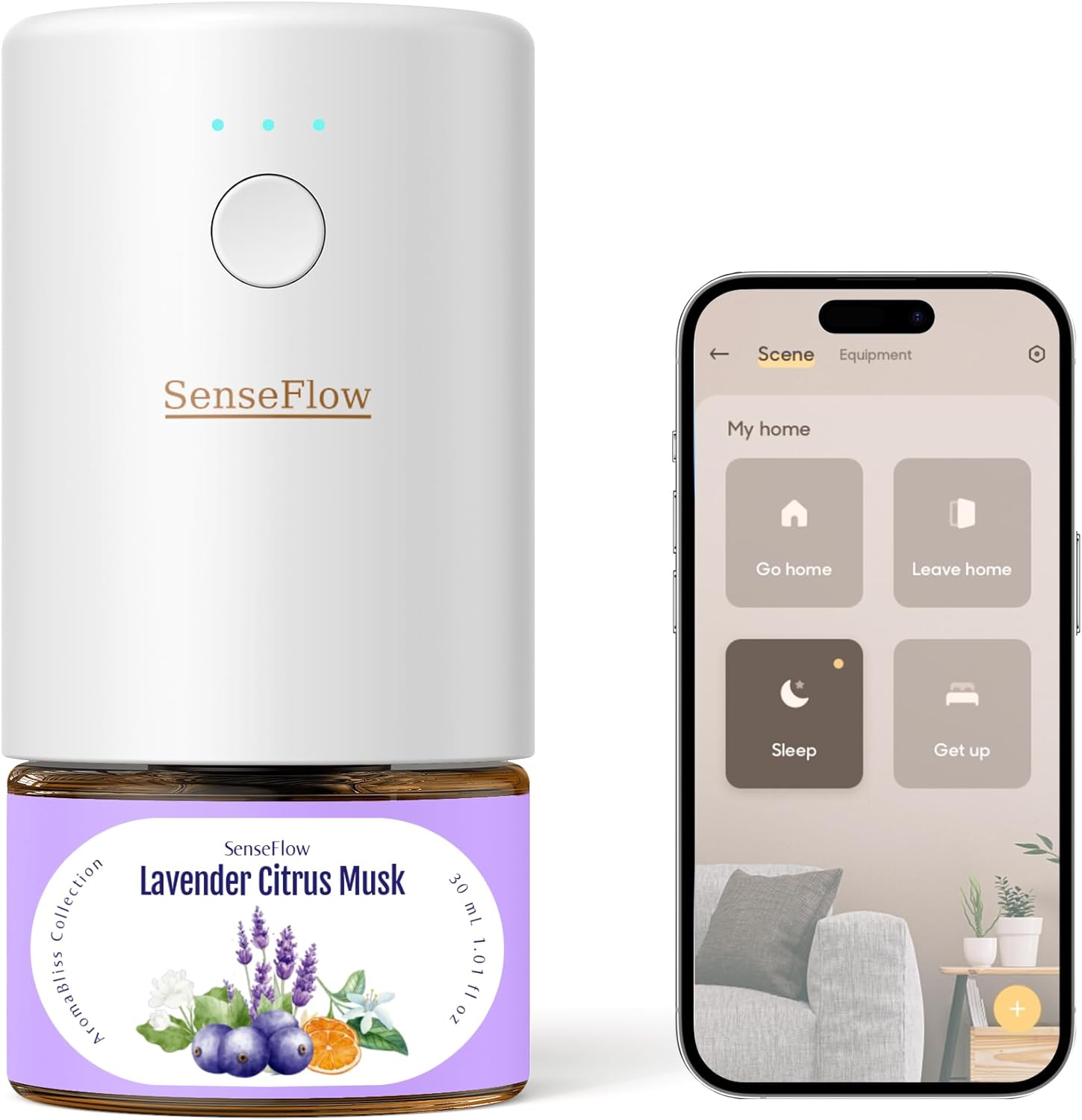
Image 1: SenseFlow SF101S Diffuser and Control App Interface.
2. Émbaran Kasalametan
Mangga baca sadaya pitunjuk kaamanan sateuacan nganggo alat ieu. Simpen manual ieu kanggo rujukan ka hareup.
- The product packaging may contain different information than shown on our website. Always read the label, warnings, and instructions provided on the product before use or consumption.
- Alat ieu kanggo dianggo di jero rohangan wungkul.
- Ulah neuleumkeun alat dina cai atawa cairan séjén.
- Jauhkeun tina jangkauan barudak sareng piaraan.
- Use only SenseFlow essential oil refills with this device. Using other oils may damage the diffuser or void the warranty.
- Ensure the device is unplugged before cleaning or replacing refills.
- Ulah meungpeuk outlet halimun.
- Upami alatna ruksak, tong nyobian ngalereskeunana nyalira. Hubungi dukungan palanggan.
- Avoid direct contact with essential oils, especially with eyes and skin. In case of contact, rinse thoroughly with water.
3. Eusi Paket
- 1 x SenseFlow SF101S Diffuser Unit
- 1 x 30ml Fragrance Refill (initial scent may vary)
- 1 x Manual Pamaké
4. Setélan
4.1 Inserting the Essential Oil Refill
- Unscrew the cap from the essential oil refill bottle.
- Carefully insert the refill bottle into the bottom of the diffuser unit. Ensure it is securely twisted into place.

Image 2: Inserting the Essential Oil Refill.
4.2 Plugging in the Diffuser
Plug the diffuser directly into a standard wall outlet. The device is designed to be compact and discreet.

Image 3: Diffuser plugged into a wall outlet.
4.3 Connecting to the SenseFlow App
For full control and customization, download the SenseFlow app from your smartphone's app store.
- Scan the QR code located on the essential oil refill bottle or search for "SenseFlow" in your app store.
- Follow the in-app instructions to connect your diffuser to your Wi-Fi network.
- Once connected, you can manage settings, schedules, and fragrance intensity.
5. Operasi
5.1 Kontrol Manual
The diffuser has a power button on the front. Press it to cycle through different intensity levels or to turn the device on/off. Indicator lights will show the current setting.
5.2 App Control na Fitur
The SenseFlow app provides advanced control over your diffuser:
- Penyesuaian Inténsitas: Choose from 4 levels of fragrance intensity to suit your preference and room size.
- Jadwal: Set custom schedules for when the diffuser turns on and off, and at what intensity.
- Kustomisasi Kamar: Assign diffusers to specific rooms and tailor the fragrance experience for each area (e.g., relaxing scents for bedrooms, energizing scents for studies).
- Liputan: The diffuser can effectively scent areas up to 93 square meters (1000 sq. ft.).

Image 4: App Control and Room Coverage.
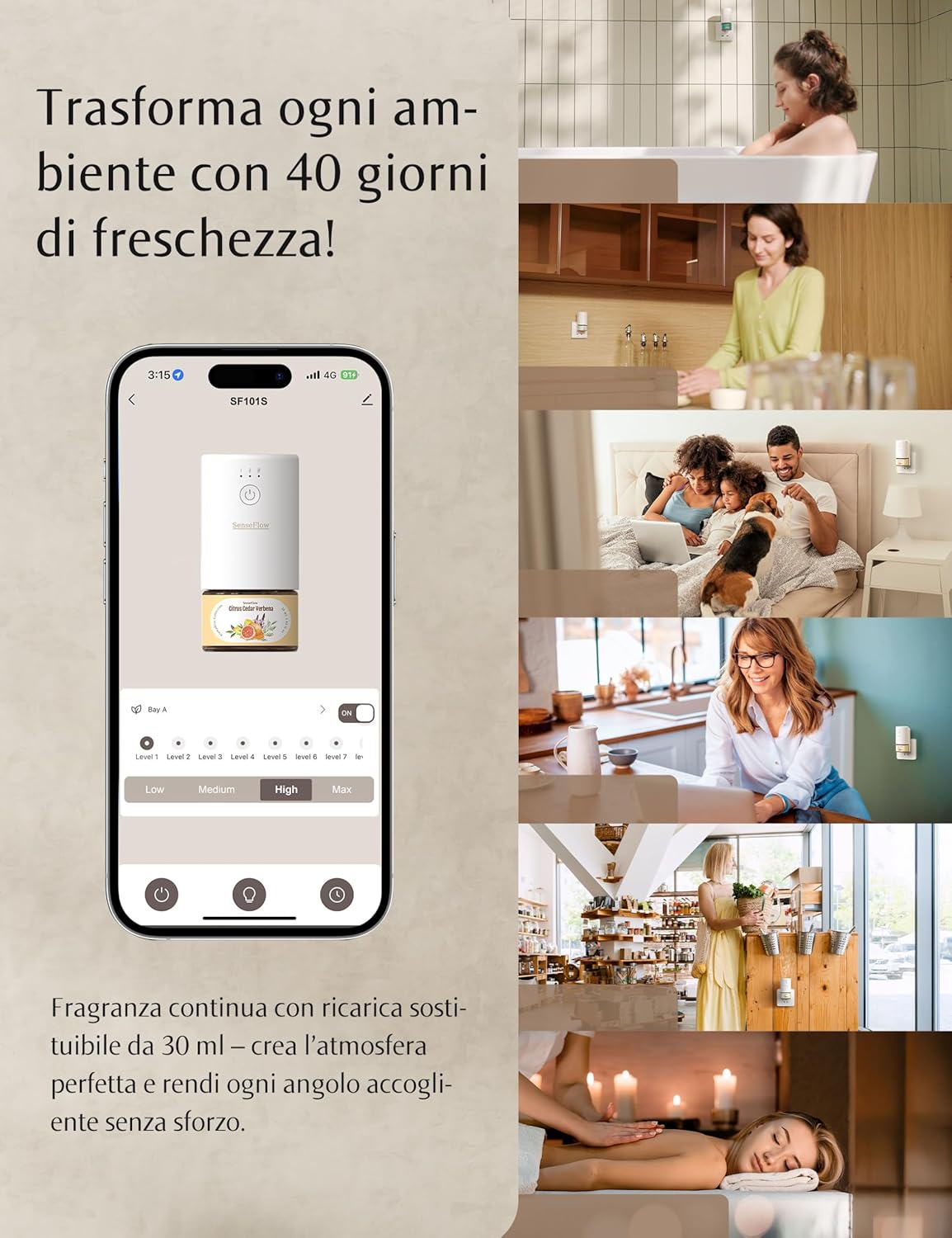
Image 5: SenseFlow App Interface for Intensity Control.
6. Pangropéa
6.1 Replacing Essential Oil Refills
SenseFlow refills are designed for long-lasting aroma, typically up to 120 days depending on usage and intensity settings. When the fragrance diminishes or the bottle is empty:
- Unplug the diffuser from the wall outlet.
- Carefully twist and remove the empty essential oil refill bottle from the diffuser unit.
- Dispose of the empty bottle responsibly.
- Unscrew the cap from a new SenseFlow essential oil refill bottle.
- Insert the new refill bottle into the diffuser unit and twist securely into place.
- Plug the diffuser back into the wall outlet.
SenseFlow offers a variety of 100% plant-based and pet-friendly essential oil refills, free from harmful chemicals. Refills are sold separately.
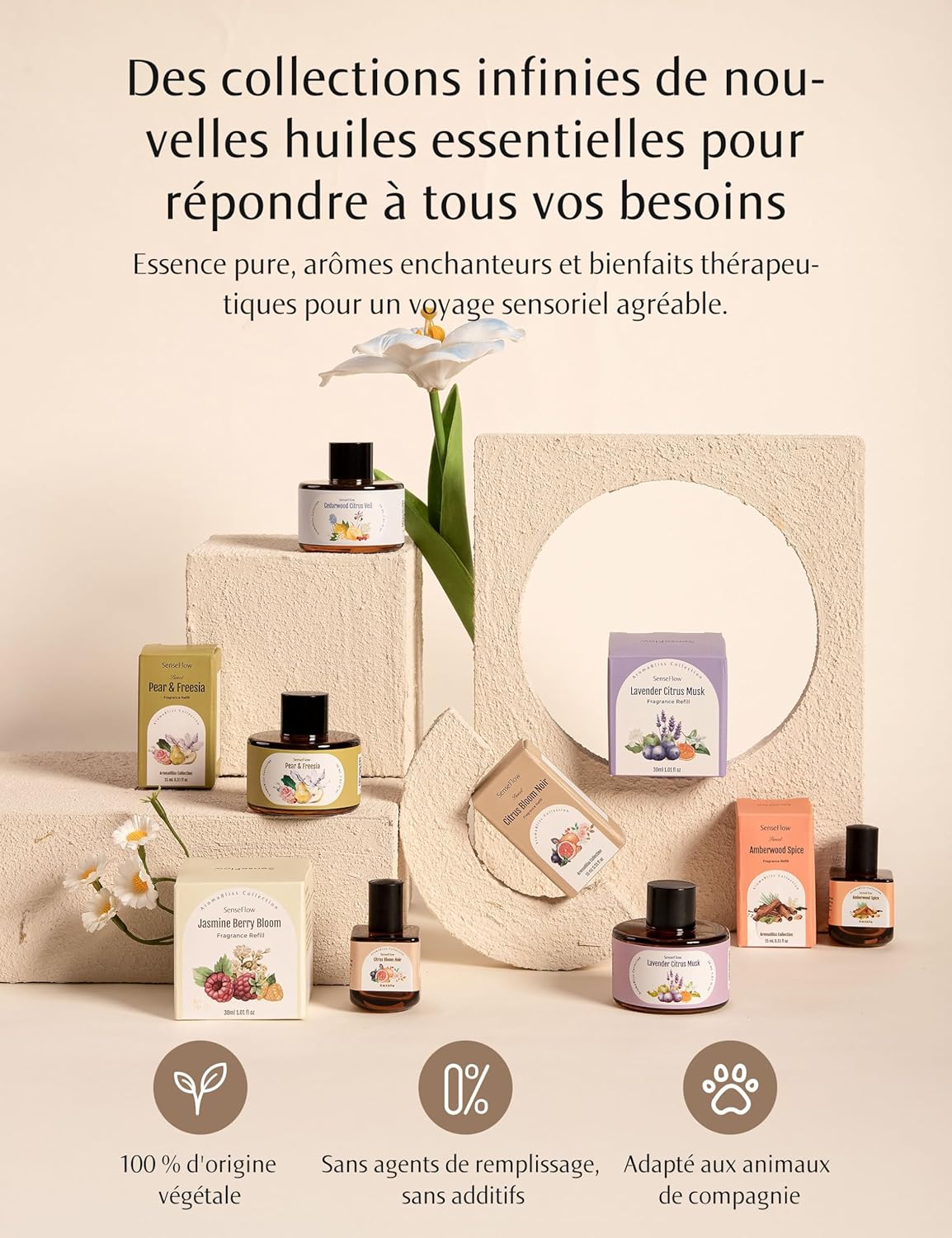
Image 6: SenseFlow Essential Oil Refills.
6.2 beberesih
The SenseFlow SF101S diffuser utilizes PureMist technology, which is waterless and does not require regular cleaning of water tanks or internal components. If the exterior of the device becomes dusty, gently wipe it with a soft, dry cloth. Do not use liquid cleaners or abrasive materials.
7. Cara ngungkulan
If you encounter any issues with your SenseFlow diffuser, please refer to the following common problems and solutions:
| Masalah | Mungkin Cukang lantaranana | Solusi |
|---|---|---|
| No fragrance is being diffused. |
|
|
| App cannot connect to the diffuser. |
|
|
| Device is making unusual noise. |
|
|
| Device feels warm to the touch. |
|
|
8. Spésifikasi
| Fitur | Rincian |
|---|---|
| Modél | SF101S |
| merek | SenseFlow |
| Ukuran (L x W x H) | 9.8 x 5 x 10 cm (3.86 x 1.97 x 3.94 inci) |
| Beurat | 59 gram (2.08 ons) |
| Diffusion Technology | PureMist Ultrasonic (Waterless, Heatless) |
| Wewengkon Cakupan | Nepi ka 93 m² (1000 sq. ft.) |
| Scent Duration (per 30ml refill) | Up to 120 days (depending on intensity) |
| Konektipitas | Wi-Fi (Kontrol Aplikasi) |
9. Garansi jeung Rojongan
For warranty information and customer support, please refer to the documentation included with your product or visit the official SenseFlow website. You can also find support contact details by scanning the QR code on your essential oil refill bottle.
Websitus: www.thesenseflow.com
Rojongan Email: support@thesenseflow.com
