1. Produk Langkungview
The DOOGEE T40 is an advanced Android 14 tablet designed for both entertainment and productivity. It features a high-resolution 2.5K display, a powerful Octa-Core processor, and extensive storage capabilities, making it suitable for a wide range of applications from gaming to professional tasks.

Gambar 1.1: Hareup jeung pungkur view of the DOOGEE T40 Tablet, highlighting its sleek design and camera module.
Fitur konci:
- tampilan: 11-inch 2.5K IPS Ultra Clear Display (2560x1600 resolution) for vibrant visuals.
- Kinerja: Helio G99 Octa-Core Processor (6nm process technology) for smooth multitasking and gaming.
- Mémori & Panyimpenan: Up to 20GB RAM (8GB physical + 12GB virtual) and 512GB internal storage, expandable up to 2TB via microSD.
- Batré: 8580mAh large battery with 18W fast charging and reverse charging capability.
- Konektipitas: Dual SIM 4G LTE, Dual-band Wi-Fi (2.4G/5G), Bluetooth 5.0.
- Sistem operasi: Android 14 for enhanced productivity and entertainment.
- Audio: Immersive Quad Speakers for rich sound.
- Kaméra: 16MP Main Camera and 8MP Front Camera.
Video 1.1: Hiji leuwihview of the DOOGEE T40 Tablet, showcasing its design, display, and key features.
2. Naon dina Box
Pariksa yén sadaya item aya dina bungkusan sateuacan neraskeun setelan.
- T40 Tablet x1
- Kabel USB Tipe-C x1
- carjer x1
- Tool for take card x1 (SIM Ejector Tool)
- Anti-explosion film x1 (Pre-applied screen protector)
- Kotak bungkusan x1
- Manual x1 (This document)
3. Spésifikasi
| Fitur | Spésifikasi |
|---|---|
| merek | DOOGEE |
| Ngaran modél | T40 |
| Sistem operasi | Android 14 |
| Ukuran layar | 10.95 inci |
| Resolusi layar | 2560 x 1600 piksel (2.5K) |
| Prosesor | MediaTek Helio G99 Octa-Core |
| Ram | 20GB (8GB fisik + 12GB virtual) |
| Panyimpenan internal | 512GB |
| Panyimpenan Expandable | Nepi ka 2TB via kartu MicroSD |
| Kapasitas batré | 8580 mah |
| Ngecas | 18W Ngecas Gancang, Ngecas Balik |
| Konektipitas | Dual SIM 4G LTE, Wi-Fi 2.4G/5G, Bluetooth 5.0 |
| Kaméra | 16MP Main, 8MP Front |
| Ukuran (L x W x H) | 10.09 x 6.61 x 0.3 inci |
| Item Beurat | 2.49 pon |
4. Setélan
4.1. Muatan Awal
Before first use, fully charge your DOOGEE T40 tablet using the provided Type-C USB cable and charger. Connect the charger to the tablet's USB-C port and plug it into a power outlet. The battery indicator on the screen will show charging progress.

Figure 4.1: Illustration of the tablet's 8580mAh battery and 18W fast charging capability.
4.2. Daya Hurung / Pareum
- Pikeun Ngahurungkeun: Pencét terus tahan tombol Daya (anu aya di sisi) dugi ka logo DOOGEE némbongan.
- Pikeun mareuman: Pencét jeung tahan tombol Daya nepi ka menu pilihan daya nembongan, teras pilih "Pareuman".
- Pikeun ngamimitian deui: Tina menu pilihan kakuatan, pilih "Balikan deui".
4.3. Pamasangan Kartu SIM sareng Kartu MicroSD
The DOOGEE T40 supports Dual SIM 4G LTE and MicroSD card expansion.
- Panggihan tempat kartu SIM di sisi tablet.
- Insert the provided SIM ejector tool into the small hole next to the tray and gently push until the tray pops out.
- Simpen kartu Nano-SIM sareng/atanapi kartu MicroSD anjeun kana slot anu ditunjuk dina baki, pastikeun orientasina leres.
- Dorong baki deui kana tablet kalayan ati-ati dugi ka ngaklik kana tempatna.

Figure 4.2: Close-up of the Dual SIM and TF (MicroSD) card slot on the DOOGEE T40 Tablet.
4.4. Sambungan jaringan
- Wifi: Pindah ka Setelan > Jaringan & Internét > Wi-Fi, hurungkeun Wi-Fi, pilih jaringan anu dipikahoyong, teras lebetkeun kecap akses upami diperyogikeun.
- Data Seluler: Ensure your SIM card is installed correctly. Go to Setelan > Jaringan & Internét > Jaringan seluler and enable mobile data.
5. Parentah Operasi
5.1. Napigasi Android 14
The DOOGEE T40 runs on Android 14, offering an intuitive user experience.
- Layar Utama: Gesek ka kenca atawa ka katuhu pikeun ngakses layar utama nu beda.
- Laci Aplikasi: Gesek ka luhur ti bagean handap layar pikeun ngakses sadaya aplikasi anu dipasang.
- Bewara & Setélan Gancang: Gesek ka handap ti luhur layar pikeun view notifications and quick settings toggles (Wi-Fi, Bluetooth, etc.).
- Aplikasi panganyarna: Swipe up from the bottom and hold, then release to see recently used applications.
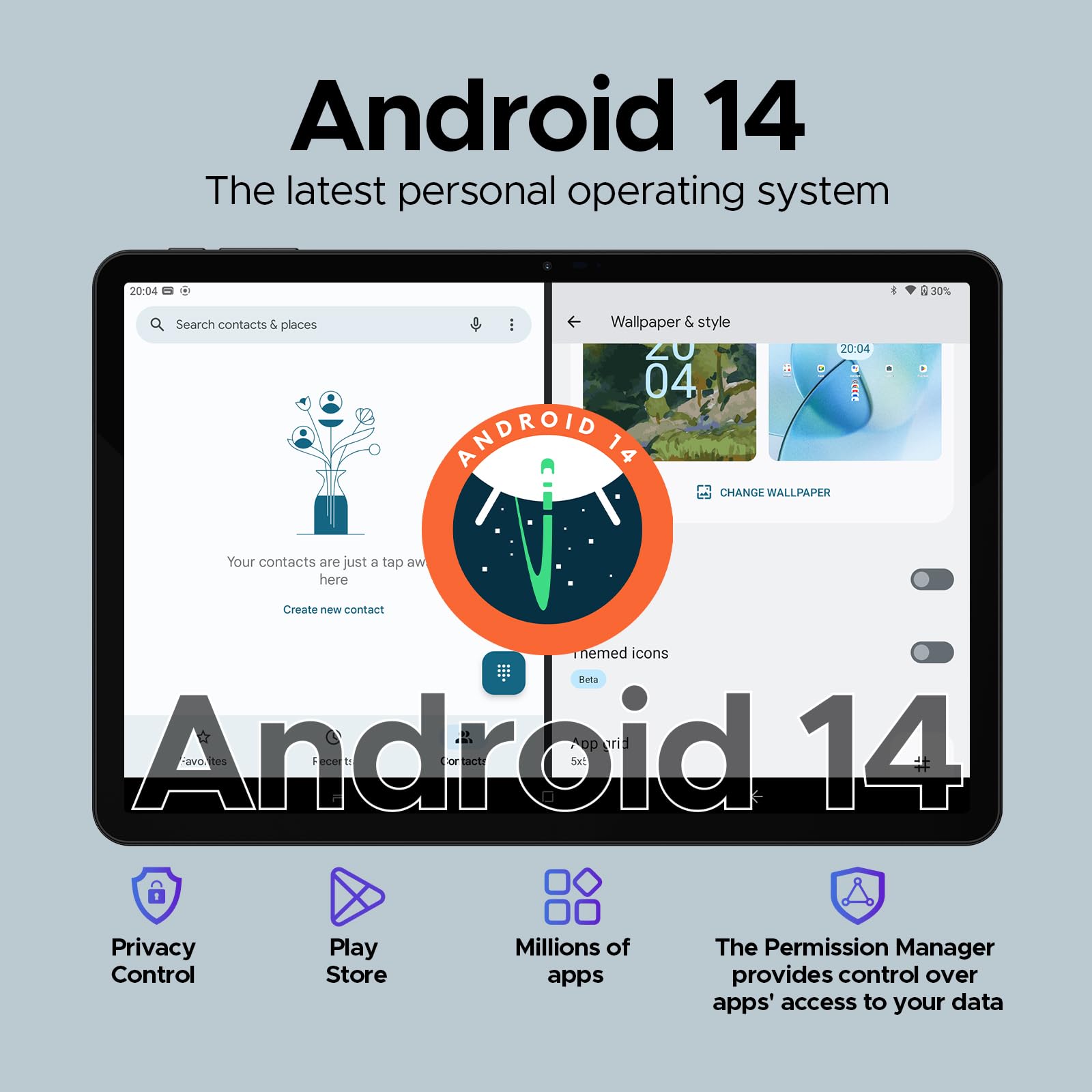
Figure 5.1: Visual representation of the Android 14 operating system interface on the DOOGEE T40.
5.2. Muka Muka konci
For quick and secure access, configure Face Unlock:
- Pindah ka Setélan > Kaamanan & privasi > Muka konci alat > Muka konci raray.
- Turutan parentah dina-layar pikeun ngadaptarkeun beungeut anjeun.
5.3. Fungsi Layar Terbagi
Multitask efficiently by using two apps simultaneously:
- Buka aplikasi munggaran nu Anjeun hoyong pake.
- Swipe up from the bottom and hold to access recent apps.
- Ketok ikon aplikasi di luhur kartu aplikasi anu munggaran, teras pilih "Layar pamisah".
- Pilih aplikasi kadua ti aplikasi panganyarna atawa laci aplikasi Anjeun pikeun ngeusian satengah séjén layar.
5.4. OTG (On-The-Go) Functionality
The DOOGEE T40 supports OTG, allowing you to connect USB devices like flash drives, keyboards, or mice directly to the tablet using a compatible OTG adapter (not included).
It also supports reverse charging, allowing the tablet to act as a power bank for other devices. Connect your device to the tablet's USB-C port using a compatible cable.
6. Pangropéa
6.1. Kaperawatan batré
- Hindarkeun suhu anu ekstrim, sabab tiasa ngirangan umur batre.
- Anggo ngan ukur carjer sareng kabel asli anu disayogikeun sareng tablet.
- Pikeun umur batré anu optimal, ulah sering ngosongkeun batréna atanapi ngajaga dina 100% kanggo waktos anu lami.
6.2. beberesih
- Anggo lawon anu lemes sareng henteu lint pikeun ngabersihan layar sareng awak tablet.
- Pikeun smudges nekad, rada dampen lawon jeung cai atawa cleaner layar. Hindarkeun bahan kimia anu kasar.
6.3. Apdet parangkat lunak
Rutin pariksa sareng pasang apdet parangkat lunak pikeun mastikeun kinerja optimal, kaamanan, sareng aksés ka fitur anyar.
- Pindah ka Setélan > Sistem > Apdet sistem.
- Turutan parentah dina layar pikeun ngundeur tur masang apdet sadia. Pastikeun tablet anjeun cukup dieusi atanapi disambungkeun ka daya salami apdet.
7. Cara ngungkulan
| Masalah | Solusi anu mungkin |
|---|---|
| Tablet teu hurung. | Pastikeun batréna geus dieusian. Sambungkeun carjer sareng antosan sababaraha menit sateuacan nyobian hurung deui. Upami teu ngaréspon, pencét sareng tahan tombol Daya salami 10-15 detik pikeun maksakeun balikan deui. |
| Masalah sambungan Wi-Fi. | Balikan deui tablet sareng router Wi-Fi anjeun. Pohokeun jaringan dina setélan Wi-Fi teras sambungkeun deui. Pastikeun anjeun aya dina jangkauan sinyal Wi-Fi. |
| Aplikasi nabrak atanapi katirisan. | Hapus cache sareng data pikeun aplikasi anu bermasalah (Setelan > Aplikasi > [Ngaran Aplikasi] > Panyimpenan & cache). Apdet aplikasi ti Google Play Store. Upami masalahna masih aya, copot teras pasang deui aplikasi éta. |
| kinerja lalaunan. | Close unused background apps. Clear cache regularly. Consider uninstalling rarely used apps. Ensure sufficient free storage space. Restart the tablet periodically. |
| Kartu SIM teu kauninga. | Pastikeun kartu SIM parantos dipasang kalayan leres kana baki. Pareuman heula tablet. Pariksa yén kartu SIM aktip sareng operator sélulér anjeun. |
8. Garansi jeung Rojongan
The DOOGEE T40 Tablet comes with a garansi 2 taun, as stated in the product features. For any technical assistance or warranty claims, please contact the seller directly.
Penjual: Tablet flagship store
DOOGEE provides lifetime technical support and full 24/7 customer service for their products.
For further assistance, refer to the official DOOGEE websitus atanapi ngahubungan saluran rojongan customer maranéhanana.


