Bubuka
This manual provides instructions for the Sudio K2 Pro Wireless Headphones. Please read this manual carefully before using the product to ensure proper operation and to maximize your listening experience.
The Sudio K2 Pro headphones feature Active Noise Cancelling (ANC) technology, Bluetooth 5.4 connectivity, and a lightweight over-ear design for comfort. They offer up to 65 hours of playtime and support USB-C charging and 3.5mm audio input.
Naon dina Box
- Sudio K2 Pro Wireless Headphones
- Kabel Ngecas USB-C
- Kabel Audio 3.5mm
- Kasus pelindung
- Manual pangguna (dokumén ieu)
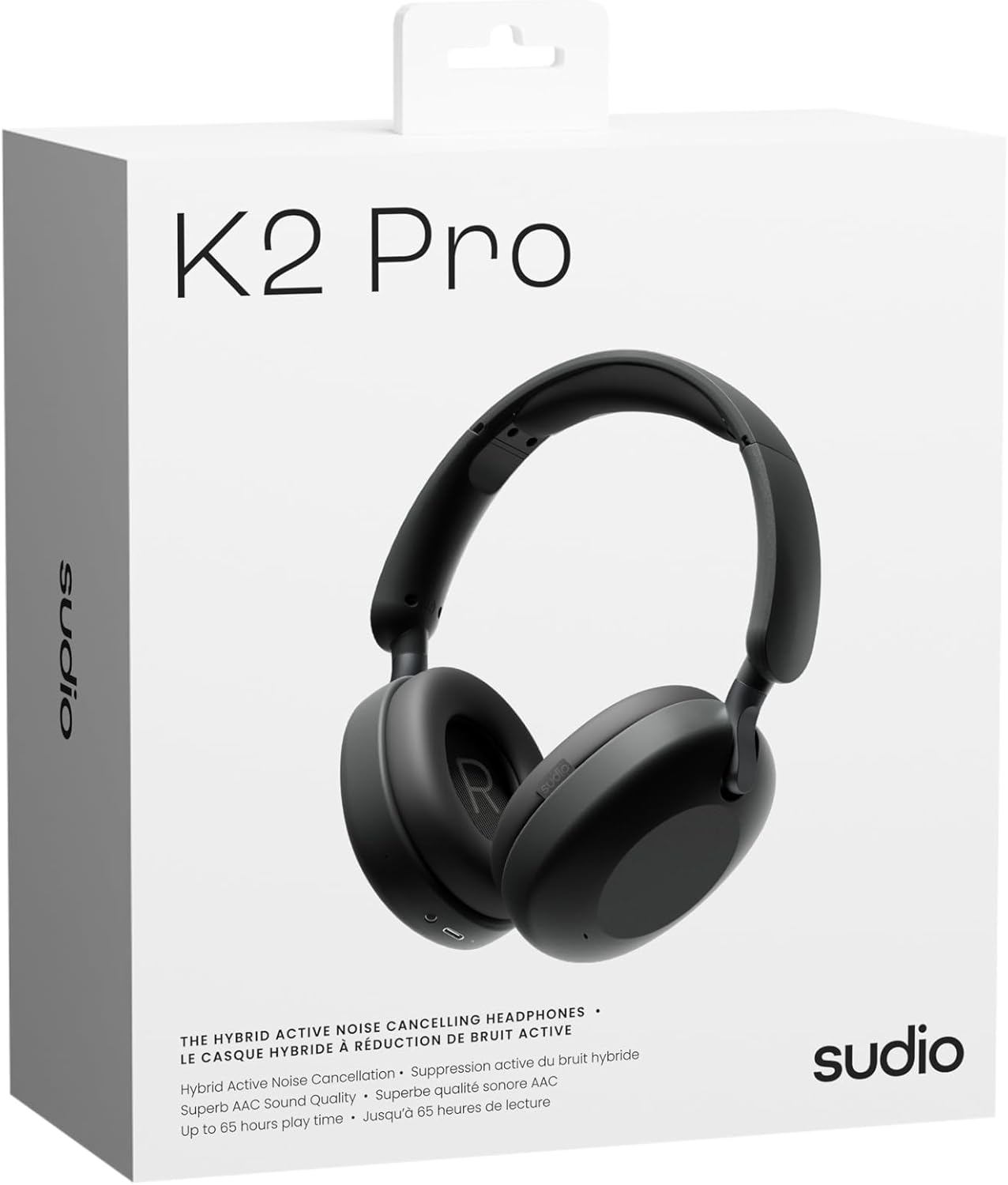
Image: Sudio K2 Pro packaging and included items.
Disetél
1. Ngecas Awal
Before first use, fully charge your Sudio K2 Pro headphones. Connect the provided USB-C charging cable to the headphone's charging port and to a compatible USB power source. The LED indicator will show charging status.

Image: USB-C charging port on the Sudio K2 Pro headphones.
2. Powering on / Pareum
- Daya Hurung: Pencét jeung tahan tombol Daya salila kurang leuwih 3 detik nepi ka indikator LED hurung.
- Pareum listrik: Pencét jeung tahan tombol Daya salila kurang leuwih 3 detik nepi ka indikator LED pareum.
3. Papasangan Bluetooth
- Pastikeun headphone dipareuman.
- Press and hold the Power button for 5-7 seconds until the LED indicator flashes blue and red, indicating pairing mode.
- Dina alat anjeun (smartphone, tablet, komputer), aktipkeun Bluetooth sareng milarian alat anu sayogi.
- Select "Sudio K2 Pro" from the list of devices.
- Sakali dipasangkeun, indikator LED bakal robah jadi biru polos atawa biru kedip-kedip laun.
4. Sambungan kabel
For a wired connection, plug one end of the 3.5mm audio cable into the headphone's audio input jack and the other end into your audio source. The headphones will automatically switch to wired mode.
Parentah Operasi
Kadali Langkungview

Gambar: Detil view tina kontrol headphone.
- Tombol Daya: Hurungkeun/pareumkeun, puterkeun/pareumkeun, jawab/réngsékeun telepon.
- Volume Jilid / Lagu Salajengna: Pencét pondok pikeun polumeu ka luhur, pencét panjang kanggo lagu salajengna.
- Volume Turun / Lagu Saméméhna: Pencét pondok pikeun volume handap, pencét lila pikeun lagu saméméhna.
- Tombol ANC: Toggle Active Noise Cancelling (ANC) on/off.
Active Noise Cancelling (ANC)
Press the ANC button to activate or deactivate the Active Noise Cancelling feature. When ANC is active, the headphones will reduce ambient background noise, providing a more immersive audio experience.
Nelepon jeung Narima Telepon
- Ngajawab / mungkas Telepon: Pencét tombol Daya sakali.
- Nolak Telepon: Pencét jeung tahan tombol Daya salila 2 detik.
Pangropéa
- beberesih: Anggo lawon anu lembut sareng garing pikeun ngabersihan headphone. Ulah make cleaners abrasive atawa pangleyur.
- Panyimpenan: When not in use, store the headphones in the provided protective case to prevent damage.
- Perawatan batré: To prolong battery life, avoid fully discharging the headphones frequently. Charge them regularly.
- Suhu: Ulah nepi ka headphone kakeunaan suhu anu ekstrim (panas atanapi tiis) atanapi kalembaban anu luhur.

Image: Sudio K2 Pro headphones stored in their protective case.
Pamérésan masalah
- Henteu aya kakuatan: Pastikeun headphone dicas pinuh. Sambungkeun ka sumber listrik sareng pariksa indikator ngecas.
- Teu Bisa Masangkeun via Bluetooth:
- Pastikeun headphone aya dina modeu pairing (LED kedip-kedip biru/beureum).
- Pareuman sareng aktipkeun Bluetooth dina alat anjeun.
- Pindahkeun headphone ngadeukeutan ka alat Anjeun.
- Pupus sambungan Bluetooth samemehna dina alat Anjeun tur coba masangkeun deui.
- Henteu aya sora:
- Pariksa tingkat polumeu boh dina headphone sareng alat Anjeun nu disambungkeun.
- Ensure the headphones are properly paired or the 3.5mm cable is securely connected.
- If using a wired connection, ensure the Bluetooth is off on the headphones.
- ANC Teu Gawé: Press the ANC button to ensure it is activated.
spésifikasi
| Fitur | Rincian |
|---|---|
| Ngaran modél | Sudio K2 Pro |
| Nomer modél | SD-2601 |
| Kontrol bising | Aktif Noise pembatalan (ANC) |
| Téhnologi konektipitas | Bluetooth 5.4, Wired (3.5mm) |
| Waktu maén | Nepi ka 65 jam |
| Waktu Ngecas | 90 menit |
| Port ngecas | USB-C |
| Item Beurat | 245 Gram (8.6 ons) |
| Impedansi | 32 ohm |
| Fitur husus | Microphone Included, Noise Cancellation, Touch Control, Volume Control |
Garansi sareng Rojongan
Kanggo inpormasi garansi sareng dukungan palanggan, mangga tingal Sudio resmi websitus atanapi ngahubungan layanan palanggan maranéhanana langsung. Simpen bukti pameseran anjeun pikeun klaim garansi.
Pabrikan: Sudio
Websitus: www.sudio.com
Video produk
When you have Sudio K2 Pro in your everyday life
Video: This video showcases the Sudio K2 Pro headphones in various daily scenarios, highlighting their comfort and style.
Unboxing Sudio K2 Pro
Video: This video demonstrates the unboxing experience of the Sudio K2 Pro headphones, showing the contents of the package.
Introducing Sudio K2 Pro
Video: A brief introduction to the Sudio K2 Pro headphones, highlighting key features and design.


