1. Bubuka
This manual provides instructions for the safe and effective use of the Xiaomi Magnetic Reading Light Bar, Model BHR8956GL. Please read this manual thoroughly before operating the device and retain it for future reference.
Fitur konci
- Wide-angle Illumination: Features a 14.3-inch extended lamp head with a 150lm wide-angle light source for uniform illumination of large areas.
- Warna High Rendering: Utilizes LEDs with a Color Rendering Index (CRI) of Ra90 for accurate color representation.
- Hirup batré anu panjang: Equipped with a built-in 2000mAh battery, providing up to 4.5 hours of operation at maximum brightness.
- Bisa diatur Lamp Kepala: Offers ±25° angle adjustment for flexible lighting positioning.
- Tilu Tingkat Caang: Allows selection among 10%, 50%, and 100% brightness settings via touch control.
- Desain magnét: Securely attaches to surfaces using a magnetic base with 3M double-sided adhesive.
- USB Tipe-C Ngecas: Convenient charging and connectivity via a standard USB Type-C port.
2. Komponén produk
pakét ngawengku item handap:
- Xiaomi Magnét Reading Light Bar
- Magnetic Base with 3M Adhesive
- USB-A to USB-C Charging Cable (1.2 meters)
- Manual pamaké

Gambar 2.1: Hareupeun view of the Xiaomi Magnetic Reading Light Bar.
3. Parentah Setup
3.1 Masang Batang Lampu
- Identify a suitable, clean, and dry surface for mounting the light bar.
- Peel off the protective film from the 3M double-sided adhesive on the magnetic base.
- Press the magnetic base firmly onto the desired surface for secure adhesion.
- Attach the light bar to the magnetic base. The strong magnetic connection will hold it in place.
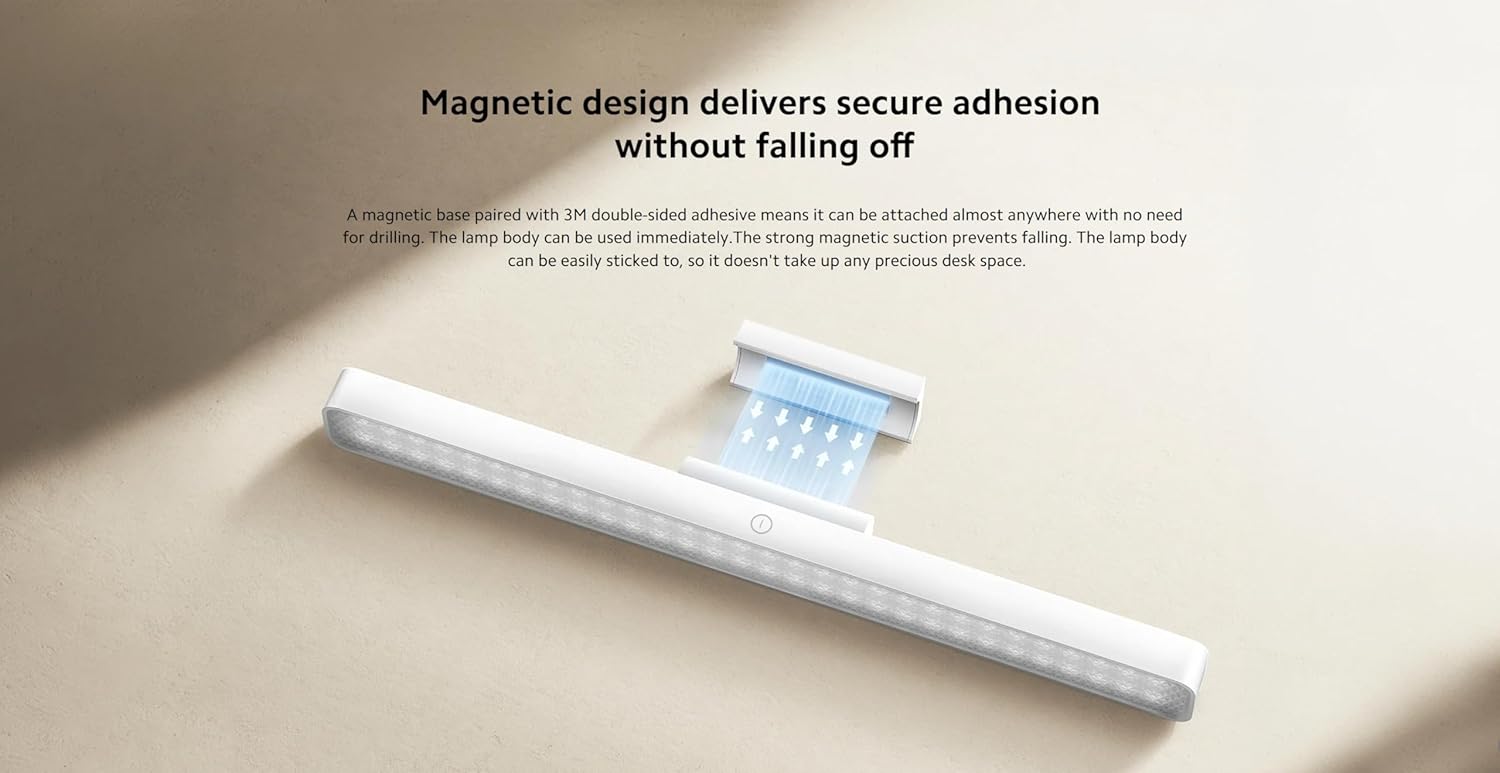
Figure 3.1: Illustration of the magnetic attachment mechanism.
3.2 Charging the Light Bar
The light bar is powered by a rechargeable battery. To charge:
- Locate the USB Type-C port on the side of the light bar.
- Connect the provided USB-A to USB-C charging cable to the light bar.
- Sambungkeun tungtung kabel USB-A kana adaptor daya USB anu cocog (henteu kalebet) atanapi port USB komputer.
- The charging indicator (if present) will show the charging status. Disconnect once fully charged.

Figure 3.2: USB Type-C port for charging and connectivity.
4. Parentah Operasi
4.1 Daya Hurung / Pareum sareng adjustment Caang
The light bar features intuitive touch controls:
- Hurungkeun/Pareuman: Lightly touch the power icon on the light bar to turn it on or off.
- Penyesuaian Caang: Press and hold the power icon to cycle through the three brightness levels: 10%, 50%, and 100%. Release your finger at the desired brightness.
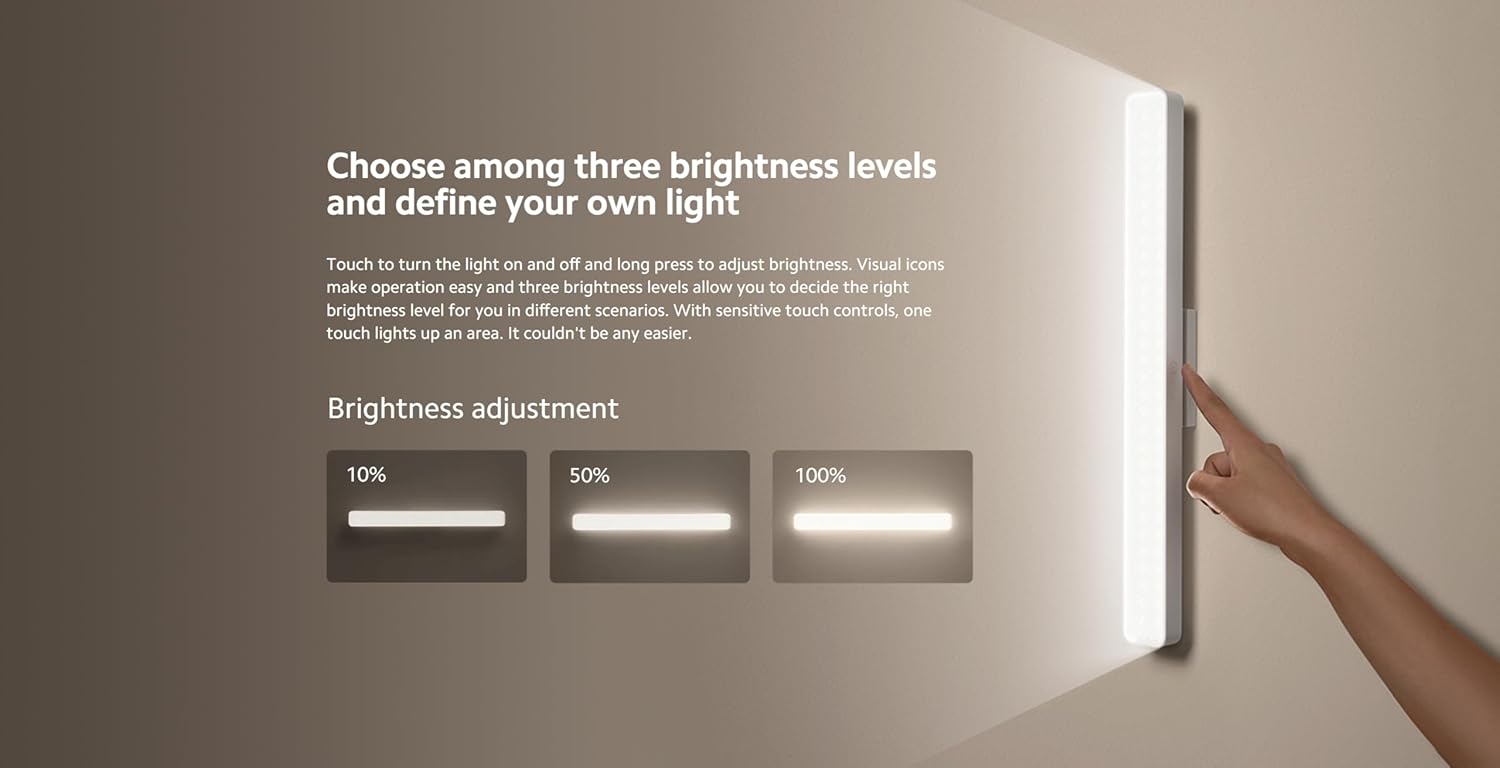
Figure 4.1: Visual representation of the three brightness levels (10%, 50%, 100%).
4.2 Sudut adjustment
Anu lamp head can be adjusted ±25° to direct light precisely where needed. Gently rotate the lamp head to achieve the optimal lighting angle.
4.3 Kagunaan Serbaguna
The light bar's magnetic and portable design allows for various applications:
- Desk Lighting: Provides focused illumination for reading or working.
- Handheld Torch: Detach from the magnetic base for portable lighting.
- Pencahayaan Aksen: Suitable for entrances, wardrobes, makeup areas, or other spaces requiring supplementary light.
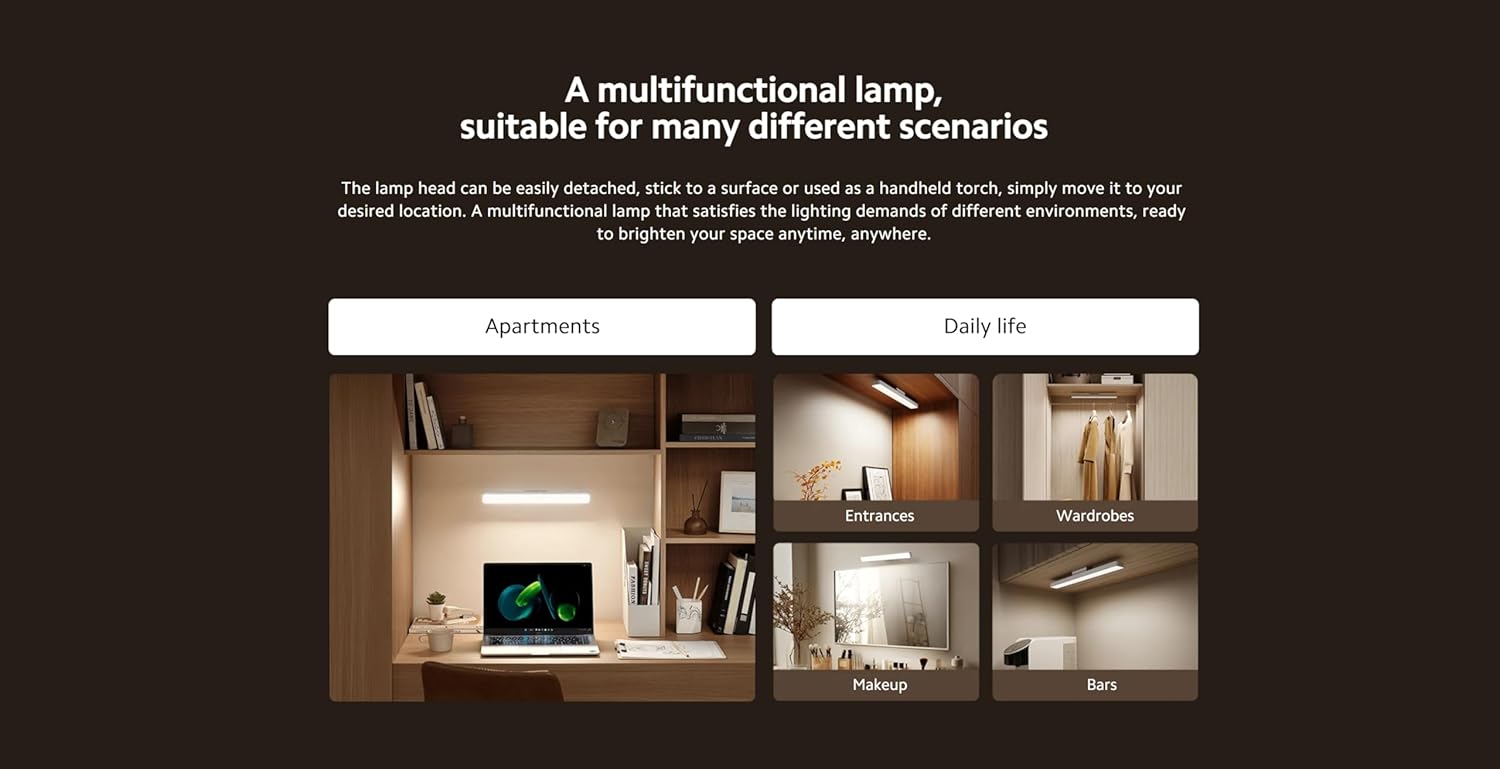
Gambar 4.2: Kelamples of the light bar's multifunctional applications.
5. Pangropéa
5.1 beberesih
To maintain the light bar's appearance and performance:
- Pastikeun alat dipareuman sareng dicabut tina sumber daya naon waé sateuacan dibersihkeun.
- Ngusap beungeut ku lemes, garing, atawa rada damp lawon.
- Ulah nganggo pembersih abrasif, pangleyur, atanapi bahan kimia anu keras, sabab ieu tiasa ngaruksak lapisan akhir.
5.2 Panyimpenan
When not in use for extended periods, store the light bar in a cool, dry place away from direct sunlight and extreme temperatures. Ensure the battery is partially charged before storage to prolong its lifespan.
6. Cara ngungkulan
If you encounter issues with your Xiaomi Magnetic Reading Light Bar, refer to the following common problems and solutions:
| Masalah | Mungkin Cukang lantaranana | Solusi |
|---|---|---|
| Lampu bar teu hurung. | Batré béak. | Charge the light bar using the provided USB-C cable. |
| Kaluaran lampu taram. | Brightness setting is low or battery is low. | Adjust brightness by long-pressing the power icon. If still dim, charge the battery. |
| Light bar detaches from surface. | Magnetic base not securely attached or surface is unsuitable. | Ensure the 3M adhesive is firmly pressed onto a clean, smooth surface. Avoid repositioning frequently. |
| Ngecasna laun atanapi teu tiasa dianggo. | Kabel atanapi adaptor daya rusak. | Try a different USB-C cable or power adapter. Ensure the power source provides sufficient current. |
Lamun masalah persists sanggeus nyobian solusi ieu, mangga ngahubungan rojongan customer.
7. Spésifikasi Téknis
| Spésifikasi | Rincian |
|---|---|
| Ngaran modél | Magnét Lampu Bar |
| Nomer modél | BHR8956GL |
| merek | XIAOMI |
| Dimensi produk | 14.17 x 1.46 x 1.57 inci (2" D x 14" W x 2" H) |
| Item Beurat | 7.8 ons (220 gram) |
| Sumber Daya | Batré Powered |
| Kapasitas batré | 2000 mah |
| Tipe Sumber Cahaya | LED |
| Caang | 150 Lumén |
| Wattage | 5 Watt |
| Suhu Warna | 4000 Kelvin |
| Indéks Rendering Warna (CRI) | Ra90 |
| Pindah Tipe | Toél |
| Bahan | Glass-ceramic, Metal |
| Tipe rengse | Hideung Metallic |
| Tipe Pamasangan | Desktop (Magnetic) |
| Pamakéan jero rohangan / outdoor | jero rohangan |
8. Émbaran jaminan
Xiaomi products are manufactured to high quality standards. This product is covered by a limited warranty against defects in materials and workmanship under normal use. The specific warranty period may vary by region and retailer. Please retain your proof of purchase for warranty claims.
Kanggo syarat sareng katangtuan garansi anu lengkep, mangga tingali kartu garansi anu kalebet dina produk anjeun atanapi kunjungi situs wéb resmi Xiaomi. websitus.
9. Rojongan Palanggan
For further assistance, technical support, or inquiries regarding your Xiaomi Magnetic Reading Light Bar, please contact Xiaomi customer service through their official channels.
Anjeun tiasa mendakan langkung seueur inpormasi sareng sumber dukungan ku ngadatangan resmi Toko XIAOMI di Amazon.


