Bubuka
Thank you for choosing the Grundig Wireless Bluetooth Open-Ear Earbuds. These earbuds are designed to provide a comfortable listening experience with an open-ear design, allowing you to stay aware of your surroundings while enjoying your audio. This manual provides essential information on how to set up, operate, and maintain your earbuds.
Naon dina Box
- Grundig Wireless Bluetooth Open-Ear Earbuds
- Kabel Ngecas USB-C
- Manual pamaké
Produk Leuwihview
Familiarize yourself with the components of your earbuds:
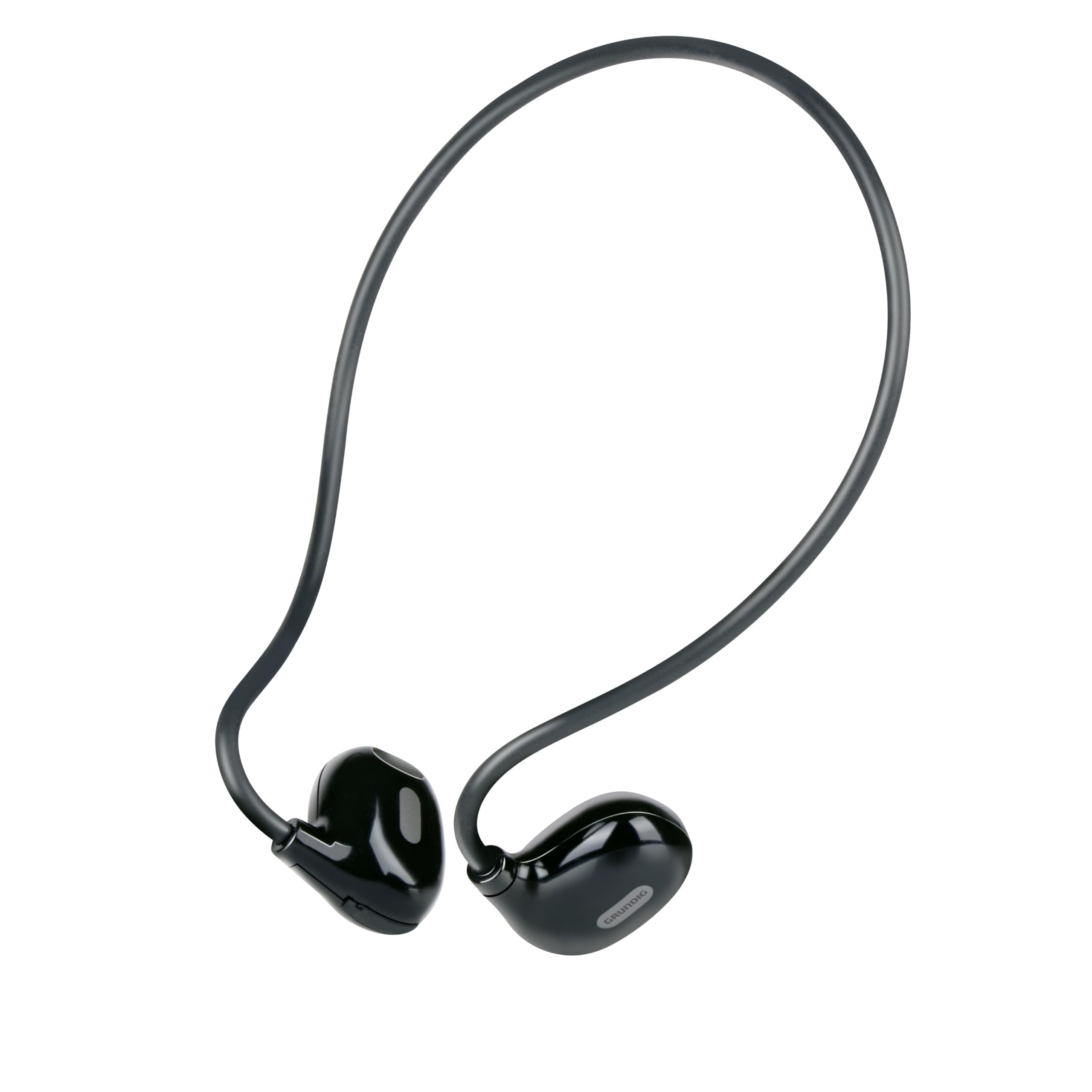
Figure 1: Close-up of a single earbud, highlighting the speaker and flexible ear hook.
- Earbud Unit: Contains the speaker and internal electronics.
- Flexible Ear Hook: Designed to fit securely around your ear.
- Mikropon: Pikeun telepon handsfree.
- Area Kontrol Toél: For managing music and calls.
- Port ngecas USB-C: Located on one of the earbuds for power input.
Disetél
1. Ngecas Earbuds
- Connect the supplied USB-C charging cable to the charging port on the earbuds.
- Sambungkeun tungtung kabel USB-C anu sanés ka sumber daya USB anu cocog (contona, adaptor témbok, port USB komputer).
- The indicator light on the earbuds will show the charging status. A full charge takes approximately 1.5 hours.
- Saatos dicas pinuh, pegatkeun sambungan kabel ngecas.
2. Nyapasangkeun sareng Alat
Pikeun nyambungkeun earbud anjeun ka alat anu nganggo Bluetooth:
- Pastikeun yén earbuds dieusi sareng dipareuman.
- Press and hold the touch control area on one earbud until the indicator light flashes, indicating pairing mode.
- Dina alat anjeun (telepon, tablet, laptop), aktipkeun Bluetooth teras milarian alat anu sayogi.
- Select "Grundig Earbuds" (or similar name) from the list of found devices.
- Once connected, the indicator light on the earbuds will change, usually to a slow flash or off, and you will hear an audible confirmation.
- Earbuds bakal sacara otomatis nyobian nyambung deui ka alat anu dipasangkeun terakhir nalika diaktipkeun.
3. Ngagem Earbuds
For optimal comfort and sound, wear the earbuds as shown:

Figure 2: Proper placement of the earbuds with the ear hook.
- Place the earbud unit near your ear canal, ensuring the speaker is positioned to direct sound into your ear.
- Gently hook the flexible ear hook behind your ear to secure the earbud in place.
- Adjust for a comfortable and stable fit.
Ngoperasikeun Earbuds
Daya Hurung/Pareuman
- Daya Hurung: Press and hold the touch control area for a few seconds until you hear a power-on prompt.
- Pareum listrik: Press and hold the touch control area for a few seconds until you hear a power-off prompt.
Puterkeun Musik
- Puter / Reureuh: Ketok area kontrol toél sakali.
- Lagu salajengna: Double-tap the right earbud's touch control area.
- Lagu Sateuacanna: Double-tap the left earbud's touch control area.
Manajemén Telepon
- Ngajawab / mungkas Telepon: Tap the touch control area once during an incoming call or an active call.
- Nolak Telepon: Press and hold the touch control area for 2 seconds during an incoming call.
Volume Control
Volume control is typically managed directly from your connected device. The earbuds support media control functions for play/pause and track skipping.
Pangropéa
- beberesih: Use a soft, dry cloth to clean the earbuds. Do not use abrasive cleaners or immerse them in water.
- Panyimpenan: Simpen earbud di tempat anu tiis, garing, sareng jauh tina sinar panonpoé langsung sareng suhu anu ekstrim.
- Perawatan batré: To prolong battery life, charge the earbuds regularly, even if not in frequent use. Avoid fully discharging the battery for extended periods.
Pamérésan masalah
| Masalah | Solusi |
|---|---|
| Earbuds teu hurung. | Ensure the earbuds are fully charged. Connect them to the USB-C charging cable and allow 1.5 hours for a full charge. |
| Teu tiasa dipasangkeun sareng alat. | Make sure Bluetooth is enabled on your device. Ensure the earbuds are in pairing mode (indicator light flashing). Move the earbuds closer to your device. Forget previous pairings on your device and try again. |
| Taya sora atawa volume low. | Check the volume level on both your connected device and the earbuds. Ensure the earbuds are properly seated on your ears. Reconnect the earbuds to your device. |
| Telepon teu jelas. | Ensure the microphone is not obstructed. Move to an area with less background noise. Check your device's call settings. |
| Earbud sering pegat. | Ensure the earbuds are within the Bluetooth range of your device. Avoid obstacles between the earbuds and your device. Charge the earbuds if the battery is low. |
spésifikasi
| Nomer modél | 8711252259871 |
| merek | Grundig |
| Téhnologi konektipitas | Nirkabel (Bluetooth 5.3) |
| Panempatan Ceuli | Buka Ceuli |
| Métode kontrol | Toél Control |
| Kahirupan batré | Nepi ka 5 jam |
| Waktu Ngecas | Kurang leuwih 1.5 jam |
| Port ngecas | USB-C |
| Bahan | Plastik jeung Silicone |
| Tingkat Résistansi Cai | Teu waterproof |
| Alat nu cocog | Mobile phones, tablets, laptops, game consoles, desktop computers, smart speakers |
| Fitur husus | Fast charging, Hands-free calls |
Émbaran Kasalametan
- Ulah nganggo earbud dina volume anu luhur salami waktos anu lami pikeun nyegah karusakan pangrungu.
- Entong nganggo earbuds dina kaayaan dimana henteu mampuh ngadéngé sora ambient bisa bahaya (misalna nyetir, sapédah, leumpang dina lalulintas).
- Keep the earbuds away from water and moisture.
- Do not attempt to disassemble or modify the earbuds.
- Jauhkeun tina jangkauan barudak.
- Buang produk sacara tanggung jawab nurutkeun peraturan lokal.
Garansi sareng Rojongan
Grundig products are designed for reliability and performance. For warranty information and customer support, please refer to the documentation provided with your purchase or visit the official Grundig websitus. Punten tahan bukti pameseran anjeun pikeun klaim garansi.


