Bubuka
This manual provides detailed instructions for the safe and efficient use of your Oilsky M502 MP3 Player. Please read this manual thoroughly before operating the device and retain it for future reference. The Oilsky M502 is a versatile multimedia player featuring Android 13.0, Wi-Fi, Bluetooth, dual cameras, and a 5.5-inch touchscreen.

Gambar: Hareup jeung pungkur view of the Oilsky M502 MP3 Player, showcasindesain sareng lénsa kamérana anu ramping.
Naon dina Box
Carefully unpack your Oilsky M502 MP3 Player and check for the following items:
- 1x Oilsky M502 Music Player
- 1 x Kabel USB
- 1x Earphone Kabel
- 1 x Pelindung Layar
- 1x Case Pelindung
- 1x Manual Pamaké (dokumén ieu)

Image: All items included in the Oilsky M502 MP3 Player package, neatly arranged.
Disetél
1. Ngecas Alat
Before first use, fully charge the device using the provided USB cable and a compatible USB power adapter (not included). The charging indicator will show the battery status.
2. Powering on / Pareum
- Pikeun Ngahurungkeun: Pencet jeung tahan tombol Daya dugi layar hurung.
- Pikeun mareuman: Pencét terus tahan tombol Daya, teras pilih 'Pareuman' tina pilihan dina layar.
3. Setup Awal
Upon first power-on, follow the on-screen prompts to select your language, connect to a Wi-Fi network, and configure basic settings. The device runs on Android 13.0 with an MTK octa-core processor for smooth performance.

Image: Visual representation of the device's powerful system, highlighting Android 13.0 and the MTK 6762 octa-core chip.
4. Nyelapkeun Kartu MicroSD (Opsional)
The device supports MicroSD card expansion up to 1TB. Locate the MicroSD card slot, gently insert the card with the gold contacts facing down, and push until it clicks into place. This expands the already generous 128GB internal storage.

Image: Diagram illustrating the device's storage capabilities, including 4GB RAM, 128GB ROM, and support for up to 1TB MicroSD card expansion.
Parentah Operasi
1. Napigasi Dasar
The Oilsky M502 features a 5.5-inch Full HD touchscreen. Navigate by tapping icons, swiping across the screen, and using pinch-to-zoom gestures where applicable.
2. Nyambungkeun ka Wi-Fi
Pindah ka Setelan > Jaringan & Internét > Wi-Fi. Turn on Wi-Fi, select your desired network, and enter the password if prompted. The device supports dual-band 2.4GHz/5GHz Wi-Fi for stable online streaming.
3. Konektipitas Bluetooth
To connect to Bluetooth headphones, speakers, or other devices:
- Pindah ka Setélan> Alat anu nyambung> preferensi Konéksi> Bluetooth.
- Hurungkeun Bluetooth.
- Pastikeun aksésoris Bluetooth anjeun dina modeu papasangan.
- Pilih aksésoris tina daptar alat anu sayogi kanggo dipasangkeun.
Bluetooth 5.0 supports bidirectional file transfer with mobile phones and computers.

Image: The MP3 player connected via Bluetooth 5.0 to a speaker, headphones, mobile phone, and computer.
4. Puterkeun Musik
The device comes with a professional-quality music player. It supports various audio formats including MP3, WAV, APE, FLAC, and AAC. You can scan folders to import songs, create playlists, and search by keywords.

Image: The music player interface displaying options for song categories, search, playlist creation, online lyrics/covers, and equalizer settings.
For online streaming, popular apps like Spotify, Pandora, Amazon Music, Audible, Tidal, and Deezer are pre-installed. You can stream music directly via Wi-Fi.

Image: The device screen showing icons for popular streaming services and apps, indicating its smart streaming capabilities.

Image: Features of the powerful HiByMusic application, including song categorization, search, playlist creation, and online lyrics/covers.
5. Puteran pidéo
The 5.5-inch Full HD screen (1440x720 resolution) supports 720P/1440P HD video playback. Compatible formats include AVI, MKV, RMVB, and MP4. The device also includes practical tools like a clock, recorder, FM radio, and e-reader.

Image: The device screen showing a high-definition video, emphasizing its 5.5-inch full-touch screen and 720x1440 resolution.

Image: Features of the MX Player Pro, including support for various video formats, IPS wide viewing angle, variable playback speed, and gesture zoom.
6. Ngagunakeun kaméra
The device is equipped with a 13-megapixel rear camera and a 5-megapixel front camera. Open the Camera app to take high-definition photos and videos. You can share your captured moments directly to social media via the device.

Image: Demonstrates the 13MP rear camera capturing a city skyline and the 5MP front camera taking a group selfie.

Image: Illustrates the capabilities of the 5MP front camera for selfies and the 13MP rear camera for capturing landscapes.
7. App Management and Parental Controls
The Android 13.0 operating system allows you to install additional applications from the Google Play Store and update existing ones. You can also easily uninstall unnecessary apps to save memory.

Image: The device screen displaying various popular apps available for download from the Google Play Store.

Image: A hand interacting with the touchscreen to uninstall a pre-installed application, illustrating ease of app management.
Parental control features are included, allowing you to set restrictions on content access and screen time, ensuring children can only access age-appropriate content.

Image: A family using the device, with an overlay showing parental control settings like daily limits and app restrictions.
8. File Mindahkeun
Connect the device to a computer using the USB cable. The device will appear as a removable storage device, allowing you to drag and drop files (music, videos, photos) to and from its internal storage or MicroSD card.
Pangropéa
1. beberesih
Use a soft, dry, lint-free cloth to clean the device. Avoid using abrasive cleaners or solvents that may damage the screen or casing.
2. Apdet parangkat lunak
Pariksa sacara berkala apdet parangkat lunak dina Setélan > Sistem > Apdet sistem to ensure optimal performance and access to the latest features.
3. Manajemén gudang
Atur panyimpenan anjeun sacara rutin ku cara ngahapus anu teu perlu files or uninstalling unused applications to maintain device performance. Utilize the MicroSD card for large media files.
Pamérésan masalah
- Alat teu hurung: Pastikeun batréna geus dieusian. Sambungkeun ka sumber listrik teras cobian deui.
- Layar teu ngaréspon: Try restarting the device by holding the power button. If unresponsive, perform a forced restart (refer to device specifications for button combination, usually Power + Volume Down).
- Teu tiasa nyambung ka Wi-Fi/Bluetooth: Ensure Wi-Fi/Bluetooth is enabled in settings. Check if other devices can connect to the network/accessory. Restart the device and the router/accessory.
- Aplikasi ngadat atanapi kinerja laun: Close background applications. Clear app cache (Settings > Apps > [App Name] > Storage & cache > Clear cache). Ensure sufficient storage space.
- Teu aya sora: Check volume levels. Ensure headphones are properly connected or Bluetooth device is paired and connected.
spésifikasi
| Fitur | Rincian |
|---|---|
| Nomer modél | M502 |
| merek | Oilsky |
| Sistem operasi | Android 13.0 |
| Prosesor | MTK Octa-core |
| Ram | 4GB |
| Panyimpenan internal | 128GB |
| Panyimpenan Expandable | Up to 1TB MicroSD card |
| Ukuran layar | 5.5 inci |
| Resolusi tampilan | 1440 x 720 (HD lengkep) |
| Téknologi tampilan | LED or LCD, IPS |
| Kaméra tukang | 13 megapiksel |
| Kaméra hareup | 5 megapiksel |
| Wifi | Dual-band (2.4GHz/5GHz) |
| Bluetooth | Vérsi 5.0 |
| Kapasitas batré | 2500mAh Litium-polimér |
| Waktos Puterkeun Musik | Nepi ka 30 jam |
| Waktu Puteran Pidéo | Nepi ka 5 jam |
| Format Audio Dirojong | MP3, WAV, APE, FLAC, AAC |
| Format Pidéo anu Dirojong | AVI, MKV, RMVB, MP4 |
| Fitur husus | Built-in speaker, FM Radio, E-reader, Parental Controls |
| Warna | Hideung |
| Asalna | Cina |

Gambar: Leuwihview of the device's powerful computing capabilities, including 4GB RAM, 128GB ROM, MTK 8-core processor, and 1TB external storage support.

Image: Icons representing various supported music (MP3, WAV, APE, FLAC, AAC) and video (AVI, MKV, RMVB, MP4, MOV) formats.

Image: A summary of the Oilsky M502's key features, including 128GB storage, Android 13.0, full-touch screen, Wi-Fi, Bluetooth 5.0, and front/rear cameras.
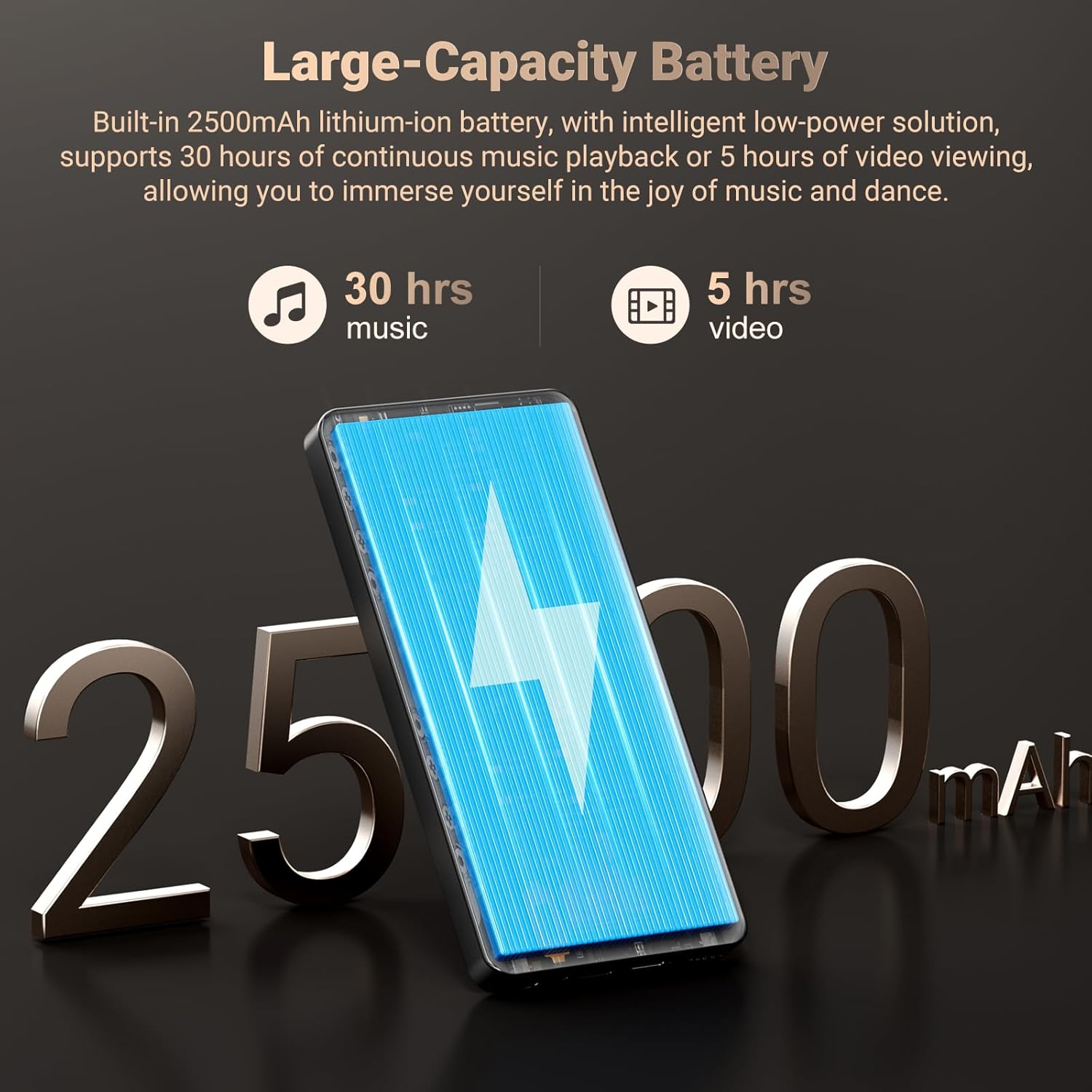
Image: Illustrates the device's large-capacity 2500mAh battery, providing up to 30 hours of music playback or 5 hours of video viewing.
Garansi sareng Rojongan
Émbaran jaminan
The Oilsky M502 MP3 Player comes with a manufacturer's warranty. Please refer to the warranty card included in your package for specific terms and conditions. Keep your proof of purchase for warranty claims.
Rojongan Palanggan
For any questions, technical assistance, or support regarding your Oilsky M502 MP3 Player, please do not hesitate to contact our customer service team. We are committed to providing assistance and ensuring your satisfaction.
Contact information can typically be found on the Oilsky official websitus atawa ngaliwatan platform pameseran Anjeun.


