1. Bubuka
This manual provides comprehensive instructions for the installation, operation, and maintenance of your Waterdrop Ultra Filtration Under Sink Water Filter system. This system is designed to provide filtered water directly from your tap, reducing various impurities for improved water quality.
2. Produk Langkungview
The Waterdrop Ultra Filtration system is an under-sink water filter designed for ease of use and effective filtration. It typically features multiple stages of filtration to address different contaminants.

Image: The Waterdrop Under Sink Water Filter System (Model: TSA-UF) shown installed under a kitchen sink, highlighting its compact dimensions (4.3" depth, 16.8" width, 12.9" height). It features 0.01 µm ultrafiltration and is NSF/ANSI 372 certified.
2.1 Téhnologi Filtrasi
The system utilizes a multi-stage filtration process to remove various impurities. This includes a PP (Polypropylene) filter for sediment, a GC (Granular Carbon) filter for taste and odor, and a UF (Ultra Filtration) membrane for finer particles.
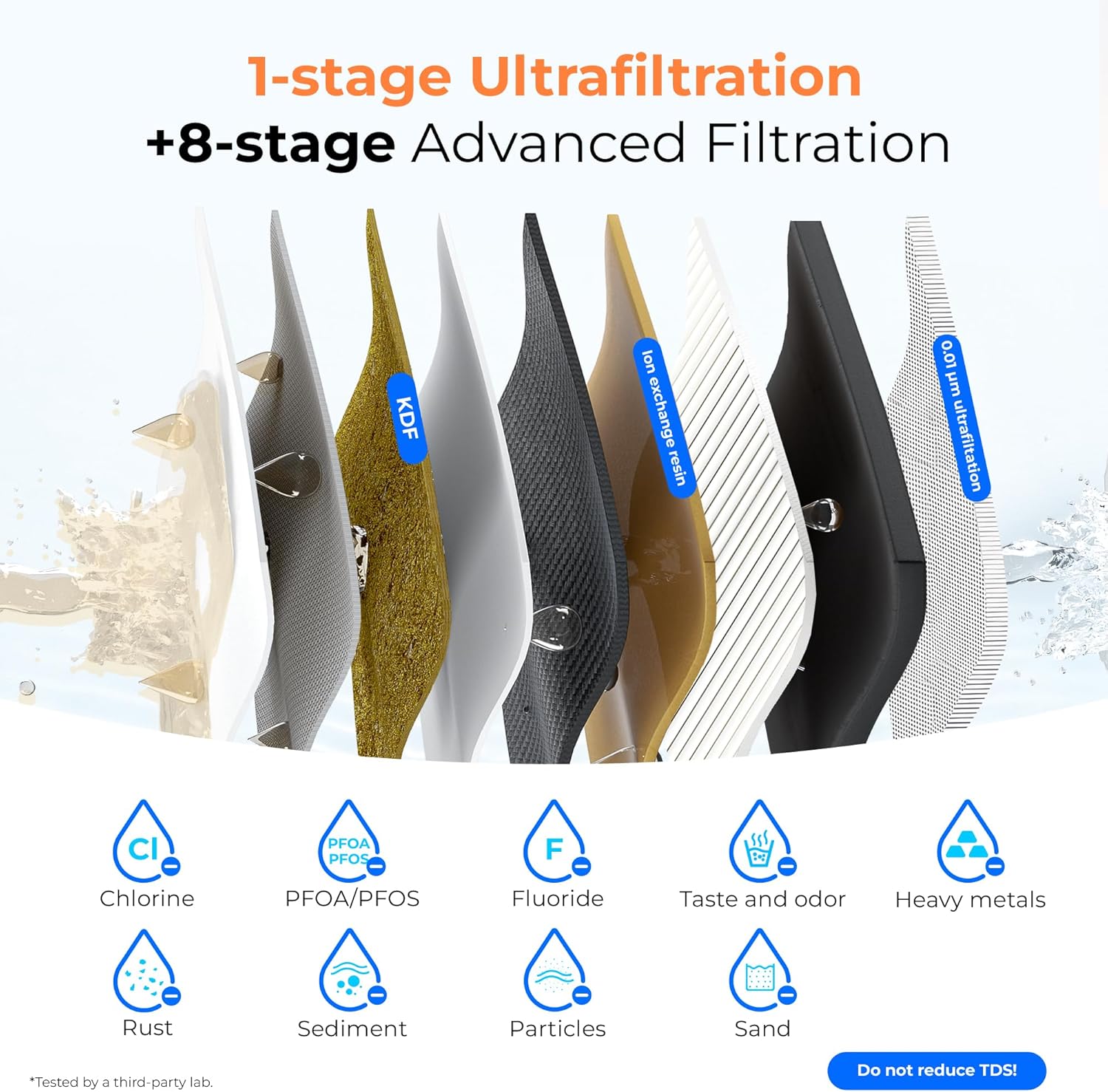
Gambar: Diagram anu ngagambarkeun 9-stage filtration process, including KDF and ion exchange resin layers, designed to reduce chlorine, PFOA/PFOS, fluoride, taste and odor, heavy metals, rust, sediment, particles, and sand. Note: This system does not reduce TDS.

Gambar: A lengkep view of the 0.01 µm ultrafiltration membrane, featuring an accordion-style structure for a larger filtration area and 20x dirt adhesion capacity compared to regular filters.
3. Setup jeung Instalasi
Follow these steps for proper installation of your Waterdrop under sink water filter system.
3.1 Pasang Unit
Mount the main filter housing unit securely under your sink. Ensure there is enough space for filter replacement.
3.2 Installing Filter Cartridges
The filter cartridges are designed for easy installation. Simply align and twist them into the designated slots on the main unit. Ensure they are securely locked in place. The system typically includes a PP (Pre-Sediment) filter, a GC (Granular Carbon) filter, and a UF (Ultra Filtration) filter.
3.3 Ngahubungkeun Pipa Cai
Connect the water inlet and outlet lines using the quick-connect fittings. Push the tubing firmly into the fittings until it seats securely. To disconnect, push the blue collar in while pulling the tubing out.
3.4 Siram Awal
After installation, turn on the water supply and flush the system for several minutes (refer to specific product instructions for exact duration) to remove any air and carbon fines before first use.
4. Parentah Operasi
Once installed, the system operates automatically when water is drawn from the filtered water faucet. Ensure all connections are secure to prevent leaks.
4.1 Filter Life Indicator
Some Waterdrop systems may include an indicator for filter life. Monitor this indicator or track the recommended replacement schedule to ensure optimal performance.
5. Pangropéa sarta Ngagantian Filter
Regular maintenance, primarily filter replacement, is crucial for maintaining water quality and system longevity.
5.1 Prosedur Panggantian Filter
Replacement of the filter cartridges can be completed quickly and without tools. Simply twist the old filter counter-clockwise to remove it, and twist the new filter clockwise to install it. The sealed design helps prevent contamination.
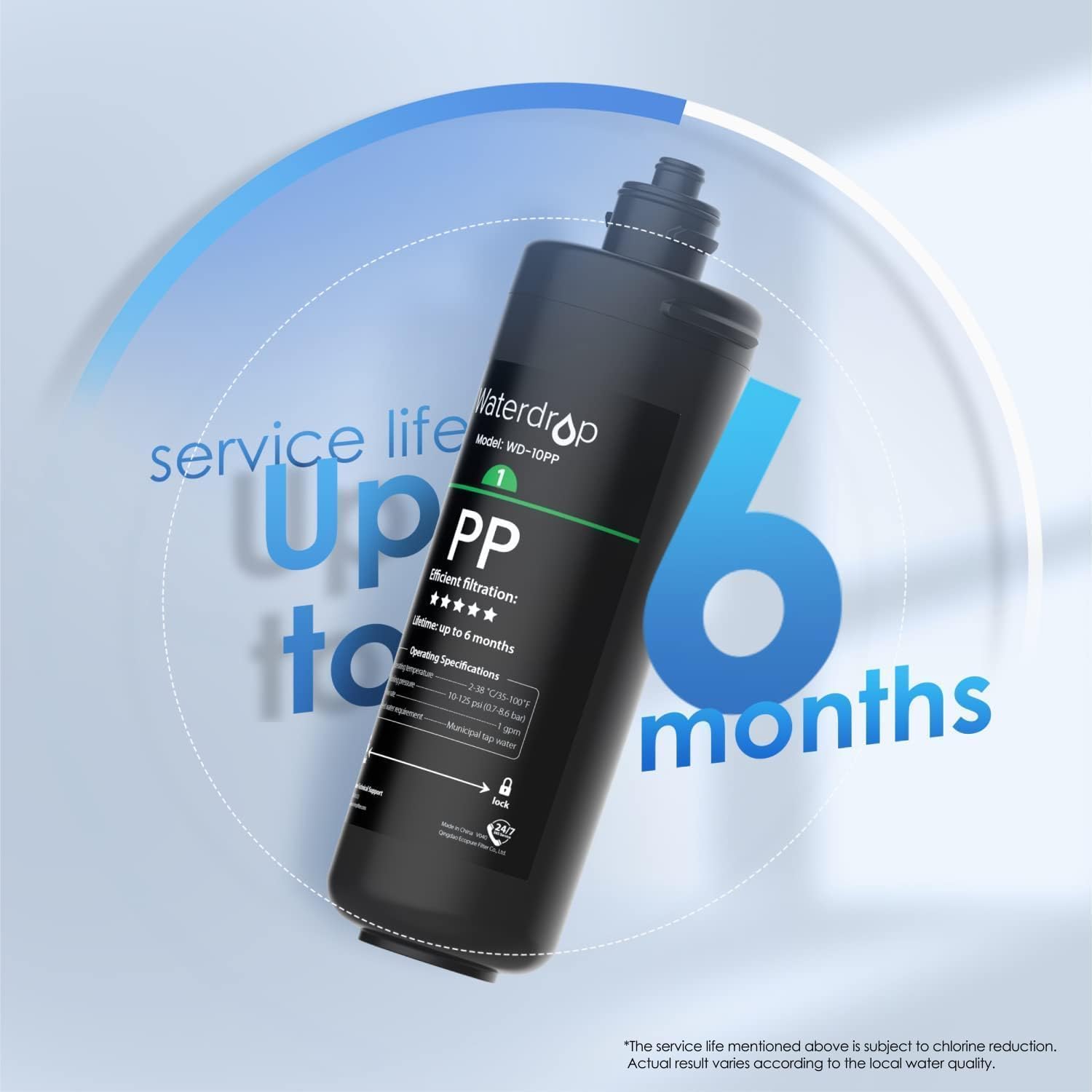
Image: The Waterdrop WD-10PP Pre-Sediment Filter, indicating a service life of up to 6 months. Actual service life may vary based on local water quality and usage.
5.2 Recommended Service Life
- Pre-Sediment Filter (PP): Nepi ka 6 bulan.
- Granular Carbon Filter (GC): Nepi ka 12 bulan.
- Ultra Filtration Filter (UF): Nepi ka 12 bulan.
Note: Actual filter life depends on the quality of your incoming water and daily water consumption. Replace filters according to the recommended schedule for optimal performance.
5.3 Compatible Replacement Filters
This under sink replacement water filter is compatible with WD-TSA and WD-TSB 3-stage under counter drinking water filter systems. For replacement PP filters for WD-TSU or WD-TSC, search for WD-TSPP. For replacement filters for WD-10UA or WD-10UB, search for WD-RF10.

Image: A visual guide showing compatibility with WD-TSA/WD-TSB and WD-TSB-CM systems, indicating the correct filter types (PP, GC, CT) for each.

Image: A guide titled "Choose The Right Model" showing the WD-10PP filter and indicating that it is not compatible with WD-TSU or WD-TSC systems.
6. Cara ngungkulan
If you encounter issues with your water filter system, refer to the following common troubleshooting tips:
- Aliran Cai Lemah: Check if the filters are due for replacement. Ensure there are no kinks in the water lines. Verify that the main water supply valve is fully open.
- Bocor: Ensure all quick-connect fittings are properly seated. Check that filter cartridges are twisted in securely. Turn off the water supply and re-seat any leaking connections.
- Rasa atawa bau anu teu biasa: This typically indicates that the carbon filter (GC) needs replacement. Ensure the system was properly flushed after installation or filter replacement.
7. Spésifikasi
| Fitur | Rincian |
|---|---|
| merek | Titisan cai |
| Ngaran modél | Waterdrop WD-TSA-UF |
| Tipe Pamasangan | Dina Tilelep |
| Métode Pemurnian | Ultra Filtrasi |
| Fitur husus | Ngurangan klorin, NSF Certified |
| Bahan | Polipropilén |
| Sumber Daya | Operasi Manual |
| Dirojong Cai TDS Level Maximum | 300 PPM |
8. Garansi jeung Rojongan
For warranty information, technical support, or to purchase replacement filters, please visit the official Waterdrop websitus atanapi ngahubungan layanan palanggan maranéhna. Simpen resi pameseran anjeun pikeun klaim jaminan.
Anjeun tiasa mendakan langkung seueur inpormasi sareng produk di Toko Waterdrop di Amazon.


