1. Bubuka
The Bose QuietComfort Wireless Noise Cancelling Earbuds deliver a high-quality audio experience with advanced noise cancellation capabilities. This manual provides essential information for the proper setup, operation, and maintenance of your earbuds to ensure optimal performance and longevity.
Key features include active noise cancellation, customizable tap controls, IPX4 water resistance, up to 8.5 hours of battery life per charge, and advanced Bluetooth 5.3 connectivity. The Bose QCE app allows for personalized sound adjustments and device management.
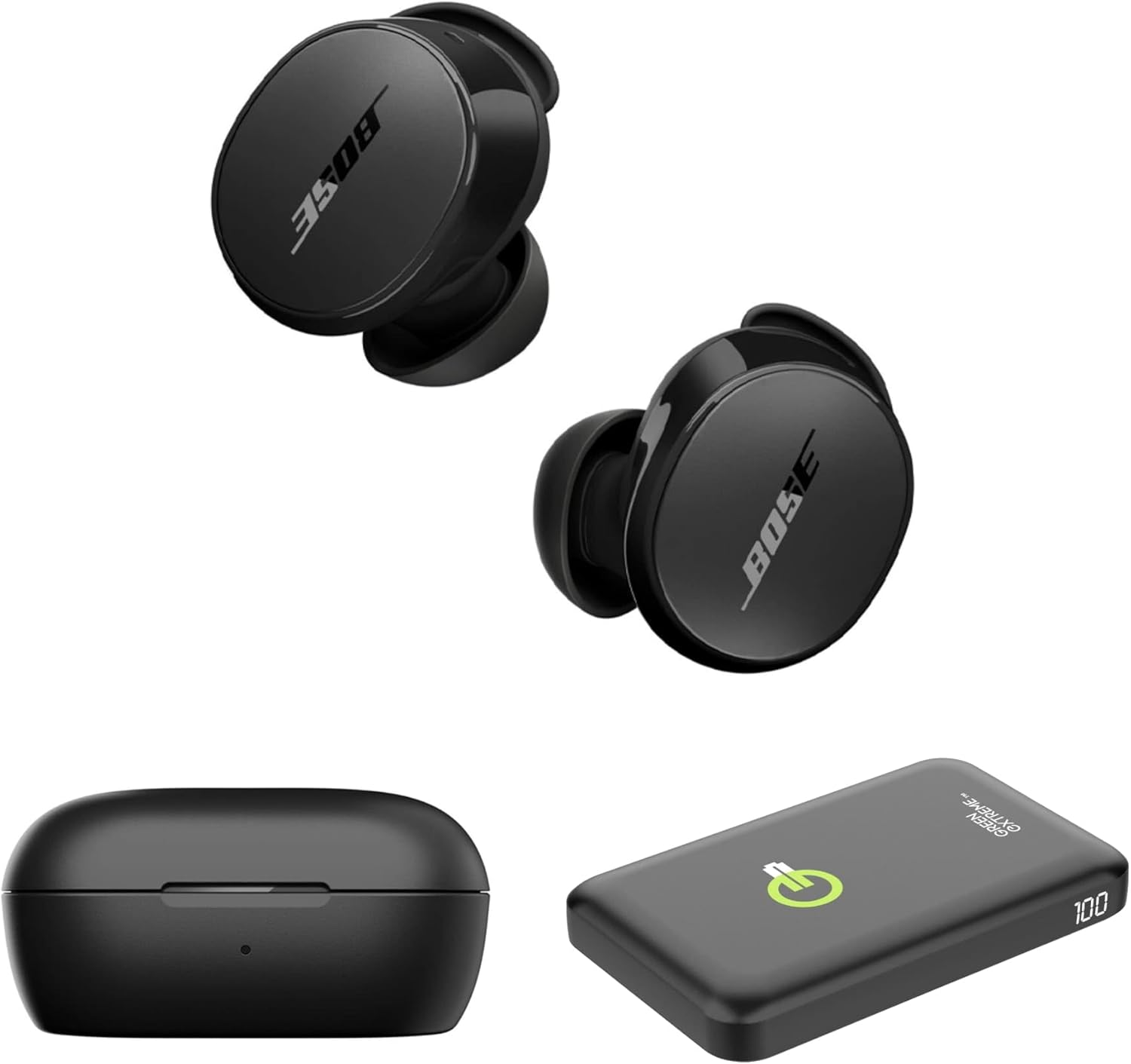
Image 1.1: Bose QuietComfort Earbuds, charging case, and Green Extreme portable charger.
2. Setélan
2.1 Unboxing jeung komponén
Pastikeun yén sadaya komponén aya dina bungkusan:
- Bose QuietComfort Earbuds (Black)
- Ngecas Case
- USB-A ka USB-C Cable
- Small, Medium, and Large Eartips & Stability Bands
- Green Extreme 10000mAh Qi Power Bank

Image 2.1: Bose QuietComfort Earbuds in open charging case with included eartips and stability bands.
2.2 Ngecas Earbuds sareng Case
- Teundeun earbuds kana wadah ngecas. Pastikeun aranjeunna leres seated.
- Connect the USB-A to USB-C cable to the charging case and a power source.
- The charging case can also be charged wirelessly.
- A 20-minute charge provides approximately 2 hours of playback. Full charge provides up to 8.5 hours of playback. The case holds an additional 2.5 charges.

Image 2.2: Hand holding the Bose QuietComfort Earbuds charging case.
2.3 Selecting the Correct Fit
The earbuds come with three sizes of eartips and stability bands (S, M, L) to ensure a comfortable and secure fit. Experiment with different sizes to find the best seal for optimal sound quality and noise cancellation.
- Gently pull the eartip and stability band off the earbud.
- Select a new size and align it with the earbud.
- Press firmly until it clicks into place.

Image 2.3: Close-up of Bose QuietComfort Earbuds, highlighting the design and fit components.
2.4 Nyapasangkeun Bluetooth
The earbuds utilize Bluetooth 5.3 for stable and efficient wireless connectivity.
- Buka wadah ngecas. Earbuds bakal asup kana mode papasangan.
- Dina alat anjeun (smartphone, tablet, komputer), aktipkeun Bluetooth sareng milarian alat anu sayogi.
- Select "Bose QuietComfort Earbuds" from the list.
- The earbuds support multipoint connection, allowing seamless switching between multiple paired devices.
3. Parentah Operasi
3.1 Customizable Tap Controls
The earbuds feature customizable tap controls for managing audio playback and calls. These controls can be configured via the Bose QCE app.
- Puter / Reureuh: Ketok tunggal dina boh earbud.
- Skip Track: Ketok dua kali dina earbud katuhu.
- Kontrol volume: Swipe up or down on the earbud surface (customizable).
- Ngajawab / mungkas Telepon: Ketok tunggal dina boh earbud.
3.2 Pembatalan Noise Aktip (ANC)
The earbuds feature active noise cancellation to reduce ambient sound. ANC settings can be adjusted through the Bose QCE app.
- Modeu sepi: Maximizes noise cancellation for immersive listening.
- Modeu Sadar: Allows some ambient sound to pass through, enhancing situational awareness.
- Pareum: Nonaktipkeun panghapusan bising.
3.3 Bose QCE App Integration
The Bose QCE app provides comprehensive control and customization options for your earbuds:
- EQ adjustable: Fine-tune bass, mid-range, and treble levels.
- Setélan ANC: Switch between Quiet, Aware, and Off modes.
- Kahirupan batré: Monitor the current battery level of each earbud and the charging case.
- Jalan Pintas Khusus: Personalize tap control functions.
- Manajemén alat: View and manage connected Bluetooth devices.
Video 3.1: Hiji leuwihview of the Bose QuietComfort Wireless Noise Cancelling Earbuds, demonstrating key features and design.
4. Pangropéa
4.1 beberesih
Pembersihan rutin ngabantosan ngajaga kinerja sareng kabersihan earbuds anjeun.
- Anggo lawon anu lemes sareng garing pikeun ngusap earbud sareng wadah ngecas.
- For eartips, remove them from the earbuds and clean with a mild soap solution, then rinse and dry thoroughly before reattaching.
- Hindarkeun ngagunakeun bahan abrasive atanapi bahan kimia anu kasar.
4.2 Tahan cai
The earbuds have an IPX4 rating, meaning they are resistant to splashes, drips, and sweat. This rating does not indicate resistance to submersion in water. Avoid exposing the earbuds to excessive moisture or liquids.
5. Cara ngungkulan
If you encounter issues with your Bose QuietComfort Earbuds, refer to the following common solutions:
- Taya Sora/Kualitas Sora Lemah: Ensure earbuds are properly seated in your ears with a good seal. Check the volume levels on both your device and the earbuds. Verify EQ settings in the Bose QCE app.
- Masalah konektipitas: Ensure Bluetooth is enabled on your device and the earbuds are in pairing mode. Try unpairing and re-pairing the earbuds. Ensure your device is within the 30-foot Bluetooth range.
- Earbuds Teu Ngecas: Ensure the earbuds are correctly placed in the charging case. Check that the charging case itself is charged or connected to a power source. Clean charging contacts if necessary.
- Noise Cancellation Teu Gawé: Verify ANC settings in the Bose QCE app. Ensure a proper fit of the eartips and stability bands to create an effective seal.
For further assistance, consult the Bose support websitus atanapi ngahubungan layanan palanggan.
6. Spésifikasi
| Fitur | Spésifikasi |
|---|---|
| merek | Bose |
| Nomer modél | 888507-Pakét |
| UPC | 192223262270 |
| Vérsi Bluetooth | 5.3 |
| Rentang Bluetooth | 30 suku |
| Kahirupan Batré (Earbuds) | Nepi ka 8.5 Jam |
| Charging Case Charges | 2.5 additional charges |
| Ngecas Gancang | 20 menit pikeun 2 jam playback |
| Fitur Control Noise | Pembatalan Noise aktip |
| Tingkat Résistansi Cai | IPX4 (Tahan Cai) |
| Métode kontrol | Toél |
| Tipe Supir Audio | Supir dinamis |
| Wangun Earpiece | Ujung buleud |
| Bahan | Plastic or Aluminum (Case) |
7. Garansi jeung Rojongan
Your Bose QuietComfort Wireless Noise Cancelling Earbuds are covered by a manufacturer's warranty. Please refer to the warranty card included in your product packaging for specific terms and conditions.
For product support, frequently asked questions, and additional resources, visit the official Bose support websitus atanapi ngahubungan departemén layanan palanggan maranéhna.


